
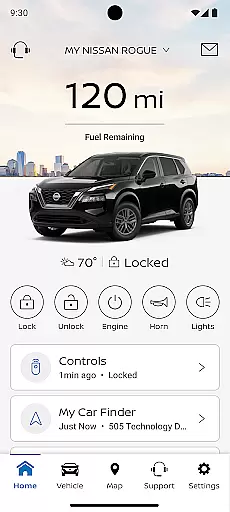
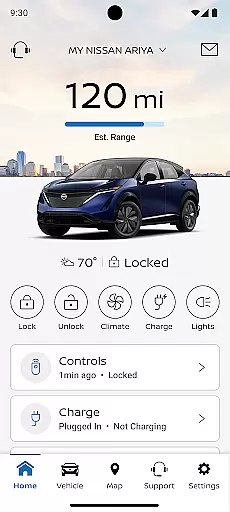
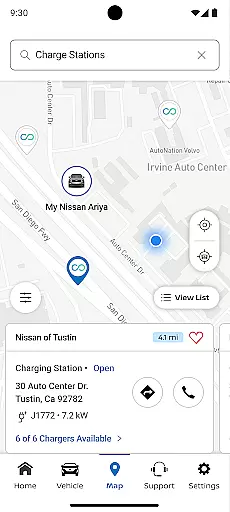
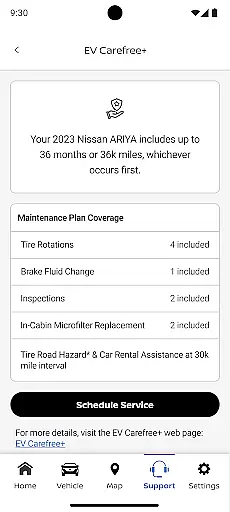
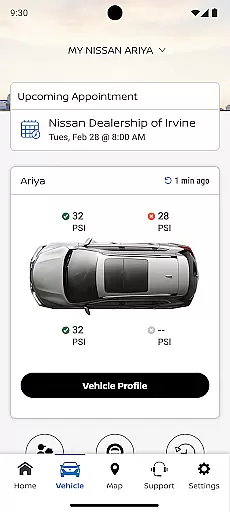
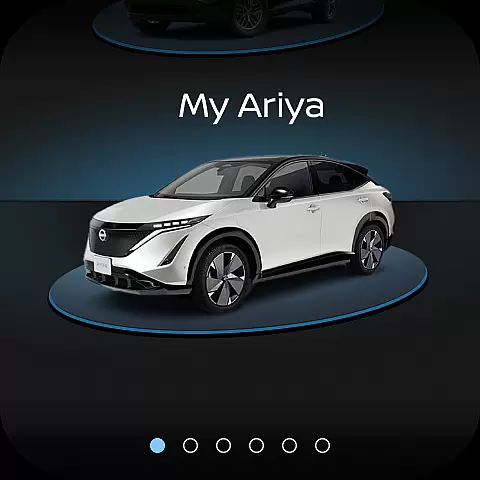
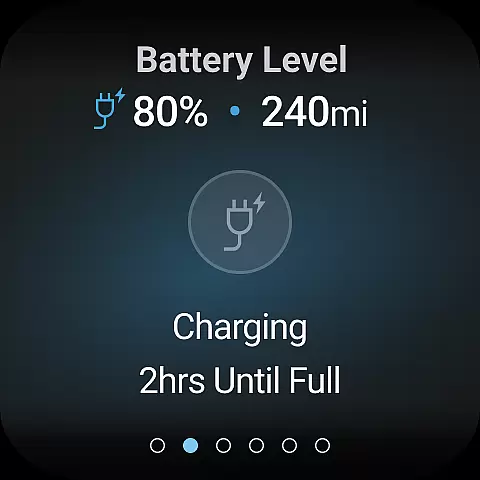
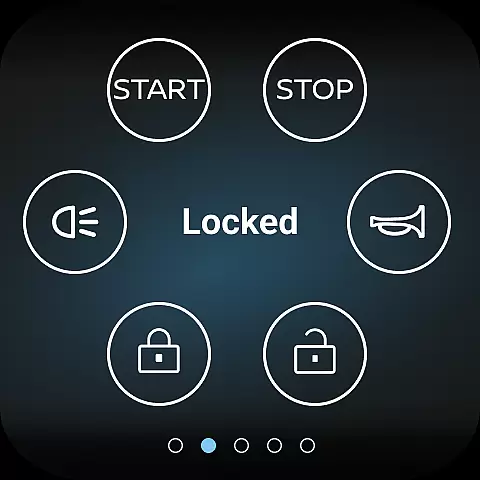
The MyNISSAN App is a comprehensive vehicle management solution designed to enhance the ownership experience for Nissan drivers. This innovative application brings essential vehicle controls and information directly to compatible Android devices, providing unprecedented convenience and peace of mind.
Core functionalities include remote vehicle access, security monitoring, maintenance tracking, and personalized settings management. The app's capabilities are particularly robust for vehicles 2014 and newer, with premium features available for select models from 2018 onward that have an active NissanConnect® Services Premium package. Users can remotely start their vehicle, manage security alerts, schedule service appointments, and access vital vehicle data through their mobile device.
This application proves especially valuable during road trips or daily commutes, allowing drivers to maintain optimal vehicle performance while receiving timely maintenance notifications. The ability to locate your vehicle and receive customizable alerts adds an extra layer of security and convenience, making vehicle ownership more efficient and worry-free.
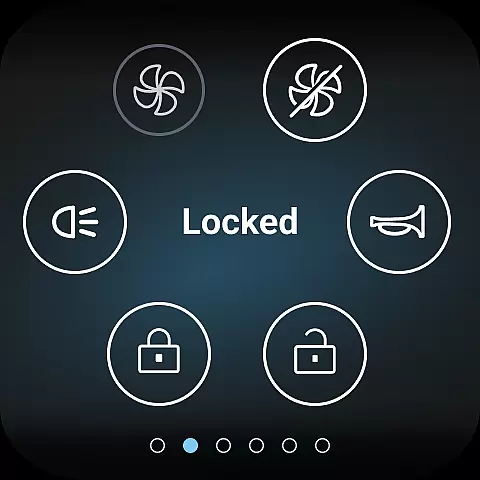
The MyNISSAN App distinguishes itself through its comprehensive suite of features that cater to various aspects of vehicle ownership. The remote access capabilities are particularly noteworthy, enabling users to start their engine, lock/unlock doors, and activate vehicle lights and horn from their Android device. These functions are complemented by advanced monitoring tools that track vehicle status including mileage, fuel range, tire pressure, and engine diagnostics.
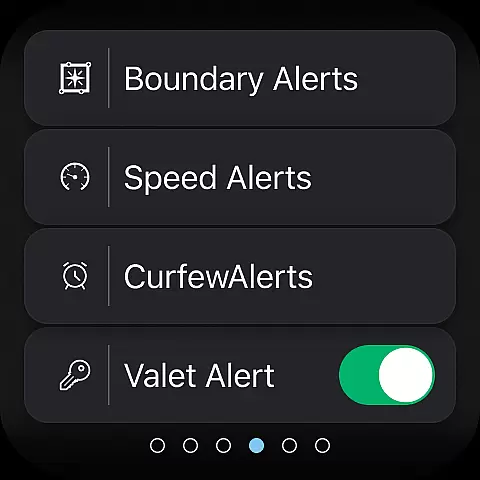
A standout feature is the customizable alert system, which allows owners to set boundary, speed, and curfew notifications for enhanced vehicle security. The integration with Google services in select vehicle trims adds additional functionality, including remote climate adjustment and real-time maintenance alerts. The app also facilitates seamless communication with dealerships for service appointments and provides detailed maintenance history tracking.
These features collectively create significant value for users by streamlining vehicle management tasks and providing peace of mind. The ability to add multiple drivers to a single account enhances family vehicle sharing, while the comprehensive vehicle monitoring helps prevent potential issues before they become serious problems, ultimately saving time and maintenance costs.
Companion app integration refers to the seamless connection between your wearable device and the main application on your smartphone. For MyNISSAN, this means that users with a compatible Android phone or Wear OS can access and control various vehicle functions directly from their wrist.
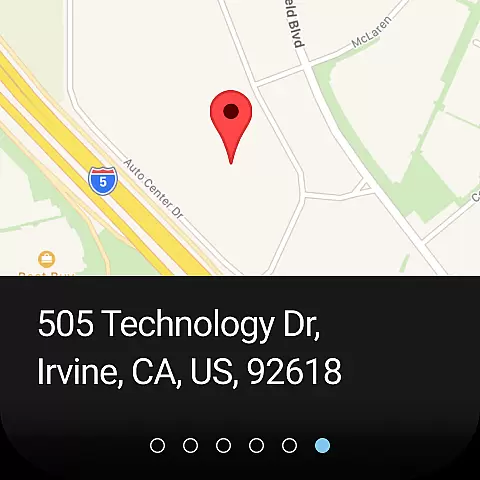
The MyNISSAN app brings essential features like remote start, door lock control, and vehicle location to your wearable device. This ensures that you are always connected to your vehicle, no matter where you are. The ability to receive important notifications about your vehicle's status or security alerts on your wearable adds an extra layer of convenience and peace of mind.
By integrating with Wear OS, MyNISSAN enhances user experience by providing quick access to frequently used features without needing to take out your phone. Whether it's checking if the doors are locked or finding your car in a crowded parking lot, these functionalities make daily interactions with your Nissan more efficient and enjoyable.
Wear OS/device compatibility ensures that the MyNISSAN app functions optimally across different devices running Wear OS. This compatibility allows Nissan owners to utilize the full range of features offered by the app on their smartwatches, making it easier to stay connected with their vehicles.
For vehicles equipped with Google built-in systems, additional functionalities such as remote climate adjustment and real-time updates from automotive repair shops become available. These advanced features enhance the overall ownership experience by providing greater control over vehicle settings and maintenance schedules directly from a wearable device.
It is important to note that feature availability may vary based on the vehicle model year, trim level, and other specifications. Users should verify their vehicle's compatibility with Wear OS through the official MyNISSAN website or consult with their dealer for detailed information. Ensuring device compatibility maximizes the utility of both the app and the wearable technology, offering a cohesive and integrated user experience.
User-friendly interface
Comprehensive vehicle control
Real-time alerts
Remote access features
Maintenance tracking
Limited older model support
Subscription fees apply
Network dependency
Feature variability
Device compatibility

Gym Log & Workout Tracker | Fitness Journal, Training & Weight Lifting Planner
 4.90
4.90
Beautiful, colorful and practical watch face. For Wear OS devices.
5.00
The most customizable minimal watch face. For Wear OS 5.0, API 34+ and later
4.70
Authentic military-tactical design with ZULU time! Realistic and functional!
3.80
Locate your family members by GPS phone location tracker everywhere and anytime
4.30
The #1 source of faces for your smartwatch!
4.00
Retro digital watch face with customizable colors and a unique lighting effect
4.60
Hybrid watch face for Wear OS with customizable complications by Matteo Dini MD
4.70
A white realistic classic analog watch face with many customization options.
4.40
Gym & home workout plans with strength training, exercise tracking, HIIT & more.
4.60
Nutrition, Macro tracker: Food, fitness & healthy diet tracking for weight loss
4.60
Deck out your Wear OS Watch face with a beautifully decorated pine wreath!
4.50
Ideal for surviving in the wasteland left after nuclear fallout
4.50
Beautiful artistic animated digital watch face, with a customizable layout!
4.40
Wear Os Watch Face - Animated Snow Effect & Magic Spark - 6 Scenes
4.10
Daily Weather forecast with 15 weather images for Day & Night plus Big Bold time
4.10
Structured watch face with seven complications and modular UI elements
3.90
Christmas is near, let's count together the days left until Santa comes
4.2
Fitness interactive virtual pet super fighter boy watch face
4.2


User Reviews