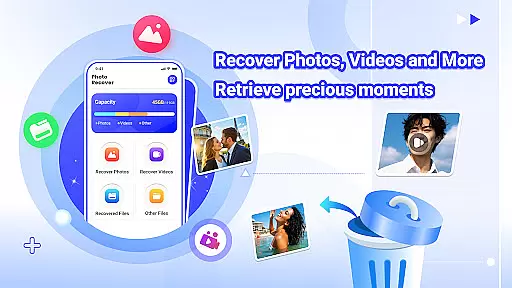

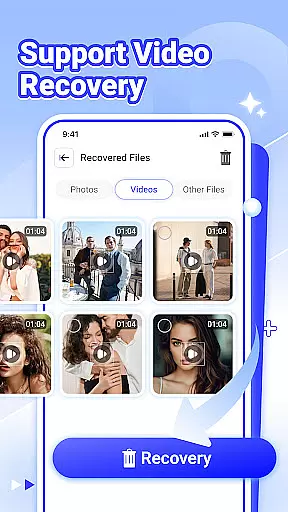
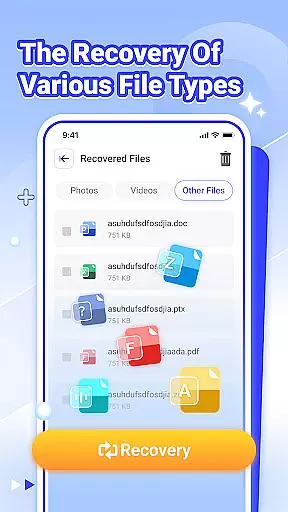
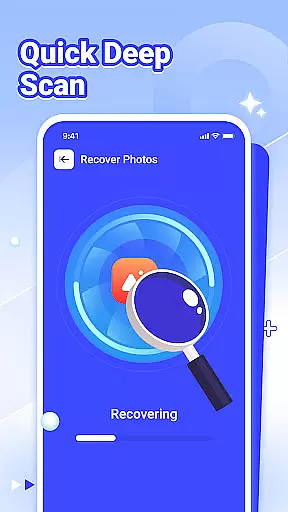
Photo Recover is a powerful file recovery tool designed to help users retrieve accidentally deleted photos, videos, and various other file types. The app's core functionality revolves around its advanced scanning algorithms that search for recoverable files in your device's storage.
The application stands out with its intuitive interface and straightforward recovery process. Whether you've lost precious family photos or important work documents, Photo Recover provides a simple solution to restore your valuable digital assets. Its ability to recover multiple file formats makes it an essential tool for both personal and professional use.
Photo Recover offers a comprehensive set of features that make file recovery both efficient and reliable. The app supports recovery of different file types including photos, videos, and documents, catering to diverse user needs.
A key advantage of Photo Recover is its advanced scanning technology that can detect deleted files even after system resets. The app maintains user privacy by performing all operations locally on the device without uploading any data to external servers. Additionally, its cache recovery feature can restore files deleted by other applications, providing an extra layer of protection for your digital content.
Photo Recover offers a reliable solution for retrieving lost digital content, focusing on accuracy and effectiveness in file recovery. The app employs advanced scanning algorithms to detect recoverable files across various formats, including photos, videos, and documents.
The recovery process is designed to be both thorough and efficient. By scanning specific path patterns in your device's storage, the app identifies deleted files that are still recoverable. This targeted approach ensures that users can retrieve their valuable data with minimal effort.
While the success rate depends on factors like device model and storage condition, Photo Recover optimizes the recovery process by working entirely offline. All scanning and restoration happen locally on your device, maintaining privacy while delivering core functionality.
The user interface of Photo Recover is crafted to provide a seamless and intuitive experience. From the moment you launch the app, you're guided through a straightforward process that makes file recovery accessible even to non-technical users.
With clearly labeled functions and a minimalist design, the app eliminates unnecessary complexity. Each feature, from photo recovery to video and document restoration, is easily accessible through a few simple taps. This ensures that users can quickly initiate and complete their recovery tasks without confusion.
Despite the sophisticated technology behind it, Photo Recover maintains an easy learning curve. Its intuitive controls and well-organized options make sure that users of all skill levels can operate the app effectively, achieving their desired results with minimal hassle.
User-friendly interface
Multi-format recovery
Local data processing
Quick scanning speed
Cache file recovery
Recovery not guaranteed
Limited post-reset options
Device compatibility issues
Basic free version
Storage path restrictions

Just one-tap to easy translate in any language after calls within seconds.
 4.20
4.20
HD Video player and downloader for all formats, fast & smooth 4K video playback.
4.60
Family Locator, Share location, StayConnect with your family in real time
3.90
App that Recover your pictures, videos or files after you delete them.
4.20
Carry a FTP server in your pocket and avoid USB cables for file transfer
4.20
Small and simple app to Verify Root Access and BusyBox Install!
4.70
Excellent scientific calculator with symbolic algebra, integrals, derivatives
4.80
Quickly check the frequency of the Earth
4.30
The Ultimate Flex Drivers Utility App - Convenient Tapping & Block Filters
4.70
Connect wirelessly to your computer to watch movies, browse the web, play games
5.00
Extremely fast, secure, and protects your privacy
4.80
Fast Video Downloader, Movie Downloader, Torrent Downloader & Adblock Browser
4.70 4.50
4.50
Quickly switch to an encrypted DNS server on Android TV
4.50
Pro Emulator is an easy to use game console emulator for a range of consoles.
4.40
Complete kernel toolbox with features to manage and tweak your rooted device
4.30
PC precision for mobile gaming: dominate with keyboard and mouse!
4.30
VESC Tool can monitor and configure VESC-compatible devices over BLE and Wifi
4.20
View detailed information about your Nissan Leaf the dealer never shows you.
4.10
Honest Scratch app review—is it actually good for teaching kids to code? Real user insights on features, limitations, and learning outcomes.



User Reviews