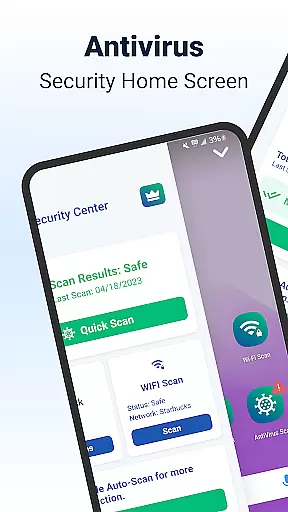
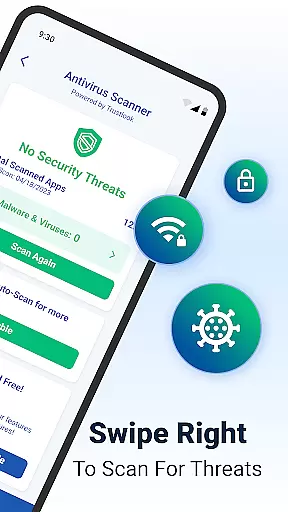
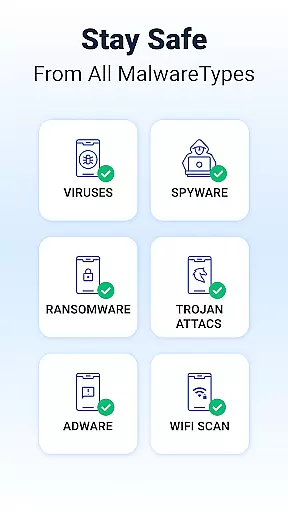
Shield Antivirus Home Screen is a comprehensive security solution for Android devices, offering robust protection against viruses, malware, and cyber threats. The app features an advanced AI-driven antivirus scanner with a 99% detection rate, ensuring your device remains safe from malicious software while maintaining minimal false positives.
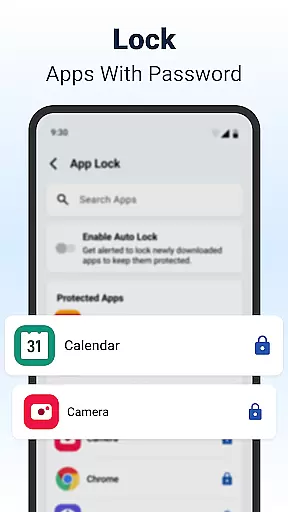
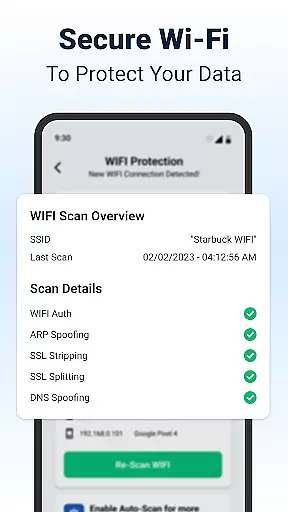
Beyond basic security, Shield provides privacy-focused tools such as AppLock, which secures sensitive apps with password or fingerprint protection. It also includes WiFi scanning capabilities to detect network-based attacks, making it an ideal choice for users who frequently connect to public networks. With customizable home screen options, Shield ensures that security doesn't come at the expense of personalization.
One of Shield's standout features is its high-accuracy AI-driven antivirus scanner, capable of identifying and neutralizing various forms of malware with exceptional speed and precision. This feature alone makes it a valuable tool for maintaining device integrity.
In addition to virus protection, Shield offers AppLock functionality, allowing users to secure their private apps using biometric authentication or PIN codes. The inclusion of WiFi scanning adds another layer of security by detecting potential network vulnerabilities like ARP spoofing and DNS hijacking.
Shield further enhances user experience through extensive customization options. Users can personalize their home screens and lock screen settings, creating a unique interface that aligns with their preferences while still benefiting from top-tier security measures.
Customization is at the heart of Shield Antivirus Home Screen, offering users a versatile way to personalize their Android experience. The app provides extensive customization features that allow users to modify their lock screen and app settings according to their preferences.
With Shield, you can tailor your device's appearance and functionality to match your personal style without compromising on security. This includes customizing privacy controls directly from the home screen, ensuring that your device not only looks good but also remains secure.
The level of personalization extends to privacy options, giving users control over which apps are locked and how they are protected. This ensures that while you express your individuality through your device's look and feel, you do not have to sacrifice privacy or security.
Ultimately, Shield Antivirus Home Screen empowers users by providing them with the tools to create an Android experience that is both visually appealing and secure, making it more than just a security solution but also a personalization powerhouse.
Shield Antivirus Home Screen excels in theme compatibility, ensuring that all visual customizations are seamlessly integrated into the user's device. Whether you prefer a sleek modern look or something more vibrant and playful, Shield supports a wide range of themes to suit every taste.
The app's architecture is designed to maintain visual consistency across different themes and customizations. This means that regardless of the theme applied, users will experience a cohesive interface that upholds both aesthetic appeal and functional integrity.
Moreover, Shield's theme system is crafted to be compatible with various Android versions and devices, minimizing the risk of encountering display issues or inconsistencies. This compatibility ensures that users enjoy a smooth and visually pleasing experience no matter what device they use.
By prioritizing theme compatibility, Shield Antivirus Home Screen guarantees that users can personalize their devices with confidence, knowing that their chosen theme will work harmoniously with their device's operating system and hardware capabilities.
Powerful antivirus engine
Customizable home screen
Secure WiFi scanning
AppLock with biometric support
Privacy-focused design
Limited iOS compatibility
Occasional performance lag
Pro version requires subscription
Interface may feel complex
Some features locked behind paywall

A light in the dark, a unique style and an andless cutomization!
 4.30
4.30
Glass style colourful icons with a One UI look and feel
4.60
Shimeji adds cute animated characters to your screen, lively and fun.
4.70
Want to make your phone more special than ever?
4.60
Ultimate Gallery Lock App - Hide Pictures, Videos and Lock Apps Instantly!
4.60 4.50
4.50
Handcrafted pixel art icons, widgets & wallpapers
4.60
400+ Beautifully crafted widgets inspired by NOTHING.
4.70
Install amazing sticker packs: endless styles, always cool.
4.70
Add cute Shimeji pets to screen, interact with them and relax with cute motions
4.60
Zip lock screen with magic wallpaper to decorate your phone with fun zipper lock
4.60
Ultra realistic gold analog watch face with lots of customization options.
4.50
3D, live, and moving wallpapers & themes in 4K and HD for your device.
4.50
Art & Emoji Keyboard with Cool Fonts, Cute Themes and Custom Designs.
4.40
Yandex Browser — stylish and secure, with voice search and data compression
4.40
Organize and manage your photos and videos effortlessly with Photo Gallery
4.20
Design your screen with unique, vibrant clocks
3.80
Transform your phone with stunning video wallpapers and a unique, personal touch
3.80
Adorable pets roam and play right on your phone screen!
3.30
Wallpaper Engine Android review—PC sync setup, crash issues, sound reactive limitations, and whether this free companion app is actually good.


User Reviews