
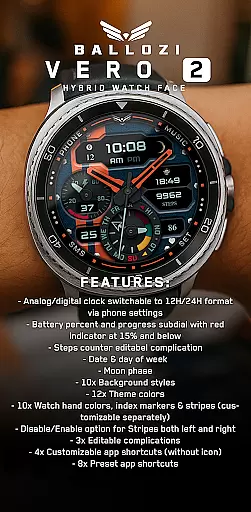
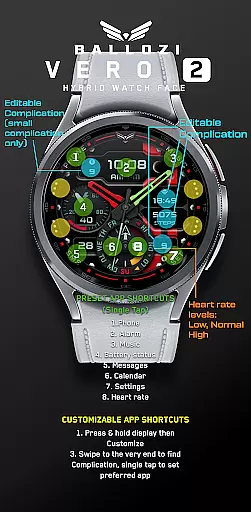
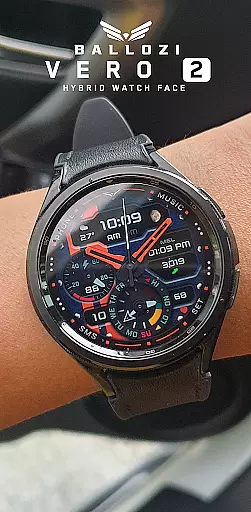
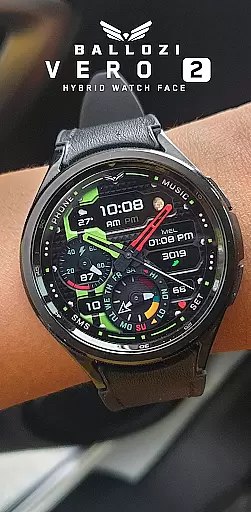
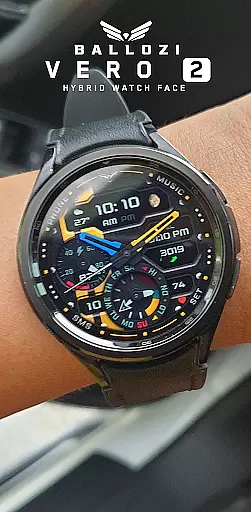
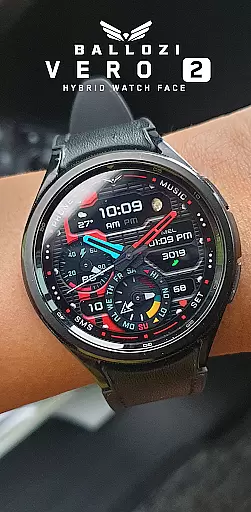
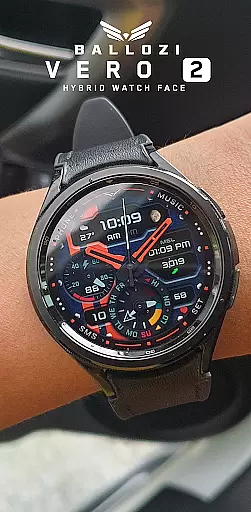
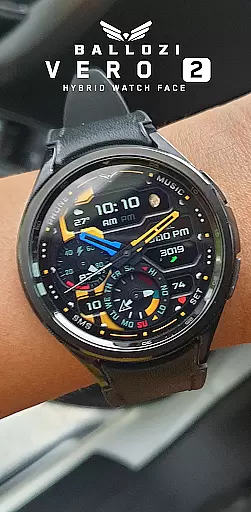
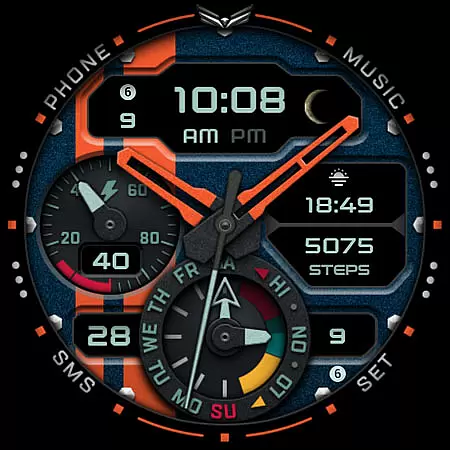
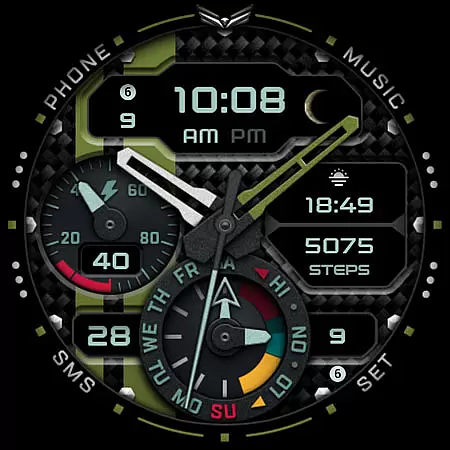
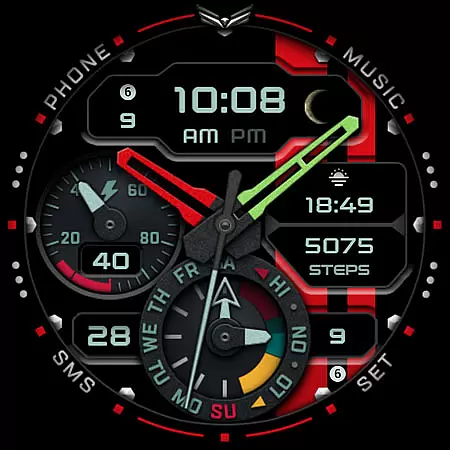
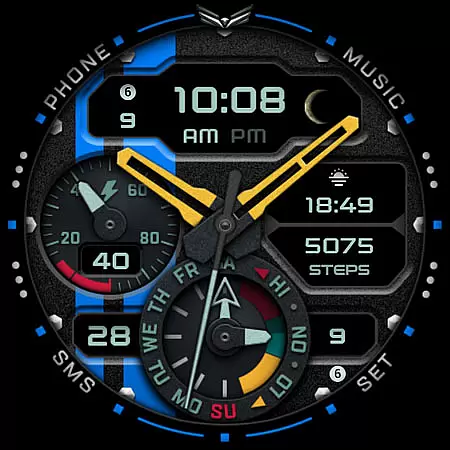
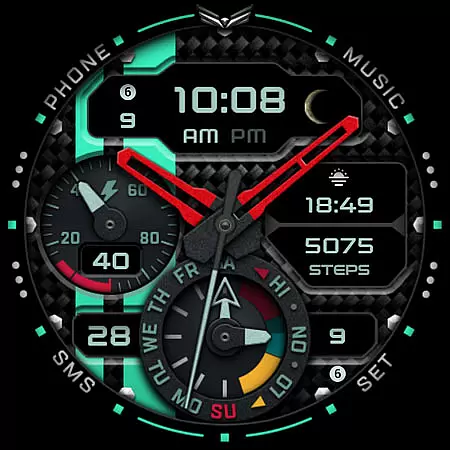
Ballozi VERO 2 Hybrid Analog is a sophisticated Wear OS watch face that combines analog and digital elements for a personalized experience. This hybrid design offers users the ability to switch between 12H and 24H clock formats, customize background styles, theme colors, and watch hand colors. With features like battery percentage display, steps counter, date, day of the week, moon phase, and multiple complications, it provides both functionality and style.
The app supports customization through its intuitive interface, allowing users to tailor their watch face with different complications and app shortcuts. It also includes preset app shortcuts for quick access to essential functions such as phone, alarm, music, and more. Compatible with Wear OS devices running version 5.0 or higher, Ballozi VERO 2 ensures a seamless integration into your smartwatch ecosystem while delivering an informative and visually appealing timepiece.
Ballozi VERO 2 stands out with its extensive customization options, including 10 background styles, 12 theme colors, and 10 watch hand colors. Users can personalize index markers and stripes separately, and enable or disable stripes on both sides. The inclusion of three editable complications and four customizable app shortcuts without icons adds to the versatility of this watch face.
Functionality is further enhanced by features such as an analog/digital clock that adapts to user preferences via phone settings, a battery indicator that changes color when low, and a step counter complication. Preset app shortcuts provide instant access to frequently used apps like phone, alarm, music, battery status, messages, calendar, and settings. These practical features ensure that users have all necessary information at their fingertips while maintaining a sleek aesthetic tailored to individual tastes.
Companion app integration is crucial for Android Wear applications as it ensures seamless synchronization between the smartwatch and its paired mobile device. The BALLOZI VERO 2 watch face excels in this aspect by providing users with comprehensive installation options that cater to various devices and platforms. Upon installation, users can immediately access the newly installed watch face through their smartwatch's interface.
The application supports multiple methods of integration, including Samsung Galaxy Wearable app compatibility for Samsung watches and other brand-specific apps for different Wear OS devices. This versatility guarantees that users can easily locate and activate the watch face regardless of their specific smartwatch model. Furthermore, the app offers extensive customization features directly from the phone, allowing users to personalize their watch face effortlessly.
By leveraging these companion app integration capabilities, users benefit from a streamlined setup process and enhanced functionality. They can customize everything from background styles to theme colors, complications, and app shortcuts, all while maintaining real-time updates between their phone and watch. This level of integration not only simplifies the user experience but also maximizes the utility of the smartwatch.
Ensuring proper Wear OS and device compatibility is essential for any Android Wear application, and BALLOZI VERO 2 stands out in this regard. This watch face is meticulously designed to be compatible with smartwatches running Wear OS 5.0 or higher (API level 34+), guaranteeing optimal performance on supported devices. Such stringent compatibility standards ensure that users experience the full range of features without encountering technical issues.
BALLOZI VERO 2 provides clear guidance on installation procedures tailored to different smartwatch brands, enhancing its accessibility across various devices. Whether using a Samsung Galaxy Watch or another Wear OS device, users receive detailed instructions to facilitate smooth installation and activation. Additionally, the notice of device compatibility alerts potential users to verify their smartwatch specifications before proceeding, preventing any possible mismatches.
This focus on compatibility extends beyond mere operational assurance; it enhances user satisfaction by delivering a consistent and reliable experience. With features like analog/digital clock switching, battery indicators, step counters, and customizable complications, BALLOZI VERO 2 leverages robust Wear OS integration to offer a versatile and engaging watch face. Users can trust that their smartwatch will function seamlessly, reflecting the latest updates and customizations made via their paired mobile device.
Highly customizable
Versatile design options
Informative display elements
User-friendly interface
Wide compatibility range
Limited to Wear OS
Complex setup process
Premium features may require payment
Occasional performance issues
Not suitable for older devices

Watch the sharpness of the sky on your wrist..
 3.70
3.70
A heartwarming Christmas scene featuring a cute image of Santa and Rudolf
4.3
Watch face designed for Thanksgiving Day. 7 Background Styles included.
3.20
Sleek, highly customizable watch face inspired by Galaxy Watch Circle Dashboard.
4.5
3 Complications. All shadow on/off. 30 Themes color palette...
4.4
Digital watch face with big numbers and many customization for Wear OS devices
4.40
The #1 source of faces for your smartwatch!
4.00
Minimalistic design modern digital watch face.
4.1
Connect, create, and collaborate with Gmail, part of Google Workspace.
4.10
Be an elegant and classy secret agent, with this carefully detailed watch face
4.70
Nutrition, Macro tracker: Food, fitness & healthy diet tracking for weight loss
4.60
A white realistic classic analog watch face with many customization options.
4.40
A customizable Christmas watch face for Wear OS with a countdown.
4.20
Elegant animated Christmas tree with multiple customization options
4.20
Structured watch face with seven complications and modular UI elements
3.90
A full-featured Amazon Alexa voice assistant that can show you things.
3.70
Wear Os Watch Face - Animated Snow Effect & Christmas Lights
4.2
an Analog Watch Face for winter season with freeze winter background for Wear OS
4.3
Analog watch face with 8 complications and expedition styling
4.0


User Reviews