
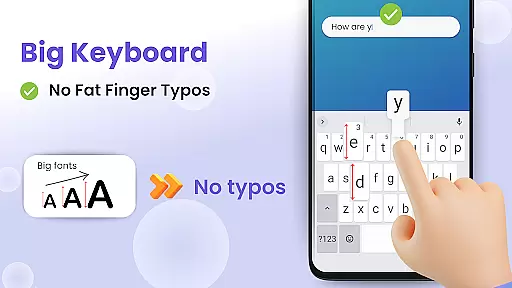
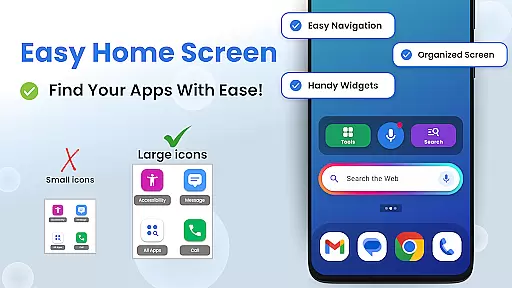
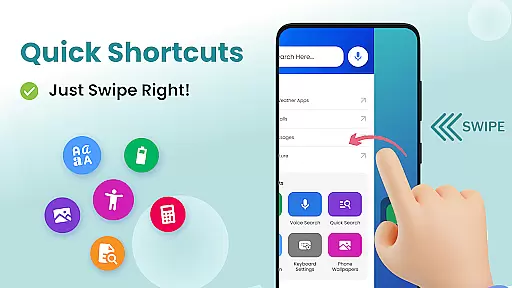

Big Keyboard is a personalization app that transforms your smartphone experience through its intuitive home screen layout and practical tools. The app's redesigned interface offers quick-swipe shortcuts, making essential functions like calling and messaging easily accessible. Its standout feature is the enlarged keyboard, which can increase up to 70% in size compared to standard keyboards, significantly reducing typos and improving typing efficiency.
In addition to its functional enhancements, Big Keyboard includes accessibility features such as a built-in magnifier and flashlight, perfect for reading small text in low-light environments. Users can further customize their experience with free wallpaper options and easy access to display settings. These thoughtful additions make daily phone usage more comfortable and enjoyable while maintaining a personalized touch.
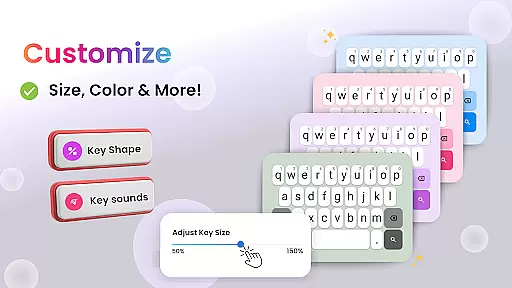
Big Keyboard distinguishes itself through several innovative features designed to enhance user convenience. The app's home screen provides an intuitive layout with right-swipe shortcuts to frequently used functions, eliminating the need to navigate through multiple menus. The enlarged keyboard is fully customizable during setup or afterward, allowing users to adjust its size according to their specific needs, ensuring both comfort and accuracy while typing.
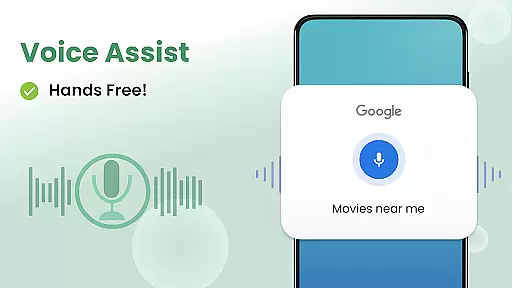
The hands-free voice assistant, powered by Yahoo, enables effortless searching without physical input. This feature is complemented by suggested searches that help users find information more efficiently. Additional practical tools include a calculator and an easy-access search function. The inclusion of a magnifier and flashlight makes reading small print in various environments much simpler, demonstrating the app's commitment to accessibility and user-centric design.
Customization is at the heart of enhancing user experience on any mobile device. The Big Keyboard: Easy Homescreen app offers a plethora of customization options that allow users to tailor their smartphone interface according to their personal preferences and needs. With features like an intuitive home screen layout, quick-swipe shortcuts, and a magnifier tool, this app ensures that your phone adapts to your lifestyle rather than the other way around.
The app's standout feature is its large keyboard, which can be increased in size by up to 70%, making typing easier and reducing errors significantly. This level of customization extends beyond just the keyboard; it includes built-in free wallpaper options and easy access to display settings, ensuring that every aspect of your phoneu2019s appearance and functionality aligns with your individual tastes and requirements.
By providing such diverse customization capabilities, The Big Keyboard: Easy Homescreen app empowers users to create a personalized and comfortable digital environment. Whether you need quick call and messaging shortcuts or hands-free voice assistance for searching the web, these customizable elements contribute to a seamless and enjoyable user experience tailored specifically for you.
Theme compatibility plays a crucial role in maintaining visual consistency across different applications and system interfaces on a smartphone. The Big Keyboard: Easy Homescreen app excels in this area by offering extensive theme support that integrates smoothly with various aspects of your deviceu2019s aesthetics. Users can enjoy a cohesive look and feel throughout their interaction with the app, thanks to its well-designed themes that complement both the operating system and third-party apps.
In addition to aesthetic enhancements, the app provides practical tools such as a magnifier and flashlight, which blend seamlessly into the overall design without disrupting the thematic continuity. These utilities not only serve functional purposes but also adhere to the chosen theme, ensuring that all components of the user interface work harmoniously together.
Ultimately, the robust theme compatibility offered by The Big Keyboard: Easy Homescreen app enhances both usability and visual appeal. By allowing users to personalize their phone backgrounds while maintaining consistent design language, the app delivers an engaging and visually pleasing experience that reflects each user's unique style and preferences.
Intuitive interface
Customizable keyboard
Voice assistant
Magnifier tool
Free wallpapers
Limited design options
Potential battery drain
Occasional glitches
Ads in free version
Learning curve

Classic analogue watch face. For wear os devices.
 4.60
4.60
A light in the dark, a unique style and an andless cutomization!
4.30
Customizable screen pets that play, climb, and keep you company.
4.50
Romantic Kiss Stickers App. Start romantic messaging now!
4.30
Customize your home screen with stunning themes, blur, widgets & icons.
4.60
Choose your keyboard with RGB colors effect, themes, fonts, emojis.
4.60
Crystal-clear, square icon provides a sleek and sophisticated visual upgrade
4.00
300+ Beautifully crafted widgets inspired by OneUI.
4.60
Transform your device in a game console
4.40
Wallpaper HD 4K Live - Thousands of high-quality Anime backgrounds for you.
4.80
400+ Beautifully crafted widgets inspired by NOTHING.
4.70
Make your phone look simple & luxury, like iDevice
4.60
Zip lock screen with magic wallpaper to decorate your phone with fun zipper lock
4.60
3D, live, and moving wallpapers & themes in 4K and HD for your device.
4.50
200+ Material Inspired Widgets
4.50
App Icon Changer & Shortcut Creator. Customize your icons without any watermarks
4.30
Launcher OS™ Pro without ads help make your phone simple and pretty
4.30
Organize and manage your photos and videos effortlessly with Photo Gallery
4.20
Adorable pets roam and play right on your phone screen!
3.30
Wallpaper Engine Android review—PC sync setup, crash issues, sound reactive limitations, and whether this free companion app is actually good.



User Reviews