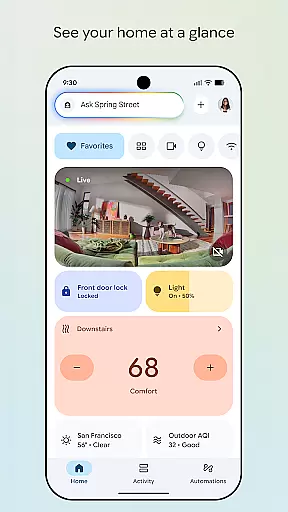
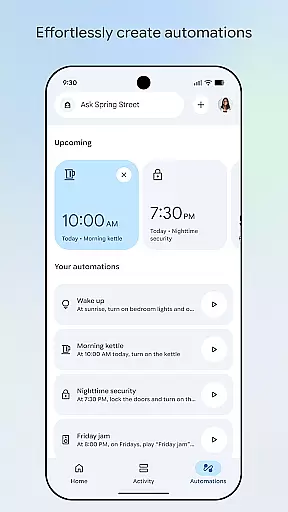
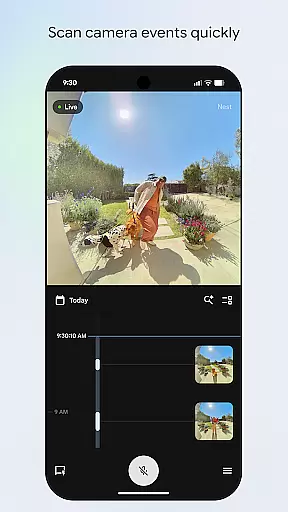
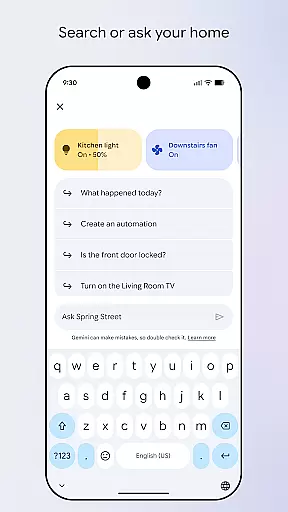
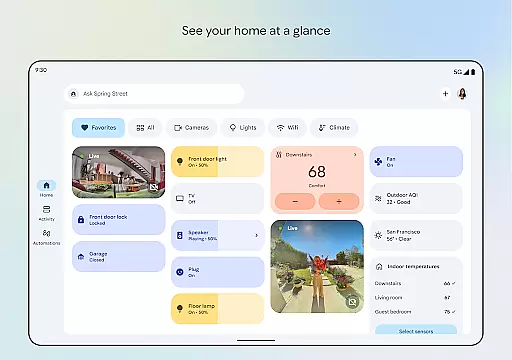
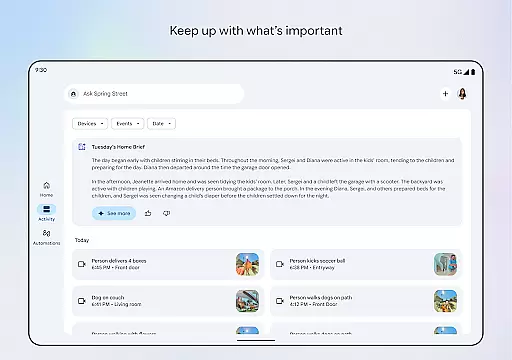
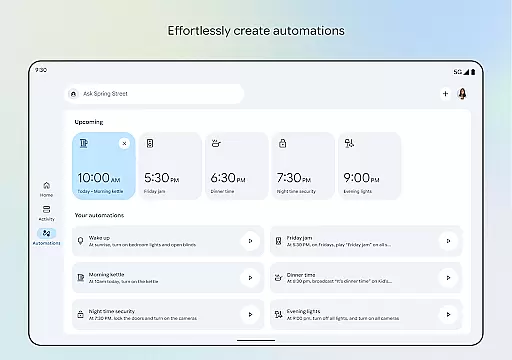
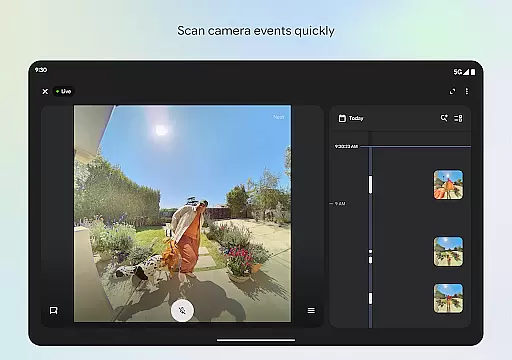
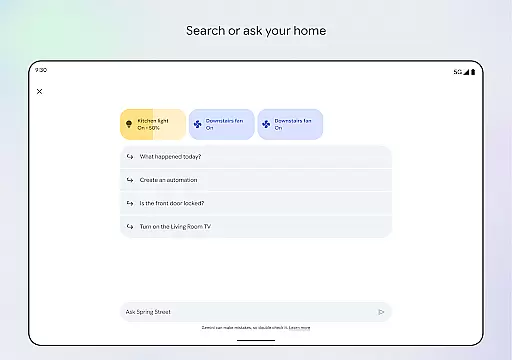

Google Home is a comprehensive smart home management application designed specifically for Android users. This app allows you to seamlessly control and monitor all your smart home devices from a single interface. With its intuitive design, you can easily organize your devices into customizable dashboards, making it simple to manage settings and receive real-time updates on your home's status.
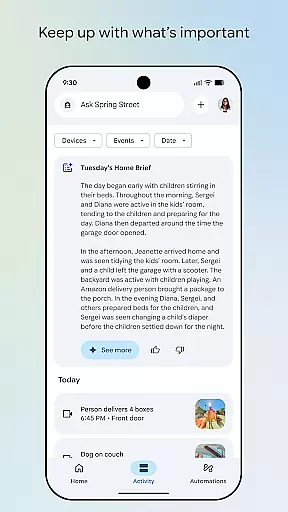
The app provides an innovative voice control feature powered by Gemini for Home, enabling you to execute commands simply by speaking your requests. Additionally, the enhanced camera interface allows for quick scanning of events and live views, ensuring you never miss important activities in your home. Whether you're checking in remotely or automating daily routines, Google Home delivers a streamlined smart home experience that keeps you connected and informed.
One of the standout features of Google Home is its ability to provide a complete overview of your smart home ecosystem. The app's redesigned interface presents a clear visualization of your home's current state, with easy access to device statuses and recent activities. Its intelligent organization system lets you categorize devices into specific rooms or functions, simplifying navigation and management.
Another remarkable capability is the advanced voice control functionality through Gemini for Home. This feature understands natural language commands, allowing you to adjust settings, trigger actions, or retrieve information hands-free. Furthermore, the app includes a sophisticated camera management system that enables quick review of recorded events and live monitoring. These features collectively create a powerful tool for maintaining security, convenience, and efficiency in your smart home environment.
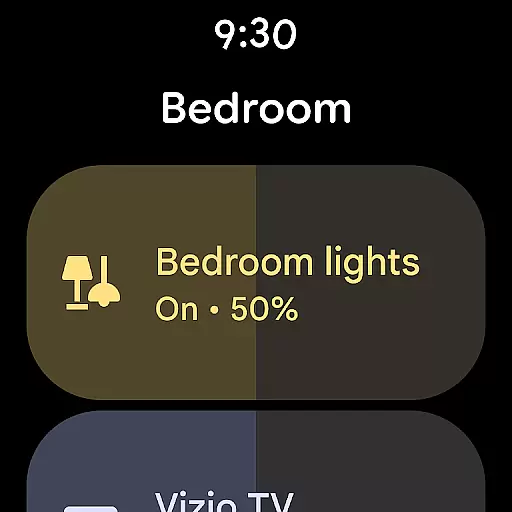
Companion app integration is crucial for wearable devices as it ensures seamless connectivity and data sharing between the main application and wearable gadgets. Google Home excels in this area by providing users with a unified experience across multiple devices.
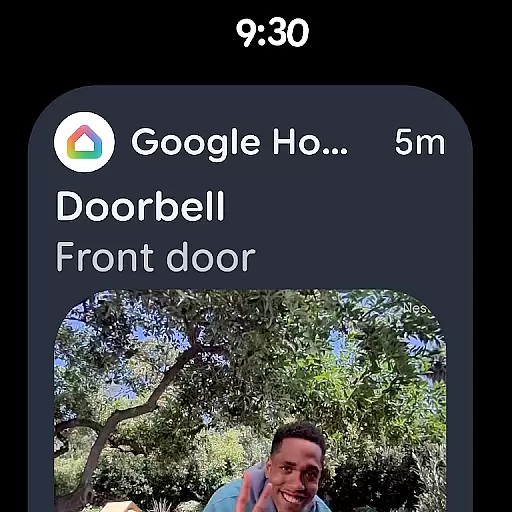
The app allows you to control your smart home devices directly from your wearable device, ensuring that you can manage your home environment even when you're on the go. This feature is particularly useful for checking security camera feeds or adjusting thermostats without needing to take out your phone.
By integrating with Gemini for Home, Google Home offers voice command capabilities that extend to wearables. You can simply speak to your wearable to adjust settings or receive updates about your home, making the interaction hands-free and convenient.
This level of integration not only enhances user convenience but also provides peace of mind by allowing real-time monitoring and control over home devices through a wearable interface.
Device compatibility is essential for ensuring that applications run smoothly across various hardware configurations. For Android Wear users, Google Home guarantees extensive compatibility with Wear OS, offering a consistent and reliable performance regardless of the specific device model.
Google Home supports a wide range of smart home devices, which means that whether you own a smart thermostat, security camera, or lighting system, the app will work seamlessly with these products. This broad compatibility ensures that users can enjoy a fully integrated smart home ecosystem.
In addition to supporting numerous smart devices, Google Home is optimized for different versions of Wear OS. This optimization ensures that users experience minimal lag and maximum efficiency, regardless of their wearable's operating system version.
Ultimately, the robust compatibility of Google Home with Wear OS devices enhances user satisfaction by providing a dependable and versatile platform for managing smart homes directly from wearable technology.
User-friendly interface
Voice command support
Real-time updates
Customizable dashboards
Remote home monitoring
Limited device compatibility
Region-specific features
Requires stable internet
Premium feature costs
Occasional bugs

WTW M17 is a premium and luxurious hybrid watch face
 4.70
4.70
Snowflake Rose Gold Watch Face - Digital, modern, & sleek with GYRO effect.
4.10
A Wintery Snow Globe on Your Wrist; now celebrating Christmas!
4.0
Analog watch face with 8 complications and expedition styling
4.4
Sleek, highly customizable watch face inspired by Galaxy Watch Circle Dashboard.
4.0
Digital, flexibly customizable watch face. For Wear OS 5.0, API 34+ and later.
5.00
Viewer for Wyze/Yi/Eufy/Arlo/ONVIF/RTSP/P2P IP cams w/ adv. features & DIY DVR
4.00
Animated video-game inspired “secret agent” simulation, right on your wrist!
4.20
Start and succeed with PAP
4.10
Hyperlocal rain alerts by MyRadar using patent-pending technology, radar & more
4.80
The most customizable minimal watch face. For Wear OS 5.0, API 34+ and later
4.70
Hybrid watch face for Wear OS with customizable complications by Matteo Dini MD
4.70
Rose gold watch face with festive lights & customizable features.
4.60
Digital watch face with big numbers and many customization for Wear OS devices
4.40
A customizable Christmas watch face for Wear OS with a countdown.
4.20
Your local weather forecast, storm tracker, radar maps & live weather news
3.40
A heartwarming Christmas scene featuring a cute image of Santa and Rudolf
4.2
3 Complications. All shadow on/off. 30 Themes color palette...
4.0
Funny animated watch face for Thanksgiving
4.5


User Reviews