
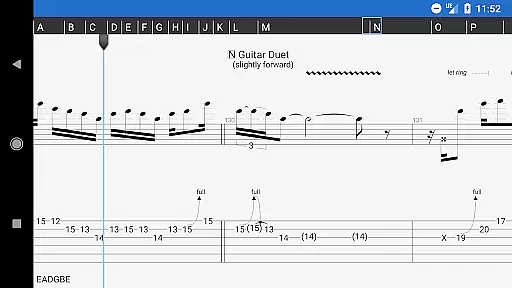
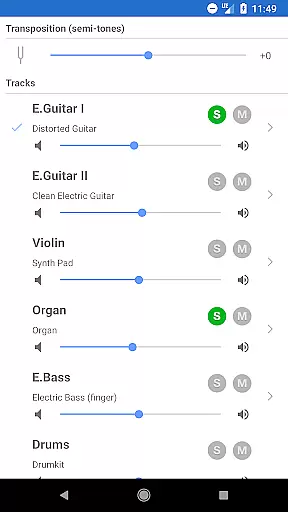
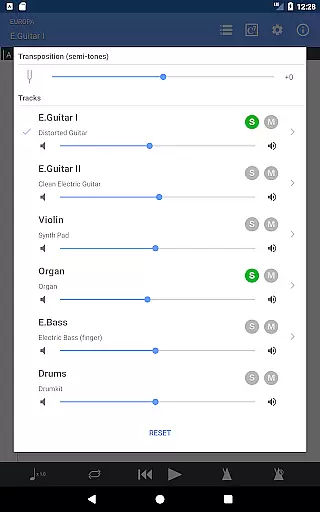
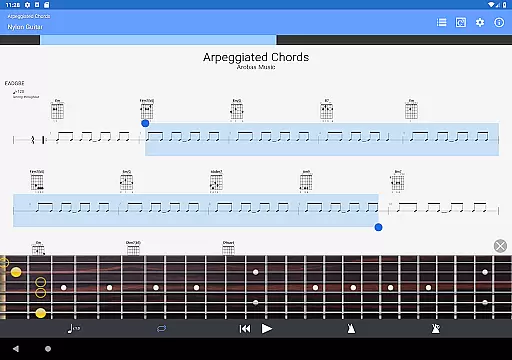
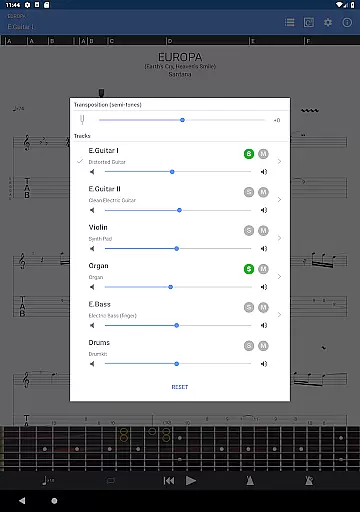
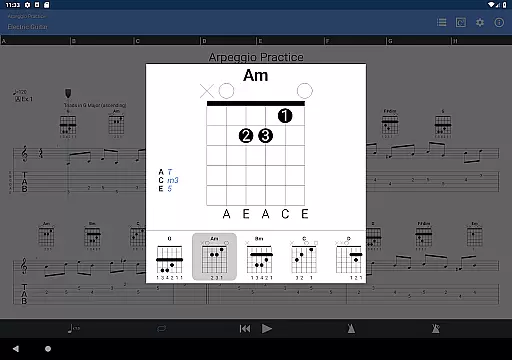
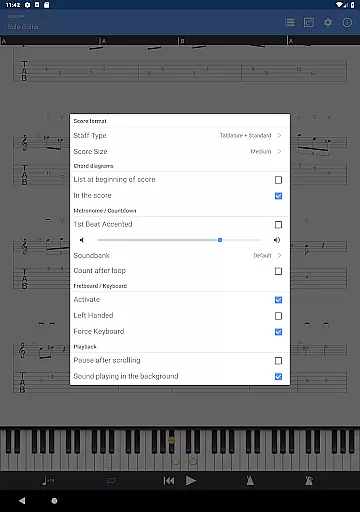
Guitar Pro is a comprehensive mobile application tailored for guitarists and musicians who want to create, practice, and share their music on the go. The app supports GP3/4/5/6/7/8 file formats, allowing users to view, play, and write tablature with ease. It features a powerful score player that includes standard notation, multitrack playback, and soundboard controls, making it an ideal tool for practicing songs anytime, anywhere.
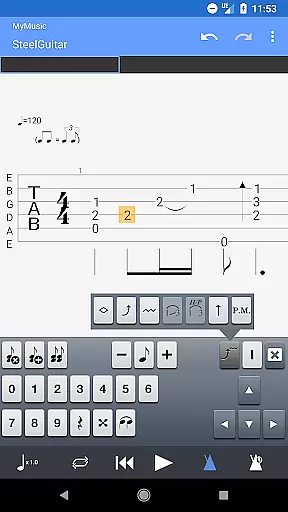
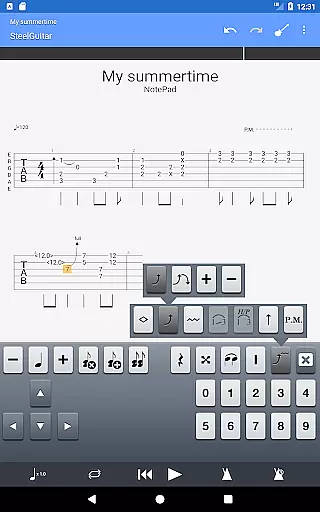
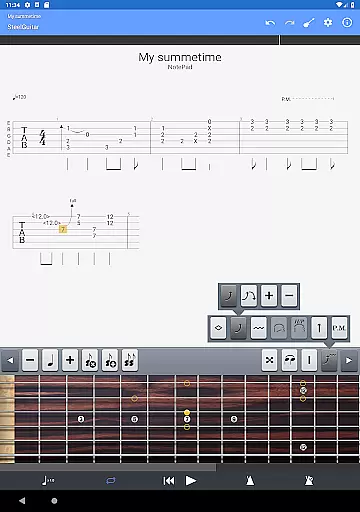
One of the standout features is the NotePad tool, which allows users to compose single-track tablatures for various stringed instruments like guitar, bass, banjo, ukulele, and mandolin. With customizable tuning, tempo settings, and 19 built-in sounds, musicians can quickly capture their musical ideas and export them into Guitar Pro desktop formats for further refinement. This makes the app not only a practice companion but also a creative workspace for developing new compositions.
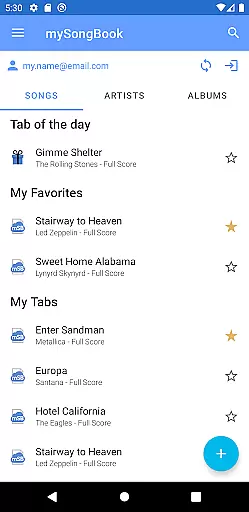
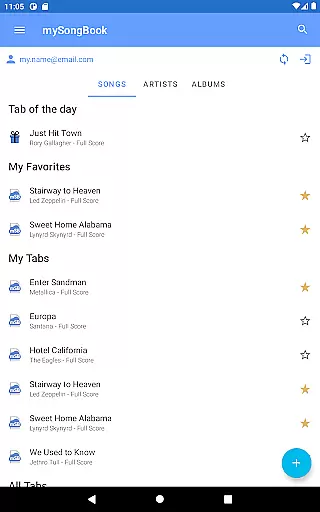
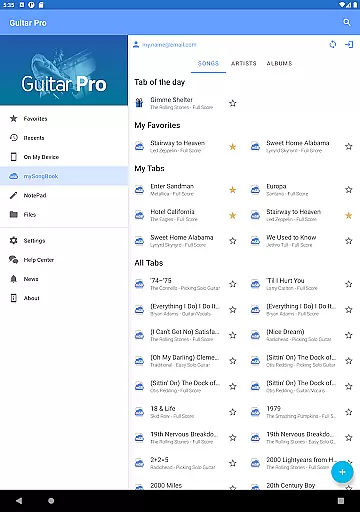
The app's compatibility with mySongBook portal, integrated sheet-music library, and support for WiFi file transfers enhance its utility for musicians. Whether you're a beginner or a professional guitarist, Guitar Pro offers tools that streamline your workflow and help bring your musical ideas to life, all from the convenience of your mobile device.
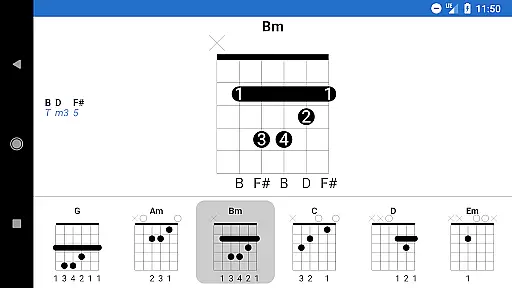
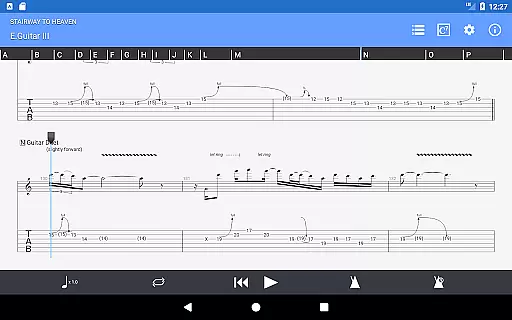
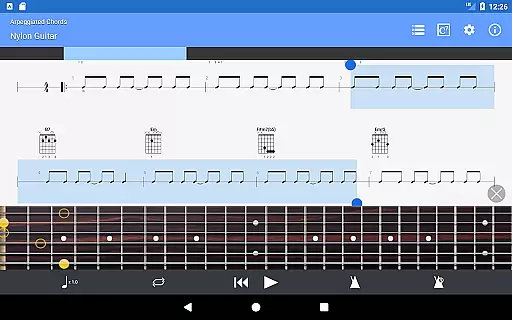
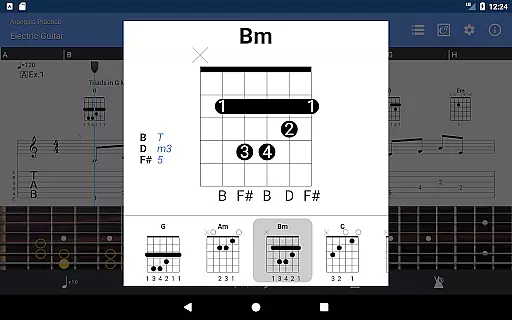
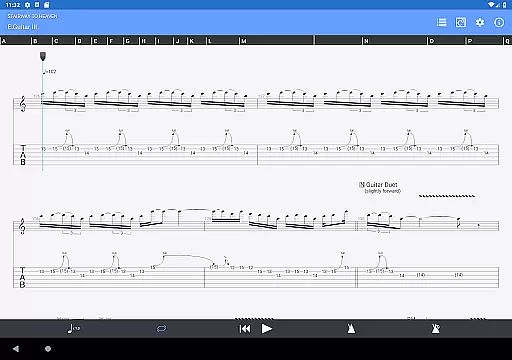
Guitar Pro stands out with its robust set of features designed to cater to the needs of modern musicians. The app supports multiple file formats including GP3/4/5/6/7/8, enabling seamless integration with other devices and platforms. Its powerful score player provides options such as tablature with rhythms, slash notations, and standard notations, ensuring that users have flexibility in how they interact with their music sheets.
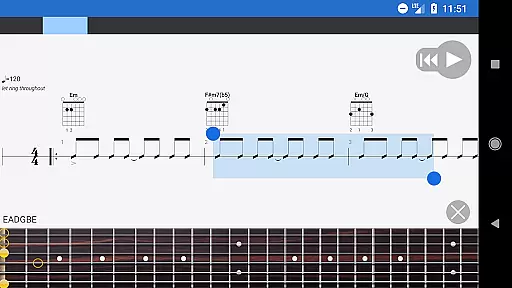
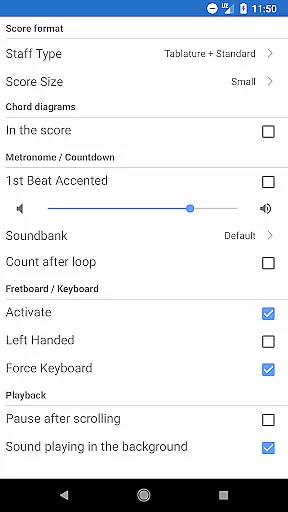
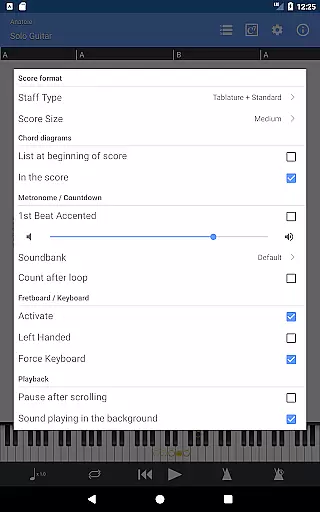
The NotePad tool is another key feature, offering the ability to edit single-track tablatures for various stringed instruments. Users can customize tunings and tempo while taking advantage of 19 built-in sounds to experiment with different musical styles. Additionally, the app includes practical tools like a metronome, visual countdown, and fretboard display for both right- and left-handed players, enhancing the overall user experience.
Other notable features include on-the-fly tempo changes, global transposing by half-tones, and looped playback for focused practice sessions. These functionalities are complemented by convenient sharing options, allowing users to email files directly from the app. Regular updates ensure that Guitar Pro remains a cutting-edge solution for musicians seeking a versatile and reliable mobile music workstation.
When it comes to music creation and editing applications like Guitar Pro, the size and authenticity of the music library are crucial factors. A comprehensive library ensures that users have access to a wide variety of musical pieces, from classical compositions to modern hits.
Guitar Pro offers an extensive library through its compatibility with the mySongBook portal, which provides a vast collection of sheet music. Although a monthly subscription is required for full access, this feature enriches the user's experience by providing legal and authentic content that has been vetted by music professionals.
The app supports GP3/4/5/6/7/8 file formats, allowing musicians to load, play, and share their favorite songs easily. This compatibility not only expands the music library but also assures users of the originality and legality of the content they are accessing.
By ensuring that all music is properly licensed and sourced, Guitar Pro maintains a high standard of copyright authenticity, giving musicians peace of mind while they practice and create music.
For any musician or audio professional, the quality of audio output in a music application is paramount. Superior audio quality can make a significant difference in the accuracy of playback and the overall listening experience.
Guitar Pro incorporates 19 built-in sounds within its NotePad tool, offering users a range of audio options for composing their tablatures. These sounds cater to various string instruments, including guitar, bass, banjo, ukulele, and mandolin, thus accommodating different musical styles and preferences.
In addition to the built-in sounds, the app allows for customizable tuning and tempo settings. This flexibility enables users to tailor the audio output to their specific needs, ensuring that the sound aligns perfectly with their creative vision.
Although the mobile version does not support the audio track feature available in the desktop versions, it still delivers high-quality audio playback that satisfies the demands of practicing musicians who rely on accurate sound reproduction.
Comprehensive tablature editing
Supports multiple file formats
Integrated metronome and tuner
Customizable instrument settings
Seamless desktop integration
No audio track support
Limited notation editing
Subscription required for mySongBook
Single-track tablature only
Drum track editing unavailable

Offline and always ad-free - stream in the highest quality available.
 4.10
4.10
Remove ads permanently from Music Visualizer
4.3
VB-AUDIO Software / VBAN-Receptor allows listening to any VBAN Streams
4.10
Permanently backup Now Playing. Maps, filters & listening stats.
4.00
Bass Booster & Volume Equalizer Pro improves your music and video sound quality
4.60
Voice recorder - Audio recorder. Best recorder for recording
4.90
Offline Music Player & MP3 Player.Powerful equalizer, Lyrics, Themes, Tag Editor
4.80
A complete sound package for the sound engineer or enthusiast
4.60
Travel To The Music Universe
3.40
Your song collections with lyrics and chords on Android smartphones and tablets.
4.80
Gorgeous UI, Powerful music Search and Equalizer, the great choice for you!
4.70
Simple & Intuitive Metronome
4.70
Unleash your creativity! Turn simple prompts into full fledged songs.
4.70
Offline Music Player&MP3 Player with themes, equalizer, lyrics, music play mode
4.60
Manage your Sonos system directly from your home-screen!
4.40
Equalizer, Bass Booster and Volume Booster (Eq & Bass) improve sound quality
4.30
The ultimate media player for Android devices
3.90
The iconic iOS metronome app is now on Android.
3.70
The Minimalistic Premium Music Player. Handmade with passion for music
2.20


User Reviews