
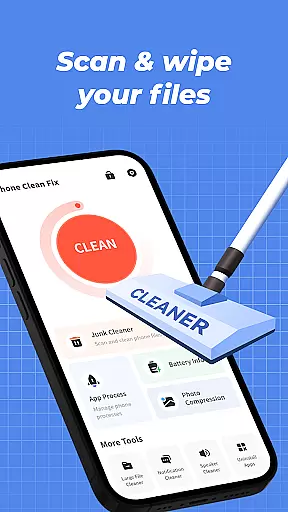

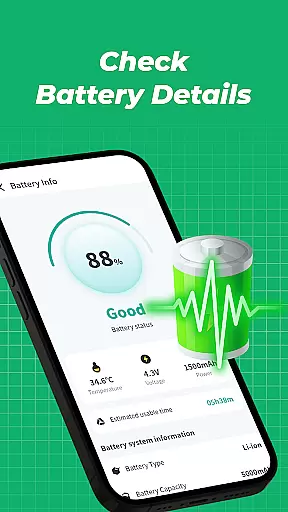
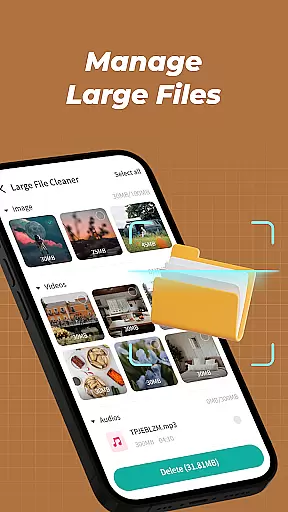


Phone Clean Fix is a comprehensive mobile cleaning tool designed to optimize device performance. The app focuses on four core functionalities: junk file cleaning, battery monitoring, app management, and background process control.
With its intuitive interface, users can easily scan and remove unnecessary cache and residual files, view real-time battery status, uninstall unwanted apps, and manage background processes for improved efficiency. These features make it an ideal solution for maintaining a clean and organized smartphone environment.
Phone Clean Fix stands out with its practical feature set tailored for daily device maintenance. The junk cleaner scans deeply to identify and remove unnecessary files, while the battery information module provides essential details about your device's power usage.
The app uninstaller simplifies the process of removing unwanted applications, and the background process manager allows users to monitor and terminate resource-heavy apps. Each feature is designed to enhance user experience by offering straightforward tools for better device management.
When it comes to mobile cleaning tools, the precision and effectiveness of core functions are paramount. Phone Clean Fix excels in this area by offering a comprehensive suite of features designed to optimize your device's performance.
The app's junk cleaning functionality is engineered to meticulously scan and remove cache files, residual files, and other unnecessary data that accumulate over time. This not only frees up valuable storage space but also enhances the overall speed and responsiveness of your phone.
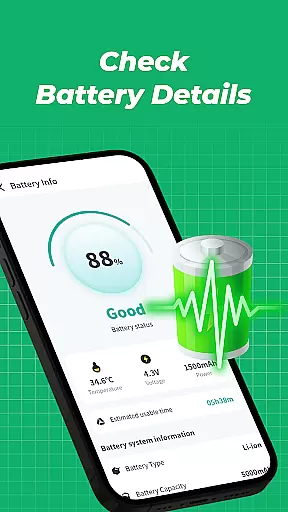
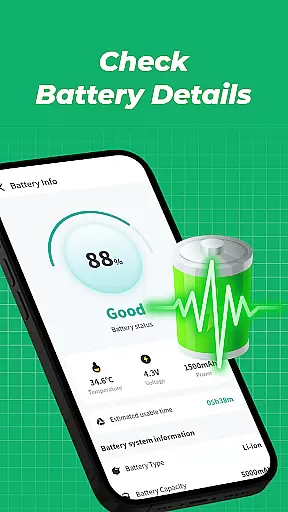
Battery information monitoring is another crucial feature. By providing real-time data on battery levels and usage patterns, Phone Clean Fix empowers users to manage their device's power consumption more effectively. This ensures that your phone remains operational for longer periods between charges.
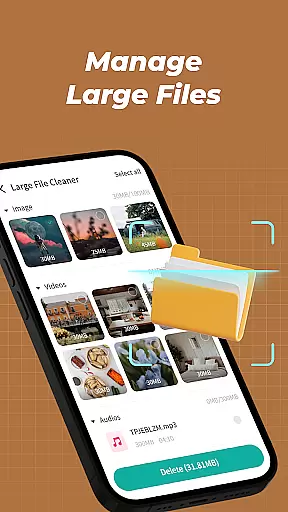
Additionally, the app facilitates efficient app management through its uninstall and background process monitoring features. Users can swiftly remove unwanted applications and terminate unnecessary background processes, contributing to a smoother, more organized mobile experience.
A user-friendly interface is essential for ensuring that users can navigate and utilize an application's features without difficulty. Phone Clean Fix stands out with its straightforward design and intuitive controls, making it accessible even to those who may not be tech-savvy.
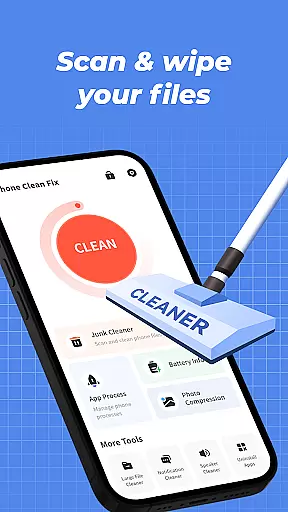
The layout of Phone Clean Fix is deliberately crafted to guide users through its various functions effortlessly. Each tool is easily accessible from the main screen, allowing for quick access to junk cleaning, battery monitoring, app uninstallation, and background process management.
Moreover, the app employs clear visual cues and logical pathways to help users understand the current state of their device and the actions they can take to improve it. This reduces the learning curve typically associated with new software and enables users to become proficient with the app rapidly.
By prioritizing simplicity and intuitiveness, Phone Clean Fix ensures that users can maintain their devices efficiently without being overwhelmed by complex settings or confusing options.
User-friendly interface
Effective junk cleaning
Real-time battery info
Quick app uninstallation
Background process control
Limited advanced tools
No cloud backup
Basic battery stats
Occasional slow scans
Ads in free version

 4.10
4.10
A powerful, easy-to-use flight computer on your phone or tablet!
3.80
This app unlocks the Pro features of the Central for DayZ app
3.60
eXtended Permission Manager - a small app to manage permissions and AppOps
4.50
ADB support Android 4.X-Android 13(Support wireless pair mode).No root required!
4.70
VESC Tool can monitor and configure VESC-compatible devices over BLE and Wifi
4.20
Create your own live wallpaper or check out thousands already made presets
3.90
With videos, electrical calculators, and built-in ebook, Ugly’s has your answer.
4.50
Clean up your phone, find files, play media, and share files offline
4.50
Small and simple app to Verify Root Access and BusyBox Install!
4.70
Play your X-Box games remotely in 1080p with any controller and zero latency
4.60
Game Booster, GFX Tool is now compatible with newer game update
4.50
Clean up large files and similar photos, fast and easy to use
4.40
pdf merge, word to pdf, jpg to pdf, edit pdf, convert to pdf and much more!
4.20
Quickly & easily calculate the spacing of handrail balusters
4.20
Effortlessly run ADB commands directly on your device without a PC.
4.20
A simple app to back up and restore SMS & MMS messages and call logs.
4.10
Automate everything from settings to photos, SMS to speech. ADC2 prize winner.
4.10
Family Locator, Share location, StayConnect with your family in real time
3.90
Honest Scratch app review—is it actually good for teaching kids to code? Real user insights on features, limitations, and learning outcomes.



User Reviews