
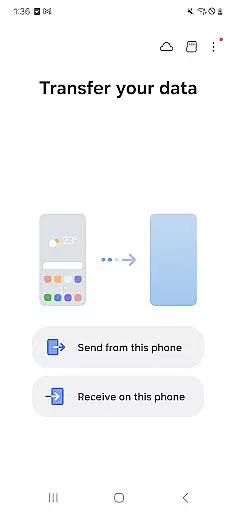

Samsung Smart Switch Mobile is a powerful migration tool designed to simplify the process of switching to a new Galaxy device. The application enables seamless transfer of essential data including contacts, messages, photos, music, and even device settings from your old Android or iOS device to your new Samsung Galaxy smartphone or tablet.
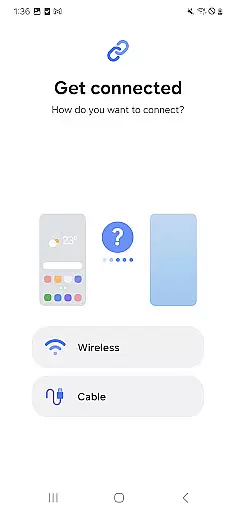
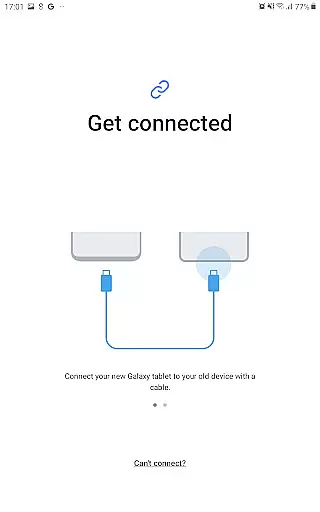
What sets this tool apart is its versatility in supporting multiple transfer methods. Android users can wirelessly transfer their data from devices running Android 5.0 or newer. iPhone users have three convenient options - wired transfer using a lightning cable, importing data from iCloud backup, or transferring via iTunes on a computer. The app also supports migration from other major Android manufacturers like HTC, LG, and Sony, making it a universal solution for device switching.
This application provides significant value to users upgrading to a Galaxy device by preserving their digital lives. From personal media files to important communications, Smart Switch ensures nothing gets left behind during the transition process. Its comprehensive compatibility with various devices and operating systems makes it an indispensable tool for anyone joining the Samsung ecosystem.
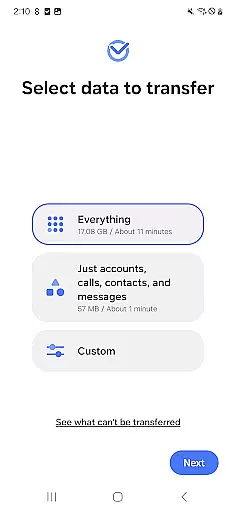
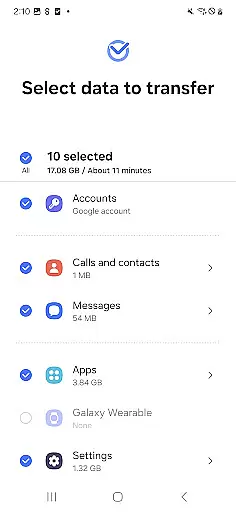
The application's feature set extends beyond basic data transfer capabilities. It includes advanced functions such as app data migration, home screen layout preservation, and calendar synchronization. One of its standout features is the ability to suggest alternative applications available on Google Play when exact matches aren't possible, ensuring continuity in users' mobile experiences.
Smart Switch Mobile implements these features through sophisticated data mapping and conversion technologies. The app intelligently categorizes and transfers different types of content while maintaining their original structure and relationships. For instance, it can preserve folder organizations on home screens and maintain proper associations between contacts and their related information.
These capabilities deliver substantial benefits to users. The app data migration feature saves countless hours of manual setup, while the home layout preservation maintains familiar device navigation. The intelligent app suggestion system helps users quickly find suitable replacements for their favorite apps, minimizing disruption during the transition to their new device. Additionally, the multiple transfer methods cater to different user preferences and technical comfort levels, making the migration process accessible to everyone.
Smart Switch Mobile exemplifies core function accuracy by ensuring seamless data migration across devices. The application supports a comprehensive range of content types including contacts, messages, and media files, all transferred with precision.
The app's effectiveness is highlighted through its compatibility with various device models and operating systems. Whether you're upgrading within the Galaxy ecosystem or switching from another Android device, Smart Switch provides tailored options for each scenario.
For iOS users, the app offers multiple transfer methods such as wired connections, iCloud imports, and PC/Mac transfers via iTunes. This versatility ensures that regardless of the source device, users can expect accurate and complete data portability.
By maintaining high standards of operational reliability and minimizing transfer errors, Samsung Smart Switch Mobile delivers on its promise of efficient device management. Users benefit from a streamlined transition process that preserves their digital lives intact.
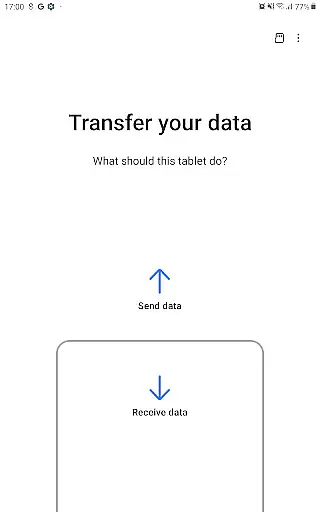
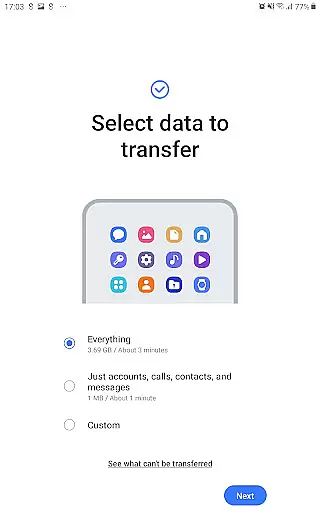
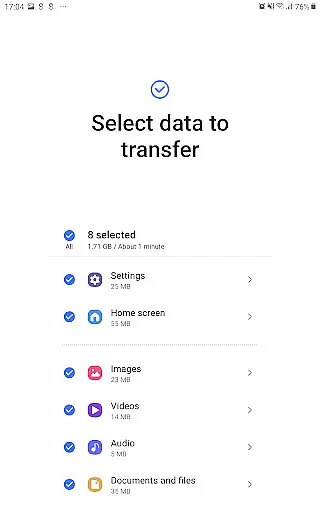
The interface design of Samsung Smart Switch Mobile emphasizes simplicity and user-friendliness. Upon launching the app, users are greeted with clear instructions and intuitive navigation paths that make device setup straightforward.
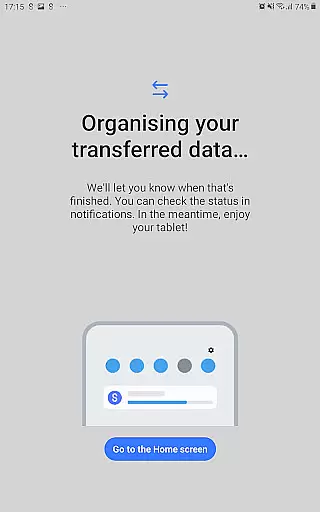
A key feature is the step-by-step transfer wizard, which guides users through each phase of the migration process. This approach eliminates guesswork and ensures that even those unfamiliar with data transfers can execute them confidently.
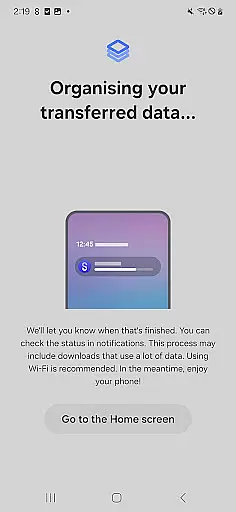
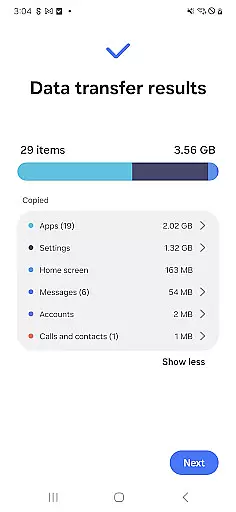
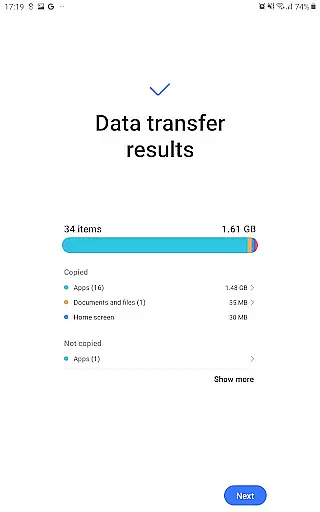
Visual indicators and progress trackers further enhance the user experience by providing real-time feedback during transfers. These elements contribute to an overall sense of control and transparency throughout the operation.
Additionally, the app's layout is optimized for quick access to essential functions without overwhelming the user with unnecessary details. Such thoughtful design choices result in an application that feels both powerful and accessible to users of all technical backgrounds.
Comprehensive data transfer
Multi-platform support
Intelligent app suggestions
User-friendly interface
Reliable transfer protocols
Limited iOS functionality
Storage requirements high
Occasional connection issues
DRM content restrictions
Device compatibility limits

 4.50
4.50
Family Locator, Share location, StayConnect with your family in real time
3.90
eXtended Permission Manager - a small app to manage permissions and AppOps
4.50
Best leveling tool for your Android device. Hang paintings like a pro.
4.90
Effortlessly run ADB commands directly on your device without a PC.
4.20
MS-DOS in your pocket. Play old DOS games anywhere you are ;)
4.10
View detailed information about your Nissan Leaf the dealer never shows you.
4.10
Fast Video Downloader, Movie Downloader, Torrent Downloader & Adblock Browser
4.70
Button mapper, mouse toggle, sleep timer and a lot of another features
4.50
NFC Tools can read and write NFC tags.
4.70
Creation, Learning, Entertainment & More — The All-in-One AI Search Engine
4.70
Connect instantly to a fast, encrypted VPN with one tap
4.60
App to pay for FUTO Keyboard
4.60
With videos, electrical calculators, and built-in ebook, Ugly’s has your answer.
4.50
Pro Emulator is an easy to use game console emulator for a range of consoles.
4.40
Making emulation easy for everyone!
4.30
Create your own live wallpaper or check out thousands already made presets
3.90
Unlock your Essential Key. Create custom shortcuts to your favorite apps!
4.3
Download any file easily and quickly with Downloader
4.1
Honest Scratch app review—is it actually good for teaching kids to code? Real user insights on features, limitations, and learning outcomes.



User Reviews