
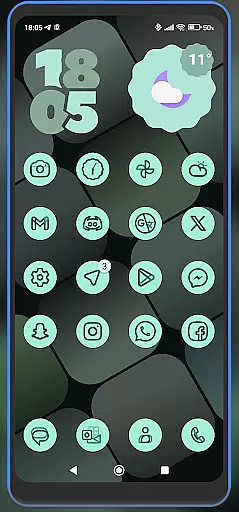
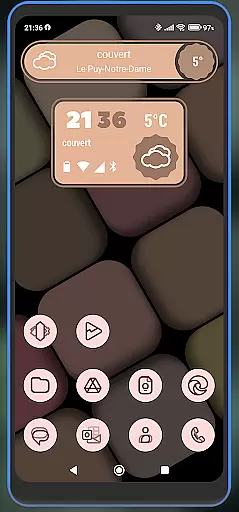
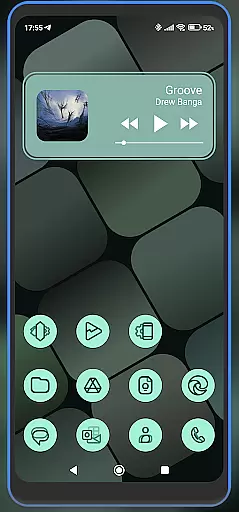
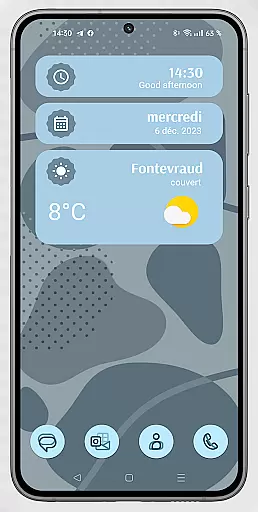
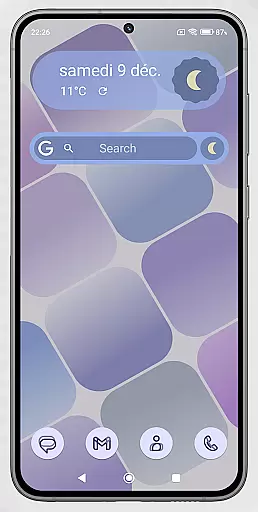
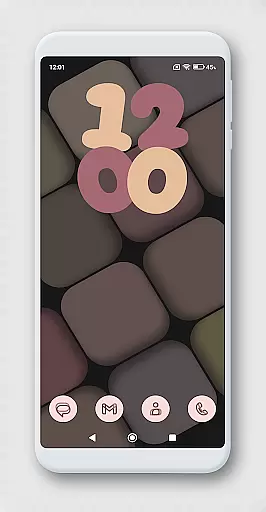
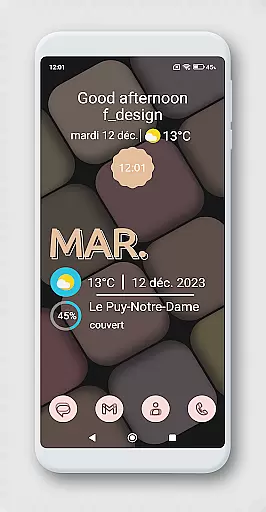
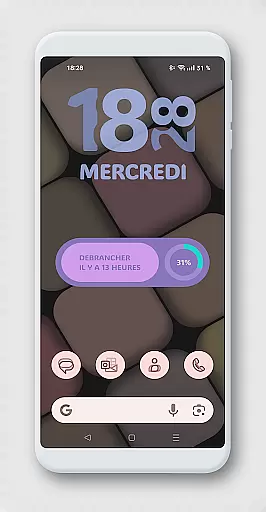
WidgetWall KWGT is a specialized design tool for creating visually appealing home screen widgets on Android devices. This application requires both KWGT and KWGT Pro apps to function, ensuring high-quality widget customization. Designed specifically for popular launchers like Nova, Lawnchair, and Smart Launcher 5, it provides users with the ability to personalize their device's appearance.
The app offers a streamlined process for configuring widgets, allowing users to adjust scaling and choose from various design options. Whether you're looking to enhance your home screen with functional widgets or simply seeking aesthetic improvements, WidgetWall KWGT delivers a professional-grade solution. Its integration with the KWGT editor provides advanced customization features that cater to both casual users and design enthusiasts.
WidgetWall KWGT stands out with its dependency on KWGT and KWGT Pro, which unlocks premium features for widget creation. The app supports multiple launchers including Nova, Lawnchair, and Smart Launcher 5, making it versatile for different user preferences. Each widget can be individually scaled and customized through the main KWGT editor, offering precise control over appearance.
Users can access a library of pre-designed widgets and further modify them using the 'SCALE' feature under the layer option. This level of customization ensures that each widget perfectly fits the user's home screen layout. Additionally, the app acknowledges Jahir Fiquitiva's Kuper Dashboard, which facilitates easier application creation and enhances the widget development experience.
In the realm of digital design, having a comprehensive suite of creative tools is essential for unleashing an artist's full potential. WidgetWall KWGT, tailored for home screen customization, integrates seamlessly with KWGT and KWGT Pro to offer a rich palette of design options.
This application empowers users by providing them with the capability to create intricate and personalized home screen widgets. The requirement of additional apps like KWGT Pro underscores its professional-grade features that cater to enthusiasts who demand more from their device's interface.
Users can explore a vast array of design elements, from aesthetic themes to functional components, ensuring that every widget not only serves a practical purpose but also reflects personal style. This level of customization elevates the user experience, transforming routine interactions with oneu2019s device into something truly unique and engaging.
The hallmark of any powerful design tool is its canvas and format flexibility, allowing creators to bring their visions to life without constraints. WidgetWall KWGT excels in this area by offering scalable widgets that adapt to various launcher environments such as Nova, Lawnchair, and Smart Launcher 5.
With clear instructions on configuring widgets, users are guided through a straightforward process to adjust widget scaling according to their home screen's layout. This ensures that each element fits perfectly within the designated space, maintaining visual harmony across the device.
Moreover, if specific widgets do not scale correctly initially, WidgetWall KWGT provides a 'SCALE' option within the main editor for fine-tuning. Such precision empowers designers to craft interfaces that are both visually appealing and functionally robust, catering to diverse user preferences and screen specifications.
User-friendly interface
Highly customizable widgets
Wide launcher compatibility
Precise scaling options
Professional design tools
Requires separate paid app
Complex setup process
Limited standalone functionality
Advanced features need KWGT Pro
Design knowledge required

Stylish letters, Stylish Keyboard, Symbols, Emojis, Cool nickname
 4.40
4.40
Create trending AI photos & videos with powerful effects and 3D styles.
3.20
Meet the magic aı 3d photo generator and smart AI video generator app.
3.20
Apply cartoon, caricature, and portrait effects to make your photos stand out!
3.60
Digital illustration drawing & painting pad app to paint Anime and Manga art
4.50
Digital, Abstract, Classic - all types of color wheels in one app!
4.60
Powerful home decoration & house design that allows you to design dream home.
3.80
Everything you need to create hand drawn animation, anywhere you go!
4.40
Create Logos, Tattoos, AI Art & more with our AI Photo Generator & Design Editor
4.20
Image resizer to resize, crop, rotate, flip, change dpi photo or picture in bulk
4.60
Create color palette from Image, RGB & RYB Color wheel harmonies, Color Scheme
4.50
AI Tattoo Generator: Create Tattoo Designs & Get Ideas! Ink & Stencil Maker
4.50
AI generated images & photos, turn your words into drawing, painting & pictures.
4.30
Trace, draw, and create art with AR - from memes to masterpieces!
4.30
Text to Image, Image to Video & AI Chat
4.20
Resize photos and print photos in exact size with our powerful photo printer!
3.80
AI Face Swap, Video Effects Editor, Realtime Morph, Funny Video FX,AI Filters
3.70
Retouch photos. Create or edit images. Endless capabilities.
2.70
Art of Combination Wear OS Watch faces
4.4


User Reviews