
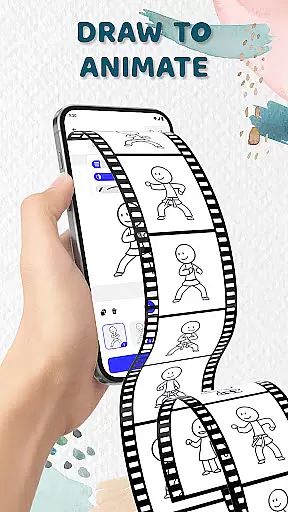
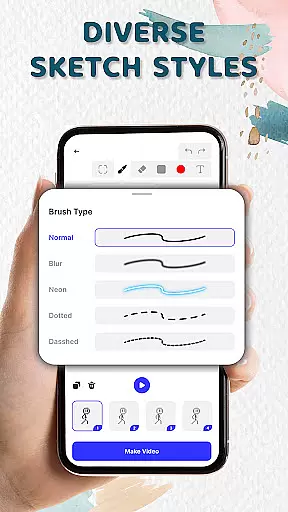
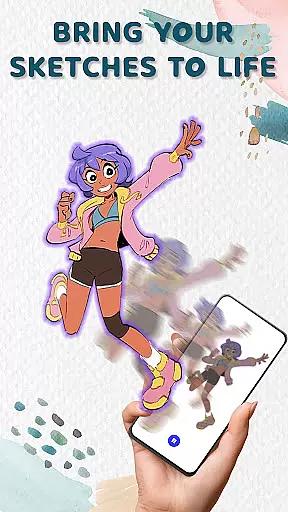
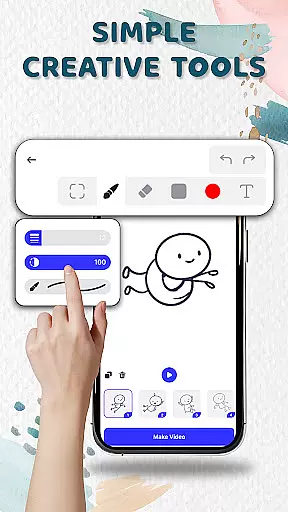
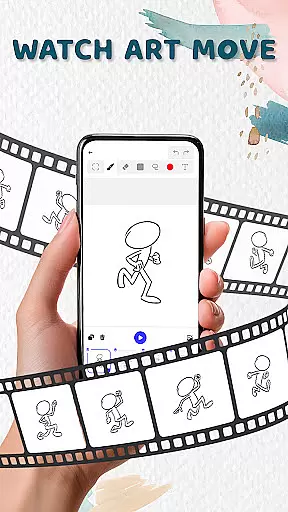
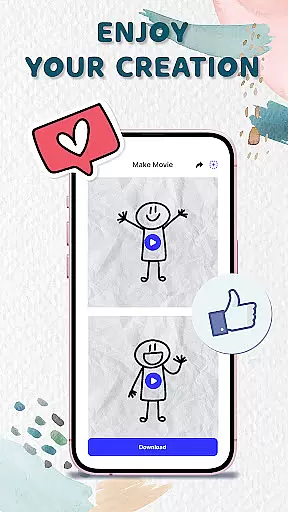
Animation Draw: Flip Maker is a creative app that transforms simple sketches into dynamic animations. Designed for both beginners and enthusiasts, it offers an intuitive platform to explore creativity through flipbook-style animation. With tools like onion skinning, adjustable pen sizes, and color options, users can easily create lively animated stories or cartoons. Whether you're crafting stickman adventures or short comics, this app provides endless possibilities for storytelling and self-expression.
The app's user-friendly interface makes the process enjoyable while offering enough depth for more advanced creations. From doodling to exporting final animations in GIF or MP4 formats, Animation Draw ensures your work is ready to be shared with friends, family, or online audiences. This digital pocket studio empowers artists to bring their imagination to life, making it ideal for anyone passionate about art and design.
Animation Draw stands out with its comprehensive set of features tailored for animators of all skill levels. The app allows users to draw frame by frame, creating smooth transitions between movements using onion skinning technology. This feature lets creators see faint outlines of previous frames, ensuring continuity in their animations. Additionally, customizable drawing tools such as adjustable pen size and color palettes provide complete control over the artistic process.
Another key feature is the ability to export animations in multiple formats including GIF and MP4, which makes sharing content effortless. Users can also experiment with different styles, from simple stick figures to complex character designs, thanks to the app’s versatile toolkit. These capabilities not only enhance creativity but also ensure that every project achieves professional-quality results without requiring extensive technical knowledge.
In the realm of digital artistry, having a comprehensive suite of creative tools is essential for unleashing one's imagination. Animation Draw: Flip Maker offers an impressive array of features that cater to both budding artists and seasoned creators.
With options to adjust pen size and colors, the app ensures precision and personalization in every stroke. The inclusion of onion skinning provides a professional touch, allowing for seamless transitions between frames and fostering fluid animations.
Users can explore various sketch styles and delve into storytelling with features designed to facilitate the creation of stickman adventures, short comics, or playful cartoons. This versatility empowers users to experiment and refine their craft without limitations.
The app's intuitive interface makes these tools accessible to artists of all levels, ensuring that the joy of animation is never hindered by complexity. With Animation Draw, every creator has the necessary instruments to bring their visions to life.
A hallmark of any robust art application is its ability to adapt to the unique demands of its users' projects. Animation Draw: Flip Maker excels in providing canvas and format flexibility that enhances the creative process.
Artists can enjoy unlimited possibilities as they work on their animations, thanks to a dynamic canvas that accommodates different art styles and project scopes. Whether crafting a simple doodle or an elaborate animated sequence, the app's canvas adapts to the artist's vision.
Moreover, Animation Draw supports exporting creations in popular formats such as GIF or MP4. This flexibility allows artists to share their work widely, be it with friends, family, or an online audience, ensuring their animations receive the recognition they deserve.
By offering this level of adaptability, Animation Draw: Flip Maker not only meets but exceeds the expectations of creatives looking to produce and present their animated stories in diverse and engaging ways.
User-friendly interface
Versatile drawing tools
Onion skinning support
Export options in GIF/MP4
Ideal for all skill levels
Limited advanced features
No collaborative tools
Basic color palette
Occasional performance lags
Fewer tutorials for beginners

AI generated images & photos, turn your words into drawing, painting & pictures.
 4.30
4.30
Stylish letters, Stylish Keyboard, Symbols, Emojis, Cool nickname
4.40
Sketch, plan, take notes and illustrate on an infinite canvas.
4.20
Passport size photo maker, create ID photo and visa photo in seconds
4.80
Unleash Your Creativity with Draw Cartoon - AR Drawing App
4.10
Art of Combination Wear OS Watch Faces
3.30
Art of Combination Wear OS Watch faces (for Wear OS 5+ devices)
3.90
Inky runs Inkscape on Android devices and Chromebooks
2.90
All-in-One art, logo & collage maker. Design photos and edit video backgrounds
4.80
Create stunning art with AI.
4.80
Your AI soulmate — meaningful chats, and unique emotional moments
4.70
The perfect place to start sketching! Use Sketchbook to draw and paint sketches.
4.50
Video AI: Revolutionize Your Content Creation with Advanced Video Generation
4.50
Everything you need to create hand drawn animation, anywhere you go!
4.40
Text to Image, Image to Video & AI Chat
4.20
Paint with oils and sketch with natural tools on a realistic virtual canvas.
3.80
Powerful home decoration & house design that allows you to design dream home.
3.80
AI Face Swap, Video Effects Editor, Realtime Morph, Funny Video FX,AI Filters
3.70
Vidu is an AI video generator made for creators and aspiring makers.
3.30


User Reviews