
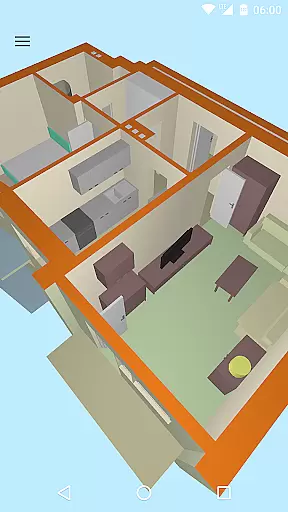
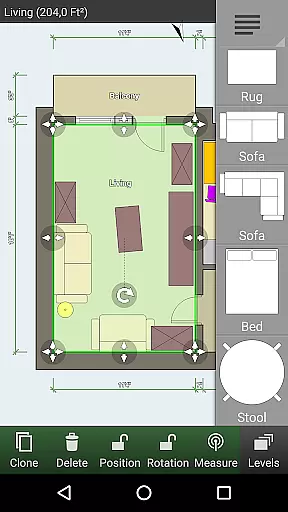
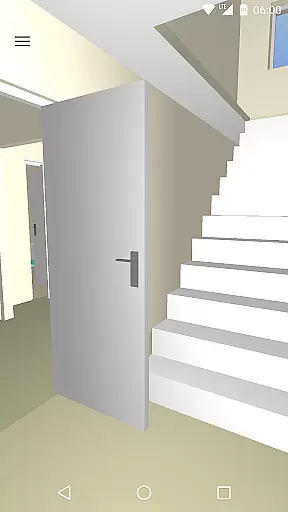
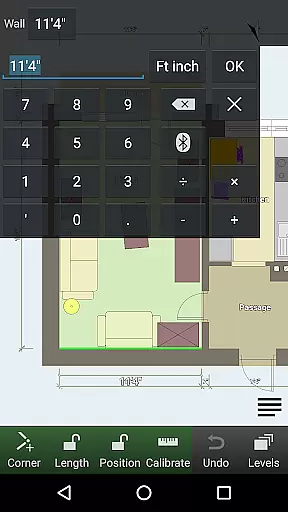
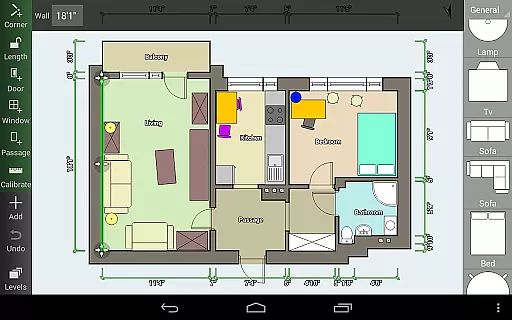
Floor Plan Creator is a comprehensive design tool that allows users to create detailed and precise floor plans with ease. The app supports projects with multiple floors, automatic calculations of room dimensions, and includes a 3D tour mode for better visualization.
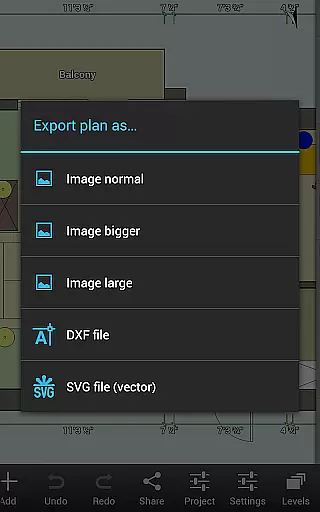
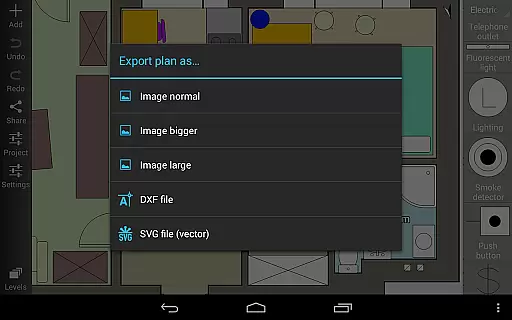
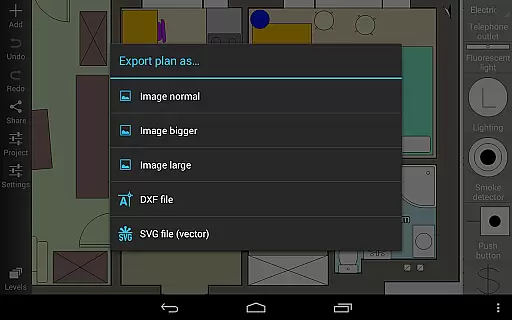
One of the standout features is its extensive symbol library which includes doors, windows, furniture, and electrical components. Users can also define dimension lines, synchronize their plans via cloud storage, and export their designs in various formats such as image, PDF, DXF, and SVG. This makes it an ideal choice for both professional designers and homeowners looking to plan their spaces efficiently.
Whether you're designing your home's interior or need to check measurements while shopping for new furniture, Floor Plan Creator provides the tools necessary to ensure precision and convenience. Its support for metric and imperial units, along with compatibility with several bluetooth laser meters, enhances its utility across different regions and user preferences.
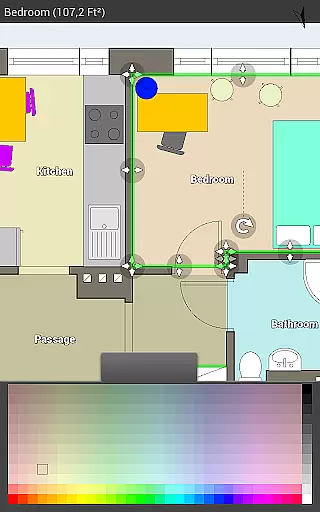
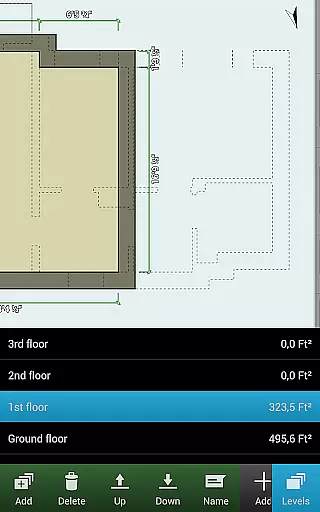
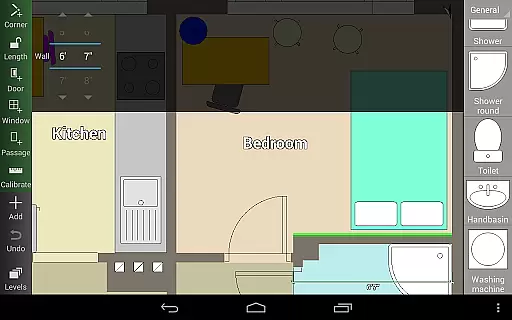
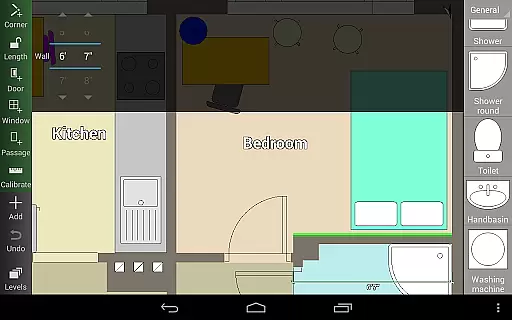
The app boasts an array of sophisticated features designed to streamline the floor planning process. Users can create projects with multiple floors and rooms of any shape, although only straight walls are supported. Automatic calculation features provide essential metrics such as room area, wall dimensions, level area, perimeter, and counts of symbols, ensuring accuracy in every design.
Floor Plan Creator offers a rich symbol library including elements like doors, windows, furniture, and electrical components, allowing for detailed interior design. The inclusion of user-defined dimension lines enables precise modifications and displays of distances and sizes. Additionally, the app supports S-Pen and mouse inputs, making it versatile for different devices and user preferences.
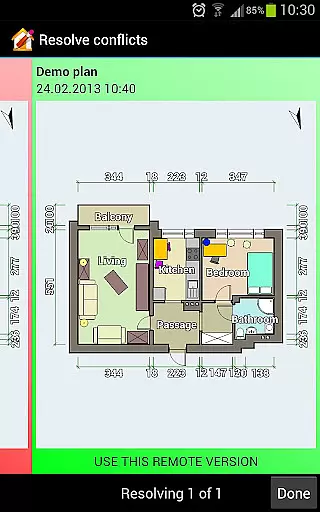
Cloud synchronization is available for automatic backups and sharing plans between devices, albeit as a paid feature. Plans can be edited on the web platform floorplancreator.net, providing flexibility and accessibility. Export options include image, PDF, DXF, and SVG formats, and the app supports both metric and imperial units, catering to a global audience. Integration with various bluetooth laser meters further enhances its functionality for professional use.
In the realm of Art & Design, Floor Plan Creator stands out with its comprehensive suite of creative tools tailored for designing detailed and precise floor plans.
This application allows users to craft projects with multiple floors, each capable of featuring rooms of various shapes, although it currently supports only straight walls. The inclusion of an extensive symbol library, which includes doors, windows, furniture, electrical components, and fire survey elements, ensures that all aspects of a home's design can be thoroughly planned.
Moreover, the app provides automatic calculations for room, wall, and level areas alongside perimeters and symbol counts, enhancing precision and efficiency in your design process. With user-defined dimension lines, designers have the flexibility to modify distances and sizes, ensuring every detail is captured accurately.
Flexibility in design is crucial, and Floor Plan Creator excels by offering versatile canvas and format options suitable for diverse design needs.
The app supports both metric and imperial units, catering to a global audience with varying measurement preferences. This adaptability extends to its export functionalities, allowing creations to be exported as images, PDFs, DXFs, or SVGsu2014a feature particularly beneficial for professionals who require different file formats for various purposes.
Additionally, the ability to edit cloud-uploaded plans on a computer or any mobile device through the website https://floorplancreator.net enhances accessibility and convenience. This cross-device compatibility ensures that whether you're at home, in the office, or on the go, your projects are always within reach for modifications or presentations.
User-friendly interface
Comprehensive symbol library
Automatic calculations
Cloud synchronization
Multiple export options
Paid cloud features
Limited to straight walls
Advanced tools may overwhelm beginners
Bluetooth device compatibility issues
Export options require payment

Art of Combination Wear OS Watch faces
 4.4
4.4
Digital Drawing: Draw & Paint
4.10
Create neon drawing with magic doodle and fun doodle art effects!
4.50
Nano Banana AI Image Generator, Anime Filter, AI Portrait, AI Photo Generator
4.30
AR Anime Drawing: How to draw anime with AR drawing & sketching apps!
4.00
Mobile pixel art editor. Simple. Fast. Portable.
4.80
Just trace a projected picture on paper and color! Draw & Paint with AR drawing
4.40
Create amazing pictures and unleash your creative genius with AR Drawing Sketch
4.40
Unleash your inner artist! Sketchar: AR Drawing for Limitless Creativity
4.40
Create stunning art with AI.
4.80
Logo Generator powered by AI: Create stunning logos effortlessly!
4.70
The ultimate tool for creating animations
4.60
Castle is social media for creating and playing games!
4.60
Image/ Text to Video Generator
4.40
Create and Design Custom Logos in Seconds with AI-Powered Tools!
4.40
Text to Image, Image to Video & AI Chat
4.20
Apply cartoon, caricature, and portrait effects to make your photos stand out!
3.60
AI Assistant, powered by ChatGPT GPT-4 & GPT-4o. Your intelligent companion.
3.50
Your Essential Color Theory Guide: Red, Yellow, Blue (RYB)
4.2


User Reviews