
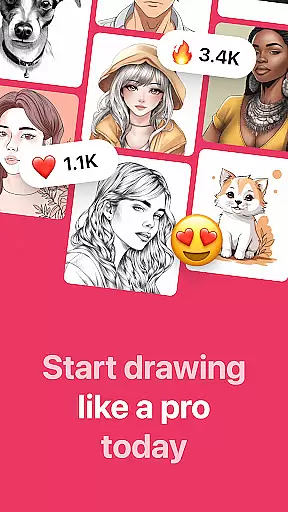
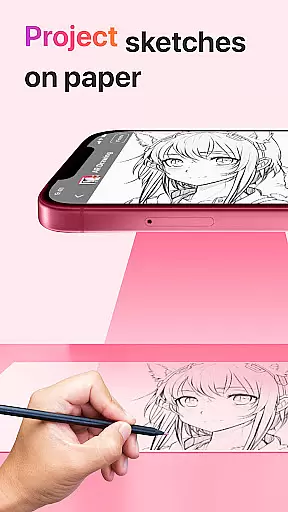
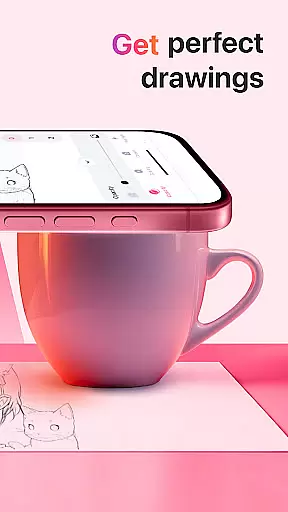
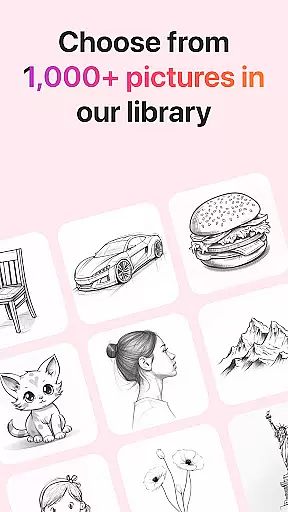
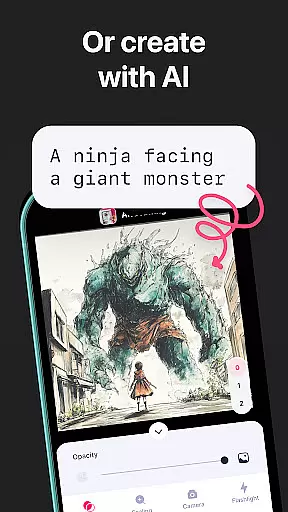
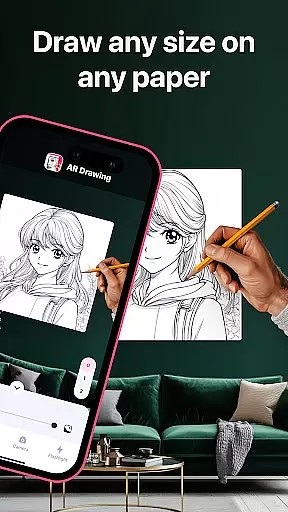
AR Drawing: Sketch & Paint is an innovative mobile application that utilizes augmented reality technology to assist users in learning how to draw and create impressive artworks. The app projects images onto paper or any surface, allowing users to trace and color them with ease. With a diverse range of tracing templates including Animals, Cars, Nature, Food, and Anime, it caters to various interests and skill levels.
The app's built-in flashlight feature ensures that drawing can be done in any lighting condition. Users can save their finished drawings in the app's gallery, record the entire creation process as a video, and even share their artwork with friends. Whether you're an experienced artist or a beginner, AR Drawing offers tools that help unleash creativity and explore new artistic possibilities.
This app is particularly useful for those who want to learn drawing quickly, claiming to teach basic skills within three days. By combining traditional drawing techniques with modern AR technology, AR Drawing makes art accessible to everyone, turning any surface into a canvas for your imagination.
AR Drawing stands out with its unique features tailored for both aspiring and professional artists. One of the key highlights is the ability to use your phone camera for projecting images onto any surface, making the drawing process intuitive and engaging. The app provides numerous tracing templates across different categories such as Animals, Cars, Nature, Food, and Anime, catering to a wide array of preferences and styles.
Beyond just drawing, the app includes practical functionalities like a built-in flashlight for better visibility in low-light conditions. It also allows users to save their creations in a personal gallery, providing a sense of accomplishment and progression tracking. Additionally, the feature to record videos of the drawing and painting process enables users to document their artistic journey and share these time-lapse videos with others.
Sharing capabilities are robust, letting users showcase their finished pieces on social media directly from the app. This not only fosters a community of creators but also motivates users by seeing their work appreciated by a wider audience. Overall, AR Drawing merges traditional art forms with cutting-edge technology to deliver a comprehensive and interactive drawing experience.
In the realm of digital artistry, having a comprehensive set of creative tools is paramount. AR Drawing: Sketch & Paint offers an extensive suite of features that cater to both novice and professional artists. The app includes a wide array of tracing templates covering various categories such as Animals, Cars, Nature, Food, and Anime, ensuring that users have a rich selection of subjects to practice their skills.
Moreover, the built-in flashlight feature enhances visibility, allowing for precision even in low-light conditions. This attention to detail demonstrates the app's commitment to providing a complete artistic toolkit. By enabling users to save their drawings in a gallery, AR Drawing supports the documentation and appreciation of one's artistic journey over time.
The ability to record videos of the drawing and painting process adds another layer of creativity, as artists can share timelapses or tutorials with their audience. This functionality not only enriches the user experience but also fosters a community of learners and creators who can exchange knowledge and inspiration.
Flexibility in canvas and format options is crucial for artists seeking to express their visions without constraints. AR Drawing: Sketch & Paint excels in this area by offering unparalleled freedom to draw on any surface using augmented reality technology. Whether you're sketching on paper or painting on a digital canvas, the app adapts seamlessly to your preferred medium.
This adaptability extends to the variety of drawing and painting techniques supported by the app. Users can choose to make sketches and then paint them, experimenting with different styles and methods. Such versatility ensures that whether you are an experienced artist or just starting out, the app accommodates your unique approach to art.
Sharing your creations is made effortless with AR Drawing, which allows you to showcase your finished works with friends and the broader artistic community. This connectivity not only highlights the app's flexible format capabilities but also emphasizes its role in fostering creativity and collaboration among users worldwide.
User-friendly interface
Variety of templates
Built-in flashlight
Video recording feature
Social sharing options
Limited free content
Requires good lighting
Premium subscription needed
Occasional bugs
Learning curve for beginners

Draw on screen: FP sDraw is a simple and lightweight drawing app
 4.70
4.70
Convert image to JPG PNG HEIC PDF, support almost all kinds of image formats
4.70
Unleash Your Creativity with Draw Cartoon - AR Drawing App
4.10
Create stunning art with AI.
4.80
Photo editor for art, avatars, filters & fun transformations.
4.60
Novices can also easily complete diamond painting masters
4.70
Inky runs Inkscape on Android devices and Chromebooks
2.90
Retouch photos. Create or edit images. Endless capabilities.
2.70
All-in-One art, logo & collage maker. Design photos and edit video backgrounds
4.80
Make your phone cooler and have a fantastic experience
4.80
Mobile pixel art editor. Simple. Fast. Portable.
4.80
Draw beautiful mandala's very easily
4.60
The perfect place to start sketching! Use Sketchbook to draw and paint sketches.
4.50
OneUI 8.5 icons ✨ Smooth, modern & based on the latest Play Store design ??
4.10
Floor Plan Creator lets you create, edit and share floor plans.
4.00
Resize photos and print photos in exact size with our powerful photo printer!
3.80
Apply cartoon, caricature, and portrait effects to make your photos stand out!
3.60
Sketch, trace and master AR drawing with awesome anime art!
3.30
Create trending AI photos & videos with powerful effects and 3D styles.
3.20


User Reviews