

Easy Mail is a personalized email launcher designed to simplify and streamline your daily email management. This innovative app transforms your homescreen into an efficient workspace, focusing on what matters most - your emails. With its clutter-free interface and productivity-driven features, Easy Mail helps you take control of your inbox while reducing screen time.
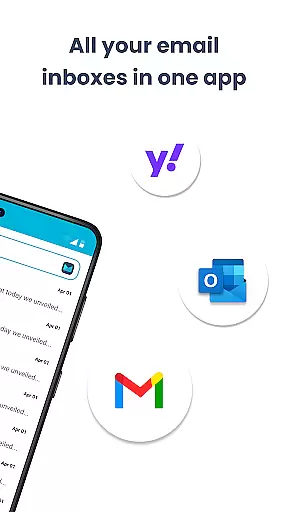
The app's core functionality revolves around creating a dedicated email environment right on your homescreen. It supports unlimited email accounts from various providers including Gmail, Outlook, and Yahoo, offering both unified inbox view and individual account management. The built-in AI assistance makes composing emails effortless by helping you rephrase or polish your messages while maintaining your natural tone.
For professionals seeking an organized digital workspace, Easy Mail provides the perfect solution. Its seamless integration of essential features like web search, app drawer, and widget support creates a comprehensive email management system that enhances productivity without compromising privacy.
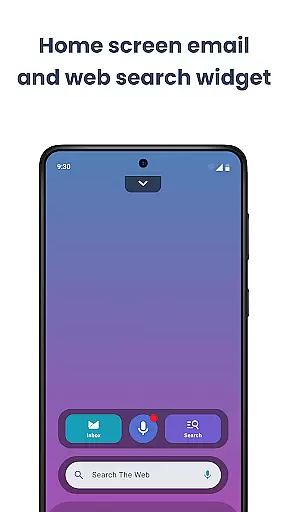
Easy Mail distinguishes itself through a comprehensive set of features designed to revolutionize email management. The app's homescreen is meticulously crafted to eliminate distractions, placing your email front and center for maximum efficiency. This focused approach helps users maintain concentration while processing their daily correspondence.
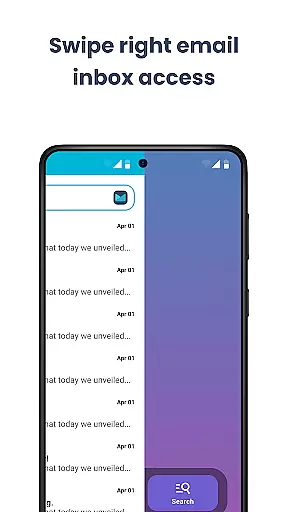
One of the standout capabilities is its robust account management system. Users can effortlessly add and switch between multiple email providers, enjoying the flexibility of viewing all accounts in a unified inbox or accessing them individually. The AI-powered email assistance takes productivity to new heights by providing real-time writing suggestions that adapt to each user's communication style.
Privacy and security are paramount in Easy Mail's design. All email processing occurs locally on the device, ensuring complete data protection. The app also incorporates practical features like easy web search functionality powered by Yahoo Search, customizable content feeds, and an organized app drawer system, making it more than just an email client but a complete personalization solution for your mobile device.
Customization is at the heart of Easy Mail, allowing users to tailor their email experience to fit their unique needs and preferences. With a clean homescreen built around productivity, users can organize their workspace without any clutter, focusing solely on managing emails efficiently.
The app supports unlimited email accounts from various providers like Gmail, Outlook, and Yahoo, which can be integrated seamlessly. Users have the flexibility to view all emails in a unified inbox or separate them with a simple tap, depending on their workflow preferences.
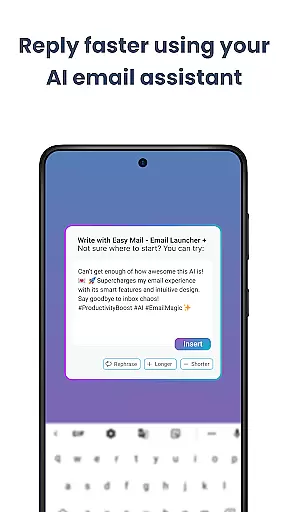
Easy Mail also offers AI Email Assistance, enhancing the writing process by helping users rephrase, shorten, or polish their emails while maintaining their natural tone. This feature adds another layer of customization, catering to different communication styles.
Moreover, the launcher includes essentials such as an organized homescreen, quick access to the email inbox, app drawer, widget support, and trending content. These elements ensure that users can personalize their interface extensively, making every interaction with Easy Mail intuitive and tailored to their liking.
Theme compatibility in Easy Mail ensures that users can enjoy a visually consistent experience across their devices. The app's design emphasizes simplicity and focus, offering a clutter-free homescreen that aligns perfectly with various themes and aesthetics.
Users can choose from multiple themes to match their personal style or mood, ensuring that their email management environment remains visually appealing and comfortable for prolonged use. Whether it's a light theme for daytime or a dark theme for nighttime, Easy Mail adapts effortlessly.
In addition to visual themes, Easy Mail integrates smoothly with other system-wide settings and third-party applications. This compatibility extends to features like widget support and app drawer organization, providing a cohesive user experience that respects individual preferences.
By prioritizing theme compatibility, Easy Mail not only enhances the aesthetic appeal but also improves usability. Users benefit from an interface that feels familiar and intuitive, reducing the learning curve and making daily interactions more enjoyable and efficient.
Streamlined email management
Unified inbox experience
Local AI processing
Customizable interface
Comprehensive privacy
Limited widget options
No dark mode feature
Occasional sync delays
Basic customization tools
Learning curve present

Vertically oriented rectangular icons
 4.70
4.70
Glass style colourful icons with a One UI look and feel
4.60
Transform your phone with Launcher iOS 26 - Smooth & elegant iOS experience
4.50
Interactive Miniature Painting Catalogue
3.30
Ultimate widget creator. Design custom widgets for a truly unique home screen!
3.90
Stylish Pink Cute Hippo keyboard with 10000+ customized keyboard themes!
4.60
300+ Beautifully crafted widgets inspired by OneUI.
4.60
Magic fluids wallpaper 4D: Relax with stunning fluid simulation wallpaper app
4.20
Install amazing sticker packs: endless styles, always cool.
4.70
Dark icon pack based on One 8
4.80
Winter's Journey: digital watch face for Galaxy Watch & Wear OS
4.80
One 8 icons glass color version
4.80
Customizable Glass widgets. Over 360+ stunning widgets and more!
4.70
Ninja Turtles Cowabunga SE watch face for Wear OS
4.50
Aesthetic Widgets, HD Wallpapers, Themes in Mico Widget for Home and Lock Screen
4.50
Art & Emoji Keyboard with Cool Fonts, Cute Themes and Custom Designs.
4.40
Transform your phone with stunning video wallpapers and a unique, personal touch
3.80
Turn your lock screen into fun with smile live wallpapers & animated wallpapers!
2.50
Capture moments that pass like a storm, second by second.
4.1
Wallpaper Engine Android review—PC sync setup, crash issues, sound reactive limitations, and whether this free companion app is actually good.



User Reviews