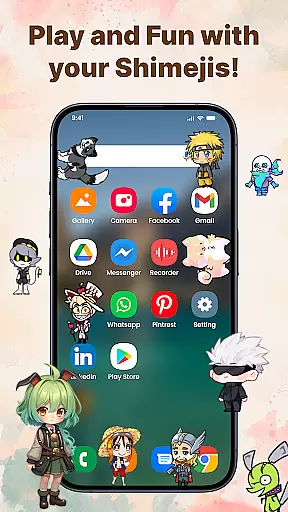
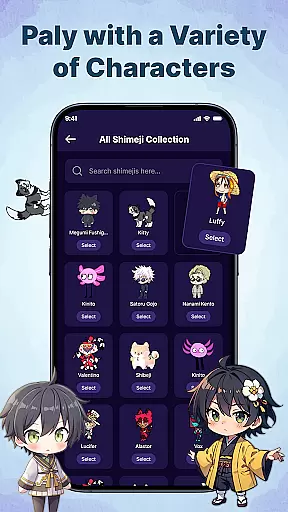
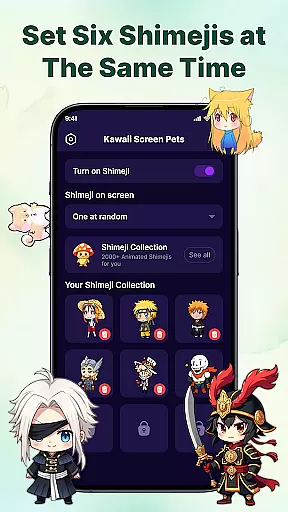
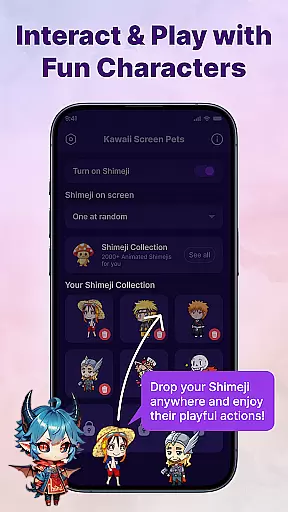
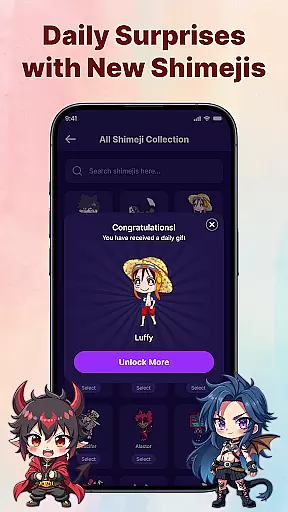
Kawaii Shimeji Screen Pet is a delightful personalization app that brings adorable animated characters to your device screen. This unique application allows users to select from hundreds of charming anime, game, or meme-inspired mascots that interact with the screen in real-time.
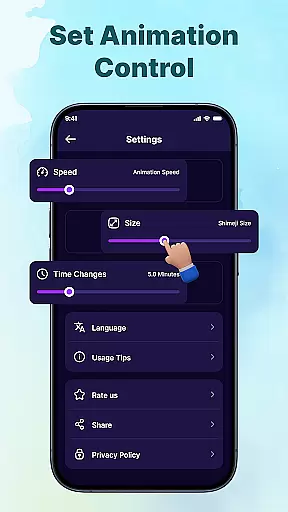
What sets this app apart is its extensive customization options. Users can adjust animation speed and size, create original characters using the built-in editor, and even import/export designs for advanced personalization. The always-on feature ensures these cute companions remain visible while you work or play.
This interactive experience is perfect for adding a touch of personality to your device, making it ideal for creative professionals and anime enthusiasts who want to express their unique style through digital pets.
The Kawaii Shimeji Screen Pet app offers an impressive array of features designed to maximize user engagement and personalization. Its standout characteristic is the vast library of hundreds of pre-made characters, ranging from classic anime icons to modern meme characters.
Advanced customization tools include precise control over animation parameters, a comprehensive character editor, and seamless import/export functionality for design sharing. The interactive element lets users physically engage with their Shimejis by tossing or dragging them across the screen.
These features work together to create a dynamic desktop environment where users can maintain productivity while enjoying the company of their customized digital companions, making it particularly valuable for long study or work sessions.
Customization is at the heart of Kawaii Shimeji Screen Pet, offering users a wide array of options to personalize their experience. The app allows you to adjust animation speed and size, ensuring your screen pets match your desired preferences perfectly.
Beyond basic adjustments, the built-in editor empowers users to create their own characters or modify existing ones. This feature opens up endless possibilities for creativity, letting you design unique mascots that reflect your personal style.
The ability to import and export designs further enhances customization, enabling advanced personalization. Users can share their creations within the community or download custom designs from others, expanding the variety of characters available.
This extensive customization ensures that every user can tailor their screen pets to fit their individual tastes, making each interaction with Kawaii Shimeji Screen Pet a truly personal and engaging experience.
Kawaii Shimeji Screen Pet excels in theme compatibility, seamlessly integrating with various themes across your device. Whether you prefer anime-inspired aesthetics or meme-themed visuals, the app supports a diverse range of styles.
With hundreds of characters available, including popular anime icons and memes, users can select mascots that complement their chosen themes. This vast library ensures there's always a character that fits your current vibe or mood.
The app's adaptive design allows Shimejis to interact naturally with different screen elements and themes. As these animated mascots move freely across your screen, they maintain visual consistency with your device's overall look and feel.
This level of theme compatibility transforms your device into a cohesive, personalized space where animated companions enhance rather than disrupt your chosen aesthetic.
User-friendly interface
Highly customizable
Vast character selection
Interactive features
Creative community
No iOS support
May distract some users
Requires storage space
Limited offline features
Third-party content

Capture moments that pass like a storm, second by second.
 4.1
4.1
The definitive Icon pack maker and editor
4.30
Run multiple accounts of the same app on a single device
4.10
Romantic Kiss Stickers App. Start romantic messaging now!
4.30 4.50
4.50
Yandex Browser — stylish and secure, with voice search and data compression
4.40
300+ Stunning and well-designed widgets inspired by NOTHING.
4.70
Transform your phone with stunning video wallpapers and a unique, personal touch
3.80
Transform your phone with stylish zipper lock themes and 4D live wallpaper
4.10
Enjoy a variety of amazing live wallpapers and colorful EDGE lighting borders!
4.80
A Colorful and Minimal icon pack in an Outline Style - Over 13,600 icons!
4.70
350+ widgets with a premium glass-style finish, perfect for home & lock screens.
4.70
Make your phone look simple & luxury, like iDevice
4.60
Handcrafted pixel art icons, widgets & wallpapers
4.60
Ultra realistic gold analog watch face with lots of customization options.
4.50
Beautiful realistic hybrid watch face with numerous customization options.
4.50
200+ Material Inspired Widgets
4.50
Magic fluids wallpaper 4D: Relax with stunning fluid simulation wallpaper app
4.20
Transfer your live wallpapers from Windows to Android using Wallpaper Engine!
4.00
Wallpaper Engine Android review—PC sync setup, crash issues, sound reactive limitations, and whether this free companion app is actually good.



User Reviews