
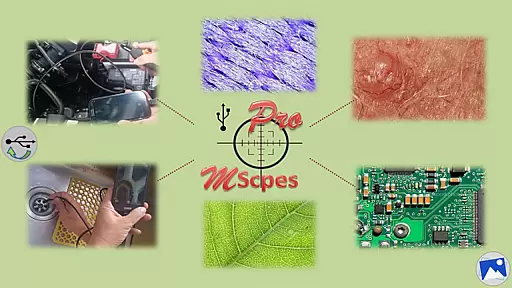
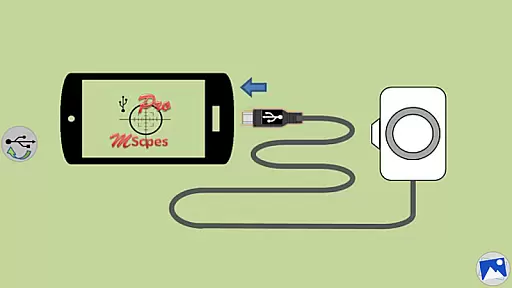
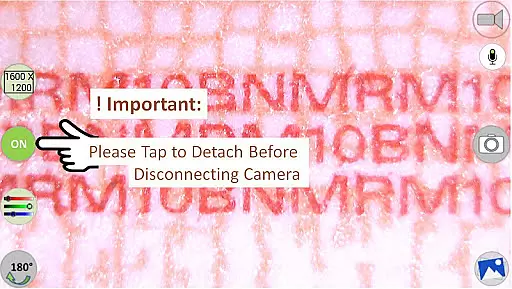
MScopesPro for USB Camera is a versatile application designed to enhance the functionality of USB video class cameras when connected to Android smartphones or tablets. This app allows users to view, capture images, and record videos from digital microscopes, endoscopes, borescopes, camcorders, or webcams via USB connection. For devices with type-A connectors, an OTG adapter is necessary to bridge the connection.
The Pro version offers advanced features such as full-screen mode, zoom and pan capabilities, multiple image types, customizable preview options including date and time stamps, notes, and cross-hairs. Additionally, it provides watermark-free images, pinch-to-zoom on preview, various camera resolutions, and adjustable color parameters like brightness, contrast, hue, gamma, sharpness, saturation, and white balance. These features make it ideal for professionals requiring detailed and flexible microscopic or internal inspections in fields such as industrial maintenance or scientific research.
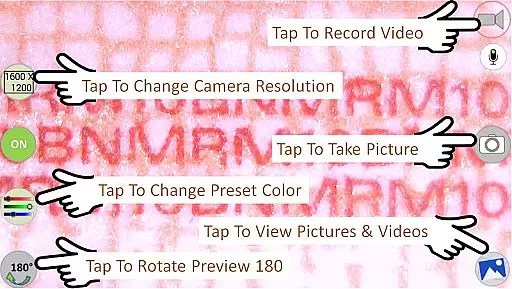
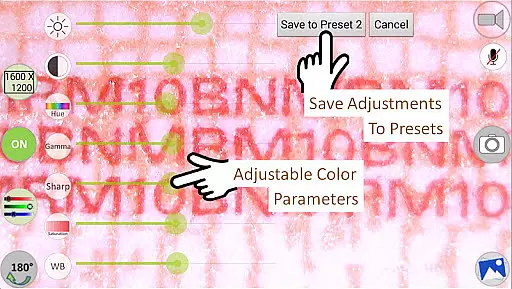
MScopesPro stands out with its comprehensive feature set tailored for enhancing USB camera usability. The app supports both jpeg and png image formats and offers multiple preview sizes ranging from 640x480 to 1600x1200, ensuring high-quality visuals. Users can adjust critical color parameters including brightness, contrast, hue, gamma, sharpness, saturation, and white balance, with the option to save these settings into three presets for convenience.
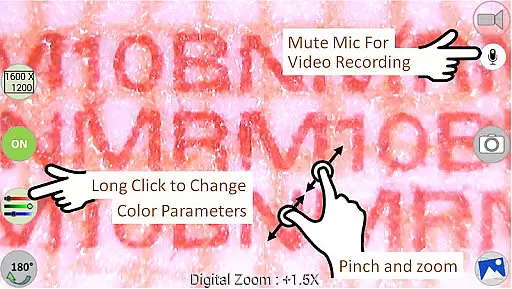
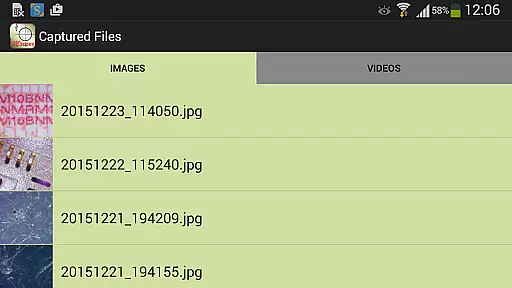
Additional functionalities include the ability to toggle the microphone during video recording, share captured images and videos directly from the app, edit images, and manage files by deleting unwanted media. The intuitive interface allows users to swipe through images and select video files effortlessly. With no need for device rooting, MScopesPro delivers a seamless experience for microscopic and endoscopic 'on-the-go' applications, significantly boosting productivity and precision in various professional environments.
Video format compatibility is a crucial feature for any video player or editor application. MScopesPro supports multiple preview sizes such as 640x480, 800x600, 1280x720, and 1600x1200, ensuring that users can view and record videos in various resolutions.
This flexibility allows users to choose the best resolution for their specific needs, whether they are capturing detailed microscopic images or recording videos of hard-to-reach areas. The app's support for different video formats ensures that users can work with a wide range of digital microscopes, endoscopes, borescopes, camcorders, or webcams.
Additionally, MScopesPro offers adjustable color parameters such as brightness, contrast, hue, gamma, sharpness, saturation, and white balance. These features enable users to fine-tune the video output to match their preferences or specific project requirements.
AI-powered editing features have become increasingly important in modern video editing applications. MScopesPro includes several advanced features that enhance the user experience through intelligent automation and customization options.
One notable feature is the ability to add date and time stamps on both the preview and captured images. This functionality is particularly useful for documenting observations or experiments over time. Users can also add up to three lines of notes, providing additional context or details about the captured content.
The Pro version of MScopesPro further enhances these capabilities with options like cross-hair on preview, pinch and zoom on preview, and camera resolution selections. These tools not only improve the precision of the captured content but also offer greater control over the final output, making it an invaluable tool for professionals and enthusiasts alike.
User-friendly interface
Highly customizable settings
Supports multiple image formats
Advanced color adjustments
Comprehensive sharing options
Compatibility issues on some devices
Does not support Android 5.1.1
Requires OTG adapter for type-A connectors
Premium version has a cost
Limited customer support

The smartest M3U IPTV Player your playlists have ever seen.
 4.4
4.4
Save photos and videos from social apps in one tap.
3.60
Fast video downloader & private browser. Save HD clips to watch offline.
4.40
AI Video Editor:AI Music, Text to Video,Text to Speech,Auto Caption,Video Effect
4.00
Video Downloader, Multiple Resolution Options, Video Player
4.50
IPTV Loader, loads your own Playlist. DOES NOT CONTAIN ANY LIST OR CHANNELS
4.60
Manage your IPTV live channels and VOD playlists (no playlist included)
3.80
Flud is a simple and beautiful BitTorrent client for Android.
4.80
A Simple app to download Video & Music from the Internet.
4.70
AI Video Editor with Music, Filter, Slideshow, Effect, Merge & Trim Video.
4.80
Snaptubè Video Downloader app allows to download videos and music in Snaptube. .
4.60
Search & download videos from net with all video downloader, auto-detect & safe.
4.60
Auto video maker with music & exclusive filters. Video editing made simple.
4.50
Create & edit videos with AI
4.30
Web Browser for LG TV to stream webvideos, online movies and livestreams in HD
4.20
VLC for Android is the best open source video and music player, fast and easy!
4.10
Cast to Smart TV, Fire TV. Cast video, photo - Fast & Stable!
3.90
HD video & music player - All format support with floating & PIP mode!
3.80
Play and download HD videos from all sources — fast, simple, and all-in-one.
4.2
VLC vs MX Player compared side-by-side: formats, subtitles, ads, privacy, and performance. Find out which free Android video player is right for you.



User Reviews