
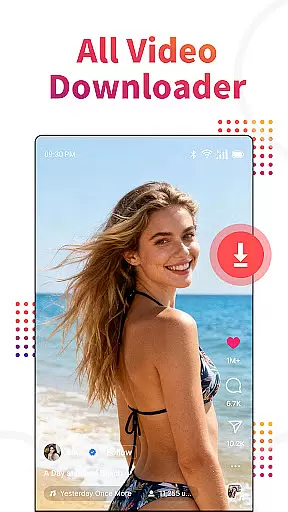
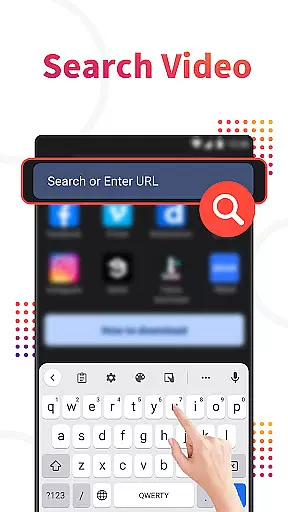
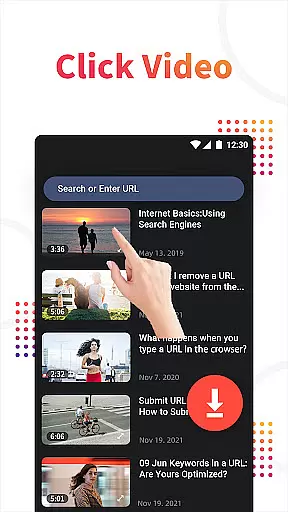
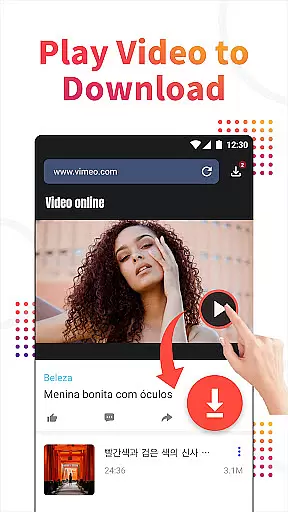
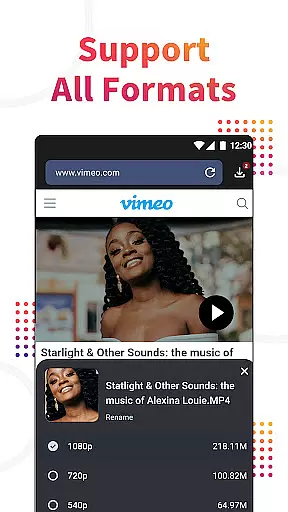
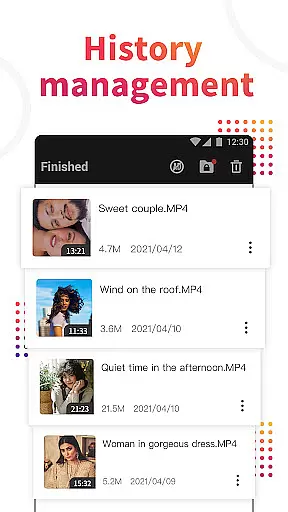
Video Downloader, Download All is a versatile tool designed for users who need to browse and download videos from various websites. This application not only functions as a video downloader but also includes a private browser that auto-detects video content on web pages. With just one click, users can download their favorite videos, movies, or MP3 music files. The app supports all popular video formats including MP4, AVI, and WMV, making it an essential utility for anyone looking to manage and store multimedia content privately and efficiently.
The Video Downloader stands out with its HD Video Hub feature, allowing users to download high-definition videos directly to their devices. Additionally, the app provides private folders where users can hide their downloaded files and videos securely. Whether you're looking to save online lectures for offline viewing or collect media files for personal use, this app offers a comprehensive solution for all your video downloading needs.
One of the standout features of Video Downloader, Download All is its Private Browser, which allows users to browse the internet and find videos without leaving traces. The Private Downloader functionality ensures that all videos are saved into secure, private folders, protecting user privacy. The app's ability to auto-detect video links from web pages streamlines the downloading process, eliminating the need for manual input and ensuring downloads proceed smoothly in the background.
Another remarkable aspect is the support for all video formats and resolutions, including MP3, M4A, and MOV, among others. Once downloaded, videos can be played using the built-in video player, and there's even an option to convert videos into MP3 audio files. This makes the app not just a downloader but also a mini media studio, enhancing its utility for users who require flexible media management options.
Video Downloader, Download All stands out with its extensive video format compatibility, ensuring users can download and manage videos in various formats without hassle. This app supports all popular video formats including mp3, mp4, m4a, m4v, avi, mov, and wmv.
The comprehensive format support allows users to browse and download videos from virtually any website, making it a versatile tool for collecting multimedia content. Whether you're downloading high-definition movies or simple audio files, this app handles it all seamlessly.
With the built-in video player, users can play all downloaded videos directly within the app, eliminating the need for additional software. Moreover, the ability to convert videos to mp3 audios adds an extra layer of utility, catering to users who prefer managing their media files in different formats.
While Video Downloader, Download All primarily focuses on downloading capabilities, it also incorporates AI-powered features that enhance user experience. The app's auto-detect function is a prime example, intelligently identifying video links from web browsers and facilitating background downloads.
This smart detection system ensures that users can effortlessly download videos with just one click, streamlining the entire process. The AI technology works behind the scenes to detect and prepare video links for download, significantly reducing manual input and potential errors.
In addition to simplifying video acquisition, the app offers private browsing and downloading options. Users can enjoy a secure environment where their activities remain confidential, thanks to private folders that hide personal files and videos. These privacy-focused features are empowered by intelligent algorithms that safeguard user data effectively.
User-friendly interface
High-speed downloads
Private browsing mode
HD video support
Comprehensive format compatibility
No YouTube support
Limited customer support
Occasional bugs
Ads present
Requires permissions

The smartest M3U IPTV Player your playlists have ever seen.
 4.4
4.4
Powerful, professional, versatile teleprompter. Developed by an active film crew
4.00
Watch full episodes of your favorite Cartoon Network and Cartoonito shows!
3.50
GENRAL PRO - General Pro is the best video player that fully supports all formats.
4.70
Cast to Smart TV, Fire TV. Cast video, photo - Fast & Stable!
3.90
IPTV Loader, loads your own Playlist. DOES NOT CONTAIN ANY LIST OR CHANNELS
4.60
Browser + Remote for Roku to stream webvideos, online movies and livestreams
4.60
convenient, safe and fast at Video Downloader & Player
4.60
Capture the moment and Cut
3.40
Download videos and play them offline
4.70
Snaptubè Video Downloader app allows to download videos and music in Snaptube. .
4.60
Cast movies, tv shows and live streams to Chromecast, Roku, DLNA, Fire TV & more
4.60
HD video maker with no watermark, no ads & vlog maker with music, PIP, text
4.50
Fast & Private HD Video Downloader with Built-in Proxy Browser and Video Player.
4.50
Powerful Video Editor & Photo Editing App —— Quick Edits & Stunning Effects!
4.30
Turn your phone into a wireless camera!
4.20
Web Browser for LG TV to stream webvideos, online movies and livestreams in HD
4.20
Make your own Animations, Video and Photo Edits, Visual Effects, and more!
4.00
Browser for Sony TV to stream web videos, online movies and live tv
3.20
VLC vs MX Player compared side-by-side: formats, subtitles, ads, privacy, and performance. Find out which free Android video player is right for you.



User Reviews