
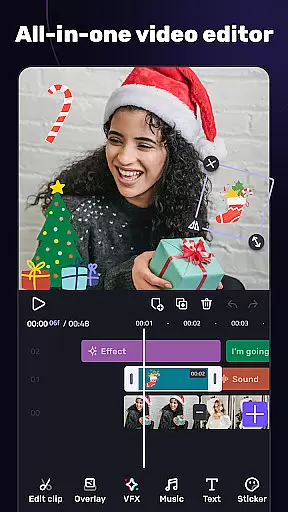
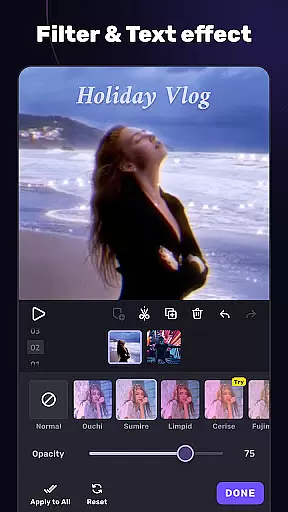
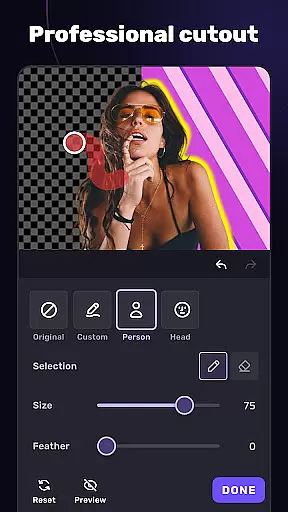
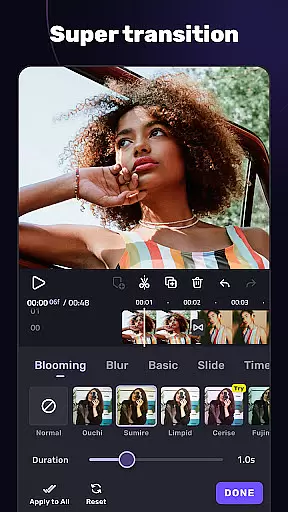
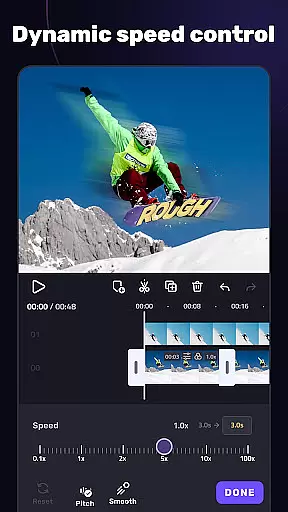
VivaCut is a versatile video editor and maker that caters to both casual users and professional content creators. The app offers an intuitive multi-layer timeline interface with precise frame-by-frame editing capabilities, making it easy to create high-quality videos. Whether you're looking to produce cinematic masterpieces or simply share fun moments with friends, VivaCut provides the necessary tools to achieve your goals.
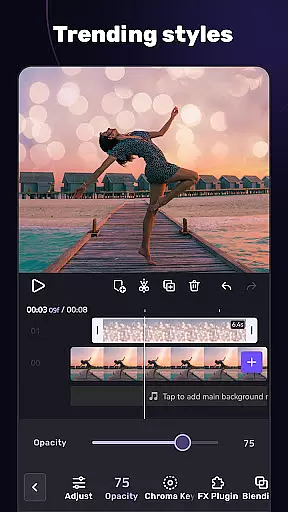
The application stands out with its advanced features such as chroma key effects, keyframe animations, and picture-in-picture functionality. These tools enable users to craft visually stunning videos with Hollywood-level transitions and effects. Additionally, VivaCut supports exporting videos in resolutions up to 4K, ensuring that your creations maintain exceptional quality across all platforms.
VivaCut distinguishes itself through a comprehensive suite of editing tools designed for both basic and advanced video creation. For beginners, the app includes essential features like trimming, splitting, and merging clips with stylish transitions. Users can also adjust playback speed, add text overlays with various fonts and styles, and apply filters to enhance their videos' aesthetic appeal.
Advanced users will appreciate the professional-grade features such as green screen effects, mask animations, and blending modes. The keyframe animation tool allows for dynamic visual effects on multiple elements including text and stickers. Moreover, the app's audio capabilities let users extract soundtracks, sync edits with music beats, and utilize trendy glitch effects. These robust functionalities empower creators to produce content that stands out on social media platforms like YouTube, Instagram, and TikTok.
Video format compatibility is a crucial feature for any video editing application, ensuring that users can work with a wide range of video files without conversion hassles. AI Video Editor supports an extensive array of formats, allowing creators to import and export videos in resolutions up to 4K. This flexibility empowers users to focus on their creative process rather than technical limitations.
The app's advanced format support includes popular codecs and containers such as MP4, MOV, and AVI, making it versatile for various use cases. Whether you're creating content for YouTube, Instagram, or TikTok, the assurance of format compatibility streamlines your workflow. The ability to handle different formats also future-proofs your projects, accommodating new trends in video production.
For professionals and hobbyists alike, having robust video format support means more time spent on refining artistic vision and less on troubleshooting technical issues. With AI Video Editor, seamless integration across devices and platforms becomes a reality, enhancing productivity and creative freedom.
AI-powered editing features represent the cutting edge of video production technology, automating complex tasks and enabling creators to achieve professional results effortlessly. AI Video Editor incorporates intelligent tools that simplify processes like chroma key effects, transitions, and audio synchronization. These features not only save time but also open up new creative possibilities for users at all skill levels.
The app's AI capabilities extend to automated video enhancement, smart filters, and glitch effects that add a unique touch to your projects. By analyzing video content, the software can suggest optimal editing choices, from color correction to scene transitions. This level of automation ensures consistent quality while maintaining creative control in the hands of the user.
What sets AI Video Editor apart is how these intelligent features integrate seamlessly into the editing workflow. Rather than replacing human creativity, they enhance it by handling repetitive tasks and offering smart suggestions. This synergy between artificial intelligence and human artistry results in more efficient production processes and higher-quality final products, making professional-grade video editing accessible to everyone.
User-friendly interface
Professional editing tools
High-quality export options
Dynamic effect library
Regular feature updates
Subscription required for full access
Some features may overwhelm beginners
Occasional performance lags
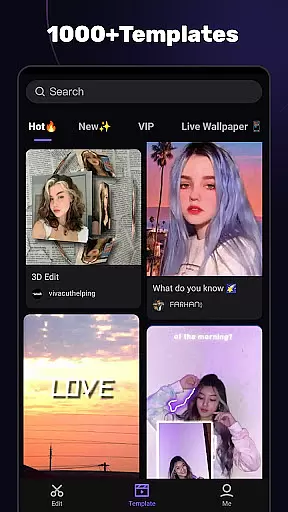
Limited free template selection
Ads in free version

Kodi media center, a free and open source cross-platform entertainment hub
 3.60
3.60
Video Downloader is an utility that can save videos and music from web sites
4.20
Video Trimmer, Video to MP3 Converter. Extract music from video, Easy & Fast.
4.80
Snaptubè Video Downloader app allows to download videos and music in Snaptube. .
4.60
All format media Player, no need video converter any more!
4.00
All in one HD video downloader & player for multiple formats with full privacy
4.70
Cast to Smart TV, Fire TV. Cast video, photo - Fast & Stable!
3.90
Video Downloader, Multiple Resolution Options, Video Player
4.50
Enjoy your favorite videos and channels with the official YouTube app.
3.90
Flud is a simple and beautiful BitTorrent client for Android.
4.80
A Quick and Pro Video Editor
4.70
A Simple app to download Video & Music from the Internet.
4.70
Create photo video with music & template. AI video maker for stunning slideshow.
4.60
VLC Remote lets you control your VLC Media Player on Mac, PC or Linux.
4.60
Browser for Fire TV to stream webvideos, online movies, livestreams in HD
4.40
Browser for Samsung TV to stream webvideos, online movies and livestreams in HD
4.10
Powerful, professional, versatile teleprompter. Developed by an active film crew
4.00
Explore the largest library of free GIFs, Stickers & Memes - or create your own!
3.90
Live TV, anywhere in your home
3.80
VLC vs MX Player compared side-by-side: formats, subtitles, ads, privacy, and performance. Find out which free Android video player is right for you.



User Reviews