
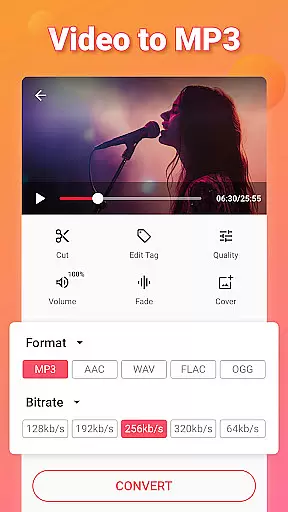
Video to MP3 is a versatile media converter tool that allows users to convert video files to high-quality audio formats. The app supports batch conversion of up to 15 videos at once, making it efficient for processing multiple files simultaneously. With its fast conversion capabilities, users can extract mp3 songs from videos in seconds.
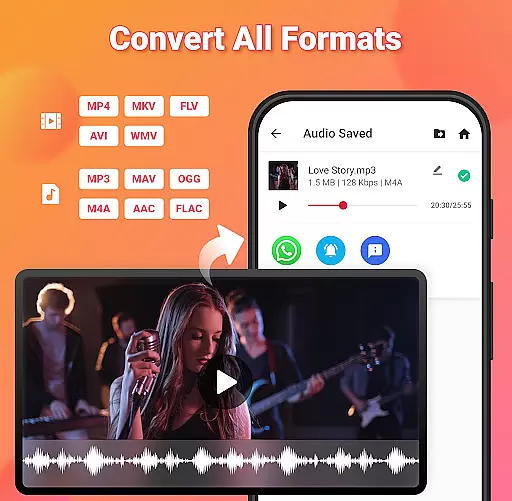
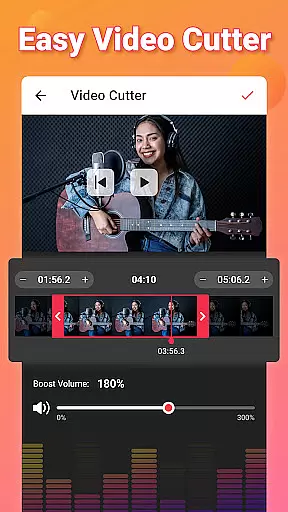
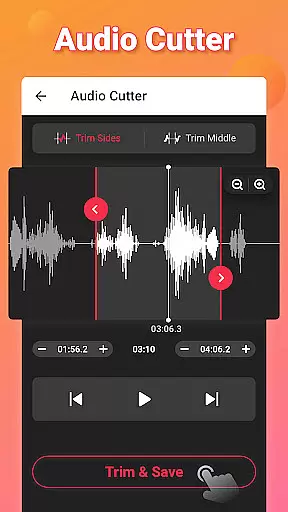
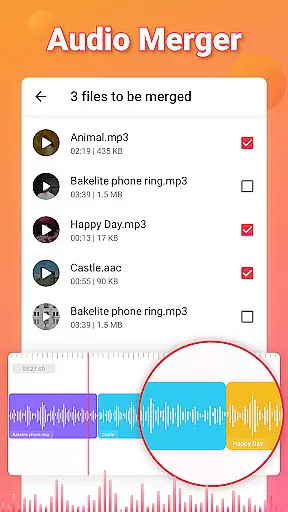
Beyond basic conversion, the app offers advanced editing features such as trimming and cutting both video and audio files, merging audio tracks, and applying fade-in and fade-out effects. It also includes an audio booster function to enhance sound quality. Users can edit metadata tags like Title, Album, and Artist, ensuring organized music libraries. Video to MP3 Converter is compatible with various formats including MP4, MKV, AVI, and more, while supporting output formats like MP3, AAC, and M4A.
This app is ideal for content creators, podcasters, or anyone looking to repurpose video content into audio files. Whether you need background music for projects or want to create custom ringtones, this tool provides a complete solution for all your media conversion needs.
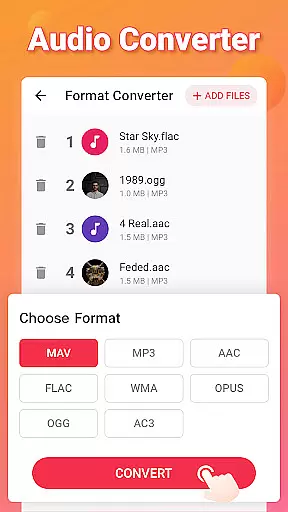
Video to MP3 stands out with its comprehensive feature set tailored for multimedia enthusiasts. One of its key strengths is the ability to handle multiple file formats, including MOV, MP4, MKV, FLV, AVI, WMV for videos, and MP3, WAV, OGG, M4A, ACC, FLAC for audio. This ensures maximum compatibility across devices and platforms. Additionally, the app's support for bitrate settings ranging from 32kb/s to 320kb/s gives users control over the quality and size of their converted files.
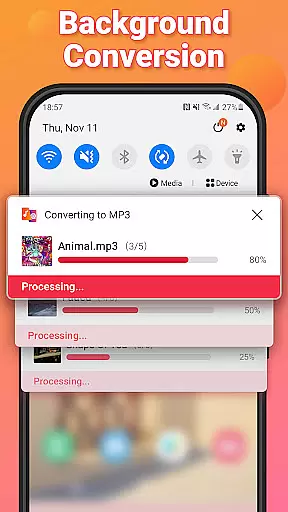
The app’s intuitive interface simplifies complex tasks such as trimming videos, cutting audio clips, and merging tracks. Its built-in sound boost feature enhances audio clarity, while fade-in and fade-out effects add a professional touch to edited files. Another notable feature is the background conversion functionality, which allows users to continue using their device without interruptions during the conversion process. Furthermore, the app enables users to customize album art and metadata, providing a personalized experience.
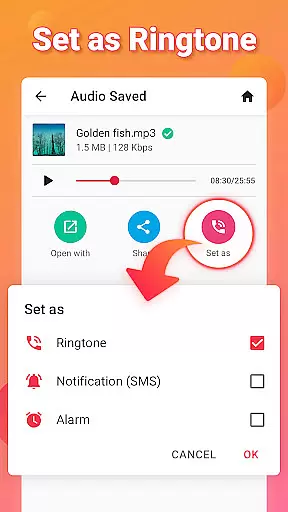
For those seeking convenience, Video to MP3 offers one-tap options to set converted files as ringtones, alarms, or notification sounds. These practical features make it not only a powerful editor but also a handy utility for everyday use. Overall, the combination of speed, flexibility, and ease of use makes this app a top choice for managing multimedia content.
Video to MP3 stands out with its extensive video format compatibility, ensuring users can convert nearly any video file to audio. The app supports a wide array of video formats including MP4, MKV, FLV, AVI, and WMV.
This broad compatibility is crucial for users who work with various video sources, allowing them to focus on content creation rather than format limitations. Whether you're converting MOV to MP4 or MKV to MP4, the process is seamless.
The application's ability to handle different formats extends to its conversion capabilities, making it an all-in-one media converter. This versatility ensures that no matter the source file, users can achieve high-quality audio extraction.
By supporting such a comprehensive range of video formats, Video to MP3 empowers users to efficiently manage their media libraries, extract audio for various purposes, and maintain quality across conversions.
Beyond basic conversion, Video to MP3 incorporates AI-powered editing features that enhance user experience significantly. These include smart tools for cutting and trimming videos, merging audio files, and adjusting sound levels with precision.
The AI-driven MP3 cutter and audio trimmer allow users to create custom clips and ringtones effortlessly. With options like fade in and fade out effects, adding music covers, and editing tags, users can produce professional-grade audio files.
Advanced features such as batch conversion and background processing demonstrate the app's commitment to efficiency. Users can convert up to 15 videos simultaneously while continuing other tasks without interruption.
These intelligent editing capabilities, combined with support for various bitrates and output formats, make Video to MP3 a powerful tool for both casual users and professionals seeking sophisticated audio editing solutions.
User-friendly interface
Batch conversion support
High-quality audio output
Wide format compatibility
Advanced editing tools
Limited advanced features
No cloud integration
Occasional ads
Basic design
Few customization options

Support 1000+ Video Format, Subtitle Download, mp3 & Background Play, Cast On TV
 4.60
4.60
Explore the largest library of free GIFs, Stickers & Memes - or create your own!
3.90
Play and download HD videos from all sources — fast, simple, and all-in-one.
4.0
Download videos and play them offline
4.70
IPTV Loader, loads your own Playlist. DOES NOT CONTAIN ANY LIST OR CHANNELS
4.60
Flud is a simple and beautiful BitTorrent client for Android.
4.80
Web Browser for LG TV to stream webvideos, online movies and livestreams in HD
4.20
Powerful video player with advanced hardware acceleration and subtitle supports
4.20
Viddo: Generate Action Figure, AI Anime, AI kiss, AI hug Video from image & text
4.40
Create photo video with music & template. AI video maker for stunning slideshow.
4.60
Cast to Chromecast, Xbox, Fire Stick, Roku, DLNA, Smart TV & No Feature Limited!
4.50
Download website videos fast&privacy
4.40
Your media, on your terms.
4.10
LumaFusion: The Ultimate Storytelling Experience for Video Editing
4.10
Powerful, professional, versatile teleprompter. Developed by an active film crew
4.00
Kodi media center, a free and open source cross-platform entertainment hub
3.60
Save photos and videos from social apps in one tap.
3.60
The essential companion to your Blue Iris PC software
2.50
Powerful HD video player with support for all formats & subtitles.
4.5
VLC vs MX Player compared side-by-side: formats, subtitles, ads, privacy, and performance. Find out which free Android video player is right for you.


User Reviews