
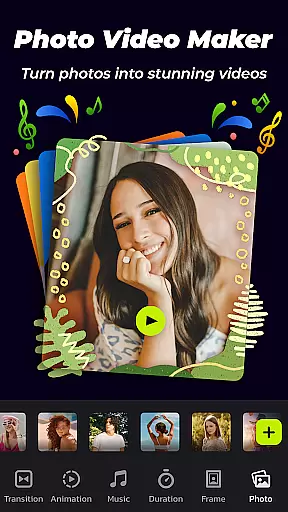
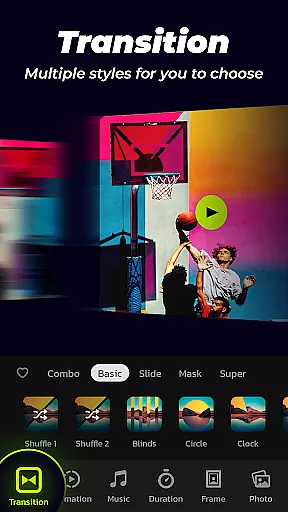

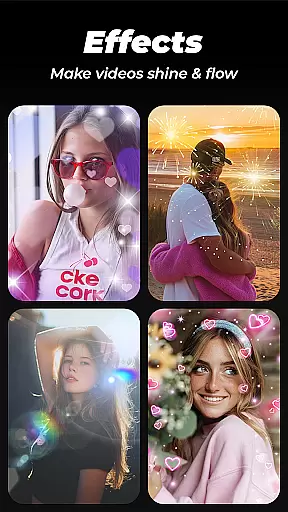
Photo Video Maker with Music - InSlide is a versatile video editing tool designed for creating engaging photo slideshows, music albums, and presentations. The app offers an intuitive interface that allows users to add music, transitions, animations, and frames to their projects.
With its robust feature set, InSlide caters to both casual users looking to create holiday greetings and professionals needing to produce tutorial videos. Its ability to export high-quality videos in resolutions up to 2K makes it suitable for sharing across various social media platforms like YouTube, TikTok, and Instagram.
The application's value lies in its comprehensive content library and customization options, empowering users to transform ordinary photos into visually stunning slideshows that can be shared with friends and family.
InSlide stands out with its rich feature set tailored for slideshow creation. Users can import multiple photos at once and assemble them into professional-looking videos with ease. The app provides one-click transition effects, removing the hassle of manual selection while offering a wide array of visual effects.
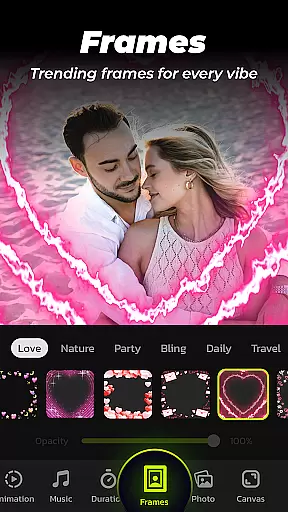
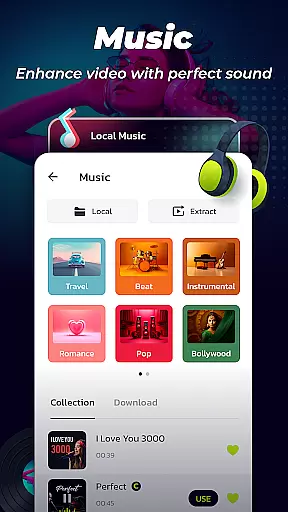
Music integration is another highlight, allowing users to choose from various online genres or upload personal tracks. With categorized frames and customizable transition durations ranging from 0.5 to 8 seconds, users have complete control over their slideshow's pacing and style.
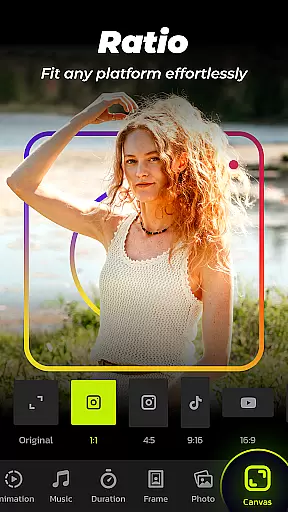
Additional features include resolution selection from 480P to 2K, aspect ratio adjustment for different platforms, and a video library for saving and managing created content. These capabilities ensure users can create, save, and share their videos efficiently.
Video format compatibility is crucial for any video editing tool, and Photo Video Maker with Music - InSlide excels in this area. The application supports a wide range of video resolutions, from 480P to 2K, allowing users to export their projects in the desired quality. This flexibility ensures that whether you're looking to share your videos quickly or aiming for top-notch visual fidelity, InSlide has you covered.
In addition to resolution options, the app provides five different aspect ratios. This feature enables creators to tailor their content for various platforms such as YouTube, TikTok, Facebook, Instagram, WhatsApp, and Twitter without hassle. By adjusting the aspect ratio, users can ensure their videos look perfect on any social media feed or video hosting site.
The ability to customize transition duration between photos further enhances the user experience. With durations ranging from 0.5 seconds up to 8 seconds, smooth transitions are guaranteed regardless of the project's pace. This level of control over timing allows creators to maintain narrative flow while keeping viewers engaged throughout the slideshow presentation.
Photo Video Maker with Music - InSlide stands out by incorporating AI-powered editing features that simplify complex tasks. One notable function is its one-click transition effect which eliminates manual selection hassles. Users have access to an extensive library of transitions that automatically enhance visual storytelling without requiring advanced technical skills.
Beyond transitions, InSlide offers abundant customization options including adding music tracks directly into slideshows. Whether choosing from built-in genres like Pop or Bollywood or uploading personal audio files, integrating sound becomes seamless thanks to intelligent algorithms guiding selections based on mood and theme preferences.
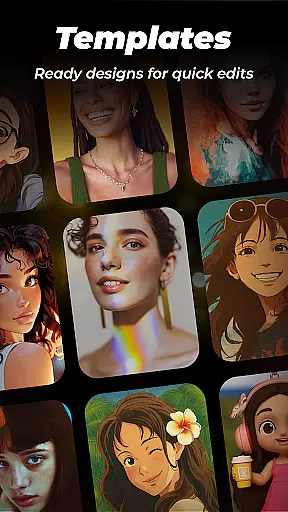
Moreover, categorized frames designed around specific themes such as family gatherings or romantic getaways help personalize each creation effortlessly. These smart templates not only save time but also inspire creativity by suggesting aesthetically pleasing layouts tailored specifically towards enhancing individual stories captured through photos and videos alike.
User-friendly interface
Extensive transition effects
Versatile music library
High-resolution export options
Customizable slideshow settings
Limited advanced editing tools
Occasional ads in free version
Watermark on exported videos
Subscription required for full features
Heavy app size

You can play SWF format file!
 2.50
2.50
Watch full episodes of your favorite Cartoon Network and Cartoonito shows!
3.50
?100% FREE! Download & save videos? safely in this app. All formats supported.
4.60
Download videos easily & play them all in one smart, powerful video manager.
3.40
Video Downloader, Multiple Resolution Options, Video Player
4.50
Browser for Sony TV to stream web videos, online movies and live tv
3.20
Viddo: Generate Action Figure, AI Anime, AI kiss, AI hug Video from image & text
4.40
Enjoy your favorite videos and channels with the official YouTube app.
3.90
Manage your YouTube channel on the go
4.40
Video Trimmer, Video to MP3 Converter. Extract music from video, Easy & Fast.
4.80
Pro video editor app for Instagram, edit video with song, AI, effect & slowmo.
4.80
VLC Remote lets you control your VLC Media Player on Mac, PC or Linux.
4.60
Seamlessly connect and control your smart devices, anytime, anywhere with ease.
4.60
KineMaster, Your Ultimate Video Editor!
4.40
Movie maker & video editing app with AI effects and green screen
4.30
Web Browser for LG TV to stream webvideos, online movies and livestreams in HD
4.20
Your media, on your terms.
4.10
LumaFusion: The Ultimate Storytelling Experience for Video Editing
4.10
Mix with Virtual DJ directly from your phone or tablet !
3.10
VLC vs MX Player compared side-by-side: formats, subtitles, ads, privacy, and performance. Find out which free Android video player is right for you.


User Reviews