
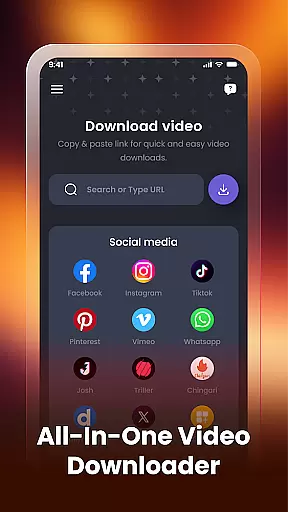

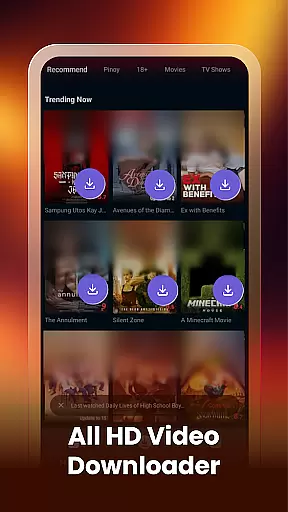
Video Downloader & Player is a versatile app designed for downloading, managing, and playing videos with ease. The core functionality allows users to download videos from various social apps and websites by simply pasting the video link into the app. This makes it an ideal tool for those who want to save online content for offline viewing.
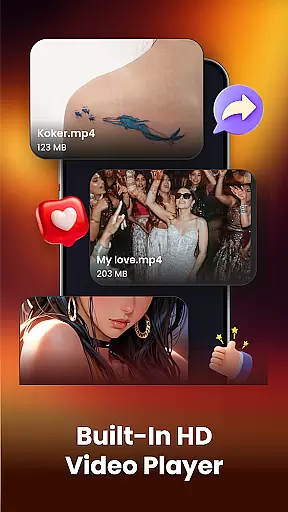
In addition to its downloading capabilities, the app features a built-in video player that supports HD video formats, allowing users to watch their downloaded videos directly within the app. It also includes smart management features such as renaming, sharing, or deleting videos, making it easy to organize your media library. Whether you're looking to download videos from social media or manage existing files on your device, this app provides a comprehensive solution.
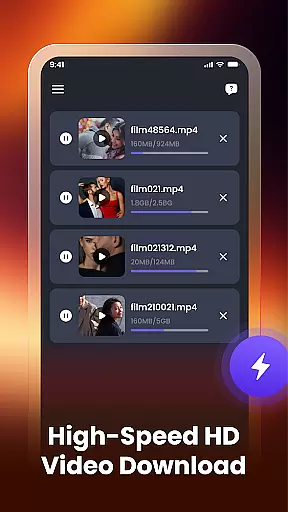
The app's true value lies in its all-in-one nature. Users can handle multiple downloads simultaneously, auto-detect existing videos, and view file paths, ensuring they always know where their content is stored. With its user-friendly interface and powerful features, Video Downloader & Player is perfect for anyone seeking a seamless way to enjoy their favorite videos anytime, anywhere.
Video Downloader & Player stands out due to its rich feature set tailored for video enthusiasts. One of its key strengths is the fast video downloading capability, which lets users instantly download videos by pasting links from supported platforms. This feature is enhanced by the ability to handle multiple downloads at once, ensuring that users can manage several video downloads without interruptions.
The app also boasts a built-in video player that supports HD video formats, providing high-quality playback directly within the app. This eliminates the need for external players and streamlines the user experience. Additionally, the smart video manager allows users to rename, share, or delete videos easily, offering a level of control that enhances organization and accessibility.
Other notable features include the ability to view file paths, which helps users locate their downloaded videos on their device, and auto-detection of existing videos already stored on the device. These functionalities ensure that users have a complete overview of their video library. With its focus on speed, security, and ease of use, Video Downloader & Player delivers a robust solution for managing and enjoying video content.
Video format compatibility is a crucial feature for any video player and editor application. The Video Downloader & Player app ensures that users can work with a wide range of video formats, making it versatile and convenient. Whether you are downloading videos from social media platforms or managing existing files on your device, this app supports various formats, ensuring that no video is left behind.
The app's support for HD video formats enhances the viewing experience by maintaining high-quality resolution. This means that whether you're watching a movie or analyzing detailed footage, the clarity remains uncompromised. Additionally, the ability to auto-detect existing videos across different platforms and websites speaks to its broad compatibility standards.
For users, this translates into seamless integration with their current media libraries without the need for additional conversion tools. They can download, organize, and play every video with just a few taps, thanks to the comprehensive format coverage. With fast downloads and secure handling of content, users can confidently manage their video collections in multiple formats.
AI-powered editing features represent the cutting-edge advancement in video players and editors. The Video Downloader & Player app incorporates smart functionalities that simplify video management through automation and intelligent processing. These AI capabilities allow users to effortlessly rename, share, or delete videos, streamlining the entire workflow within the app.
Beyond basic playback, these features enable intuitive interaction with video files. For instance, users can easily find where their videos are stored on their device using view file path options. This level of organization is powered by AI algorithms that ensure efficient sorting and retrieval of media assets.
Moreover, the built-in video player not only plays downloaded videos directly but also enhances them through AI enhancements such as optimized playback settings based on user preferences. Such innovations make it simple yet powerful for anyone looking to get more from their video collection without needing advanced technical skills. Overall, these AI-driven tools significantly boost productivity while keeping usability at the forefront.
User-friendly interface
Fast download speeds
HD video support
Multiple simultaneous downloads
Comprehensive video management
Limited platform compatibility
No advanced editing tools
Requires stable internet
Basic player functionality
Occasional download errors

IPTV-Smarters Player Pro M3U - Watch Live Stream TV Channels with Chromecast
 4.00
4.00
Cast Videos from Web Browser, IPTV to Roku, Chromecast, DLNA, Smart TV +more
4.60
Tik & Story Saver-Download ALL social media videos, photos & reels no watermark.
4.80
Play ALL formats in 4K & HD. Video downloader, MP3 player, Chromecast & more.
4.80
HD video maker with no watermark, no ads & vlog maker with music, PIP, text
4.50
Stream high quality video from your camera over NDI protocol
4.5
Capture images & record videos for USB Camera, Webcam, Microscopes, Endoscopes
3.80
Mix with Virtual DJ directly from your phone or tablet !
3.10
VLC for Android is the best open source video and music player, fast and easy!
4.10
#1 Torrent App on Android ** No Ads Ever + Battery Saver **
4.80
A Quick and Pro Video Editor
4.70
Support 1000+ Video Format, Subtitle Download, mp3 & Background Play, Cast On TV
4.60
Connect 2 UVC devices for recording and broadcast video/audio stream
3.90
HD video & music player - All format support with floating & PIP mode!
3.80
Live TV, anywhere in your home
3.80
Watch full episodes of your favorite Cartoon Network and Cartoonito shows!
3.50
IPTV Player - Watch live TV from m3m & m3u8 playlist, stream IPTV on mobile
3.30
Client application for NextPVR software
3.00
Play and download HD videos from all sources — fast, simple, and all-in-one.
4.3
VLC vs MX Player compared side-by-side: formats, subtitles, ads, privacy, and performance. Find out which free Android video player is right for you.



User Reviews