
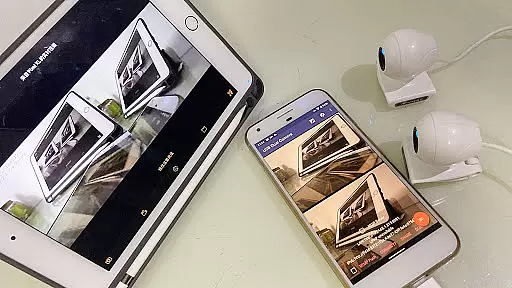
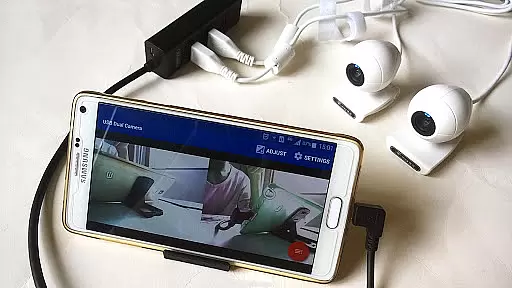
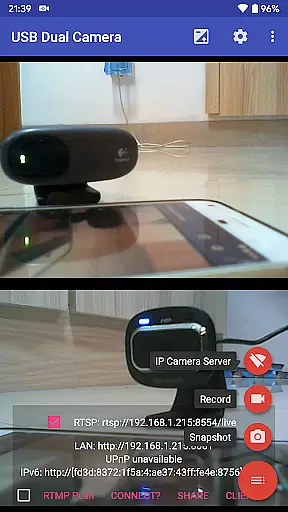
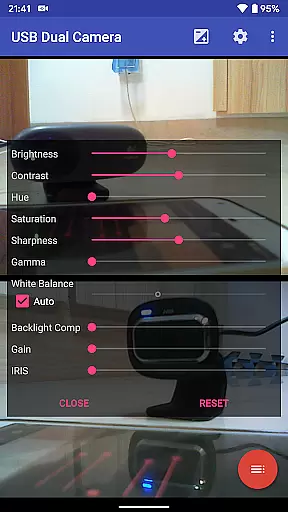
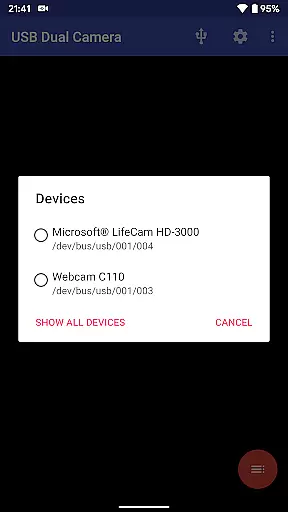

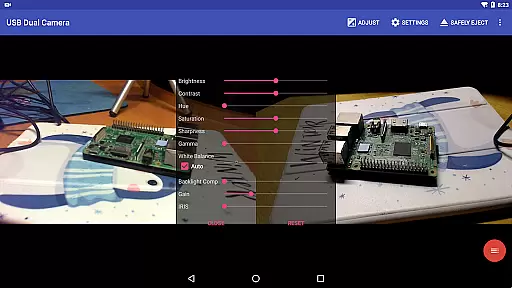
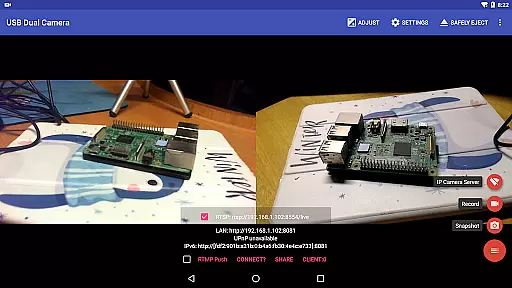
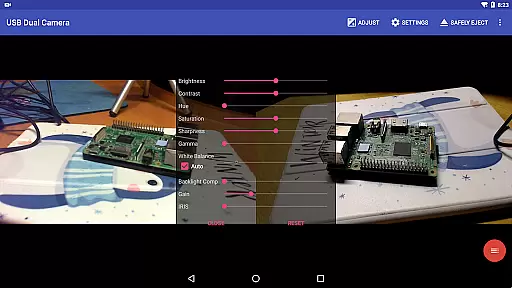
USB Dual Camera Pro is a versatile video application that allows Android devices to connect to two USB WebCams or video capture cards simultaneously via USB-OTG. The app supports UVC WebCams with microphones and video grabbers with audio input, enabling users to record high-quality videos or capture snapshots. It also features an RTSP and HTTP server for turning your phone into a wireless IP camera, ideal for security monitoring with bi-directional audio support.
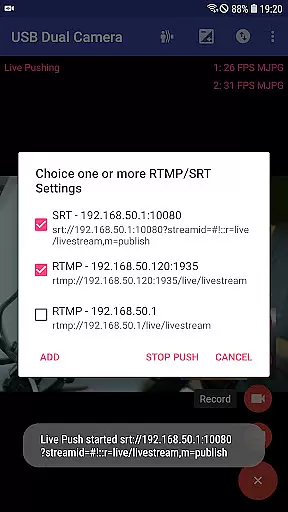
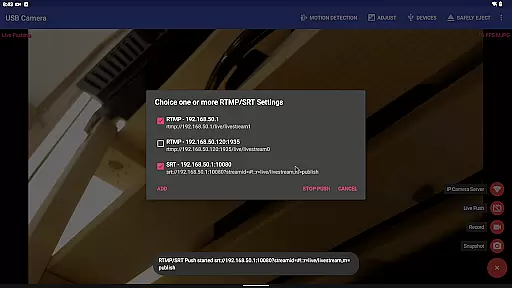
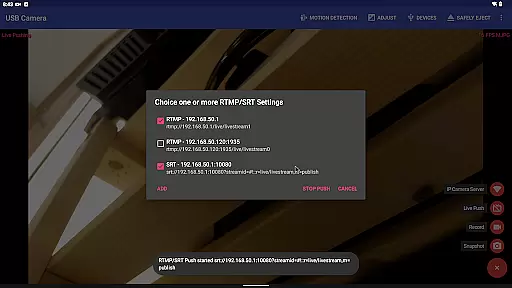
The app's standout feature is its ability to push video and audio streams to multiple RTMP/SRT live media servers simultaneously, supporting advanced protocols like rtmps and SRT. This makes it perfect for network live broadcasts on platforms like YouTube Live. Additionally, the app can mix USB audio with built-in microphones or system audio, overlay internal camera footage onto external camera video, and even create full Side-by-Side (SBS) 3D videos when connected to two cameras.
Designed with professionals in mind, USB Dual Camera Pro offers advanced functionalities such as timestamp overlays, GPS data integration, and speed information embedding directly onto video frames. Its loop-recording capability, combined with motion detection-based auto-recording and FTP upload functionality, makes it an excellent choice for dashcam usage. The app ensures uninterrupted recording during background operations, providing a seamless user experience.
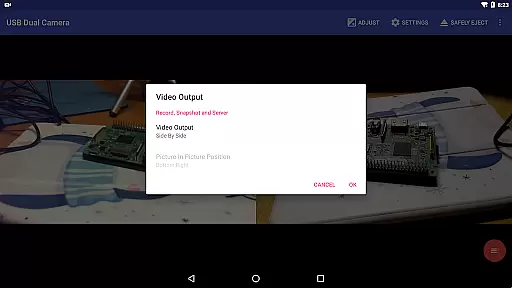
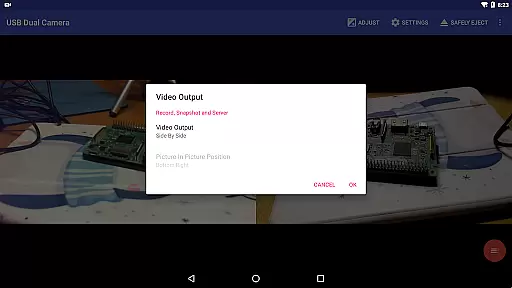
USB Dual Camera Pro stands out with its comprehensive feature set tailored for both casual users and professionals. One of its key capabilities is supporting simultaneous connections to two USB WebCams or video capture cards, allowing users to record dual mp4 files synchronously. When both cameras have audio inputs, the app can automatically mix audio tracks and even create separate audio recordings. This dual-camera setup also enables the creation of full Side-by-Side (SBS) 3D videos, viewable using compatible 3D video players.
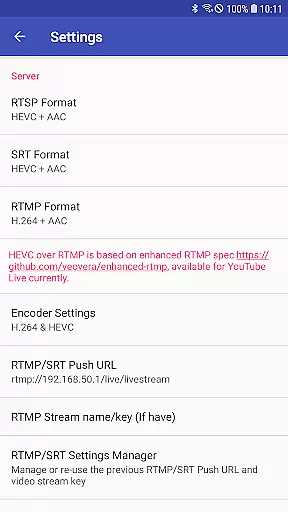
The app's broadcasting capabilities are equally impressive. It can stream video and audio to multiple RTMP/SRT live media servers simultaneously, supporting modern codecs like HEVC/AV1 over RTMP. This flexibility makes it suitable for various live streaming scenarios, including professional broadcasts on platforms like YouTube Live. The inclusion of rtmps security protocol and SRT protocol support ensures secure and reliable streaming experiences.
Additional notable features include an integrated RTSP and HTTP server that transforms your Android device into a wireless IP camera, complete with bi-directional audio support. The app also offers advanced video processing options such as timestamp overlays, GPS data integration, and picture-in-picture functionality by overlaying built-in camera footage onto external camera video. Its motion detection-based auto-recording and FTP upload capabilities, combined with loop-recording and background operation support, make it an excellent security monitoring solution.
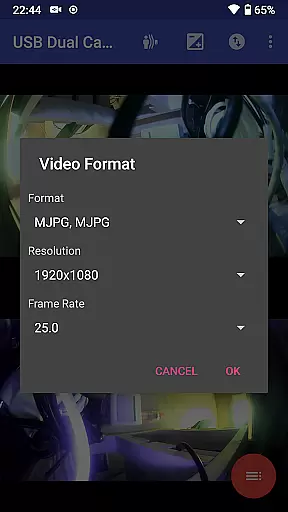
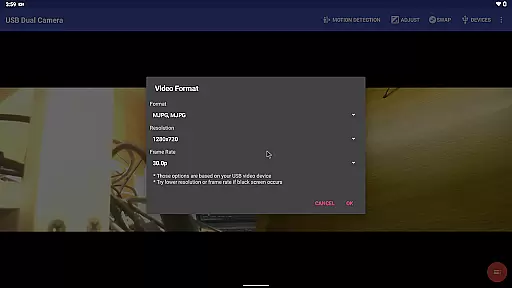
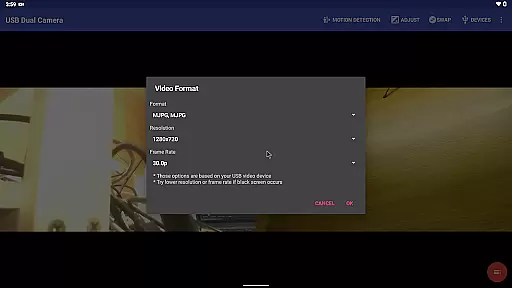
USB Dual Camera Pro demonstrates exceptional versatility in video format compatibility, ensuring a seamless experience for users working with diverse video sources. The application supports an extensive range of formats including MJPEG, H.264, H.265, HEVC, and even the emerging AV1 codec.
This broad compatibility spectrum allows users to connect up to two USB WebCams or video capture cards simultaneously, provided the appropriate format is used. For instance, when using two cameras at once, MJPEG is required. This flexibility ensures that whether you're recording in 4K via HDMI or streaming progressive and interlaced video, the app can handle it.
The significance of this feature extends beyond just basic recording; it enables advanced functionalities such as pushing video and audio to RTMP/SRT live media servers for network broadcasts. With support for rtmps security protocol and SRT protocol, users can stream securely and efficiently.
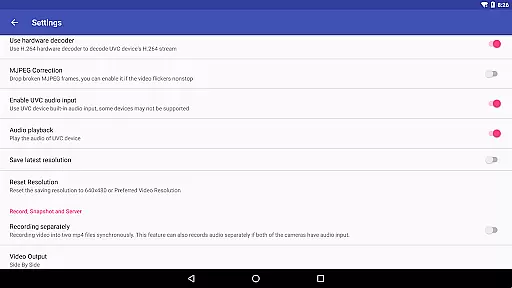
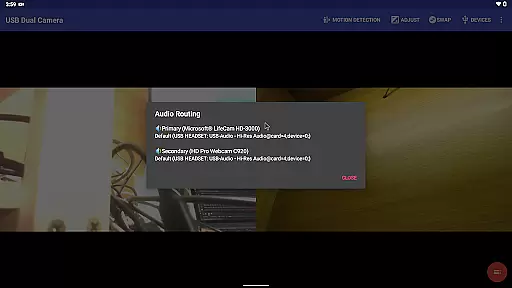
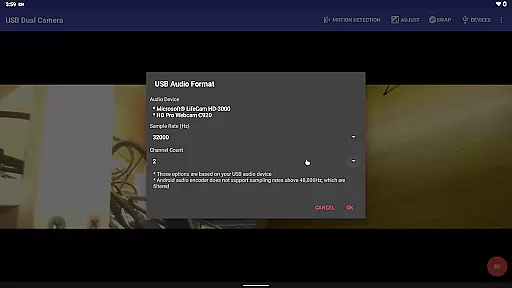
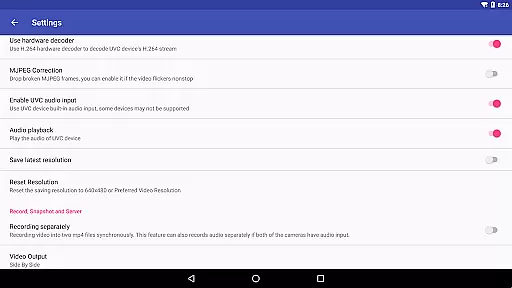
Moreover, the app's ability to record video into two MP4 files synchronously while mixing audio automatically if both cameras have audio input showcases its robust handling of complex multimedia tasks. This makes USB Dual Camera Pro not only a tool for capturing but also for creating rich, multi-layered content suitable for various professional applications.
While USB Dual Camera Pro primarily focuses on video capture and streaming, it incorporates several AI-powered editing features that enhance the overall user experience. One notable function is the automatic video recording based on motion detection, which intelligently starts recording when movement is detected within the frame.
This intelligent feature set continues with the app's ability to add timestamps, GPS data, speed information, and other metadata directly onto video frames during recording. This capability transforms the app into a powerful tool for security monitoring and dashcam usage, providing valuable context to recorded footage.
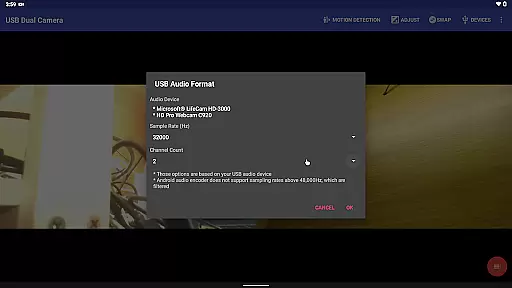
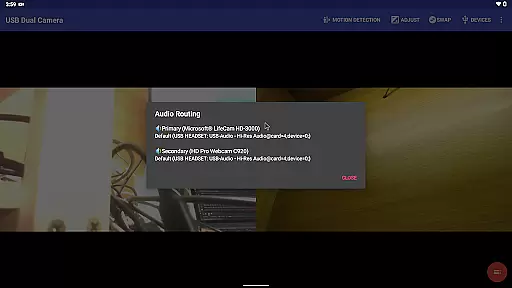
The application also offers sophisticated audio processing capabilities, allowing users to mix USB audio with built-in microphones or system audio. This feature, combined with the ability to overlay built-in camera/screen video onto external camera video, creates dynamic picture-in-picture effects without requiring additional editing software.
Furthermore, the app's loop-recording functionality with auto-segment settings and automatic deletion of old video archives when storage space is limited demonstrates its smart approach to file management. These AI-driven features work together to create a comprehensive video solution that not only captures but also intelligently manages and enhances content, making it particularly valuable for professional surveillance and broadcasting applications.
Supports dual cameras
Advanced streaming protocols
3D video creation
Motion detection recording
Background operation
Requires good OTG cable
Power supply needed
Android 5.0 minimum
Complex setup process
Premium features locked

Fast, private downloading, video saving, social media
 4.50
4.50
Your media, on your terms.
4.10
Play ALL formats in 4K & HD. Video downloader, MP3 player, Chromecast & more.
4.80
Explore the largest library of free GIFs, Stickers & Memes - or create your own!
3.90
Download videos and play them offline
4.70
Add date and time watermark to photos and videos
4.50
Manage your IPTV live channels and VOD playlists (no playlist included)
3.80
Screen recorder with audio to take live videos & Screenshot in high quality!
4.70
Create, Publish & Maximize
4.70
Video Player - Unlimited features, 30 days money back guarantee.
4.60
Fast & easy HD video downloader for all formats, support 4K playback & download.
4.60
IPTV Loader, loads your own Playlist. DOES NOT CONTAIN ANY LIST OR CHANNELS
4.60
Watch IPTV on your Android device
4.60
AirMirror Receiver - Screen mirroring/cast web videos to Android TV by AirPlay.
4.40
Browser for Fire TV to stream webvideos, online movies, livestreams in HD
4.40
Viddo: Generate Action Figure, AI Anime, AI kiss, AI hug Video from image & text
4.40
VLC for Android is the best open source video and music player, fast and easy!
4.10
AI Video Editor:AI Music, Text to Video,Text to Speech,Auto Caption,Video Effect
4.00
The smartest M3U IPTV Player your playlists have ever seen.
4.3
VLC vs MX Player compared side-by-side: formats, subtitles, ads, privacy, and performance. Find out which free Android video player is right for you.



User Reviews