
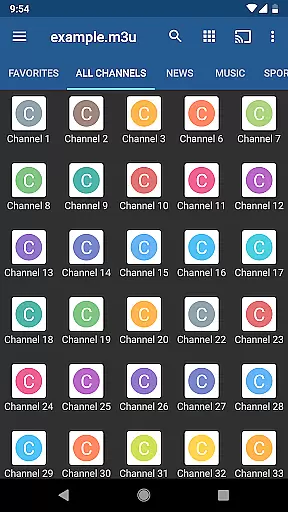
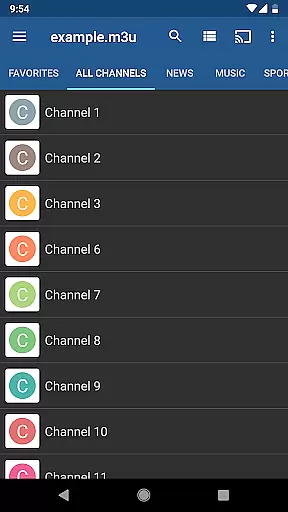
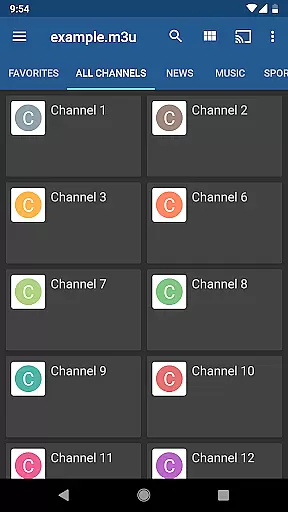
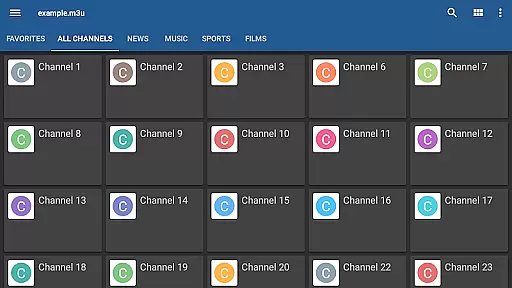
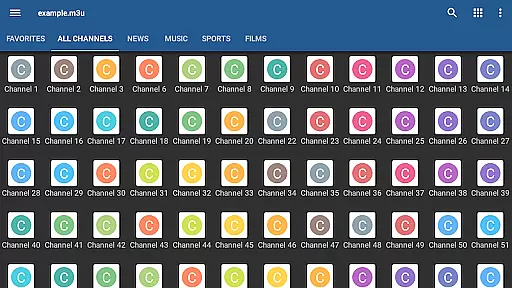
IPTV Pro is the premium version of IPTV app, offering an ad-free experience with advanced features for seamless TV streaming. It supports M3U and XSPF playlists, multicast streams via UDP proxy, EPG in XMLTV and JTV formats, and multiple channel view options.
Designed for both casual viewers and tech-savvy users, this app allows auto-play of the last channel, extended playlist history, and parental controls. It's ideal for set-top boxes with options like device boot start and internal/external video players.
While IPTV Pro doesn't include built-in channels, it provides all the tools needed to stream your own playlists. With proper setup, users can enjoy a robust and customizable live TV experience on any supported device.
IPTV Pro stands out with its comprehensive feature set tailored for diverse streaming needs. The app supports multiple playlist formats (M3U, XSPF) and offers advanced playback options, including multicast streams via UDP proxy, making it compatible with various network setups.
Users benefit from practical functionalities such as grid, list, or tile views for TV channels, EPG support, and parental controls. These features ensure a user-friendly interface while maintaining flexibility for different viewing preferences.
Additional highlights include the ability to choose between internal and external video players, auto-boot options for set-top boxes, and an extended playlist history. This combination of powerful features makes IPTV Pro a top choice for those seeking a reliable and versatile IPTV solution.
Video format compatibility is a crucial feature for any video player as it determines the range of video files the app can play. IPTV Pro supports M3U and XSPF playlists, which are commonly used formats for internet television streams.
The application provides users with the ability to watch IPTV channels from their Internet service provider or free live TV channels from other web sources. This flexibility ensures that users can enjoy content from various providers without worrying about format support.
In addition to playlist support, IPTV Pro also allows playing multicast streams with a UDP proxy, enhancing its compatibility with different types of network setups. This makes it an ideal choice for users who require both standard and advanced streaming options.
While IPTV Pro focuses on delivering a seamless viewing experience rather than video editing, it offers several features that enhance user interaction with live TV content. The app includes EPG support in XMLTV and JTV formats, providing an AI-like scheduling assistance that helps users manage their viewing preferences efficiently.
Users benefit from both internal and external video players, allowing them to choose the best playback method for their setup. Parental controls add another layer of customization, ensuring content safety for all audiences.
Although IPTV Pro does not include built-in channels, it empowers users by offering extended playlists history and auto-play options. These features contribute to a personalized and uninterrupted entertainment experience, making IPTV Pro a versatile tool for managing live TV content.
Ad-free experience
Device boot start option
Auto-play last channel
Extended playlist history
Multiple EPG formats
No built-in channels
Requires technical setup
UDP proxy needed
Paid version only
Limited beginner support

Fast video downloader & private browser. Save HD clips to watch offline.
 4.40
4.40
Full HD Video mp3 Player, MP4 player play 1080p, File manager, Video Downloader
4.40
HD video maker with no watermark, no ads & vlog maker with music, PIP, text
4.50
VLC Remote lets you control your VLC Media Player on Mac, PC or Linux.
4.60
Capture images & record videos for USB Camera, Webcam, Microscopes, Endoscopes
3.80
An easy-to-use and all-round screen recorder with audio
4.80
Download videos and play them offline
4.70
Add date and time watermark to photos and videos
4.50
VLC for Android is the best open source video and music player, fast and easy!
4.10
Tik & Story Saver-Download ALL social media videos, photos & reels no watermark.
4.80
Play ALL formats in 4K & HD. Video downloader, MP3 player, Chromecast & more.
4.80
#1 Torrent App on Android ** No Ads Ever + Battery Saver **
4.80
Cast Videos from Web Browser, IPTV to Roku, Chromecast, DLNA, Smart TV +more
4.60
Watch a large amount of high-definition short drama content
4.60
Cast movies, tv shows and live streams to Chromecast, Roku, DLNA, Fire TV & more
4.60
Fast, private downloading, video saving, social media
4.50
Browser for Fire TV to stream webvideos, online movies, livestreams in HD
4.40
LumaFusion: The Ultimate Storytelling Experience for Video Editing
4.10
Cast to Smart TV, Fire TV. Cast video, photo - Fast & Stable!
3.90
VLC vs MX Player compared side-by-side: formats, subtitles, ads, privacy, and performance. Find out which free Android video player is right for you.



User Reviews