

AZ Screen Recorder is a versatile screen recording application designed for Android users who need to capture high-quality screen videos with audio. The app offers multiple functionalities including screen recording, video editing, live streaming, and image editing, making it suitable for various use cases such as gameplay recording, video calls, and tutorials.
One of the standout features of AZ Screen Recorder is its ability to record without watermarks and time limits, ensuring that users can create professional-looking content. It also supports internal audio recording, facecam integration, and GIF conversion, providing flexibility in how content is captured and shared. Whether you're a gamer looking to showcase your skills or a professional wanting to document workflows, this app provides the tools necessary to produce engaging and informative videos.
The app's intuitive interface and customizable options make it accessible to both beginners and advanced users. With additional capabilities like video trimming, merging, and compression, AZ Screen Recorder empowers users to edit and optimize their recordings directly within the app. This comprehensive suite of features positions AZ Screen Recorder as an essential tool for anyone involved in content creation or digital communication.
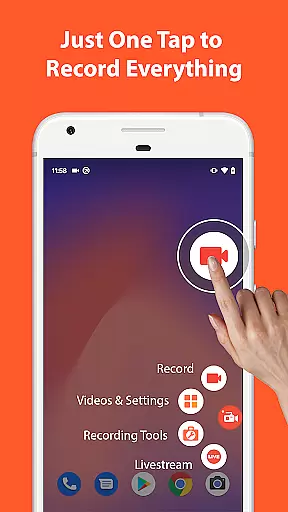
AZ Screen Recorder stands out due to its extensive range of features tailored for content creators. The primary function, screen recording, allows users to capture their device screens with ease. Users can start and stop recordings using simple control buttons, pause and resume at will, and even shake their device to terminate a session. Additionally, the app records audio from both the microphone and internal sources, catering to diverse recording needs.
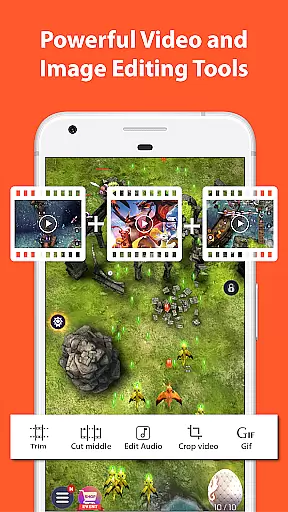
Beyond basic recording, AZ Screen Recorder includes a robust video editor. This feature enables users to trim unnecessary parts, merge clips, add background music, insert subtitles, and extract frames from videos. Advanced editing options such as cropping, rotating, and compressing videos ensure that final outputs meet specific requirements and are optimized for storage. These capabilities allow users to refine their content before sharing it across platforms.
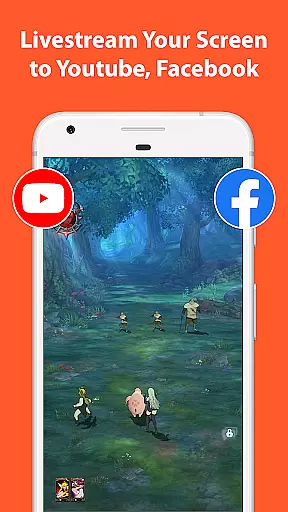
For those interested in live streaming, AZ Screen Recorder offers seamless integration with platforms like YouTube and Facebook. Users can broadcast their screens along with audio, choose from various resolutions, and optionally display their faces during streams. Furthermore, the app's screenshot and image editing functions provide additional utility by allowing users to stitch images, crop unwanted sections, blur sensitive areas, and annotate visuals. This multifunctional approach ensures that AZ Screen Recorder remains a go-to solution for all screen-related tasks.
Video format compatibility is a crucial feature for any video recording and editing application. AZ Screen Recorder excels in this area by supporting a wide range of video formats, ensuring that users can record, edit, and share videos without worrying about format restrictions.
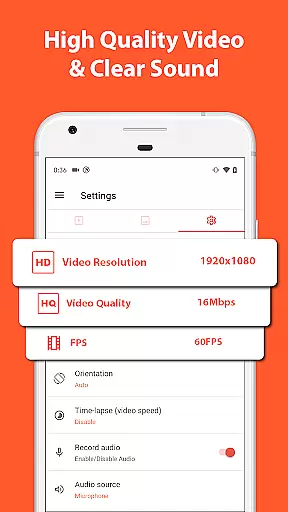
The app allows recording in multiple resolutions including HD, FullHD, 2K, and even 4K, catering to different user needs and device capabilities. This versatility makes it suitable for both casual users and professionals who require high-quality recordings.
Besides resolution options, the app also supports various frame rates such as 24fps, 30fps, and 60fps. This flexibility enables content creators to produce videos that meet specific stylistic or technical requirements, whether for cinematic effects or smooth gameplay capture.
With its comprehensive format support, AZ Screen Recorder ensures seamless video playback across different devices and platforms. Users can effortlessly transfer their recordings via Wi-Fi, making it convenient to share and view content on computers or other mobile devices.
AI-powered editing features are revolutionizing how users interact with video editing tools. AZ Screen Recorder incorporates intelligent editing functions that streamline the video production process while maintaining professional-quality results.
The app's AI capabilities include automated video trimming, where the system intelligently suggests optimal cut points based on audio cues and visual transitions. This feature saves time for content creators who need to process large volumes of footage efficiently.
Another innovative aspect is the smart background music selection tool. Using machine learning algorithms, the app recommends appropriate soundtracks that match the mood and pacing of each video segment, enhancing the overall viewing experience.
Additionally, the app's AI-driven compression technology optimizes file sizes without compromising video quality. This ensures that users can store more recordings on their devices while maintaining excellent visual fidelity for sharing across various platforms.
User-friendly interface
High-quality video output
No watermark on videos
Flexible audio recording options
Comprehensive editing tools
Limited 4K support
Some features require Android 10+
Ads in free version
Occasional bugs reported
Advanced tools may overwhelm beginners

Kodi media center, a free and open source cross-platform entertainment hub
 3.60
3.60
Video Trimmer, Video to MP3 Converter. Extract music from video, Easy & Fast.
4.80
HD video maker with no watermark, no ads & vlog maker with music, PIP, text
4.50
Stream high quality video from your camera over NDI protocol
4.3
IPTV Player - Watch live TV from m3m & m3u8 playlist, stream IPTV on mobile
3.30
Download videos and play them offline
4.70
IPTV Loader, loads your own Playlist. DOES NOT CONTAIN ANY LIST OR CHANNELS
4.60
Viddo: Generate Action Figure, AI Anime, AI kiss, AI hug Video from image & text
4.40
Capture the moment and Cut
3.40
High-Quality USB Camera Viewer & HDMI Display
4.70
Support 1000+ Video Format, Subtitle Download, mp3 & Background Play, Cast On TV
4.60
Add date and time watermark to photos and videos
4.50
This app was created to edit the metadata of music files.
4.20
Web Browser for LG TV to stream webvideos, online movies and livestreams in HD
4.20
Browser for Samsung TV to stream webvideos, online movies and livestreams in HD
4.10
VLC for Android is the best open source video and music player, fast and easy!
4.10
All format media Player, no need video converter any more!
4.00
1)AirPlay/DLNA Mirroring/Streaming, up to 4 connections; 2)Samba/NAS/DMS Player.
4.00
Powerful HD video player with support for all formats & subtitles.
4.4
VLC vs MX Player compared side-by-side: formats, subtitles, ads, privacy, and performance. Find out which free Android video player is right for you.



User Reviews