
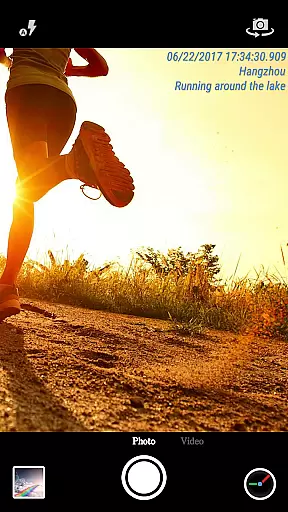
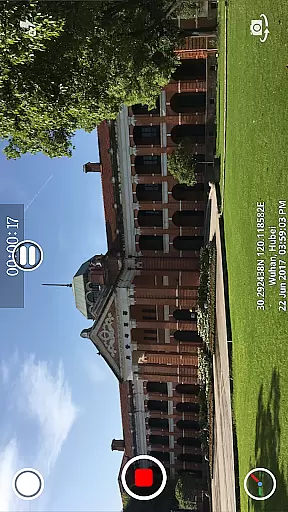
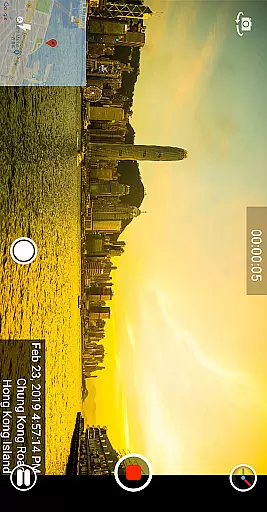
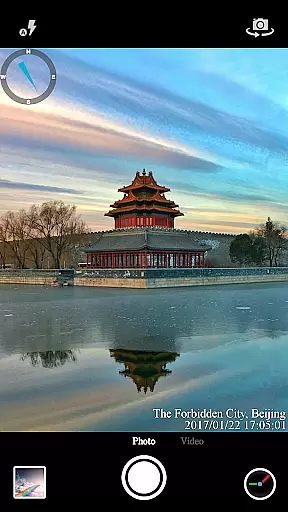

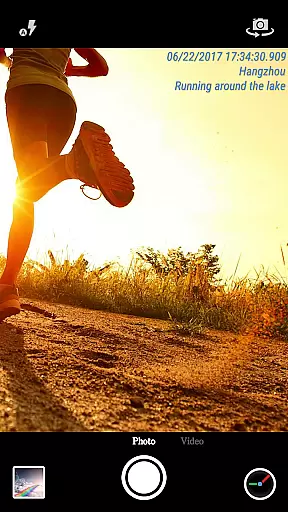
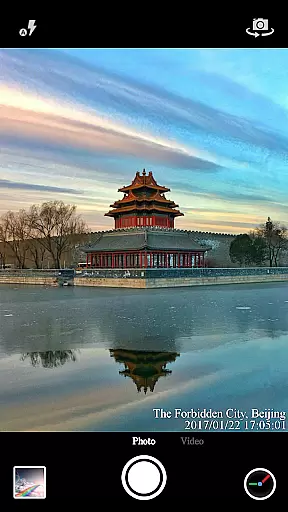

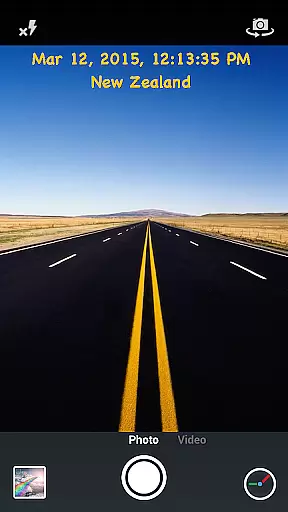
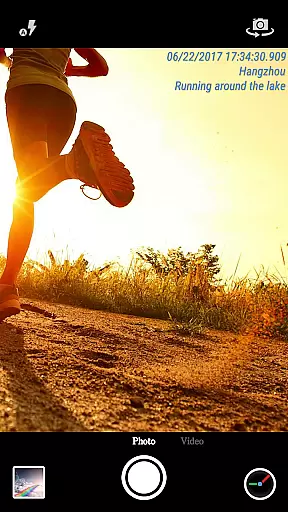
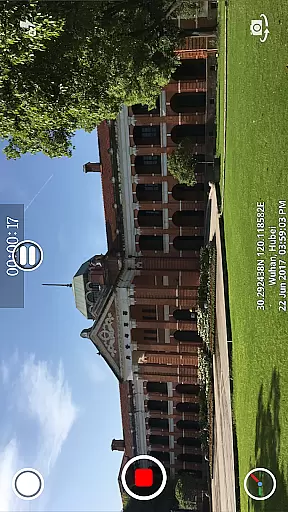
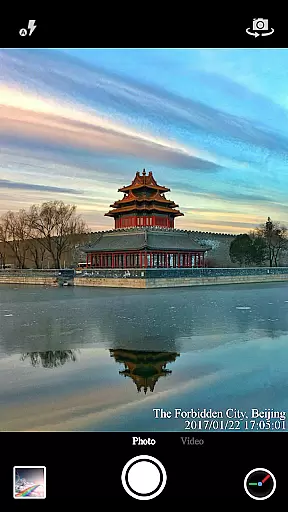
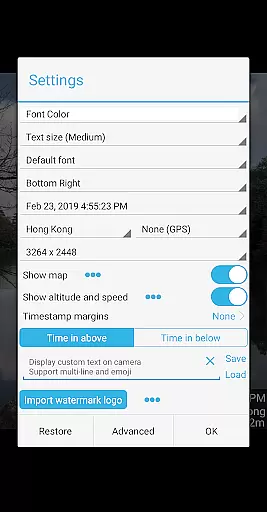

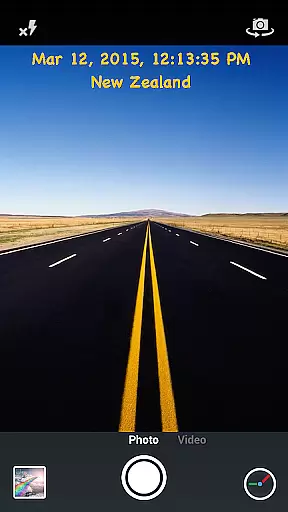
Timestamp Camera Pro is a powerful video and photo editing application that allows users to add real-time timestamp watermarks while capturing media. The app supports 61 different timestamp formats, customizable font styles, sizes, colors, and positions, making it highly versatile for various use cases. Whether you're documenting events, tracking time-sensitive activities, or simply adding context to your photos and videos, Timestamp Camera Pro offers the tools needed to enhance your media with accurate time and location data.
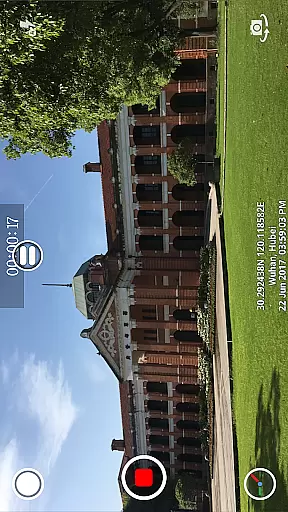
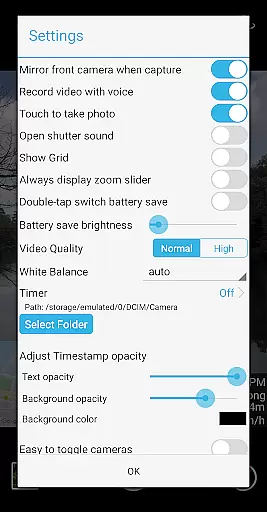
In addition to timestamps, the app provides advanced features such as GPS location tagging, altitude and speed display, custom text overlays, emoji integration, and even map displays with adjustable transparency and scale. Users can also record videos with or without audio, toggle between front and rear cameras during recording, and capture photos while shooting videos. With support for both portrait and landscape modes, direct saving to SD cards, and battery-saving options, this app caters to both casual users and professionals seeking detailed, high-quality media documentation.
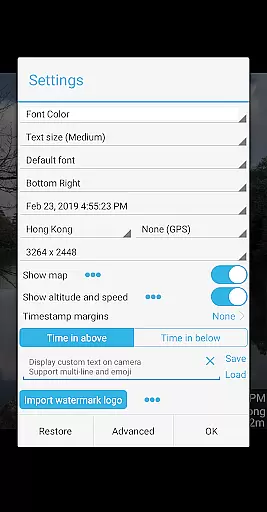
Timestamp Camera Pro stands out with its comprehensive feature set tailored for users who need precise control over their media metadata. One of its key innovations is the ability to record videos with millisecond-accurate timestamp watermarks, a feature unique to this app. Users can choose from 61 timestamp formats and customize the appearance through adjustable fonts, colors, sizes, and positioning across seven distinct screen locations. This level of customization ensures that timestamps blend seamlessly into any visual content without compromising aesthetics.
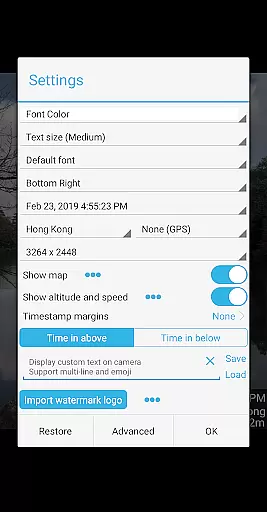
Beyond timestamps, the app includes creative tools like custom text overlays, emoji integration, and logo image embedding, allowing users to personalize their media further. For those requiring geographical context, the app supports GPS tagging, altitude, speed indicators, and interactive map overlays. Practical functionalities such as battery saver mode, silent shutter options, and resolution adjustments enhance usability, while real-time effects ensure smooth performance during photo or video capture. These robust features collectively make Timestamp Camera Pro an indispensable tool for anyone needing reliable, professional-grade media annotation.
Timestamp Camera Pro stands out with its extensive video format compatibility, ensuring that users can work with a wide array of file types without any hitches. The app supports popular formats such as MP4, AVI, and MOV, making it versatile for various devices and platforms.
Beyond just basic playback, the app allows real-time effects to be applied during both photo and video capture. This includes adding timestamps with millisecond accuracy, custom text, emojis, and even map overlays, all while recording or taking photos.
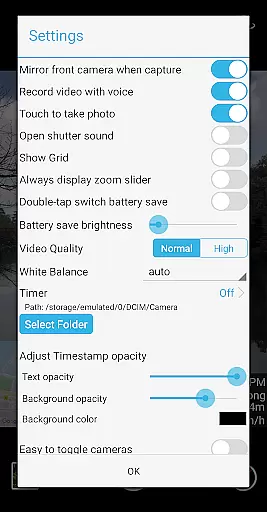
Users benefit from advanced customization options like adjusting timestamp formats, font styles, colors, sizes, and positions. With support for displaying altitude and speed, Timestamp Camera Pro caters to professionals who require detailed metadata in their recordings.
The ability to save videos directly to an SD card is another advantage, providing flexibility in storage management. Whether you're capturing critical moments or creating content, this app ensures your videos are compatible and ready for any purpose.
One of the standout features of Timestamp Camera Pro is its AI-powered editing capabilities, which enhance the user experience by automating complex tasks. For instance, the app uses AI to optimize image quality, adjust brightness levels, and apply intelligent filters that adapt to different lighting conditions.
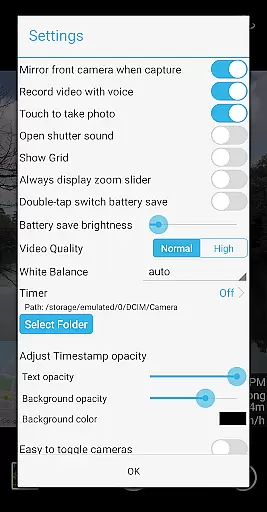
Additionally, the app offers a 'Battery Saver Mode,' where AI algorithms manage screen brightness efficiently, reducing power consumption without compromising functionality. Users can activate this mode with a simple double-tap, ensuring longer usage times during intensive shooting sessions.
Timestamp Camera Pro also leverages AI for precise location tagging and GPS data integration. This feature not only enhances the accuracy of geotags but also allows users to easily modify or select nearby locations, streamlining the process of adding contextual information to media files.
With these AI-driven enhancements, users enjoy a seamless and intuitive editing experience, allowing them to focus more on creativity and less on technical adjustments. This makes Timestamp Camera Pro a powerful tool for anyone looking to produce high-quality, professional-grade videos effortlessly.
Highly customizable
Real-time effects
Millisecond accuracy
GPS and map support
User-friendly interface
No free version
Advanced settings complex
Limited design templates
Occasional bugs
Premium cost

You can play SWF format file!
 2.50
2.50
?100% FREE! Download & save videos? safely in this app. All formats supported.
4.60
Video Downloader is an utility that can save videos and music from web sites
4.20
Watch a large amount of high-definition short drama content
4.60
Play ALL formats in 4K & HD. Video downloader, MP3 player, Chromecast & more.
4.80
Download website videos fast&privacy
4.40
IPTV Player - Watch live TV from m3m & m3u8 playlist, stream IPTV on mobile
3.30
Mix with Virtual DJ directly from your phone or tablet !
3.10
Powerful video player with advanced hardware acceleration and subtitle supports
4.20
Pro video editor app for Instagram, edit video with song, AI, effect & slowmo.
4.80
Tik & Story Saver-Download ALL social media videos, photos & reels no watermark.
4.80
HD Video player all format, HD Videos, Cast & Subtitle. No annoying ads.
4.60
Video Player - Unlimited features, 30 days money back guarantee.
4.60
Fast, private downloading, video saving, social media
4.50
Browser for Fire TV to stream webvideos, online movies, livestreams in HD
4.40
Create & edit videos with AI
4.30
This app was created to edit the metadata of music files.
4.20
Save photos and videos from social apps in one tap.
3.60
The smartest M3U IPTV Player your playlists have ever seen.
4.4
VLC vs MX Player compared side-by-side: formats, subtitles, ads, privacy, and performance. Find out which free Android video player is right for you.



User Reviews