
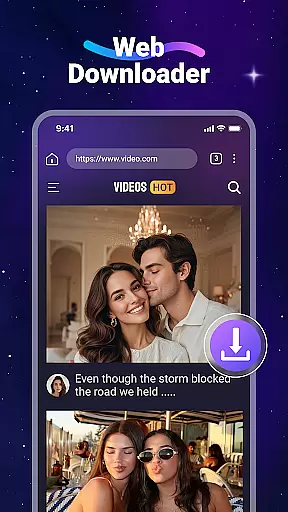
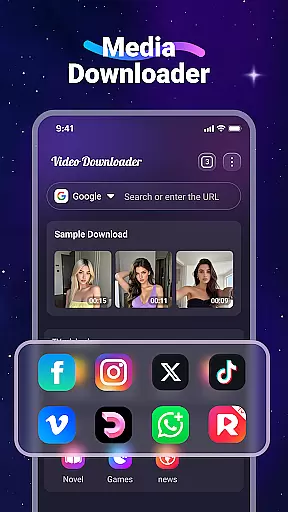
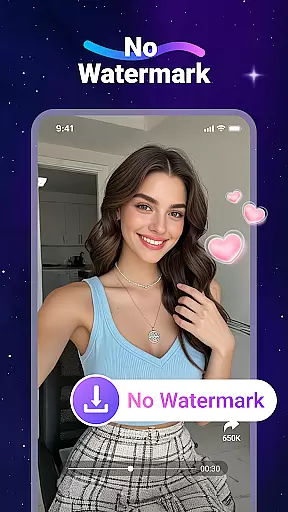

Video Downloader is a versatile utility app designed for users who want to download and manage videos and music files directly from websites. The app offers fast download speeds, offline playback through its built-in player, and supports SD card storage. It also features a built-in web browser, background downloading, and bookmarking capabilities.
This app is particularly useful for users who frequently travel or have limited internet access, as it allows them to store media files locally on their device. With support for all major file formats, Video Downloader ensures compatibility across various content types, making it an essential tool for anyone looking to enjoy multimedia content without relying on constant internet connectivity.
Video Downloader stands out with its comprehensive feature set tailored for seamless media management. The app's built-in browser allows users to navigate websites and automatically detects downloadable video content, streamlining the acquisition process. Its ability to download files in the background ensures that users can continue using their devices without interruption.
The app supports a wide range of file formats including MP4, AVI, and PDF, providing flexibility for different user needs. Additionally, the offline playback feature enables users to enjoy their downloaded content without an active internet connection. These robust features make Video Downloader a reliable solution for managing and accessing digital media conveniently and efficiently.
Video format compatibility is a crucial feature for any video player and editor, ensuring that users can enjoy a wide range of video content without worrying about format support. Video Downloader excels in this area by supporting all major video formats including mp3, m4a, mp4, m4v, mov, avi, wmv, and more.
The application's robust compatibility allows users to download and play videos from various websites directly onto their devices. Whether it's a high-definition movie or an audio track, the app ensures seamless playback with its built-in player, eliminating the need for additional software or plugins.
Moreover, the ability to store files on an SD card provides flexibility in managing storage space on your device. This feature is particularly beneficial for users who frequently download large video files and require efficient storage solutions.
By offering comprehensive format support, Video Downloader empowers users to manage their multimedia content effortlessly, enhancing both accessibility and convenience. This makes it an ideal choice for individuals seeking a versatile tool for their video downloading and playback needs.
AI-powered editing features represent the cutting-edge advancement in video players and editors, providing users with intelligent tools to enhance their video content effortlessly. Video Downloader incorporates such innovative technology to offer a smarter way to edit and manage downloaded videos.
With AI capabilities, the app can automatically detect videos on web pages, simplifying the downloading process. Users can tap the download button to start the process, and the app takes care of the rest, ensuring fast and reliable downloads every time.
In addition to automated video detection, the app includes a built-in browser that supports bookmarking favorite websites. This functionality not only streamlines the browsing experience but also enhances productivity by allowing users to quickly access preferred content sources.
By integrating AI-powered features, Video Downloader delivers an intuitive and efficient user experience, setting a new standard for video downloading applications. These smart tools enable users to focus on enjoying their content rather than navigating complex editing processes.
User-friendly interface
Fast download speeds
Wide format support
Offline playback capability
Background downloading
No YouTube support
Limited to website content
Requires careful legal use
Storage may fill quickly
Ads in free version

Tik & Story Saver-Download ALL social media videos, photos & reels no watermark.
 4.80
4.80
Create photo video with music & template. AI video maker for stunning slideshow.
4.60
This app was created to edit the metadata of music files.
4.20
KMPlayer Plus (Divx Codec) officially support Divx codec.
4.30
Pro video editor app for Instagram, edit video with song, AI, effect & slowmo.
4.80
Powerful Video Editor & Photo Editing App —— Quick Edits & Stunning Effects!
4.30
Video Downloader, Multiple Resolution Options, Video Player
4.50
Web Browser for LG TV to stream webvideos, online movies and livestreams in HD
4.20
Fast & Private HD Video Downloader with Built-in Proxy Browser and Video Player.
4.50
Download Hub, easy and private way to download and enjoy your videos offline
4.80
GENRAL PRO - General Pro is the best video player that fully supports all formats.
4.70
Cast Videos from Web Browser, IPTV to Roku, Chromecast, DLNA, Smart TV +more
4.60
IPTV Loader, loads your own Playlist. DOES NOT CONTAIN ANY LIST OR CHANNELS
4.60
Auto video maker with music & exclusive filters. Video editing made simple.
4.50
Fast, private downloading, video saving, social media
4.50
Viddo: Generate Action Figure, AI Anime, AI kiss, AI hug Video from image & text
4.40
All format media Player, no need video converter any more!
4.00
Make your own Animations, Video and Photo Edits, Visual Effects, and more!
4.00
Explore the largest library of free GIFs, Stickers & Memes - or create your own!
3.90
VLC vs MX Player compared side-by-side: formats, subtitles, ads, privacy, and performance. Find out which free Android video player is right for you.



User Reviews