
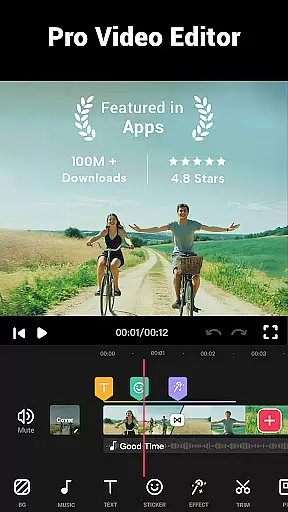

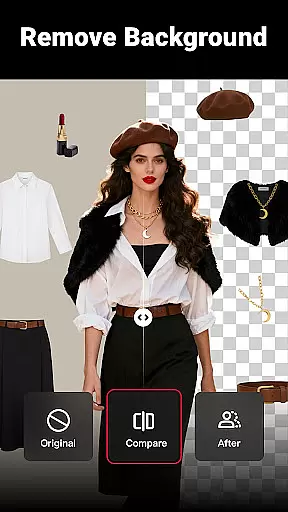
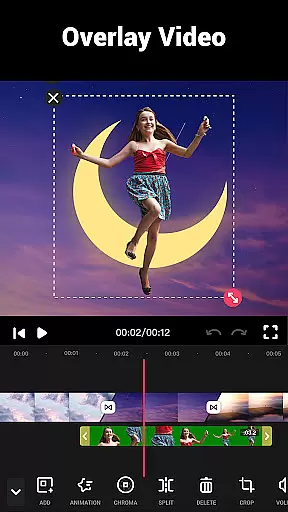
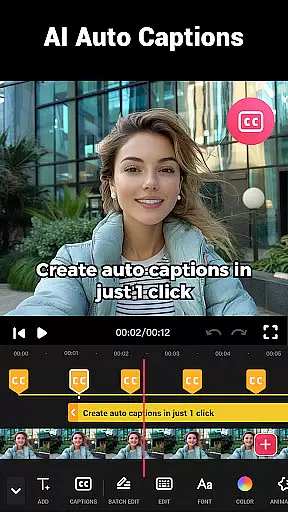
Video Maker is a versatile video editing application that allows users to create professional-quality videos directly from their Android devices. The app offers an extensive range of features including trimming, cutting, and adjusting video speed, as well as adding music, transitions, filters, and effects. With support for 4K video export and no watermark, it ensures high-quality output for both beginners and experienced editors.
The application stands out with its user-friendly interface and powerful editing tools. Users can easily convert photos into videos with accompanying music, extract audio from videos, and apply creative effects such as glitch and VHS. Its compatibility with various social media platforms like YouTube, Instagram, and TikTok makes sharing content seamless and efficient.
Whether you're creating vlogs, intros, or promotional videos, Video Maker provides the necessary tools to produce engaging content. The app's ability to handle multi-layer editing, voice-overs, and sound effects ensures that users can fully customize their video projects. This makes it an ideal choice for anyone looking to enhance their digital storytelling capabilities.
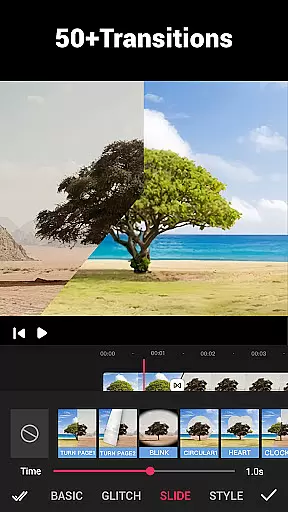
Video Maker distinguishes itself through its comprehensive feature set tailored for both amateur and professional video editors. One of its key strengths is the multi-layer editing capability, which allows users to add music tracks, voice-overs, and sound effects with precision. The app also includes over 50 transition effects, enabling creators to produce smooth and visually appealing video sequences.
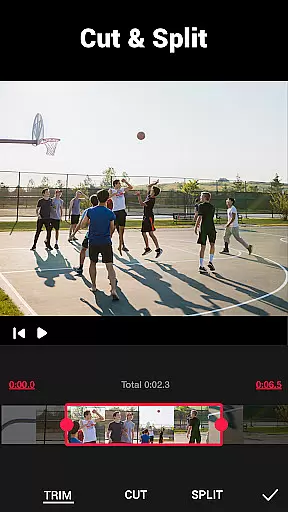
In addition to basic editing functions like trimming and splitting, Video Maker offers advanced options such as speed adjustment and background customization. Users can modify video speed from 0.2x to 100x, creating dramatic slow-motion or fast-paced effects. The background editor lets you blur or color-adjust your video backdrop, ensuring your content looks polished and professional.
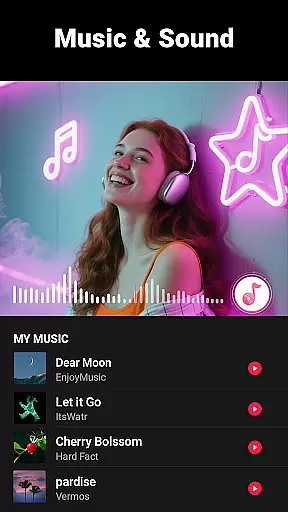
The app's audio editing capabilities are equally impressive. It allows users to extract audio from existing videos, adjust volume levels, and add fade-in/out effects. With dozens of royalty-free music tracks and customizable BGM options, Video Maker provides everything needed to create captivating soundtracks for your videos. These features collectively make the app a complete solution for mobile video production.
Video format compatibility is a crucial feature for any video editing application, ensuring that users can work with a wide range of video files without conversion hassles. Video Guru supports an extensive array of video formats, allowing creators to import and export videos in their desired resolutions and qualities.
The app's powerful processing engine ensures that whether you're working with MP4, AVI, MOV, or other common formats, the integrity and quality of your video are maintained throughout the editing process. This flexibility empowers users to focus on their creative vision rather than technical limitations.
Moreover, Video Guru enables exporting videos in up to 4K resolution without watermarks, making it ideal for content creators who aim to share their work on platforms like YouTube and Instagram where video quality significantly impacts viewer engagement.
This comprehensive format support not only enhances user convenience but also broadens the scope of projects that can be undertaken, from casual video edits to professional-grade video production.
AI-powered editing features represent the cutting edge of video editing technology, automating complex tasks and enabling creators to achieve professional results with minimal effort. Video Guru incorporates advanced AI algorithms that assist in various aspects of video production, such as audio extraction, rhythm-based editing, and automatic filter suggestions.
One standout feature is the app's ability to extract audio from any video file and allow users to mark tracks according to music rhythm, streamlining the process of syncing visuals with sound. Additionally, AI-driven filters and effects adapt to the content of the video, providing dynamic enhancements that elevate the overall aesthetic.
These intelligent tools are designed to make video editing more accessible, particularly for beginners who may lack technical expertise. However, they also offer valuable time-saving benefits for seasoned editors looking to expedite their workflow.
By integrating AI-powered functionalities, Video Guru not only simplifies the editing process but also inspires creativity, allowing users to experiment with sophisticated techniques that were once reserved for professional studios.
User-friendly interface
Extensive editing tools
High-quality 4K export
No watermark on videos
Versatile transition effects
Limited advanced features
Occasional performance issues
Fewer tutorials for beginners
Ads in free version
Large file size

Fast, private downloading, video saving, social media
 4.50
4.50
HD video & music player - All format support with floating & PIP mode!
3.80
Your media, on your terms.
4.10
HD video maker with no watermark, no ads & vlog maker with music, PIP, text
4.50
Support 1000+ Video Format, Subtitle Download, mp3 & Background Play, Cast On TV
4.60
IPTV Player - Watch live TV from m3m & m3u8 playlist, stream IPTV on mobile
3.30
Connect EasyCap or UVC devices for recording and broadcast video/audio stream
3.60
This app is an emulator of some specific IPTV boxes
3.50
Video&Drama Player All Format is a HD video player, music player
3.00
Video Trimmer, Video to MP3 Converter. Extract music from video, Easy & Fast.
4.80
Tik & Story Saver-Download ALL social media videos, photos & reels no watermark.
4.80
Create photo video with music & template. AI video maker for stunning slideshow.
4.60
Cast to Chromecast, Xbox, Fire Stick, Roku, DLNA, Smart TV & No Feature Limited!
4.50
Fast video downloader & private browser. Save HD clips to watch offline.
4.40
Web Browser for LG TV to stream webvideos, online movies and livestreams in HD
4.20
Stream Web Videos to Chromecast, Samsung, LG, Sony, Roku, Fire TV, DLNA + more
4.00
A full editing room to accompany your Insta360 cameras and handheld gimbals.
3.30
Video player with powerful streaming playback and various convenient features.
2.10
Powerful HD video player with support for all formats & subtitles.
4.2
VLC vs MX Player compared side-by-side: formats, subtitles, ads, privacy, and performance. Find out which free Android video player is right for you.



User Reviews