
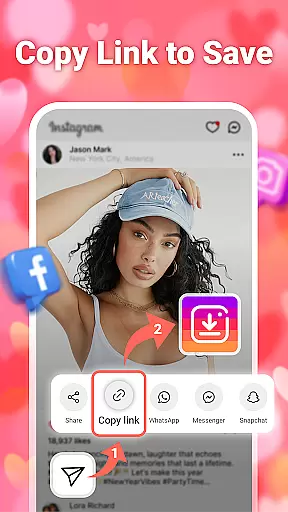
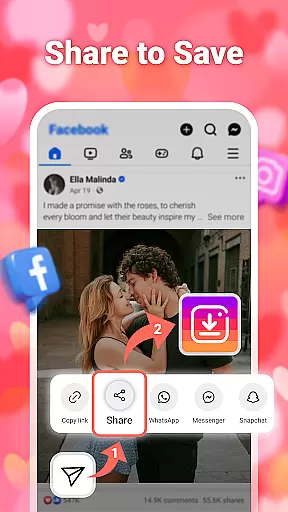


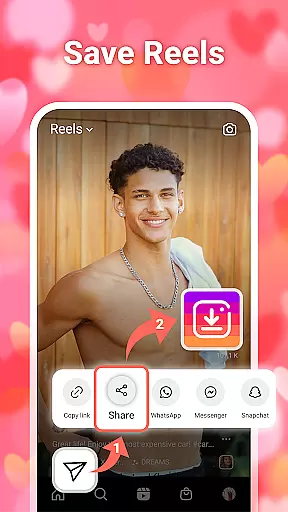

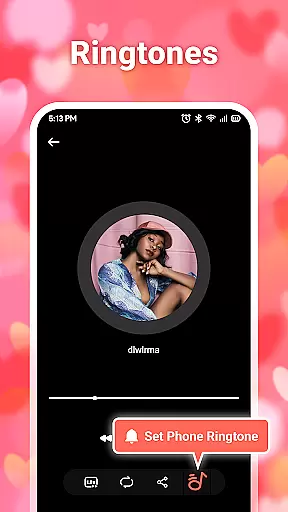
InSaver is a versatile mobile application designed for downloading and managing multimedia content from various social media platforms. This powerful tool allows users to download photos, videos, stories, and music directly to their devices without requiring any login credentials. With its user-friendly interface and fast download capabilities, InSaver makes it easy to save and enjoy high-quality content offline.
The app supports batch downloads, enabling users to save multiple files simultaneously. It also features a robust story downloader that works with all types of social media stories. Whether you need to access content from private accounts or simply want to manage your downloaded files more effectively, InSaver provides a comprehensive solution for all your multimedia downloading needs.
InSaver offers an array of impressive features that set it apart from other downloaders. One of its standout functionalities is the ability to download high-definition videos and photos, ensuring that every file you save maintains excellent quality. The app's support for various formats means you can download and store different types of multimedia content without compatibility issues.
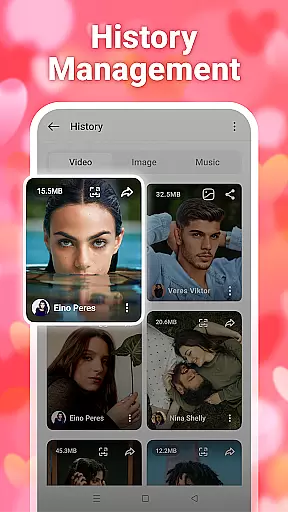
Another key feature is the powerful multimedia management system within InSaver. Users can easily categorize, view, play, and delete their downloaded files, making content organization straightforward and efficient. Additionally, the app's comprehensive support for multiple social media platforms ensures that whether you're downloading videos, photos, stories, or music, InSaver has got you covered.
In today's digital age, video content comes in various formats, resolutions, and codecs. InSaver understands this diversity and offers extensive video format compatibility to ensure users can download and enjoy content from social media platforms without worrying about playback issues. The application supports a wide range of video formats including MP4, AVI, MOV, and more, making it a versatile tool for multimedia management.
What sets InSaver apart is its ability to handle high-definition downloads seamlessly. Whether you're downloading crisp videos or clear photos, the app ensures that every file maintains its original quality. This feature is crucial for users who are particular about visual clarity and wish to preserve the integrity of their downloaded content.
The app also allows batch downloads of multiple videos and photos, streamlining the process for users who need to manage large volumes of content. With InSaver, you can download individual files or entire collections with just a few clicks, saving time and effort.
Moreover, InSaver provides comprehensive support for different types of content from social media platforms, including stories, music, and more. This versatility makes it an indispensable tool for anyone looking to curate and manage a diverse library of digital media on their device.
InSaver not only focuses on downloading capabilities but also integrates AI-powered editing features to enhance user experience. These intelligent tools allow users to modify and personalize their downloaded content effortlessly. From basic adjustments like cropping and filtering to more advanced edits such as object removal or background changes, InSaver leverages artificial intelligence to simplify complex editing tasks.
The inclusion of AI technology ensures that even users with minimal editing experience can achieve professional-looking results. The intuitive interface guides users through each step of the editing process, providing suggestions and automatic enhancements based on the content being edited. This approach democratizes content creation, enabling everyone to produce high-quality visuals regardless of skill level.
Furthermore, InSaver's powerful multimedia management system organizes downloaded files efficiently. Users can categorize, view, play, and delete their media within the app, creating a seamless workflow from download to edit to storage. This organizational structure is particularly beneficial for those managing extensive libraries of videos and images.
By combining robust downloading functionalities with innovative AI-driven editing tools, InSaver positions itself as a comprehensive solution for both acquiring and refining digital content. Whether you're a casual user looking to enhance personal memories or a professional seeking efficient media handling, InSaver delivers a versatile and reliable platform tailored to your needs.
User-friendly interface
Fast download speeds
High-definition downloads
Batch download support
Comprehensive platform support
No built-in player
Limited format conversion
Occasional download errors
Ads in free version
Requires manual updates

Play ALL formats in 4K & HD. Video downloader, MP3 player, Chromecast & more.
 4.80
4.80
Capture images & record videos for USB Camera, Webcam, Microscopes, Endoscopes
3.80
Live TV, anywhere in your home
3.80
Download website videos fast&privacy
4.40
Movie maker & video editing app with AI effects and green screen
4.30
Play and download HD videos from all sources — fast, simple, and all-in-one.
4.5
Find, download, and play torrents with the official BitTorrent® Pro app
4.70
Video player with 4K & 1080P support, popup play, background play and subtitle.
4.20
Photo editor & video maker with music and slideshows.
4.10
A Quick and Pro Video Editor
4.70
HD Video player all format, HD Videos, Cast & Subtitle. No annoying ads.
4.60
?100% FREE! Download & save videos? safely in this app. All formats supported.
4.60
Fast, private downloading, video saving, social media
4.50
Full HD Video mp3 Player, MP4 player play 1080p, File manager, Video Downloader
4.40
Create & edit videos with AI
4.30
AI Video Editor:AI Music, Text to Video,Text to Speech,Auto Caption,Video Effect
4.00
Online Videos Player
3.90
Download videos easily & play them all in one smart, powerful video manager.
3.40
The essential companion to your Blue Iris PC software
2.50
VLC vs MX Player compared side-by-side: formats, subtitles, ads, privacy, and performance. Find out which free Android video player is right for you.



User Reviews