
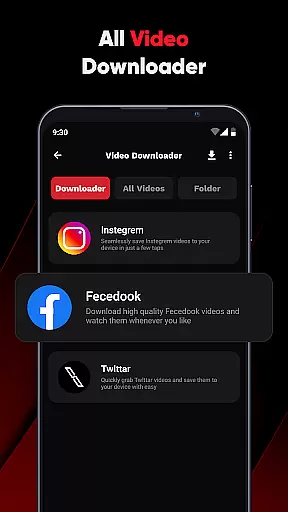
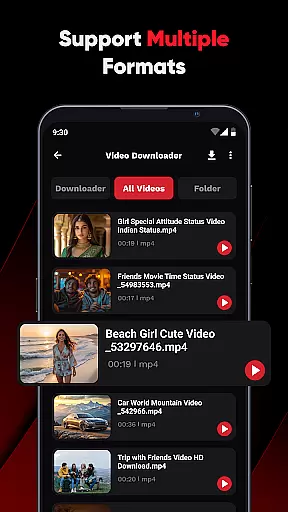
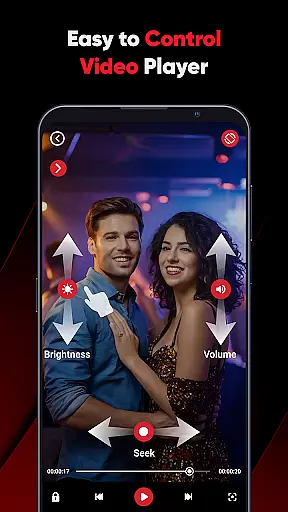
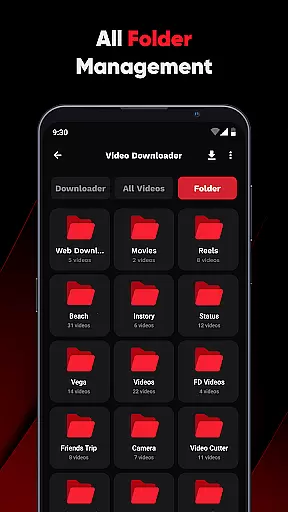
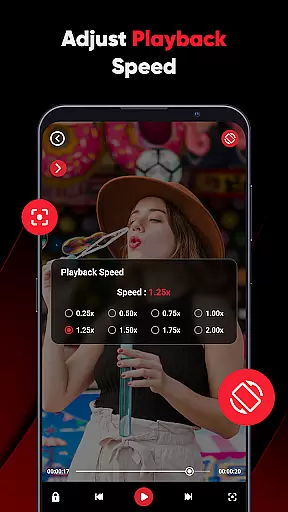
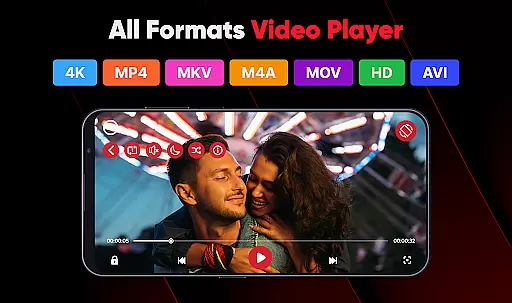
ViPlayer is a versatile video player and downloader designed for users who want an all-in-one solution to manage their video content. The app supports all major video formats including MP4, MKV, AVI, and MOV, allowing seamless playback from both internal and external storage. Its advanced gesture controls provide an intuitive user experience, enabling smooth adjustments of volume, brightness, and playback speed.
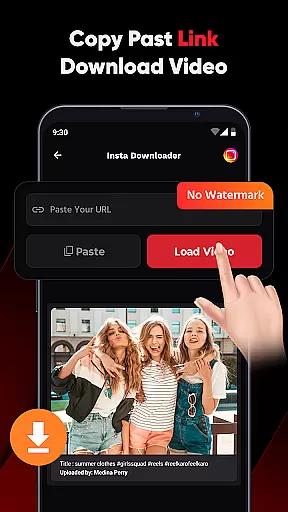
One of the standout features of ViPlayer is its ability to download HD videos from social media platforms like Facebook and Instagram. By simply pasting the video URL, users can preview and save content directly to their device gallery without requiring any login. This makes it ideal for offline viewing and personal entertainment. With a clean, lightweight UI, the app ensures fast performance while maintaining ease of use.
The app's value lies in its simplicity and functionality. Whether you're organizing your personal video library or downloading online content for later viewing, ViPlayer offers a secure and private environment. It emphasizes user responsibility by discouraging unauthorized sharing of copyrighted material, making it suitable for ethical personal use.
ViPlayer stands out with its comprehensive feature set tailored for video enthusiasts. As an all-format video player, it automatically detects videos stored across different folders on your device, supporting formats such as MP4, MKV, AVI, and more. This eliminates compatibility issues and ensures smooth playback regardless of file type.
A key highlight is its one-click downloader functionality. Users can paste URLs from supported platforms like Facebook and Instagram, preview the video, and download it within seconds. The app also incorporates swipe controls, which allow users to easily adjust settings like volume and brightness using simple gestures. These innovations enhance accessibility and convenience during video playback.
Additionally, ViPlayer prioritizes user privacy and security. There’s no need for account creation or login, ensuring that your data remains safe. Its lightweight design guarantees quick loading times and minimal resource consumption, providing a hassle-free experience for users who value efficiency and style in their multimedia tools.
ViPlayer stands out with its exceptional video format compatibility, making it a versatile choice for users who work with various video types. The app supports an extensive range of formats including MP4, MKV, AVI, and MOV, ensuring that no matter the source or type of video file, it will play seamlessly on your device.
This broad compatibility is crucial for users who want to enjoy their video content without worrying about format restrictions. Whether you're streaming online videos or playing locally saved files, ViPlayer's comprehensive support ensures smooth playback every time.
The benefit of such wide-ranging format support is clear: users can consolidate their video viewing experience into one app, eliminating the need for multiple players. This not only saves storage space but also simplifies the user experience, allowing for uninterrupted enjoyment of personal and downloaded content.
While ViPlayer focuses primarily on video playback and downloading, its AI-powered editing features add an extra layer of functionality that enhances the overall user experience. These features include intuitive gesture controls that allow users to adjust volume, brightness, and playback with simple swipes, providing a modern and interactive way to manage video content.
The inclusion of advanced editing capabilities demonstrates ViPlayer's commitment to delivering a complete video solution. Users can expect a level of sophistication typically reserved for dedicated video editing software, all within the convenience of their video player app.
These smart features provide tangible value by streamlining common tasks and improving accessibility. Whether you're a casual viewer or someone who frequently works with video content, the intelligent controls and editing options make managing and enjoying videos more efficient and enjoyable.
User-friendly interface
Supports multiple formats
Fast download speeds
No login required
Offline playback capability
Limited platform support
No advanced editing tools
Basic audio features only
Occasional ads
Requires stable internet for downloads

Play ALL formats in 4K & HD. Video downloader, MP3 player, Chromecast & more.
 4.80
4.80
HD video maker with no watermark, no ads & vlog maker with music, PIP, text
4.50
Stream Web Videos to Chromecast, Samsung, LG, Sony, Roku, Fire TV, DLNA + more
4.00
Download videos easily & play them all in one smart, powerful video manager.
3.40
All in one HD video downloader & player for multiple formats with full privacy
4.70
Make your own Animations, Video and Photo Edits, Visual Effects, and more!
4.00
Browser for Sony TV to stream web videos, online movies and live tv
3.20
Browser + Remote for Roku to stream webvideos, online movies and livestreams
4.60
Photo editor & video maker with music and slideshows.
4.10
A Quick and Pro Video Editor
4.70
High-Quality USB Camera Viewer & HDMI Display
4.70
Add date and time watermark to photos and videos
4.50
Fast & Private HD Video Downloader with Built-in Proxy Browser and Video Player.
4.50
AirMirror Receiver - Screen mirroring/cast web videos to Android TV by AirPlay.
4.40
Powerful video player with advanced hardware acceleration and subtitle supports
4.20
VLC for Android is the best open source video and music player, fast and easy!
4.10
Save photos and videos from social apps in one tap.
3.60
AirMirror is Receiver for Screen Mirroring and Casting from Apple Devices.
3.60
The smartest M3U IPTV Player your playlists have ever seen.
4.4
VLC vs MX Player compared side-by-side: formats, subtitles, ads, privacy, and performance. Find out which free Android video player is right for you.



User Reviews