
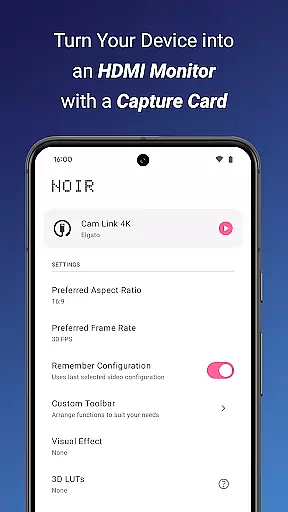
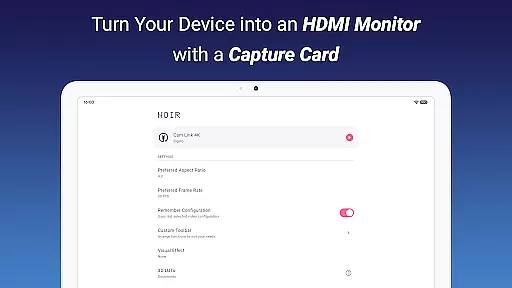
Noir Pro is a versatile video player and editor designed for users who need professional-grade features in a portable setup. The app transforms your device into a high-quality monitor for various HDMI-output devices, including gaming consoles, laptops, and cameras. With support for advanced functionalities like 3D LUTs, waveform monitors, and histogram analysis, Noir Pro caters to both casual users and professionals seeking precise video control.
The application supports UVC video streaming and UAC audio streaming, ensuring compatibility with a wide range of devices. Whether you're using it as a camera monitor, primary display for gaming consoles, or secondary monitor for laptops, Noir Pro delivers exceptional performance. Its ability to function with USB-C capture cards makes it an ideal solution for content creators needing reliable video monitoring on the go.
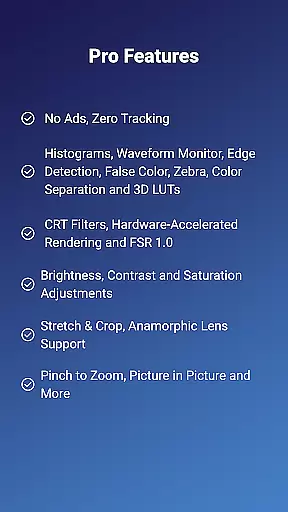
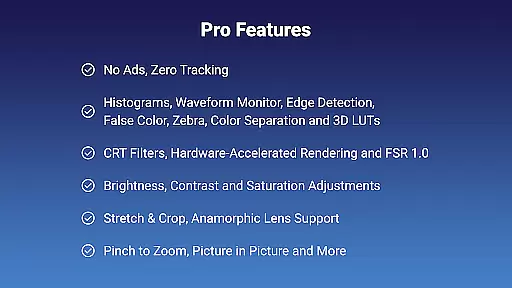
Noir Pro stands out with its comprehensive suite of professional features tailored for video enthusiasts and professionals. The app includes advanced tools such as edge detection, false color, and zebra patterns, which are essential for accurate video monitoring. These features allow users to fine-tune their video output with precision, ensuring optimal quality for any project.
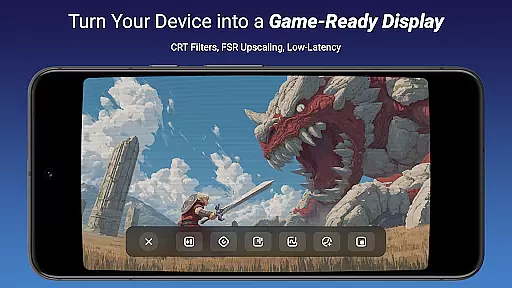
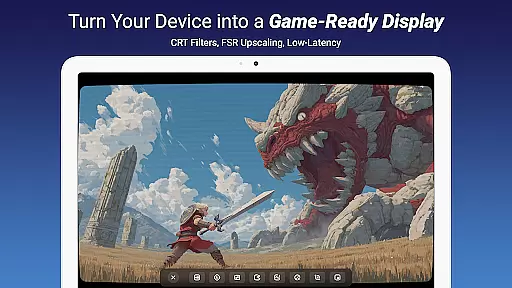
In addition to its robust feature set, Noir Pro offers practical functionalities like pinch-to-zoom, stretch and crop options, and anamorphic lens support. Users can adjust brightness, contrast, and saturation to suit their preferences, while app-specific volume control and picture-in-picture mode enhance the overall user experience. The inclusion of CRT filters and FSR 1.0 further expands its utility for retro gaming and high-resolution video playback.
Video format compatibility is a crucial feature for any video player and editor, ensuring that users can work with a wide range of video files without conversion hassles. Noir Pro supports an extensive array of formats thanks to its use of both OpenGL ES and Vulkan graphics backends, catering to professionals and hobbyists alike.
The application facilitates UVC video streaming and UAC audio streaming, which means it can handle input from various devices like cameras, gaming consoles, and drones. This versatility allows content creators to import footage directly from these sources, streamlining the editing process and enhancing productivity.
For users leveraging USB-C capture cards, such as the recommended Hagibis UHC07(P) or Genki ShadowCast 2, the compatibility extends to HDMI-output devices. This ensures that whether you're monitoring gameplay or reviewing drone footage, the video quality remains uncompromised.
By supporting advanced features like MJPEG streams up to 1080p50fps on USB 2.0 and even higher resolutions on USB 3.0, Noir Pro delivers a future-proof solution. This guarantees smooth previews and robust performance, making it an ideal choice for those seeking reliability in their video projects.
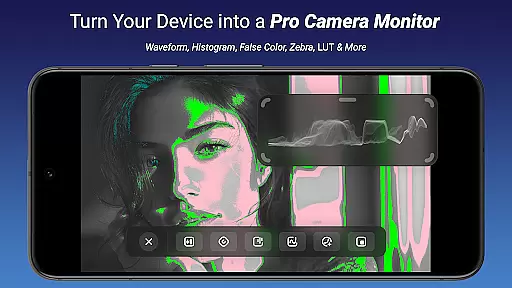
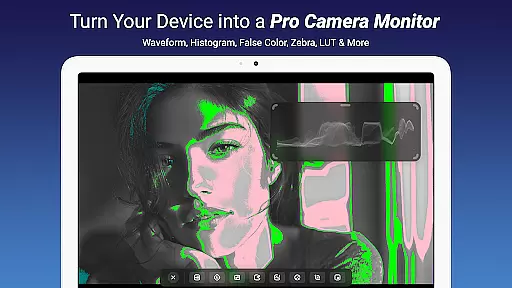
AI-powered editing features represent the cutting-edge evolution of video editing, automating complex tasks and enabling creators to focus on storytelling. Noir Pro incorporates intelligent tools such as Waveform Monitors, Histograms, and False Color, which assist in precise color grading and exposure adjustments.
With functionalities like Edge Detection and Zebra patterns, editors can achieve professional-grade image analysis. These features help in identifying areas of high contrast and overexposure, ensuring that the final output meets industry standards and maintains visual integrity across different playback devices.
Noir Pro also includes CRT Filters and FSR 1.0, which leverage AI to upscale and enhance video quality while preserving the original aesthetic. Such capabilities are indispensable when working with legacy footage or aiming for a retro look in modern productions.
Furthermore, the inclusion of app-specific volume control, Picture in Picture Mode, and in-app screenshot functions demonstrates Noir Pro's commitment to providing a comprehensive editing suite. These intuitive controls empower users to craft engaging narratives with ease, elevating their creative potential and delivering polished results efficiently.
Advanced Monitoring Tools
Wide Device Compatibility
Professional-Grade Features
Customizable Video Settings
Portable and Versatile
Requires Compatible Hardware
Steep Learning Curve
Premium Price Point
Limited Free Features
Occasional Connectivity Issues

Cast Videos from Web Browser, IPTV to Roku, Chromecast, DLNA, Smart TV +more
 4.60
4.60
Photo and Music Video Creator into Stunning Videos—Effortlessly
4.40
Cast to Chromecast, Xbox, Fire Stick, Roku, DLNA, Smart TV & No Feature Limited!
4.50
KineMaster, Your Ultimate Video Editor!
4.40
GENRAL PRO - General Pro is the best video player that fully supports all formats.
4.70
Play and download HD videos from all sources — fast, simple, and all-in-one.
4.0
Web Browser for LG TV to stream webvideos, online movies and livestreams in HD
4.20
Powerful video player with advanced hardware acceleration and subtitle supports
4.20
convenient, safe and fast at Video Downloader & Player
4.60
Flud is a simple and beautiful BitTorrent client for Android.
4.80
An easy-to-use and all-round screen recorder with audio
4.80
Snaptubè Video Downloader app allows to download videos and music in Snaptube. .
4.60
Support 1000+ Video Format, Subtitle Download, mp3 & Background Play, Cast On TV
4.60
Full HD Video mp3 Player, MP4 player play 1080p, File manager, Video Downloader
4.40
Fast private browser with secure, seamless access & supported video downloads!
4.00
Kodi media center, a free and open source cross-platform entertainment hub
3.60
Save photos and videos from social apps in one tap.
3.60
Video player with powerful streaming playback and various convenient features.
2.10
Powerful HD video player with support for all formats & subtitles.
4.5
VLC vs MX Player compared side-by-side: formats, subtitles, ads, privacy, and performance. Find out which free Android video player is right for you.



User Reviews