
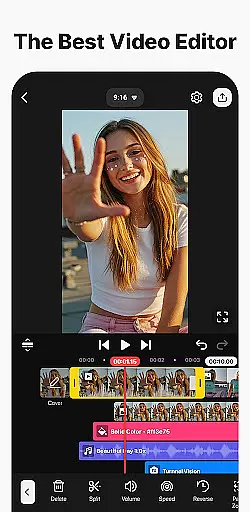
KineMaster is a comprehensive video editing application designed for both amateur and professional content creators. This powerful tool offers an extensive suite of features that cater to every aspect of video production, from basic trimming to advanced multi-layer editing. With its intuitive interface, users can easily create high-quality videos suitable for various platforms including YouTube, TikTok, and Instagram.
The app stands out with its AI-powered tools that streamline complex editing tasks. These include AI Auto Captions, Text-to-Speech, Vocal Separator, and more. Whether you're producing short social media clips or full-length films, KineMaster provides the necessary tools to enhance creativity and efficiency. Its professional-grade features like Chroma Key, Speed Control, and Keyframe Animation make it possible to achieve sophisticated effects with minimal effort.
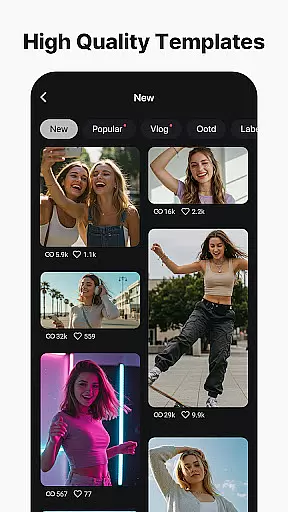
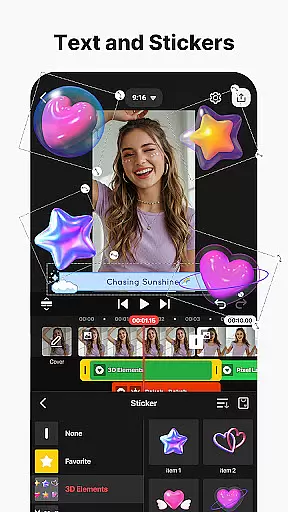
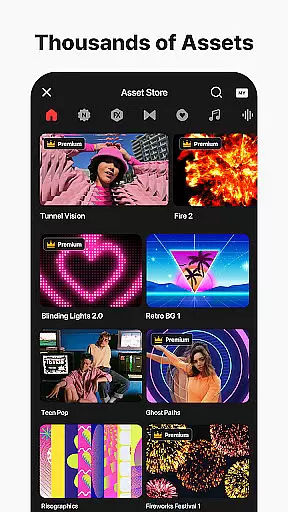
One notable use case is creating engaging vlogs. Users can leverage thousands of templates, stock videos, and soundtracks to produce polished content quickly. The built-in Asset Store further enriches this experience by offering a vast library of effects, transitions, stickers, and fonts. KineMaster's ability to export in 4K 60 FPS ensures that your creations maintain exceptional quality across all viewing platforms.
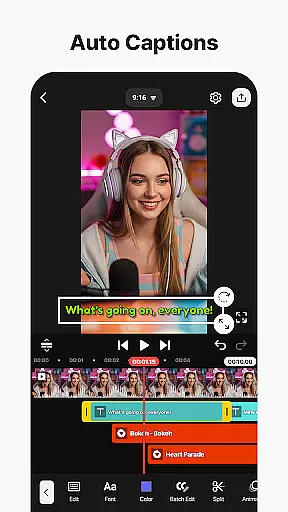
KineMaster distinguishes itself through a rich array of innovative features tailored for diverse video editing needs. At the forefront are its AI-driven functionalities, which revolutionize traditional workflows. For instance, AI Auto Captions automatically generate subtitles from audio tracks, while AI Noise Removal eliminates unwanted background sounds. These intelligent tools significantly reduce manual labor, allowing creators to focus on storytelling.
Beyond AI capabilities, KineMaster excels in providing professional-level editing options. The Chroma Key feature enables green screen effects, perfect for compositing different visual elements seamlessly. Speed Control allows editors to manipulate playback rates, creating dramatic slow-motion or dynamic time-lapse sequences. Additionally, the app supports multi-layer editing, where users can stack videos, images, and graphics, applying various blending modes and effects.
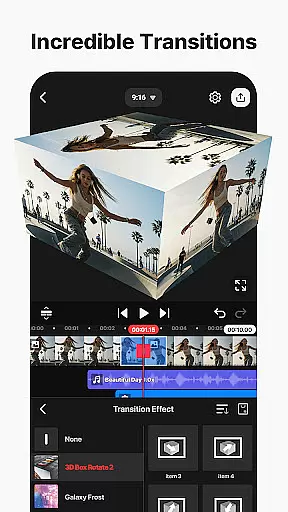
Another standout aspect is the extensive Asset Store integrated within the app. It houses tens of thousands of resources such as transitions, clip graphics, music tracks, and color filters. This vast repository empowers users to customize their projects extensively without leaving the platform. Furthermore, KineMaster's flexible output settings let you optimize videos for specific platforms or retain maximum resolution up to 4K 60 FPS, ensuring versatility in distribution.
Video format compatibility is a crucial feature for any video editing application like KineMaster. This functionality ensures that users can import, edit, and export videos in various formats without losing quality or encountering technical issues.
KineMaster supports an extensive range of video formats, including MP4, AVI, MOV, and many others. The app's advanced conversion engine allows seamless transitions between formats, enabling creators to work with diverse media sources. Whether you're editing footage from different cameras or preparing content for multiple platforms, this versatility is invaluable.
The benefit to users is significant time savings and creative freedom. With broad format support, content creators can focus on storytelling rather than technical limitations. They can easily repurpose existing content and deliver professional-quality videos across different channels.
Moreover, KineMaster's format compatibility extends to 4K 60 FPS video processing, ensuring that even high-resolution projects maintain their visual fidelity throughout the editing process. This capability positions KineMaster as a powerful tool for both amateur and professional video editors seeking flexibility and performance.
AI-powered editing features represent a revolutionary advancement in video editing technology. These intelligent tools leverage machine learning algorithms to automate complex tasks and enhance creative possibilities.
KineMaster incorporates several AI-driven functionalities that significantly streamline the editing process. The AI Auto Captions feature automatically generates subtitles from audio tracks, while AI Noise Removal cleans up distracting background sounds. Additionally, AI Vocal Separator splits music into vocal and instrumental components, offering unprecedented control over audio elements.
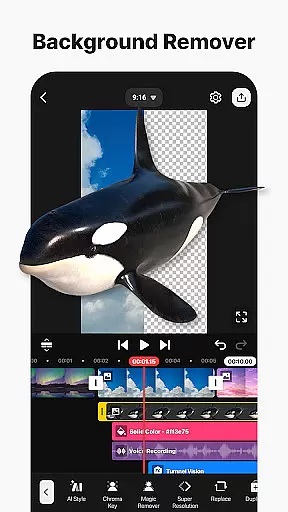
These AI capabilities provide substantial benefits to users. Content creators can produce professional-grade videos more efficiently, reducing manual labor and technical expertise requirements. The AI Magic Removal tool, for instance, simplifies background removal around subjects, making green screen effects accessible to all users.
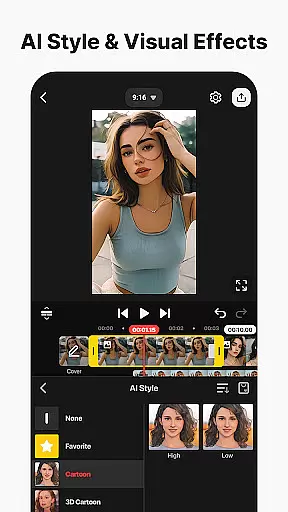
Furthermore, KineMaster's AI Music Match and AI Style features enable users to enhance their projects with intelligent music suggestions and artistic effects. These innovations not only save time but also inspire creativity, allowing editors to experiment with sophisticated techniques that were previously available only to professionals.
User-friendly interface
Advanced AI tools
Professional editing features
Extensive asset library
High-quality export options
Subscription-based pricing
Watermark on free version
Resource-intensive operation
Limited offline functionality
Steep learning curve

Fast, private downloading, video saving, social media
 4.50
4.50
HD video & music player - All format support with floating & PIP mode!
3.80
Tik & Story Saver-Download ALL social media videos, photos & reels no watermark.
4.80
Capture images & record videos for USB Camera, Webcam, Microscopes, Endoscopes
3.80
Turn your phone into a wireless camera!
4.20
GENRAL PRO - General Pro is the best video player that fully supports all formats.
4.70
Manage your IPTV live channels and VOD playlists (no playlist included)
3.80
Browser for Fire TV to stream webvideos, online movies, livestreams in HD
4.40
Screen recorder with audio to take live videos & Screenshot in high quality!
4.70
Download videos and play them offline
4.70
Cast movies, tv shows and live streams to Chromecast, Roku, DLNA, Fire TV & more
4.60
HD video maker with no watermark, no ads & vlog maker with music, PIP, text
4.50
Create & edit videos with AI
4.30
LumaFusion: The Ultimate Storytelling Experience for Video Editing
4.10
AI Video Editor:AI Music, Text to Video,Text to Speech,Auto Caption,Video Effect
4.00
Cast to Smart TV, Fire TV. Cast video, photo - Fast & Stable!
3.90
AirMirror is Receiver for Screen Mirroring and Casting from Apple Devices.
3.60
This app is an emulator of some specific IPTV boxes
3.50
The essential companion to your Blue Iris PC software
2.50
VLC vs MX Player compared side-by-side: formats, subtitles, ads, privacy, and performance. Find out which free Android video player is right for you.



User Reviews