
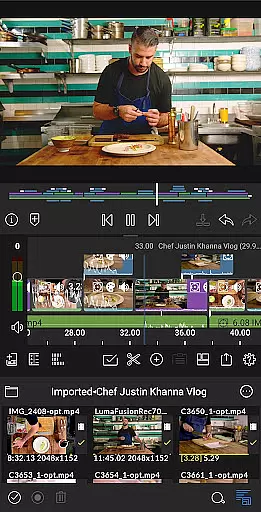
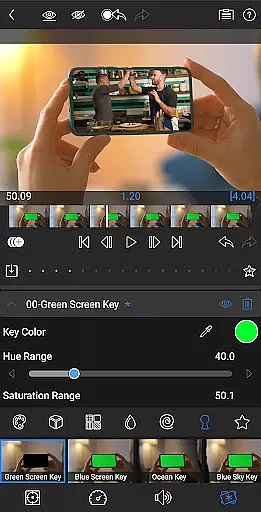
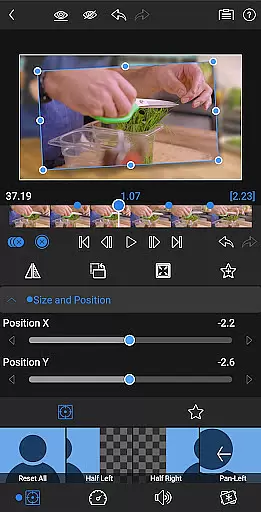
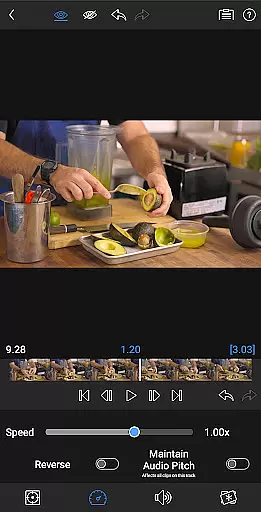
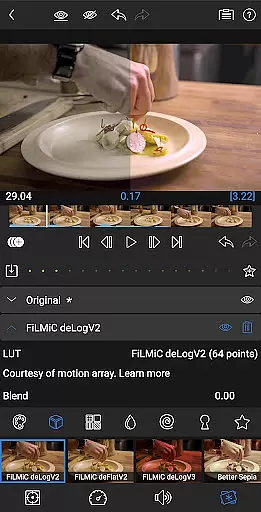
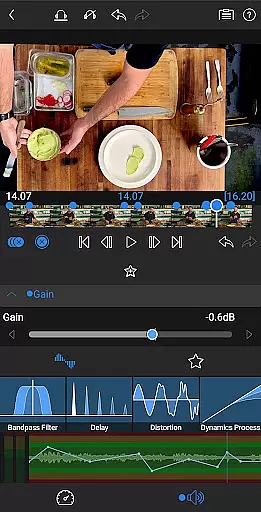
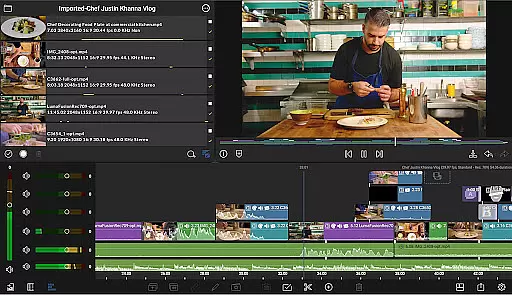
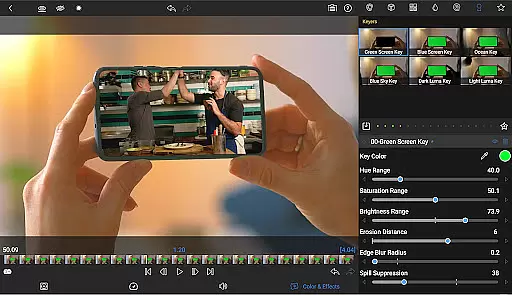
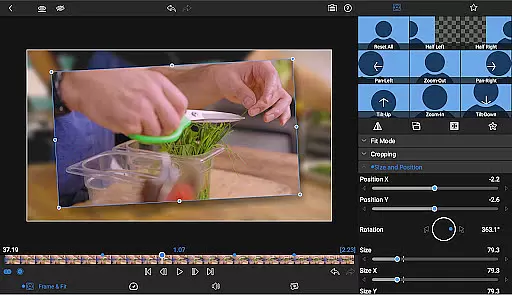
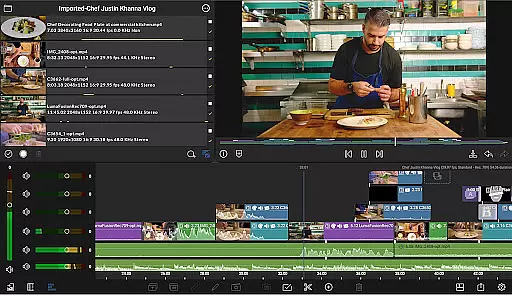
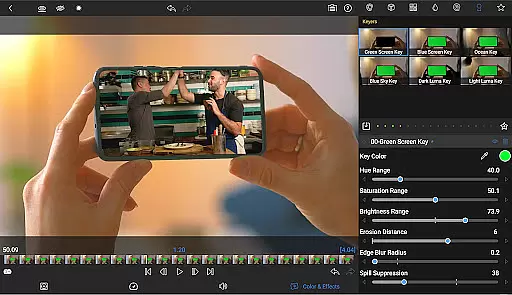
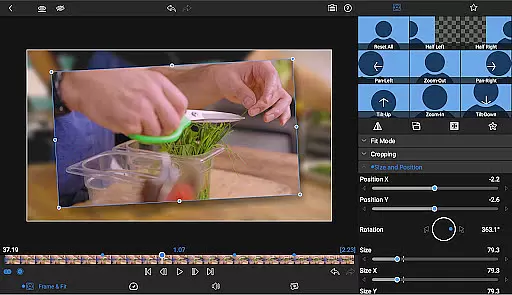
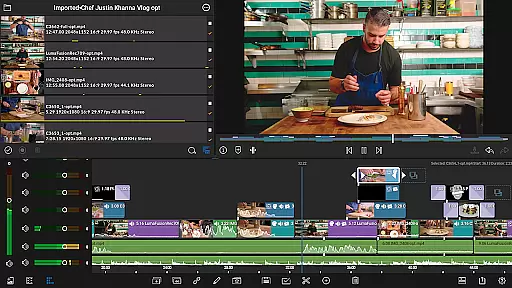
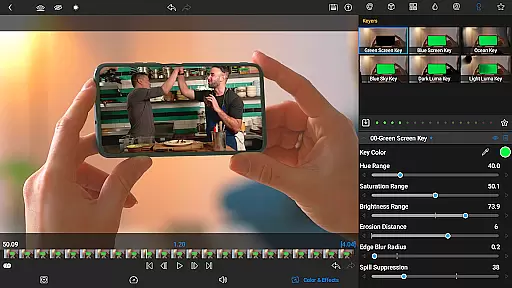
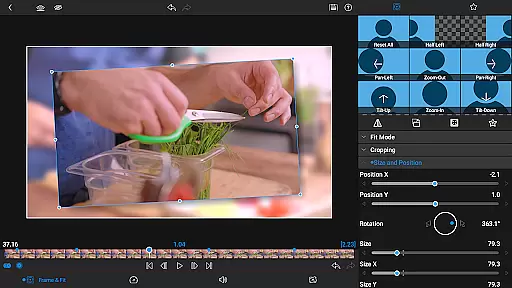

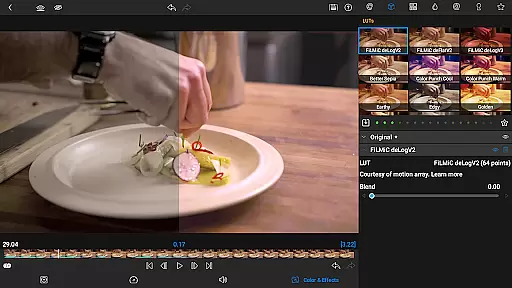
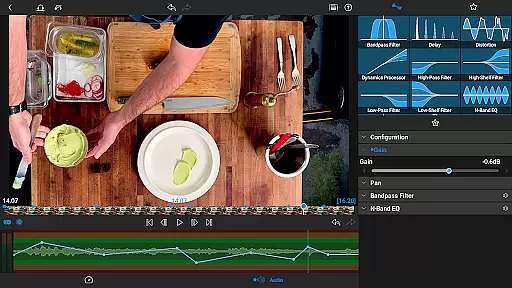
LumaFusion is the gold standard for storytellers, offering a fluid, intuitive touch-screen editing experience. With professional editing made easy through six video and six audio tracks, it supports media up to 4K resolution. The app includes advanced features like green screen effects, color correction tools, and layered audio controls.
Designed for creative professionals, LumaFusion provides flexibility with aspect ratios, project frame rates from 18fps to 240fps, and the ability to edit directly from USB-C drives or cloud storage. Users can share their masterpieces effortlessly in various resolutions and formats, making it ideal for both cinema and social media projects.
LumaFusion stands out with its ultimate timeline that offers both track-based and magnetic editing, ensuring smooth handling of complex edits. It includes powerful transitions, markers, tags, and notes for organized project management. The Dex Mode allows users to view their work on larger screens, enhancing the editing process.
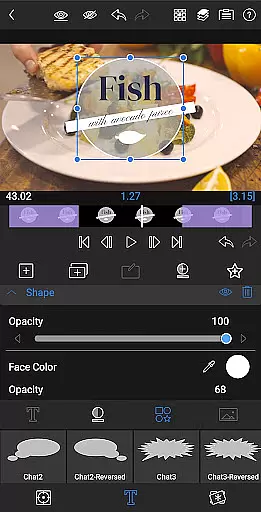
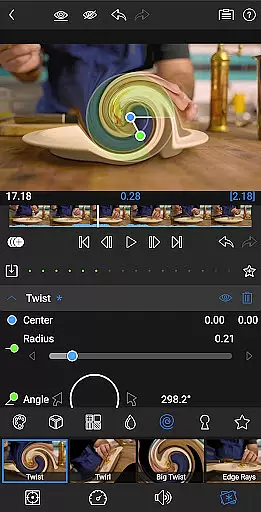
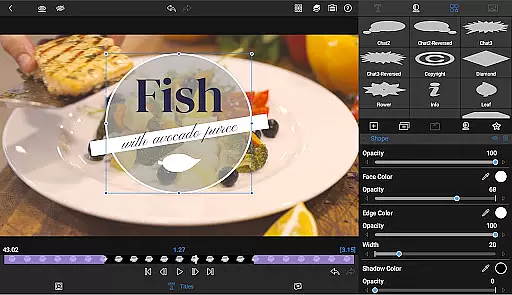
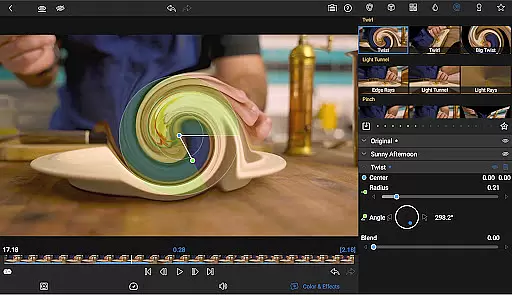
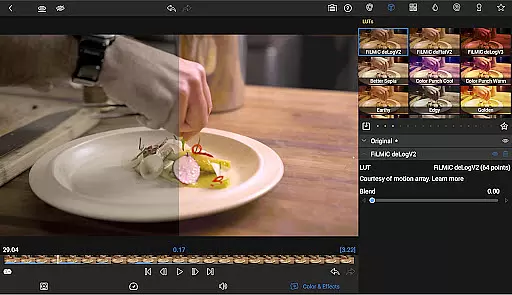
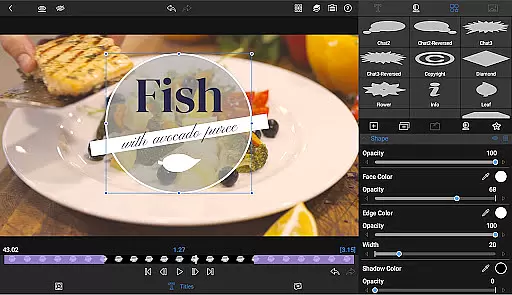
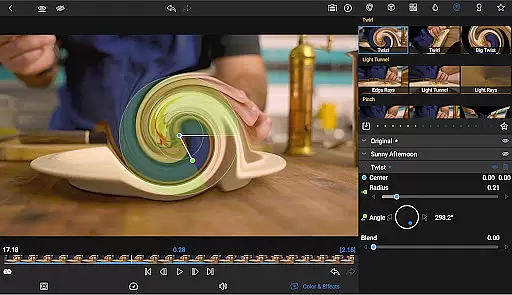
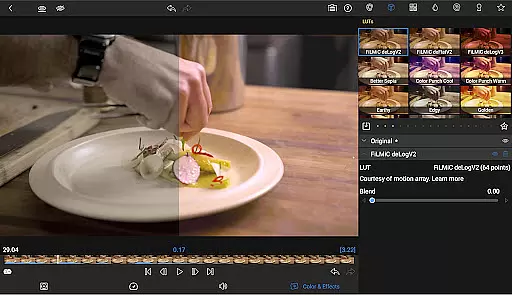
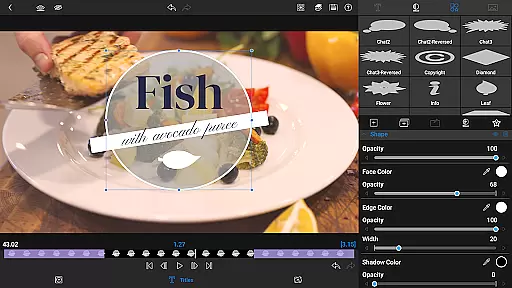
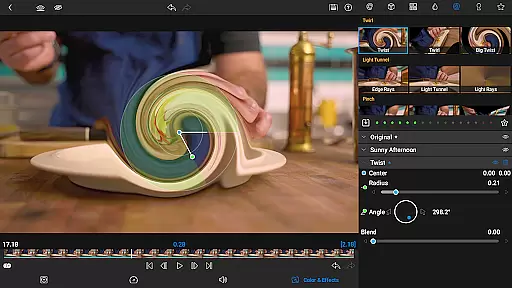
The app excels in layered effects and color correction, providing tools like green screen, luma, chroma keys, and waveform scopes. With advanced audio control, including graphic EQ, parametric EQ, and audio ducking, editors can craft seamless soundscapes. Additionally, customizable text presets and multilayer titles enable the creation of eye-catching visuals.
Video format compatibility is a crucial feature for any video editing application, including LumaFusion. This ensures that users can work with a wide range of video files without the need for prior conversion, thus streamlining the editing process.
LumaFusion supports media up to 4K resolution across its six video-with-audio or graphic tracks, providing smooth handling and high-quality output. The platform's versatility is further enhanced by its ability to edit content directly from USB-C drives and cloud storage, offering flexibility in project management.
With LumaFusion, creators have the freedom to import and export videos in various formats, resolutions, and frame rates, ranging from 18fps to 240fps. This adaptability caters to different workflow requirements, whether for widescreen cinema or social media content.
The benefit to users is a seamless editing experience that accommodates diverse video sources and distribution channels, making LumaFusion a powerful tool for professional editors and storytellers worldwide.
AI-powered editing features represent the cutting-edge advancement in video editing software, automating complex tasks and enhancing creativity. LumaFusion incorporates intelligent tools that assist users in crafting their stories with greater efficiency and precision.
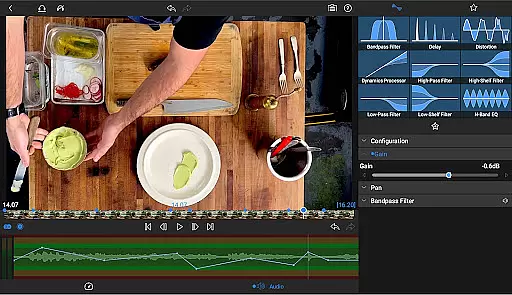
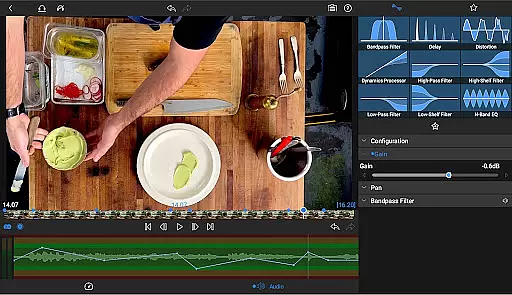
Among these features are advanced audio controls, such as Graphic EQ and Parametric EQ, which allow fine-tuning of soundscapes. Additionally, keyframe audio levels, panning, and EQ enable the crafting of seamless audio mixes, while audio ducking balances music and dialogue effortlessly.
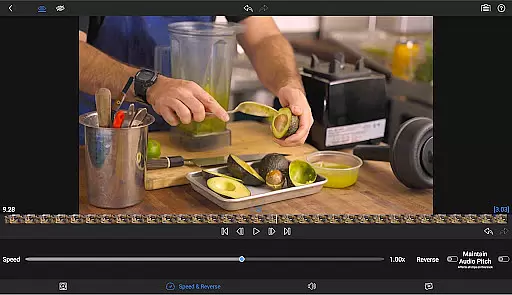
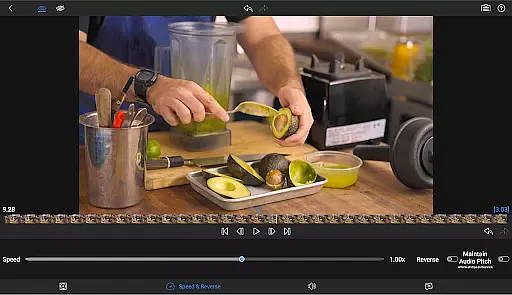
For visual effects, LumaFusion offers speed ramping and enhanced keyframing, available through an in-app purchase or Creator Pass subscription. These tools add eye-catching effects to motion and allow natural movement paths for titles and graphics.
By leveraging AI-powered functionalities, LumaFusion empowers creators to focus on storytelling, leaving the technical complexities to smart automation, ultimately leading to more polished and professional results.
Intuitive touch-screen interface
Professional-grade editing tools
Advanced color correction options
Comprehensive audio editing capabilities
Flexible project settings and export options
Subscription required for full access
Some features need in-app purchases
Complex for beginners
High system requirements
Limited free support resources

Video player, file manager for all formats, 4K/HD media player supports subtitle
 4.30
4.30
The smartest M3U IPTV Player your playlists have ever seen.
4.4
Create photo video with music & template. AI video maker for stunning slideshow.
4.60
Stream Web Videos to Chromecast, Samsung, LG, Sony, Roku, Fire TV, DLNA + more
4.00
Download website videos fast&privacy
4.40
Movie maker & video editing app with AI effects and green screen
4.30
Flud is a simple and beautiful BitTorrent client for Android.
4.80
Livestream, news, & gaming content. Watch, chat, and upload. Join Rumble today!
3.80
Capture the moment and Cut
3.40
#1 Torrent App on Android ** No Ads Ever + Battery Saver **
4.80
GENRAL PRO - General Pro is the best video player that fully supports all formats.
4.70
Support 1000+ Video Format, Subtitle Download, mp3 & Background Play, Cast On TV
4.60
Video player with 4K & 1080P support, popup play, background play and subtitle.
4.20
IPTV-Smarters Player Pro M3U - Watch Live Stream TV Channels with Chromecast
4.00
1)AirPlay/DLNA Mirroring/Streaming, up to 4 connections; 2)Samba/NAS/DMS Player.
4.00
HD video & music player - All format support with floating & PIP mode!
3.80
AirMirror is Receiver for Screen Mirroring and Casting from Apple Devices.
3.60
Client application for NextPVR software
3.00
Video player with powerful streaming playback and various convenient features.
2.10
VLC vs MX Player compared side-by-side: formats, subtitles, ads, privacy, and performance. Find out which free Android video player is right for you.



User Reviews