
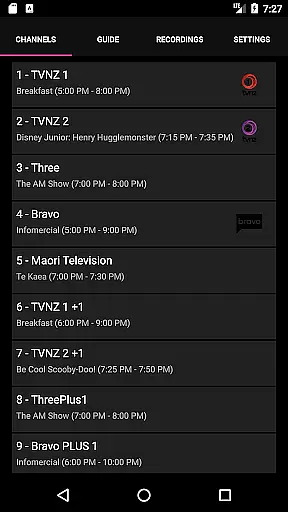
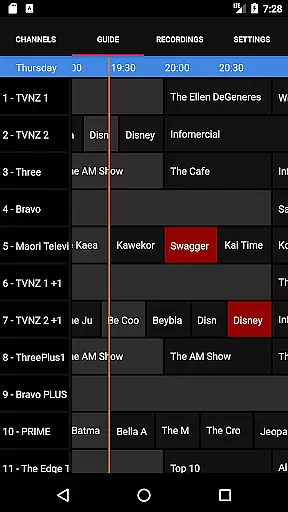
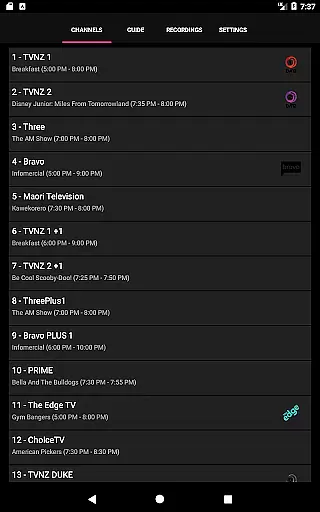
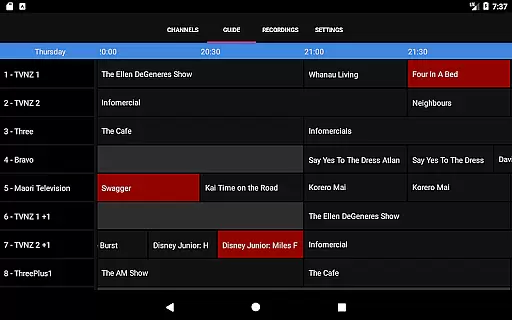
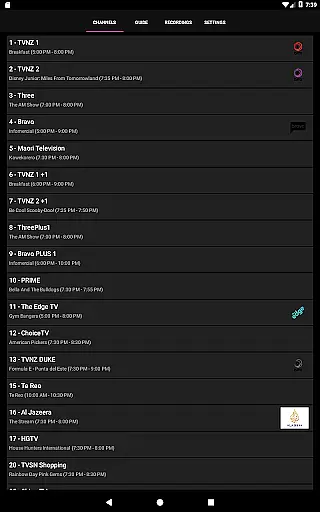
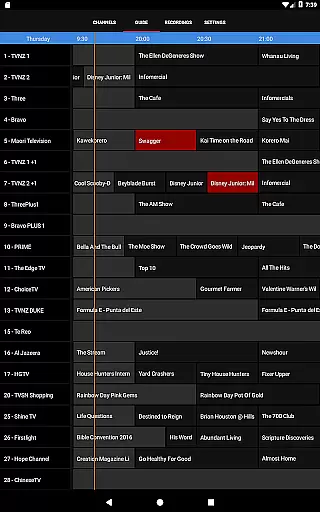
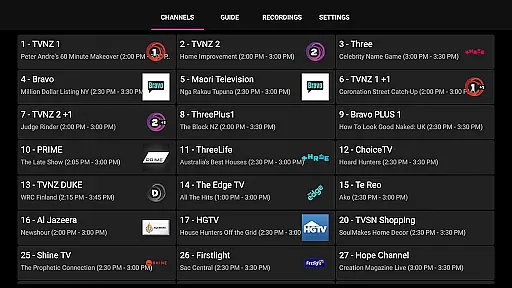
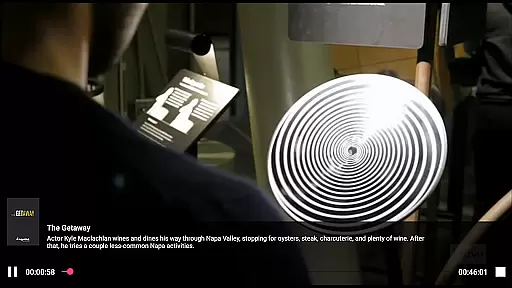
NextPVR is a versatile client application that connects users to the NextPVR media center software. Designed for seamless integration with NextPVR 4.1.0 or higher, this app enables you to manage and enjoy your media content directly from your mobile device. With its user-friendly interface, you can easily access live TV streams, browse through an intuitive TV guide, schedule recordings, and watch previously recorded shows.
The app bridges the gap between your Windows PC running NextPVR and your mobile device, allowing you to control your home media setup remotely. Whether you're at home or on the go, NextPVR ensures you never miss your favorite programs by providing flexible and convenient access to your media library.
NextPVR offers a comprehensive suite of features tailored for managing and enjoying television content. The app provides a sleek TV guide that displays current and upcoming programming, making it easy to navigate through channels and plan your viewing schedule. Additionally, the recording scheduler allows you to set up recordings with just a few taps, ensuring you never miss important broadcasts.
Another standout feature is the ability to stream live TV directly to your device. This functionality supports various video capture sources including ATSC, DVB, and analog tuners. Furthermore, the app lets you browse and play back recorded content stored on your NextPVR server, giving you full control over your media library from anywhere.
Video format compatibility is a crucial feature for any video player, ensuring that users can enjoy content in various formats without technical hindrances. NextPVR stands out by supporting a wide array of video formats, making it versatile for different user needs.
The app leverages the underlying capabilities of the NextPVR software, which is designed to handle multiple video codecs and containers. This ensures smooth playback of videos recorded from ATSC/DVB/Analog TV tuners or other supported capture sources.
For users, this means they can watch live TV, view recordings, and manage their schedules without worrying about format issues. The broad compatibility enhances user experience by providing flexibility and convenience.
By integrating seamlessly with NextPVR's robust media center software, the app delivers a reliable viewing experience across diverse video content types. This makes it an ideal choice for those seeking a comprehensive TV solution on their Windows PC.
AI-powered editing features are transforming how users interact with video content by offering smart tools that simplify complex tasks. While NextPVR primarily focuses on live TV and recording functionalities, its integration with advanced video processing technologies adds a layer of sophistication to its editing capabilities.
The application benefits from AI advancements within the NextPVR ecosystem, enabling features like automated scene detection, smart trimming, and enhanced video quality adjustments. These tools help users refine their recordings effortlessly.
Users gain significant advantages through these intelligent editing options, as they save time and achieve professional-grade results without needing specialized skills. The intuitive interface further enhances ease of use, allowing seamless navigation through editing functions.
Overall, NextPVR's incorporation of AI-driven editing tools enriches the user experience by combining traditional DVR functionalities with modern enhancements. This positions the app as not just a viewer but also a powerful editor within the Video Players & Editors category.
User-friendly interface
Comprehensive TV guide
Remote recording scheduling
Live TV streaming
Playback of recorded content
Requires NextPVR server
Windows PC dependency
No standalone functionality
Limited to network setup
Potential latency issues

Fast, private downloading, video saving, social media
 4.50
4.50
Snaptubè Video Downloader app allows to download videos and music in Snaptube. .
4.60
Play ALL formats in 4K & HD. Video downloader, MP3 player, Chromecast & more.
4.80
HD video maker with no watermark, no ads & vlog maker with music, PIP, text
4.50
Explore the largest library of free GIFs, Stickers & Memes - or create your own!
3.90
Fast & Private Video Downloader App. Save all videos easily from the Internet.
4.40
Download videos and play them offline
4.70
This app is an emulator of some specific IPTV boxes
3.50
Video&Drama Player All Format is a HD video player, music player
3.00
Video Trimmer, Video to MP3 Converter. Extract music from video, Easy & Fast.
4.80
Watch a large amount of high-definition short drama content
4.60
Add date and time watermark to photos and videos
4.50
KineMaster, Your Ultimate Video Editor!
4.40
Full HD Video mp3 Player, MP4 player play 1080p, File manager, Video Downloader
4.40
Video player, file manager for all formats, 4K/HD media player supports subtitle
4.30
LumaFusion: The Ultimate Storytelling Experience for Video Editing
4.10
Powerful, professional, versatile teleprompter. Developed by an active film crew
4.00
All format media Player, no need video converter any more!
4.00
A full editing room to accompany your Insta360 cameras and handheld gimbals.
3.30
VLC vs MX Player compared side-by-side: formats, subtitles, ads, privacy, and performance. Find out which free Android video player is right for you.



User Reviews