


MX Player is a powerful multimedia player for Android devices, offering advanced hardware acceleration and comprehensive subtitle support. The app utilizes HW+ decoder to enhance video playback performance on supported devices, making it an ideal choice for users who demand smooth, high-quality media experiences.
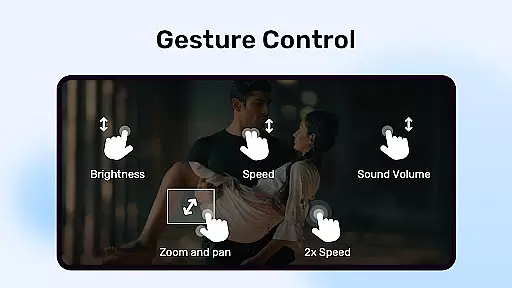
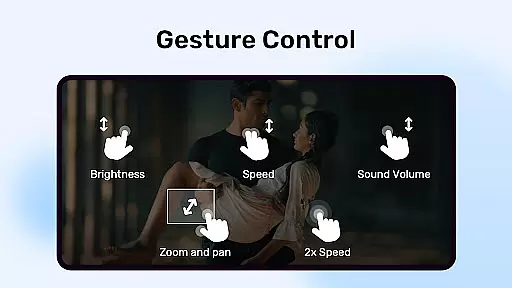
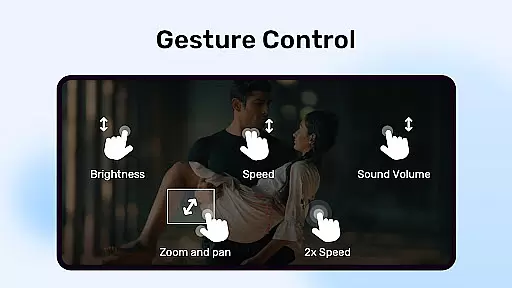
Beyond basic playback, MX Player includes innovative features like multi-core decoding, which significantly improves performance on modern devices - up to 70% better than single-core alternatives. Its intuitive gesture controls for zooming and subtitle navigation make it exceptionally user-friendly. Additionally, the app provides practical features such as Kids Lock and Privacy Folder, catering to family-friendly entertainment while safeguarding personal content.
This versatile video player supports various formats and offers extensive customization options, ensuring broad compatibility with different media types. Whether you're watching local files or streaming content, MX Player delivers a seamless experience across multiple use cases.
MX Player distinguishes itself through several key features that enhance the multimedia experience. Its implementation of multi-core decoding represents a significant technological advancement, allowing more efficient processing of high-resolution videos compared to traditional single-core players. This results in smoother playback and reduced device strain during extended viewing sessions.
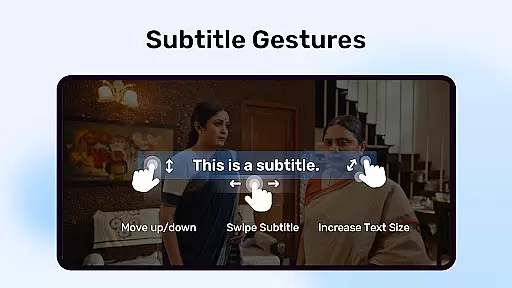
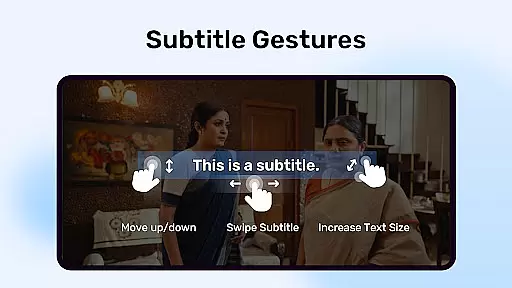
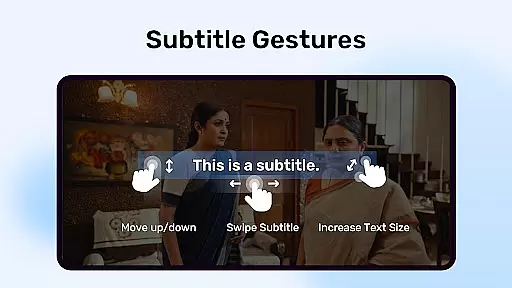
The application's subtitle handling capabilities are particularly noteworthy. It supports numerous subtitle formats including SubStation Alpha, SAMI, and WebVTT, with full styling options. Users can easily adjust subtitles using intuitive touch gestures - pinch to zoom text size, swipe to move through subtitles, and pan to reposition them on screen.
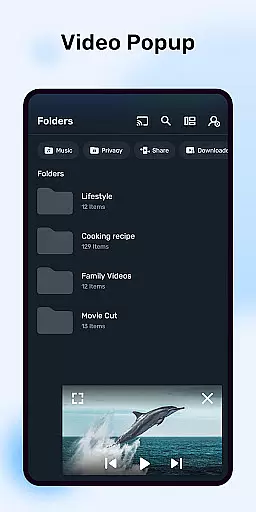
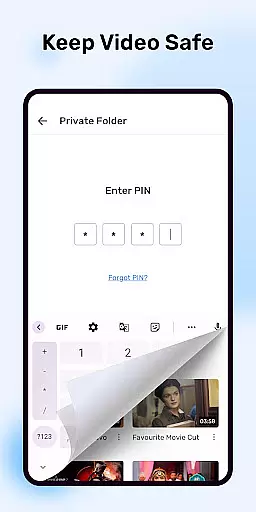
Additional features demonstrate MX Player's commitment to user convenience and security. The Kids Lock function prevents children from accessing other apps during playback, while the Privacy Folder allows discreet storage of sensitive media. Advanced hardware control permissions enable optimized performance, though these require careful management of system permissions for optimal functionality.
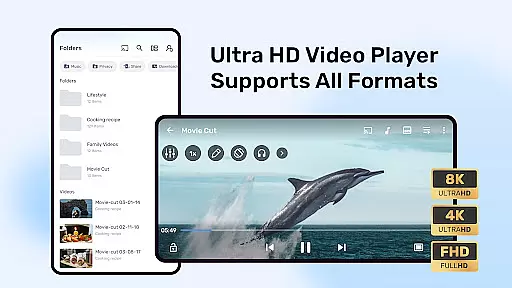
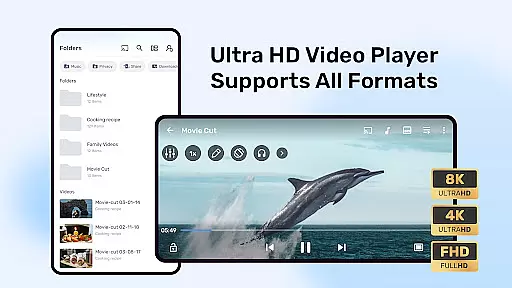
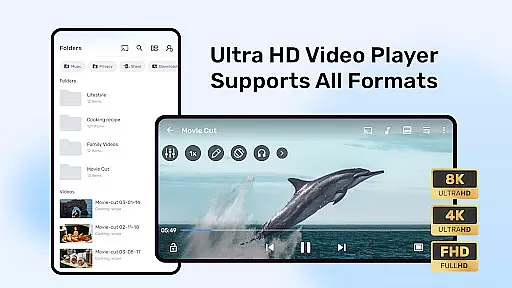
MX Player stands out in the Video Players & Editors category by offering extensive video format compatibility. This ensures users can play almost any video file type without the need for conversion or additional codecs.
The player supports a wide range of formats including but not limited to AVI, MKV, MP4, and FLV. This versatility makes it an ideal choice for users with diverse video libraries. Whether you're watching locally stored videos or streaming content, MX Player handles them all with ease.
Additionally, the inclusion of advanced hardware acceleration through the new HW+ decoder enhances playback performance. This feature is particularly beneficial when playing high-resolution videos, as it reduces device strain and improves battery life.
By supporting multi-core decoding, MX Player delivers up to 70% better performance on multi-core devices compared to single-core ones. This technological advantage ensures smooth and uninterrupted video playback, even for demanding file types.
While primarily known for its playback capabilities, MX Player also incorporates AI-powered editing features that enhance user experience. These intelligent tools help streamline video management and improve overall usability.
One notable feature is the automatic subtitle downloading and synchronization. The player intelligently matches subtitles to your video content, saving time and effort in manual searching. It supports various subtitle formats including SubRip, MicroDVD, and SubStation Alpha with full styling options.
The application's Privacy Folder function demonstrates another form of smart content management. This feature uses AI algorithms to help users categorize and hide sensitive videos, protecting personal privacy while maintaining easy access.
Furthermore, the Kids Lock feature employs intelligent screen blocking technology. This ensures children can enjoy videos safely without accessing other device functions, providing peace of mind for parents while maintaining device security.
Advanced hardware acceleration
Multi-core decoding support
Comprehensive subtitle formats
Intuitive gesture controls
Family-friendly features
Requires many permissions
Complex permission setup
Some features may drain battery
Privacy concerns with permissions
Interface can be overwhelming

Client application for NextPVR software
 3.00
3.00
Connect 2 UVC devices for recording and broadcast video/audio stream
3.90
HD Video player all format, HD Videos, Cast & Subtitle. No annoying ads.
4.60
You can play SWF format file!
2.50
All format media Player, no need video converter any more!
4.00
AirMirror is Receiver for Screen Mirroring and Casting from Apple Devices.
3.60
Viddo: Generate Action Figure, AI Anime, AI kiss, AI hug Video from image & text
4.40
Create, Publish & Maximize
4.70
Photo editor & video maker with music and slideshows.
4.10
Fast & Private HD Video Downloader with Built-in Proxy Browser and Video Player.
4.50
Video Downloader, Multiple Resolution Options, Video Player
4.50
AirMirror Receiver - Screen mirroring/cast web videos to Android TV by AirPlay.
4.40
Download website videos fast&privacy
4.40
Powerful Video Editor & Photo Editing App —— Quick Edits & Stunning Effects!
4.30
Video Downloader is an utility that can save videos and music from web sites
4.20
This app was created to edit the metadata of music files.
4.20
Turn your phone into a wireless camera!
4.20
VLC for Android is the best open source video and music player, fast and easy!
4.10
1)AirPlay/DLNA Mirroring/Streaming, up to 4 connections; 2)Samba/NAS/DMS Player.
4.00
VLC vs MX Player compared side-by-side: formats, subtitles, ads, privacy, and performance. Find out which free Android video player is right for you.



User Reviews