
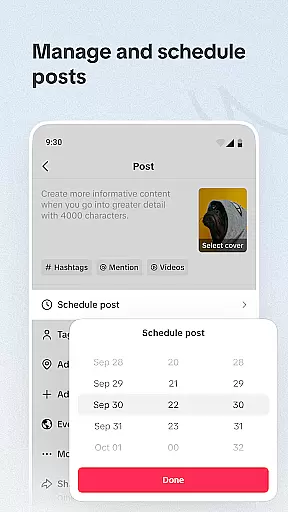
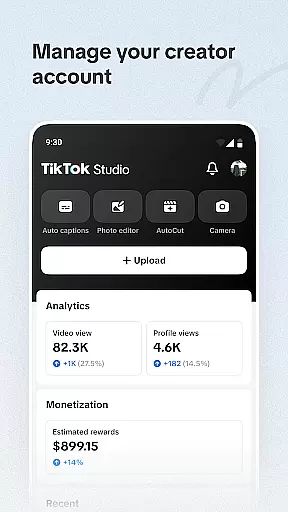
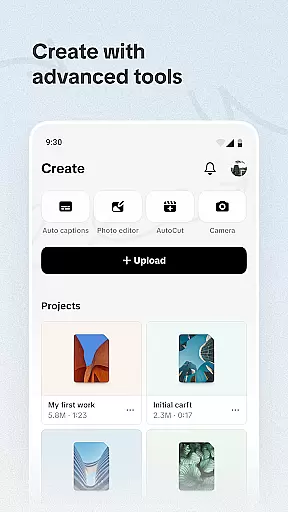
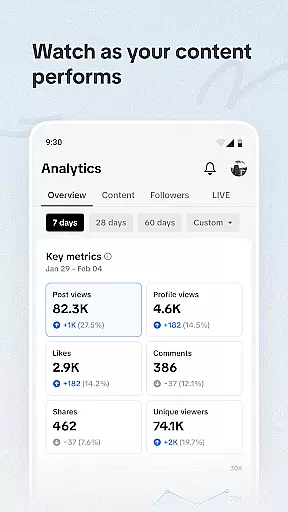
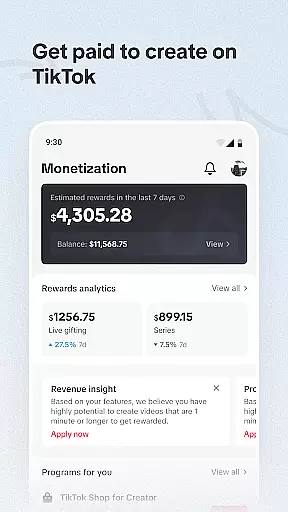
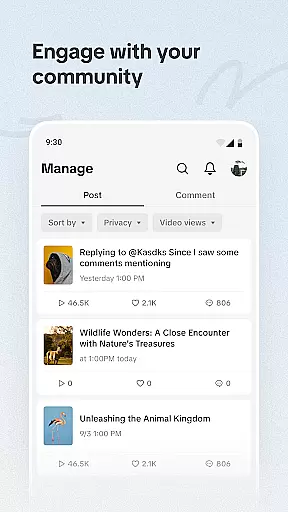
TikTok Studio is an advanced content creation platform designed for video creators who want to maximize their impact on the TikTok platform. With a comprehensive suite of innovative tools, it empowers users to produce standout content through predictive analytics, custom recommendations, and tailored tutorials.
The app provides robust safety measures and privacy settings, ensuring creators can focus on their work without compromising personal information. Additionally, TikTok Studio offers monetization opportunities and audience insights, enabling creators to optimize their rewards and engagement strategies effectively.
TikTok Studio stands out with its array of sophisticated features crafted to enhance the content creation process. The app's predictive analytics and innovative tools allow creators to identify new opportunities and strategically plan their content.
Creators benefit from custom recommendations and tutorials that cater to different skill levels, making it accessible for both beginners and experienced users. Furthermore, the app includes comprehensive privacy settings and community management tools, giving users full control over their creative environment and interactions.
With personalized monetization recommendations and advanced analytics, TikTok Studio helps creators unlock more revenue streams while gaining deeper insights into audience preferences and behaviors.
Video format compatibility is a crucial feature for any video player and editor, including TikTok Studio. This functionality ensures that creators can work with a wide range of video formats without the need for conversion or external tools. TikTok Studio supports popular formats such as MP4, AVI, MOV, and more, allowing users to upload and edit videos directly from their devices.
The importance of this feature lies in its ability to save time and maintain video quality. By supporting multiple formats, TikTok Studio enables creators to focus on the creative process rather than technical limitations. The app's advanced processing capabilities ensure that videos retain their original quality during editing, regardless of the source format.
TikTok Studio takes video format compatibility a step further by providing optimized rendering options. Users can export their edited videos in various resolutions and formats, ensuring optimal playback across different platforms and devices. This flexibility empowers content creators to reach wider audiences without worrying about format restrictions or compatibility issues.
Moreover, the app's intuitive interface makes it easy for users of all skill levels to work with different video formats. Whether you're a beginner or a professional creator, TikTok Studio's comprehensive format support ensures that your creative vision can be realized without technical barriers. This feature truly enhances the overall content creation experience.
AI-powered editing features represent a significant advancement in video editing technology, and TikTok Studio has integrated these capabilities to revolutionize content creation. These features utilize artificial intelligence algorithms to automate complex editing tasks, making professional-quality editing accessible to creators of all levels. From automatic color correction to intelligent scene detection, TikTok Studio's AI tools streamline the editing process while maintaining creative control.
The significance of AI-powered editing becomes apparent when considering time-saving benefits. Creators can now accomplish in minutes what previously took hours of manual editing. TikTok Studio's AI analyzes video content to suggest optimal cuts, transitions, and effects based on trending patterns and audience preferences. This not only enhances video quality but also helps creators stay relevant in the fast-paced social media landscape.
Furthermore, TikTok Studio's AI capabilities extend to audio synchronization, object recognition, and even emotion-based editing suggestions. These features enable creators to produce more engaging and polished content without requiring extensive technical knowledge. The AI system learns from user preferences and adapts its suggestions over time, creating a personalized editing experience that improves with use.
By incorporating AI-powered editing features, TikTok Studio has democratized professional-grade video production. This technological advancement allows creators to focus more on their creative ideas while the platform handles the technical aspects, ultimately leading to higher-quality content and increased productivity in the competitive world of social media creation.
User-friendly interface
Advanced analytics
Custom recommendations
Robust privacy controls
Monetization opportunities
Limited to TikTok platform
Advanced features may overwhelm new users
Requires constant updates
Privacy concerns despite safeguards
Monetization not guaranteed

Your media, on your terms.
 4.10
4.10
Watch full episodes of your favorite Cartoon Network and Cartoonito shows!
3.50
Full HD Video mp3 Player, MP4 player play 1080p, File manager, Video Downloader
4.40
KMPlayer Plus (Divx Codec) officially support Divx codec.
4.30
Stream Web Videos to Chromecast, Samsung, LG, Sony, Roku, Fire TV, DLNA + more
4.00
All in one HD video downloader & player for multiple formats with full privacy
4.70
Watch IPTV on your Android device
4.60
A Simple app to download Video & Music from the Internet.
4.70
convenient, safe and fast at Video Downloader & Player
4.60
Pro video editor app for Instagram, edit video with song, AI, effect & slowmo.
4.80
Download videos and play them offline
4.70
Watch a large amount of high-definition short drama content
4.60
Create photo video with music & template. AI video maker for stunning slideshow.
4.60
Fast & Private Video Downloader App. Save all videos easily from the Internet.
4.40
This app was created to edit the metadata of music files.
4.20
Online Videos Player
3.90
AirMirror is Receiver for Screen Mirroring and Casting from Apple Devices.
3.60
Download videos easily & play them all in one smart, powerful video manager.
3.40
The smartest M3U IPTV Player your playlists have ever seen.
4.1
VLC vs MX Player compared side-by-side: formats, subtitles, ads, privacy, and performance. Find out which free Android video player is right for you.



User Reviews