
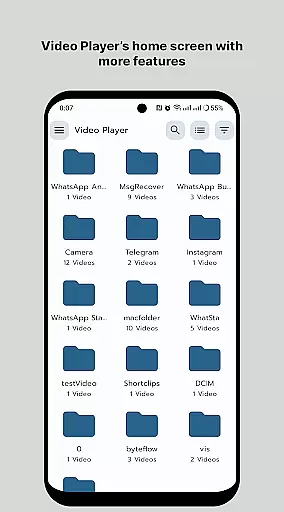
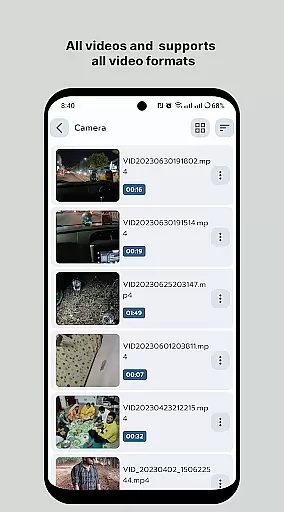
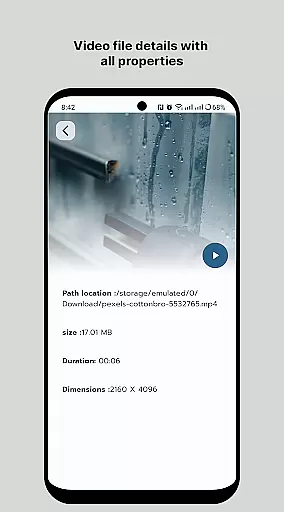
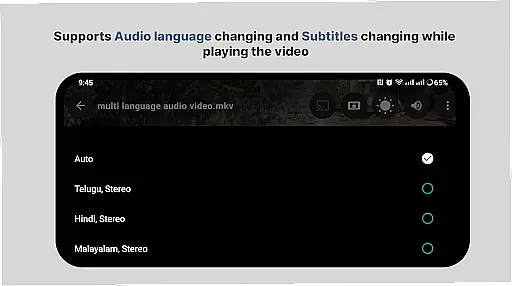
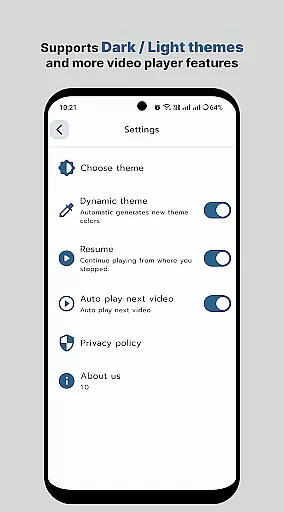
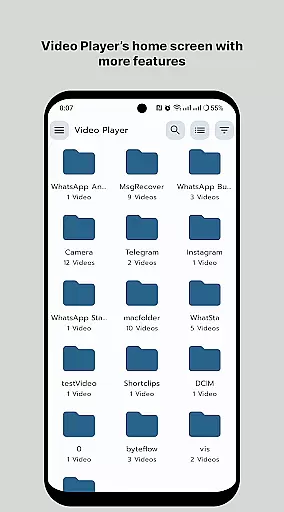
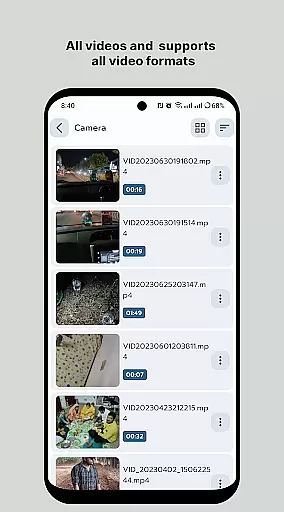
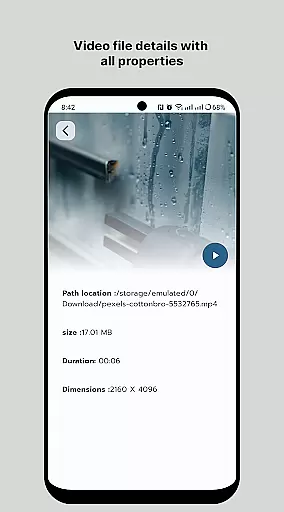
HD Video Player All Format is a versatile video player for Android devices, supporting all popular video formats including 4K and ultra HD resolutions. The app provides an ad-free experience with smooth playback and advanced features like subtitle support, multi-track audio, and aspect-ratio adjustments.
The player ensures optimal speed and quality, making it ideal for both casual viewers and professionals who require high-performance media playback. Its smart media library and folder browsing capabilities allow users to easily organize and access their video collection.
With its intuitive interface and powerful functionality, this video player delivers an exceptional viewing experience on both phones and tablets. Users can enjoy convenient controls for volume, brightness, and playback speed, making it perfect for enjoying high-quality videos anytime, anywhere.
HD Video Player stands out with its comprehensive feature set tailored for optimal media playback. The app supports all major video formats, ensuring compatibility with diverse media files while maintaining original resolution quality.
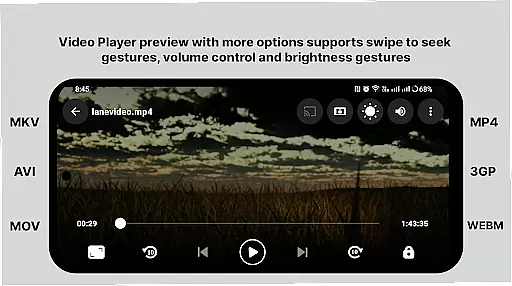
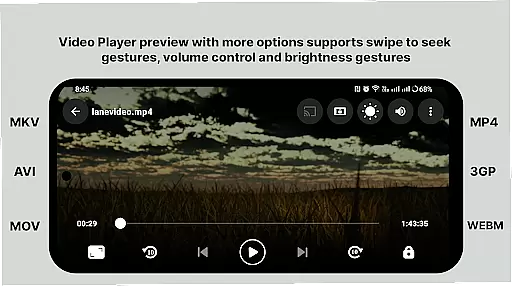
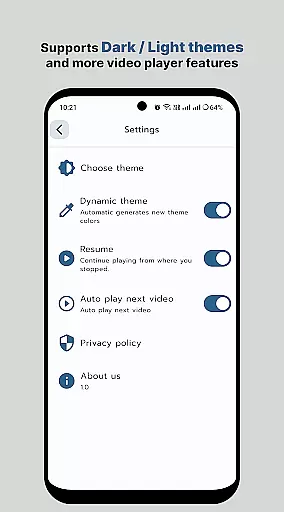
Advanced playback controls include gesture-based volume and brightness adjustment, playback speed control, and screen rotation settings. The smart media library automatically organizes video files, while the folder browsing feature provides direct access to stored media content.
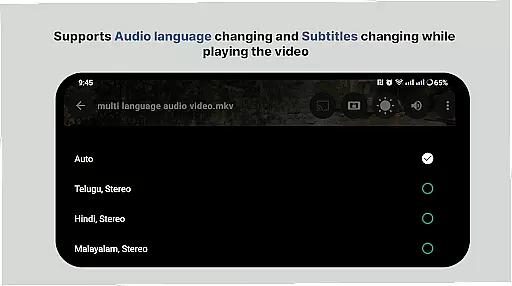
Additional professional-grade features include multi-track audio support, subtitle integration, and precise seeking capabilities. These functionalities, combined with minimal memory usage and quick start times, make it a powerful solution for both casual and professional video playback needs.
Video format compatibility is a crucial feature for any video player application. HD Video Player supports an extensive range of video formats, ensuring that users can play virtually any file type without the need for conversion or additional codecs.
This all-format support includes popular standards like MP4, AVI, MKV, as well as high-resolution 4K and ultra HD video files. The app's advanced decoding engine ensures smooth playback of these diverse formats, maintaining the original quality of the video content.
Users benefit from this comprehensive format support by having a single, reliable solution for all their video playback needs. Whether watching movies, TV shows, or personal recordings, the app provides consistent performance across different file types.
The inclusion of subtitle support further enhances the video playback experience. Users can load external subtitle files or use embedded subtitles, enjoying their media exactly as intended by the creators.
While primarily a video player, HD Video Player also incorporates basic AI-powered editing features that enhance the viewing experience. These intelligent tools help optimize video playback based on device capabilities and network conditions.
The app's smart optimization technology automatically adjusts playback settings for optimal performance. This includes intelligent buffering, resolution adjustment, and frame rate optimization, ensuring smooth playback even on less powerful devices.
Additional AI-driven features include automatic scene detection and smart trimming suggestions. These tools help users quickly identify key moments in their videos, although full editing capabilities remain limited compared to dedicated video editing software.
These AI-powered enhancements contribute to more efficient media management and improved playback quality. Users can enjoy their video content with minimal technical issues, while the intuitive interface makes basic video adjustments accessible to all experience levels.
Supports all video formats
Smooth 4K playback
No annoying ads
Intuitive user interface
Advanced playback controls
Premium version required
Occasional bugs
Limited customization
High system requirements
Complex for beginners

A full editing room to accompany your Insta360 cameras and handheld gimbals.
 3.30
3.30
Video Downloader is an utility that can save videos and music from web sites
4.20
Cast to Chromecast, Xbox, Fire Stick, Roku, DLNA, Smart TV & No Feature Limited!
4.50
All in one HD video downloader & player for multiple formats with full privacy
4.70
Video Downloader, Multiple Resolution Options, Video Player
4.50
Add date and time watermark to photos and videos
4.50
LumaFusion: The Ultimate Storytelling Experience for Video Editing
4.10
Viddo: Generate Action Figure, AI Anime, AI kiss, AI hug Video from image & text
4.40
Capture the moment and Cut
3.40
Play ALL formats in 4K & HD. Video downloader, MP3 player, Chromecast & more.
4.80
#1 Torrent App on Android ** No Ads Ever + Battery Saver **
4.80
HD video maker with no watermark, no ads & vlog maker with music, PIP, text
4.50
Photo and Music Video Creator into Stunning Videos—Effortlessly
4.40
AirMirror Receiver - Screen mirroring/cast web videos to Android TV by AirPlay.
4.40
Powerful, professional, versatile teleprompter. Developed by an active film crew
4.00
1)AirPlay/DLNA Mirroring/Streaming, up to 4 connections; 2)Samba/NAS/DMS Player.
4.00
All in one multi protocols stream receiver for AirPlay, Cast and DLNA.
3.60
Connect EasyCap or UVC devices for recording and broadcast video/audio stream
3.60
Play and download HD videos from all sources — fast, simple, and all-in-one.
4.3
VLC vs MX Player compared side-by-side: formats, subtitles, ads, privacy, and performance. Find out which free Android video player is right for you.



User Reviews