
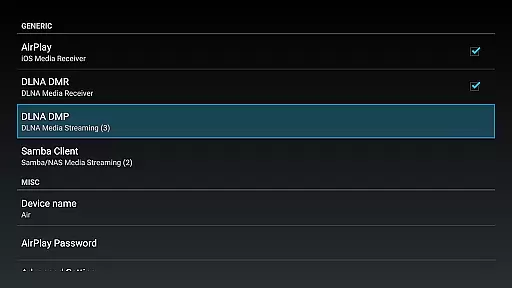

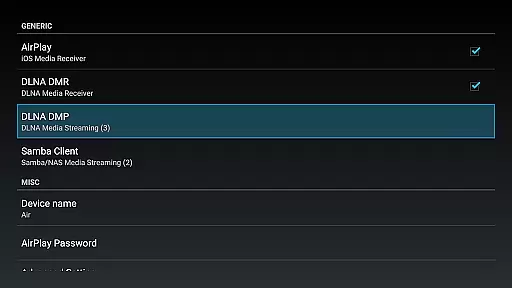
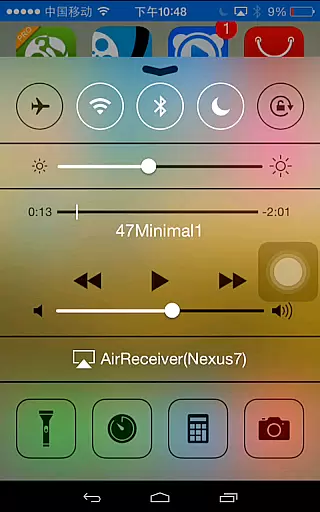
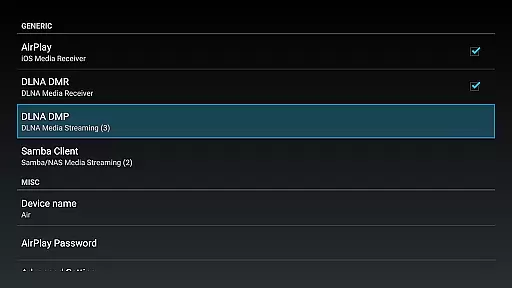
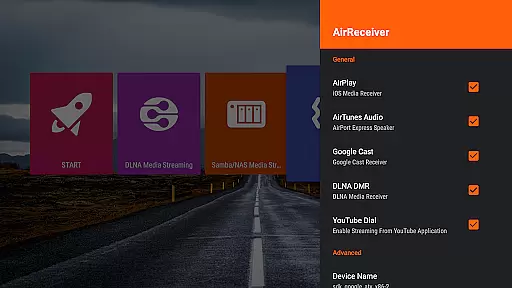
AirReceiver is a versatile streaming solution that supports multiple protocols including AirPlay, Cast, Wireless Display, and DLNA. This application allows users to stream screens, photos, music, and videos from their phones or laptops directly to a TV. Optimized for Android TV/Box, it operates seamlessly in the background as a service.
Key features include support for YouTube video streaming, audio sync with AirExpress devices, and compatibility with AirParrot for PC screen mirroring. It also fully supports IOS16 and offers a slideshow feature. With its ability to run on boot and configurable network name, AirReceiver provides a comprehensive media streaming experience tailored for home entertainment systems.
AirReceiver stands out with its extensive protocol support, covering AirPlay, Cast, Wireless Display, and DLNA. The app enables streaming of audio, video, and photos from various clients such as iTunes, iOS devices, and WMP12. Its standout feature is AirMirror, which delivers top-tier performance among third-party AirPlay applications.
Additional functionalities include running as a background service, starting on boot, and offering a configurable network name. For Windows users, AirSender tools facilitate screen mirroring to devices running AirReceiver. These robust features ensure smooth and high-quality streaming experiences across different platforms and devices, making it an ideal choice for users seeking comprehensive media solutions.
Video format compatibility is a crucial feature for any video player and editor, ensuring that users can enjoy a wide range of media without technical hindrances. AirReceiver AirPlay Cast DLNA supports multiple streaming protocols including AirPlay, Cast, Wireless Display, and DLNA, making it versatile for different user needs.
This application allows streaming from various devices like phones and laptops to a TV, supporting Youtube videos, audio sync with other AirExpress devices, and screen mirroring functionalities. The compatibility extends to both IOS16 and AirParrot, enabling users to mirror PC screens on Android tablets effortlessly.
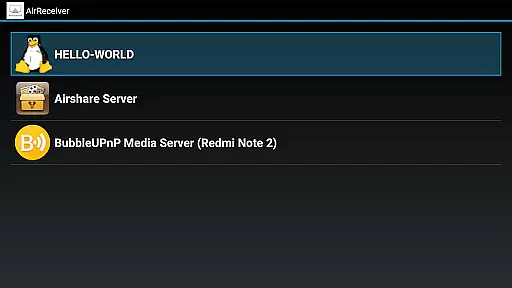
Users benefit from the app's ability to stream audio, video, and photos from numerous clients such as iTunes, iOS, WMP12, and AirShare. This ensures that regardless of the source device or file type, AirReceiver provides seamless playback options.
The true value lies in its comprehensive support system which includes running in the background as a service, configurable network names, and automatic startup on boot. These features collectively enhance user experience by providing reliable and flexible video format compatibility.
AI-powered editing features represent the cutting-edge advancement in video players and editors, automating complex processes and enhancing user interaction. While AirReceiver AirPlay Cast DLNA focuses primarily on streaming capabilities, it incorporates several intelligent features that simplify media management.
One notable AI feature is the support for AirMirror, which offers top performance among third-party AirPlay applications. This functionality requires significant CPU power but results in superior screen mirroring quality. Additionally, the slideshow feature benefits from AI enhancements, allowing smoother transitions and better image handling.
Although not explicitly marketed as an AI-driven tool, AirReceiver integrates smart solutions like Windows Screen Mirror through the free tool AirSender. This simplifies the process of displaying PC content on Android devices, showcasing an intuitive approach to solving common connectivity issues.
Overall, while AirReceiver may not offer extensive AI-based editing tools found in dedicated video editors, its intelligent streaming solutions provide substantial benefits. Users gain access to efficient, high-quality media sharing experiences that adapt to their technological environments seamlessly.
Multi-protocol support
Seamless background operation
High-quality streaming
User-friendly interface
Comprehensive device compatibility
High CPU load
Limited to powerful devices
Port conflicts possible
No built-in content
Paid application

Client application for NextPVR software
 3.00
3.00
?100% FREE! Download & save videos? safely in this app. All formats supported.
4.60
High-Quality USB Camera Viewer & HDMI Display
4.70
Powerful Video Editor & Photo Editing App —— Quick Edits & Stunning Effects!
4.30
LumaFusion: The Ultimate Storytelling Experience for Video Editing
4.10
#1 Torrent App on Android ** No Ads Ever + Battery Saver **
4.80
AI Video Editor with Music, Filter, Slideshow, Effect, Merge & Trim Video.
4.80
Fast & Private HD Video Downloader with Built-in Proxy Browser and Video Player.
4.50
Create, Publish & Maximize
4.70
HD Video player all format, HD Videos, Cast & Subtitle. No annoying ads.
4.60
Watch IPTV on your Android device
4.60
Cast movies, tv shows and live streams to Chromecast, Roku, DLNA, Fire TV & more
4.60
Fast, private downloading, video saving, social media
4.50
Viddo: Generate Action Figure, AI Anime, AI kiss, AI hug Video from image & text
4.40
Movie maker & video editing app with AI effects and green screen
4.30
Stream Web Videos to Chromecast, Samsung, LG, Sony, Roku, Fire TV, DLNA + more
4.00
Capture images & record videos for USB Camera, Webcam, Microscopes, Endoscopes
3.80
AirMirror is Receiver for Screen Mirroring and Casting from Apple Devices.
3.60
Download videos easily & play them all in one smart, powerful video manager.
3.40
VLC vs MX Player compared side-by-side: formats, subtitles, ads, privacy, and performance. Find out which free Android video player is right for you.



User Reviews