
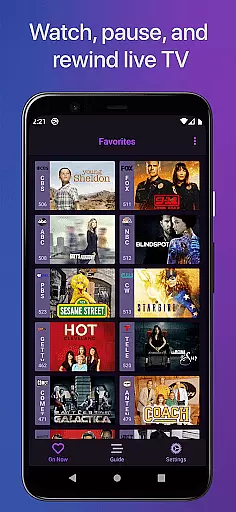
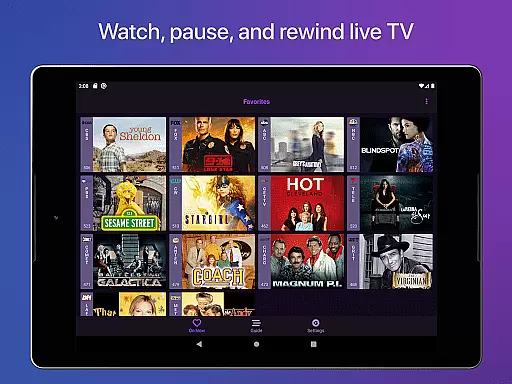
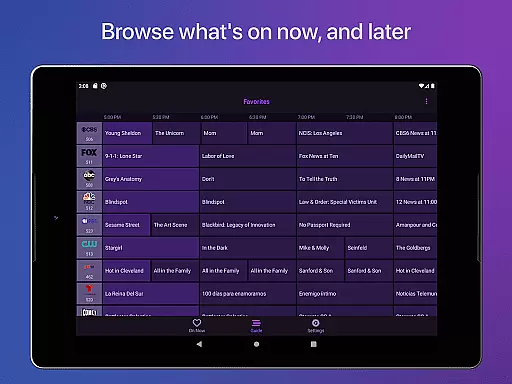
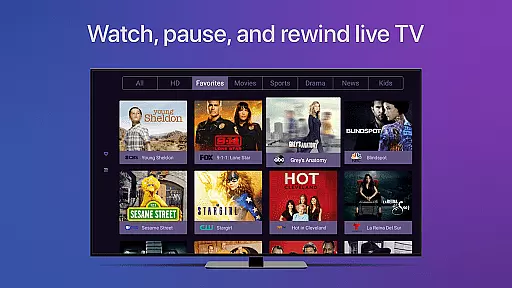
Channels for HDHomeRun is a revolutionary application that brings live TV viewing to Android devices. Designed specifically for users with an HDHomeRun networked TV tuner, this app allows you to stream live or cable TV directly on your device. With advanced features such as pausing, rewinding, and fast-forwarding live TV, Channels offers a comprehensive entertainment solution. The app also supports full HD streaming, 5.1 surround sound, closed captioning, and complete VoiceOver support, making it accessible and versatile.
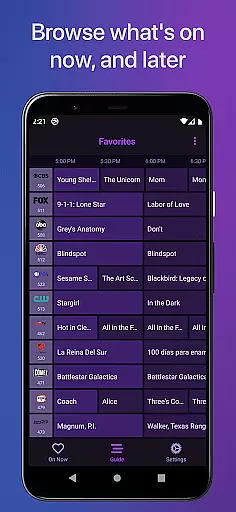
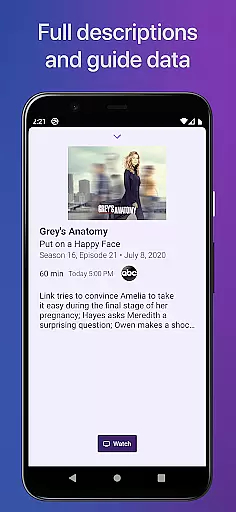
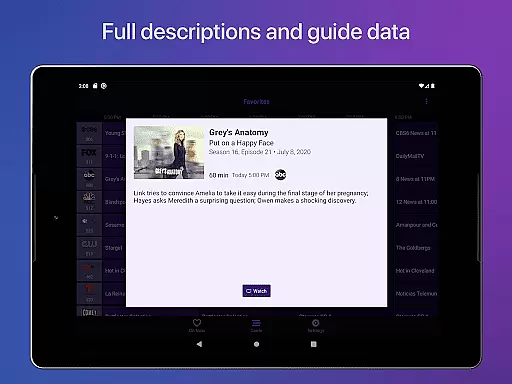
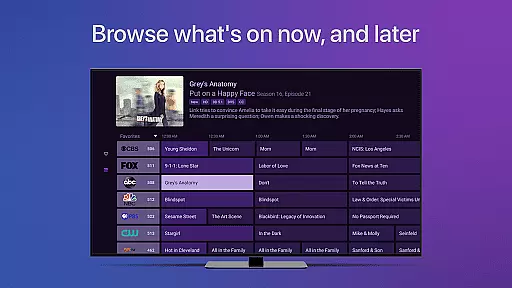
Beyond basic TV functionality, Channels provides a full grid guide, channel favoriting, and the ability to jump back to the last channel viewed. It even enables users to browse other channels while watching TV and manage their HDHomeRun devices directly from the app. Whether you're looking to watch primetime TV, local news, sports, or use one antenna for all TVs in your house, Channels integrates seamlessly into your lifestyle. By eliminating the need for multiple cable boxes, it helps save money while delivering a superior viewing experience.
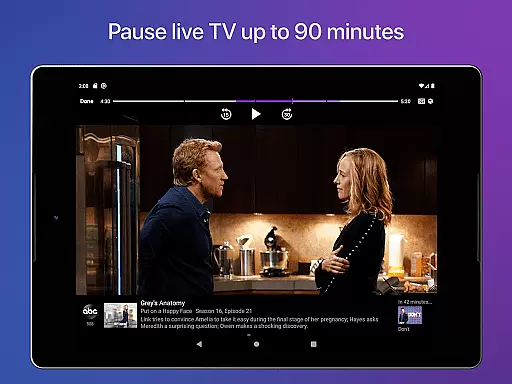
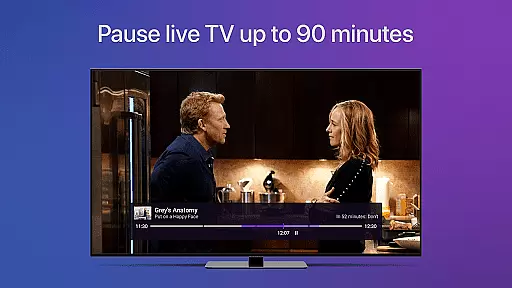
Channels for HDHomeRun stands out due to its rich feature set tailored for modern TV viewers. One of its key highlights is the live TV buffer, which allows users to pause and rewind live broadcasts for up to 90 minutes, depending on device storage. This flexibility ensures you never miss a crucial moment. Additionally, the app's intuitive interface includes a favorites tab, enabling quick access to preferred channels and simplifying navigation.
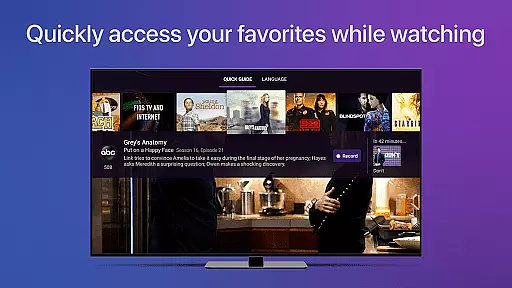
The app also excels in accessibility and customization. Users can adjust settings like closed captioning and audio languages directly through the Quick Guide feature. Channels supports full HD streaming and 5.1 surround sound, ensuring top-tier audiovisual quality. Furthermore, its compatibility with various HDHomeRun tuners, including models like CONNECT DUO and EXTEND, makes it adaptable to different home entertainment setups. These features collectively enhance user convenience and deliver a cutting-edge TV experience.
One of the key strengths of Channels for HDHomeRun is its extensive video format compatibility. The app supports a wide range of broadcast standards, ensuring that users can access their favorite channels without worrying about format issues.
The application works seamlessly with various HDHomeRun devices, allowing you to stream full HD content when your network bandwidth permits. This means you can enjoy high-definition television on your Android device with minimal buffering or quality loss.
Beyond just video, Channels also supports 5.1 Surround Sound and closed captioning, making it an inclusive platform for all viewers. Whether you're hard of hearing or simply prefer watching with sound off, the app ensures you don't miss any details.
This comprehensive compatibility extends to managing multiple tuners from one interface, giving users the ability to switch between different sources effortlessly. It's this versatility that makes Channels a go-to solution for integrating live TV into your digital lifestyle.
While primarily a live TV streaming app, Channels for HDHomeRun incorporates several AI-powered features that enhance the viewing experience. These intelligent tools work behind the scenes to optimize your interaction with the app.
The application uses advanced algorithms for channel discovery and program guide organization. This smart system helps in presenting a clean, easy-to-navigate interface that adapts to your viewing habits over time.
Another notable AI feature is the automatic content recognition that powers the app's impressive rewind function. Users can pause and rewind live TV up to 90 minutes, thanks to intelligent buffering technology that optimizes storage use on your device.
Additionally, the app's VoiceOver support demonstrates its commitment to accessibility through smart technology integration. These AI-driven features collectively create a more intuitive and personalized television experience for every user.
User-friendly interface
High-quality streaming
Live TV buffer
VoiceOver support
Device management tools
Requires HDHomeRun tuner
No DRM stream support
Network dependency
Limited remote access
Subscription needed for DVR

A Quick and Pro Video Editor
 4.70
4.70
Full HD Video mp3 Player, MP4 player play 1080p, File manager, Video Downloader
4.40
Stream high quality video from your camera over NDI protocol
4.3
GENRAL PRO - General Pro is the best video player that fully supports all formats.
4.70
Add date and time watermark to photos and videos
4.50
Manage your IPTV live channels and VOD playlists (no playlist included)
3.80
Flud is a simple and beautiful BitTorrent client for Android.
4.80
Fast & Private HD Video Downloader with Built-in Proxy Browser and Video Player.
4.50
VLC for Android is the best open source video and music player, fast and easy!
4.10
Tik & Story Saver-Download ALL social media videos, photos & reels no watermark.
4.80
Pro video editor app for Instagram, edit video with song, AI, effect & slowmo.
4.80
Download videos and play them offline
4.70
Screen recorder with audio to take live videos & Screenshot in high quality!
4.70
IPTV Loader, loads your own Playlist. DOES NOT CONTAIN ANY LIST OR CHANNELS
4.60
KMPlayer Plus (Divx Codec) officially support Divx codec.
4.30
Powerful Video Editor & Photo Editing App —— Quick Edits & Stunning Effects!
4.30
Online Videos Player
3.90
Explore the largest library of free GIFs, Stickers & Memes - or create your own!
3.90
Capture images & record videos for USB Camera, Webcam, Microscopes, Endoscopes
3.80
VLC vs MX Player compared side-by-side: formats, subtitles, ads, privacy, and performance. Find out which free Android video player is right for you.



User Reviews