

IPTV Player - Smarters Watch TV is a versatile media player tailored for streaming enthusiasts. This application allows users to enjoy live TV channels, sports events, and an extensive range of movie series from the comfort of their devices. With support for high-definition streaming and multi-device access, IPTV Player ensures an uninterrupted entertainment experience.
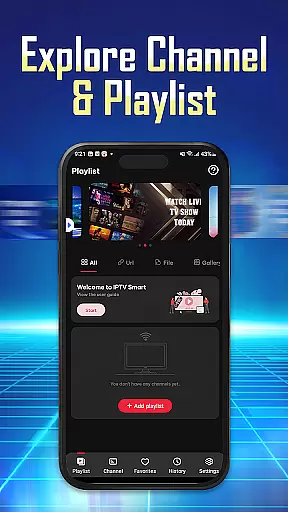
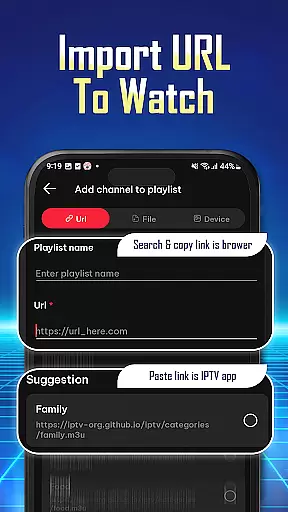
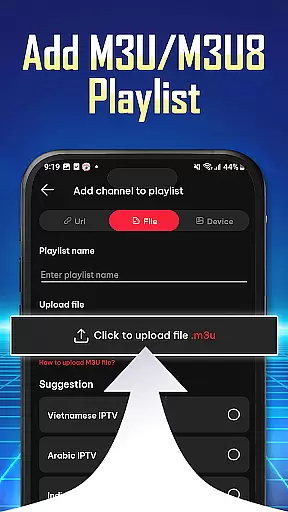
The app's core functionality revolves around its ability to import and manage playlists through Playlist URLs or M3U/M3U8 files. Users can organize their preferred content for quick access and stream directly to their TV. Its compatibility with various devices, including phones, tablets, and Android TV, makes it a flexible solution for all your streaming needs.
Whether you're looking to watch live football matches or explore a vast library of on-demand content, IPTV Player provides a seamless viewing experience. The app's user-friendly interface and powerful features make it an essential tool for enhancing your IPTV experience anytime, anywhere.
IPTV Player stands out with its comprehensive feature set designed to enhance user convenience. One of its key features is the easy import and management of playlists using Playlist URLs or M3U/M3U8 files. This functionality allows users to quickly add and access their favorite channels and shows without hassle.
The app supports high-definition streaming, ensuring that users enjoy crisp and clear video quality. Additionally, IPTV Player enables simultaneous streaming on multiple devices under a single account, making it ideal for households with varied viewing preferences. The integrated player guarantees smooth playback without interruptions.
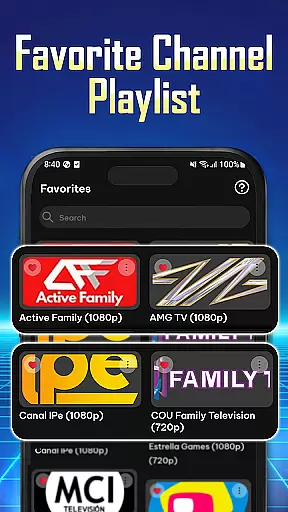
Personalization is at the heart of IPTV Player's design. Users can review their viewing history, save favorite channels, and organize content for easy navigation. These features collectively create a personalized and efficient viewing experience, setting IPTV Player apart as a top choice for streaming aficionados.
Video format compatibility is a crucial feature for any video player application. It ensures that users can enjoy content in various formats without facing playback issues.
The IPTV Player - Smarters Watch TV app excels in this area by supporting both M3U and M3U8 playlist formats. This flexibility allows users to import their preferred playlists easily, regardless of the original file type.
By accommodating these widely-used formats, the app provides a seamless experience for streaming live TV channels, sports events, and movie series. Users can be confident that their selected content will play without technical difficulties.
This comprehensive format support significantly enhances user satisfaction, as it eliminates the need for format conversion or additional software installation.
While primarily a media player, modern IPTV applications often incorporate AI-powered features to enhance user experience. These intelligent functions help streamline content management and improve accessibility.
In the case of IPTV Player, the app implements smart organizational tools that allow users to efficiently manage their channel lists and favorite programs. The system automatically categorizes content based on viewing patterns and preferences.
Although not traditional editing features, these AI-driven capabilities enable users to maintain personalized viewing histories and quickly access frequently watched channels. The app's intelligent algorithms also assist in optimizing streaming quality based on network conditions.
These smart features contribute to a more intuitive and customized entertainment experience, setting the application apart from basic video players.
User-friendly interface
High-definition streaming
Multi-device support
Easy playlist management
Wide device compatibility
No pre-installed channels
Requires stable internet
Dependent on external playlists
Limited offline functionality
Premium features may require subscription

Kodi media center, a free and open source cross-platform entertainment hub
 3.60
3.60
Powerful, professional, versatile teleprompter. Developed by an active film crew
4.00
A Quick and Pro Video Editor
4.70
Watch full episodes of your favorite Cartoon Network and Cartoonito shows!
3.50
Snaptubè Video Downloader app allows to download videos and music in Snaptube. .
4.60
AI Video Editor:AI Music, Text to Video,Text to Speech,Auto Caption,Video Effect
4.00
Find, download, and play torrents with the official BitTorrent® Pro app
4.70
The essential companion to your Blue Iris PC software
2.50
Enjoy your favorite videos and channels with the official YouTube app.
3.90
Play ALL formats in 4K & HD. Video downloader, MP3 player, Chromecast & more.
4.80
A Simple app to download Video & Music from the Internet.
4.70
Create photo video with music & template. AI video maker for stunning slideshow.
4.60
Support 1000+ Video Format, Subtitle Download, mp3 & Background Play, Cast On TV
4.60
Photo and Music Video Creator into Stunning Videos—Effortlessly
4.40
Fast & Private Video Downloader App. Save all videos easily from the Internet.
4.40
Browser for Samsung TV to stream webvideos, online movies and livestreams in HD
4.10
VLC for Android is the best open source video and music player, fast and easy!
4.10
Cast to Smart TV, Fire TV. Cast video, photo - Fast & Stable!
3.90
All in one multi protocols stream receiver for AirPlay, Cast and DLNA.
3.60
VLC vs MX Player compared side-by-side: formats, subtitles, ads, privacy, and performance. Find out which free Android video player is right for you.



User Reviews