
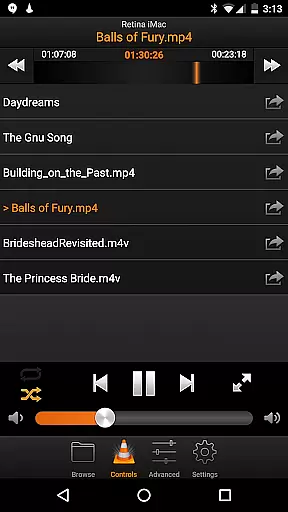
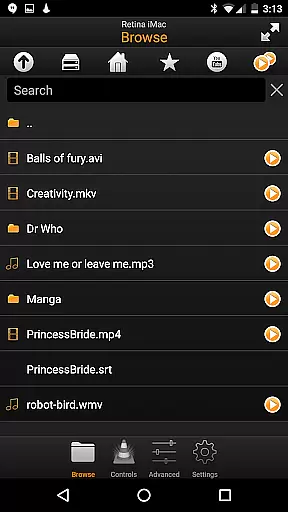
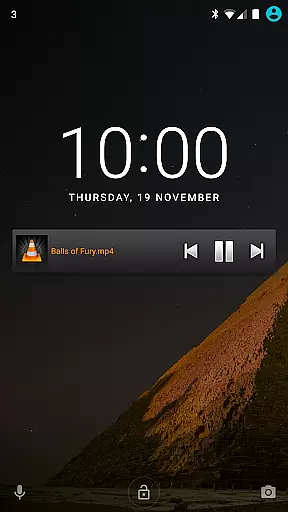
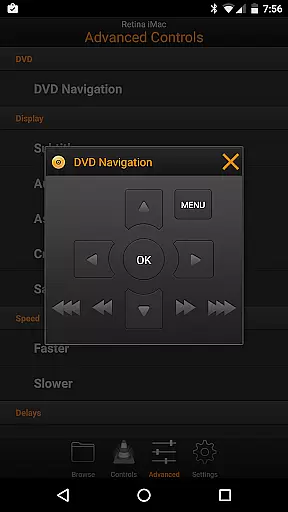
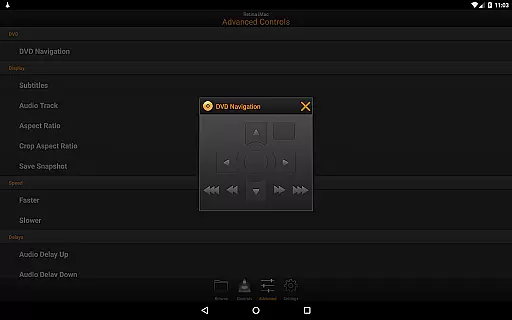
VLC Remote is a powerful Android application designed to control VLC media player on your computer effortlessly. With its intuitive interface, this app allows you to manage playback, volume, and other essential functions from the comfort of your couch.
One standout feature is the free setup helper that automatically configures VLC, making it easy to connect your Android device with just a few button clicks. Whether you want to play files from your computer, adjust subtitles, or control DVD playback, VLC Remote provides comprehensive control over your media experience.
This app is perfect for home entertainment setups where you can relax on the sofa while maintaining full command over your media library. The ability to browse and play any file from your computer adds significant convenience to your multimedia consumption.
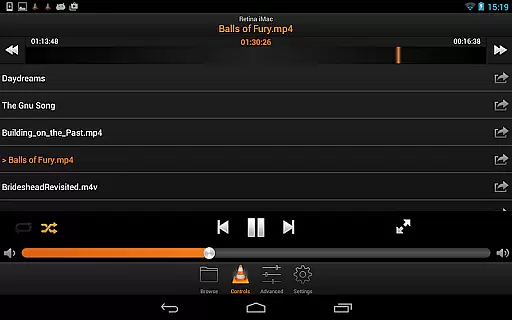
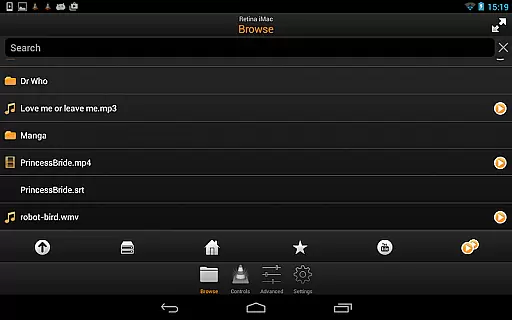
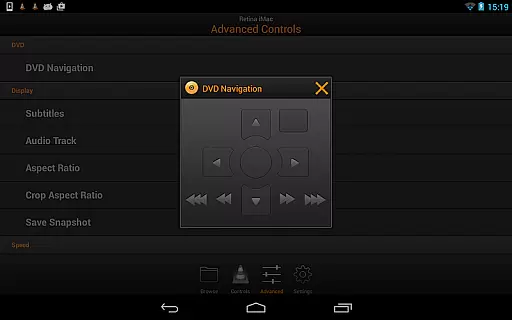
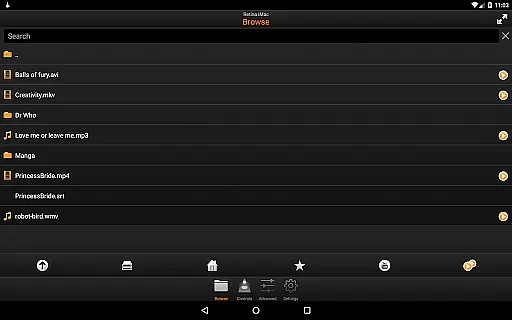
VLC Remote boasts an array of features that enhance user interaction with the VLC media player. It offers full browsing capabilities, allowing users to play any file directly from their computer's storage. Additionally, it supports complete DVD controls, enabling seamless navigation through chapters and menus.
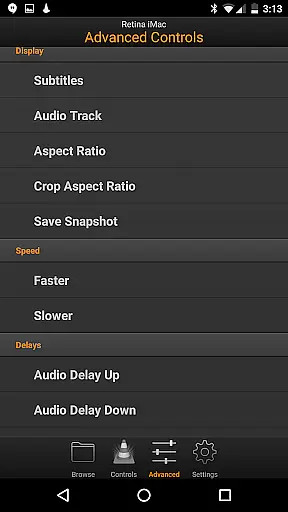
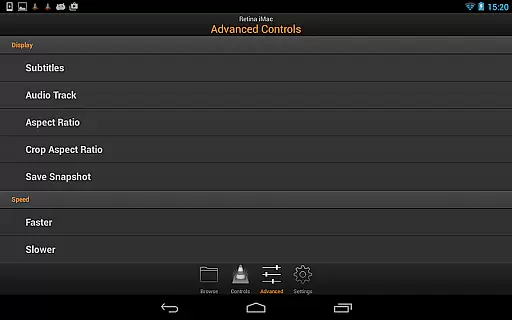
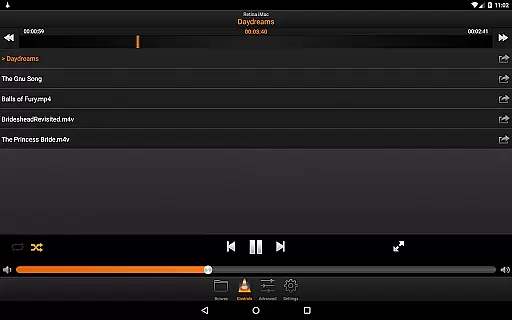
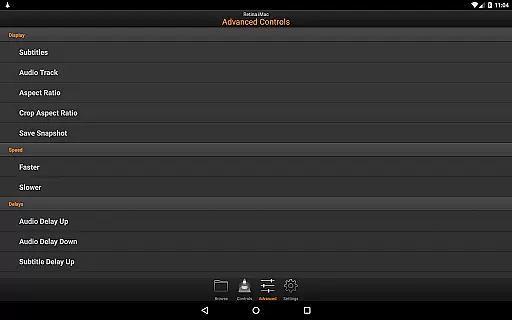
The app also includes detailed media management options such as adjusting volume, position, track selection, and subtitle settings. Users can toggle fullscreen mode and modify aspect ratios according to their preferences. Furthermore, VLC Remote grants access to external drives, expanding the range of playable content beyond local storage.
With these robust functionalities, VLC Remote stands out by providing unparalleled ease and flexibility in controlling VLC remotely. Its automatic configuration process ensures even novice users can set up and start using the app without hassle.
Video format compatibility is a crucial feature for any video player or editor application. VLC Remote excels in this area by offering extensive support for a wide range of video formats without the need for additional codecs or conversions.
The application allows users to play virtually any file from their computer, ensuring that no matter the source or type of video file, it can be streamed and controlled remotely. This includes support for popular formats like MP4, AVI, MKV, as well as less common ones.
By providing full browsing control, users can easily navigate through their media libraries and select any video file with confidence that it will play seamlessly on their VLC media player. This eliminates the frustration of encountering unsupported file types and enhances the overall user experience.
Moreover, the ability to access external drives further expands the range of compatible video sources, making VLC Remote a versatile tool for managing and enjoying multimedia content from various storage devices.
While VLC Remote is primarily designed for remote control functionality rather than video editing, it incorporates some intelligent features that enhance the user's ability to manage and interact with their media. These AI-powered capabilities ensure an intuitive and efficient user experience.
One notable feature is the automatic setup helper that configures VLC and connects the Android device with minimal user input. This streamlined process utilizes smart algorithms to detect and establish a connection between the devices, saving users time and technical hassle.
Additionally, the application offers precise control over various playback parameters such as volume, position, track selection, and subtitle management. Although these aren't traditional editing features, they provide users with sophisticated tools to customize their viewing experience in real-time.
The inclusion of DVD controls, aspect ratio adjustments, and audio track management demonstrates how VLC Remote incorporates intelligent features that simplify complex tasks, making it an essential companion for anyone who regularly uses VLC media player.
User-friendly interface
Automatic VLC configuration
Comprehensive media control
Supports external drives
Free setup helper included
Limited to VLC player
Requires network connection
No iOS version available
Occasional connectivity issues
Dependent on VLC installation

Video player, file manager for all formats, 4K/HD media player supports subtitle
 4.30
4.30
Kodi media center, a free and open source cross-platform entertainment hub
3.60
Connect 2 UVC devices for recording and broadcast video/audio stream
3.90
Video Downloader is an utility that can save videos and music from web sites
4.20
Create photo video with music & template. AI video maker for stunning slideshow.
4.60
AirMirror is Receiver for Screen Mirroring and Casting from Apple Devices.
3.60
Play and download HD videos from all sources — fast, simple, and all-in-one.
4.4
Mix with Virtual DJ directly from your phone or tablet !
3.10
Browser + Remote for Roku to stream webvideos, online movies and livestreams
4.60
An easy-to-use and all-round screen recorder with audio
4.80
A Quick and Pro Video Editor
4.70
All in one HD video downloader & player for multiple formats with full privacy
4.70
Watch a large amount of high-definition short drama content
4.60
Seamlessly connect and control your smart devices, anytime, anywhere with ease.
4.60
Fast & easy HD video downloader for all formats, support 4K playback & download.
4.60
KineMaster, Your Ultimate Video Editor!
4.40
AirMirror Receiver - Screen mirroring/cast web videos to Android TV by AirPlay.
4.40
Connect EasyCap or UVC devices for recording and broadcast video/audio stream
3.60
Download videos easily & play them all in one smart, powerful video manager.
3.40
VLC vs MX Player compared side-by-side: formats, subtitles, ads, privacy, and performance. Find out which free Android video player is right for you.


User Reviews