
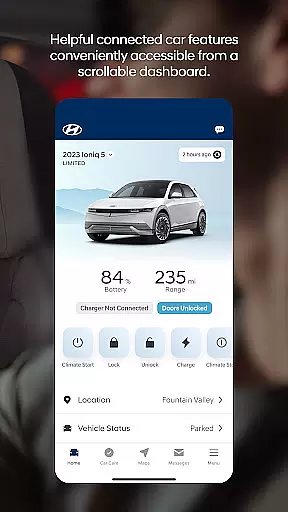
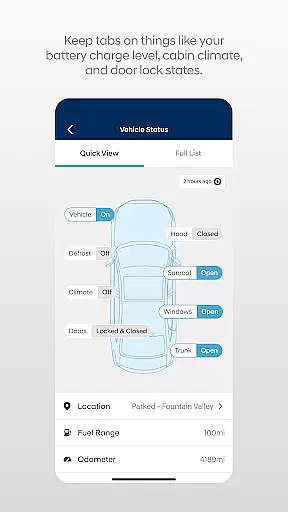

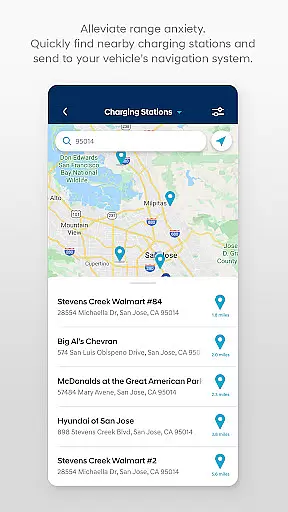
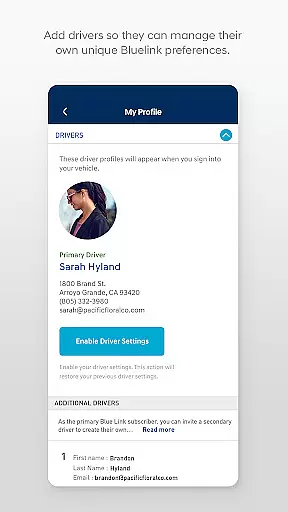
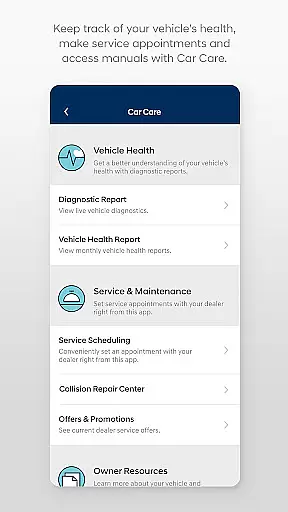
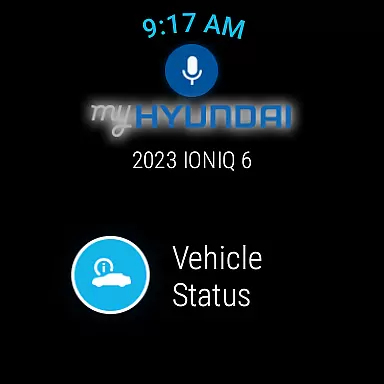
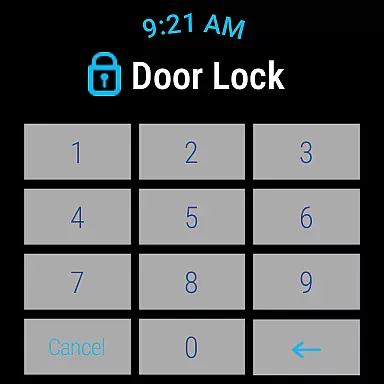
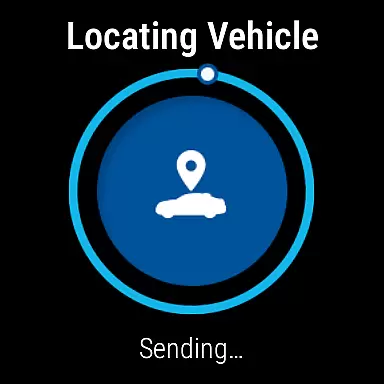
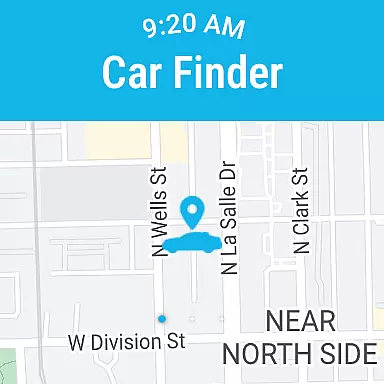
The MyHyundai app with Bluelink is a comprehensive vehicle management solution designed specifically for Hyundai car owners. This innovative application allows users to remotely interact with their Bluelink-enabled vehicles directly from their mobile devices. The core functionality includes remote start, door lock/unlock, horn and light activation, and vehicle location services.
What sets this app apart is its seamless integration with both smartphones and Wear OS smartwatches, providing unprecedented convenience. Users can access these features through biometric authentication and utilize various vehicle management tools. The app particularly shines in its ability to manage electric and hybrid vehicles, offering detailed charging status and scheduling capabilities. This makes it an essential tool for modern Hyundai vehicle owners who want to maintain constant connection and control over their vehicles.
The MyHyundai app boasts an impressive array of features that cater to various aspects of vehicle management. Its remote vehicle control capabilities allow users to start their engine, lock/unlock doors, and activate horn and lights from anywhere. For electric and plug-in hybrid vehicles, the app provides advanced charging management features including status monitoring and schedule customization.
A notable innovation is the four phone widgets that provide quick access to remote features, parking meter information, POI search, and Ioniq EV-specific functions. The app's integration with Wear OS smartwatches extends these capabilities to wearable devices, enabling voice command functionality. Additionally, users can access maintenance information, schedule service appointments, and explore user tutorials for key vehicle features. The inclusion of biometric authentication adds an extra layer of security while maintaining user convenience.
Companion app integration refers to the seamless connection between a primary application and its wearable counterpart. For MyHyundai with Bluelink, this means users can access essential vehicle features directly from their Wear OS smartwatch. This integration allows for convenient control over key functionalities without needing to take out your phone.
The MyHyundai app extends its core features to smartwatches, enabling users to remotely start their vehicle, lock or unlock doors, and even activate the horn and lights right from their wrist. These capabilities ensure that you have critical controls at your fingertips, no matter where you are. Such functionality is particularly useful in situations where your phone might not be readily accessible.
By leveraging voice commands or intuitive menu options on the smartwatch, users can interact with their vehicle effortlessly. This hands-free approach enhances user experience by providing quick access to frequently used features. Whether you're managing your vehicle's security or locating it in a crowded parking lot, companion app integration ensures these tasks are just a tap away.
This level of integration demonstrates Hyundai's commitment to creating a connected ecosystem that prioritizes user convenience and accessibility. With an active Bluelink subscription, customers can enjoy the full benefits of this advanced technology, making daily interactions with their vehicle more efficient and enjoyable.
Wear OS/device compatibility ensures that applications like MyHyundai with Bluelink function seamlessly across various devices within the Wear OS ecosystem. This compatibility is crucial for delivering a consistent user experience regardless of the specific smartwatch model being used. By supporting a wide range of Wear OS devices, Hyundai makes its innovative automotive solutions accessible to more users.
For optimal performance, the MyHyundai app requires certain hardware specifications and software versions commonly found in modern Wear OS smartwatches. Users should verify that their device meets these requirements before attempting to use the wearable features. Ensuring compatibility helps prevent potential issues related to functionality and performance, allowing users to fully leverage the appu2019s capabilities.
Key functionalities such as remote start, door lock/unlock, and horn activation are designed to work smoothly on compatible devices. These features rely on robust communication protocols between the smartphone app and the wearable device, ensuring reliable operation under different conditions. Compatibility also extends to biometric authentication methods, enhancing security while maintaining ease of use.
Hyundai continues to update and expand its support for new Wear OS devices, reflecting ongoing efforts to enhance user satisfaction. Customers benefit from regular updates that improve system stability and introduce additional features tailored for wearable technology. With comprehensive device compatibility, MyHyundai with Bluelink delivers a versatile and future-proof solution for managing your vehicle through smartwatches.
User-friendly interface
Comprehensive vehicle control
Advanced EV management
Wear OS integration
Biometric security
Subscription required
Limited vehicle support
Feature variability
Complex setup
Premium cost

Gym Log & Workout Tracker | Fitness Journal, Training & Weight Lifting Planner
 4.90
4.90
Walking app for weight loss: walk & step tracker, pedometer, indoor treadmill
4.60
Deck out your Wear OS Watch face with a beautifully decorated pine wreath!
4.50
Digital, flexibly customizable watch face. For Wear OS 5.0, API 34+ and later.
5.00
Fitness interactive virtual pet super fighter boy watch face
4.2
To-Do List: daily schedule planner, task organizer, to do reminder app, calendar
4.60
Reliable phone calls with spam protection, caller ID and more helpful features
4.40
Start and succeed with PAP
4.10
Control your Samsung Smart TVs, appliances, and SmartThings-compatible devices
4.60
A modern hybrid informative watch face for Wear OS designed by BALLOZI
4.80
A modern premium sporty hybrid watch face for Wear OS by Ballozi
4.70
Digital watch face with big numbers and many customization for Wear OS devices
4.40
Bold weather Digital watchface with forecast & optional animated background
4.40
The #1 source of faces for your smartwatch!
4.00
A digital watch face that celebrates Christmas.
4.00
Authentic military-tactical design with ZULU time! Realistic and functional!
3.80
Wear Os Watch Face - Animated Snow - Sesonal for Christmas & Winter
4.3
A Wintery Snow Globe on Your Wrist; now celebrating Christmas!
4.5
Sleek, highly customizable watch face inspired by Galaxy Watch Circle Dashboard.
4.2


User Reviews