
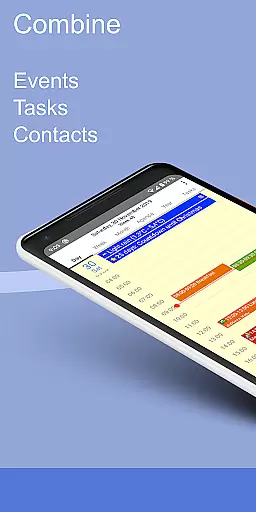
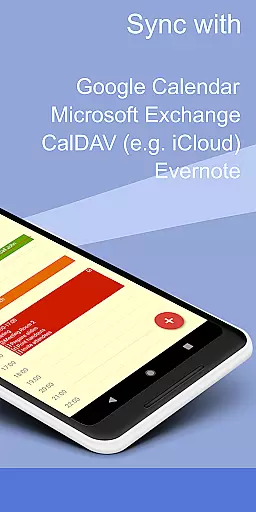
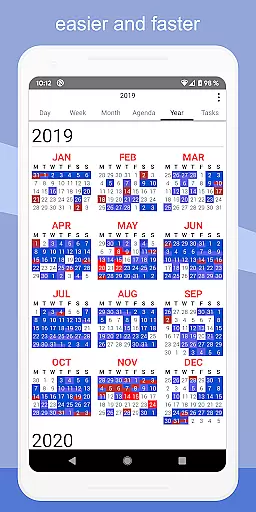
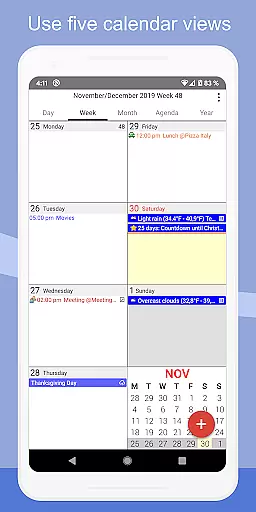
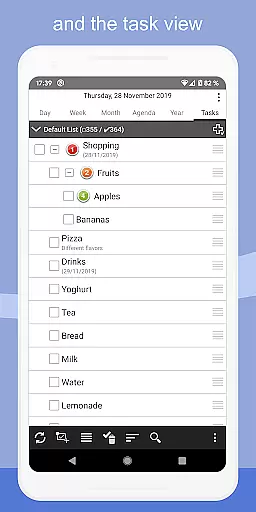
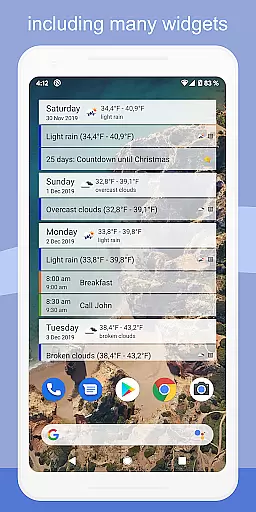
CalenGoo is a comprehensive productivity app designed to help users efficiently manage their events and tasks. The app offers extensive synchronization options, allowing seamless integration with Google Calendar, Exchange, CalDAV, and iCloud either directly or via the Android calendar. With features like attaching photos, files, and Evernote notes to events, it ensures all necessary information is readily accessible.
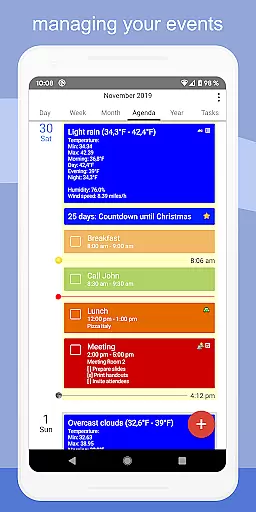
The app stands out with its customizable views including day, week, month, agenda, and year formats, alongside four distinct agenda view styles. Additional functionalities such as weather forecasts, event icons, drag-and-drop capabilities, widgets for home screen access, and various reminder methods enhance user experience. CalenGoo also supports sharing calendars, searching events, managing contact birthdays, and using templates for recurring events, making it an indispensable tool for personal and professional organization.
CalenGoo boasts a plethora of features tailored to maximize productivity. One of its core strengths is the robust synchronization capability with multiple calendar services like Google Calendar, Exchange, CalDAV, and iCloud, ensuring users have access to their schedules regardless of the platform. This synchronization extends to tasks as well, providing a unified view of both events and to-dos.
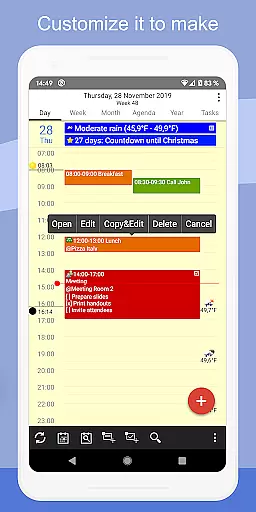
Customization is at the heart of CalenGoo's design. Users can personalize their experience with five different calendar views, four agenda styles, and options to add icons and change colors based on keywords. Practical features such as attaching files and photos to events, integrating Evernote notes, and using drag-and-drop for event management streamline workflows. Moreover, functionalities like spoken reminders, widgets, and support for Exchange categories cater to diverse user needs, enhancing both usability and efficiency.
CalenGoo offers a robust system for managing tasks and events, ensuring users stay organized and efficient. The app allows synchronization with multiple services such as Google Calendar, Exchange, CalDAV, and iCloud, providing a unified platform to oversee all your commitments.
With features like attaching photos, files, and Evernote notes to events, the app enhances task management by integrating essential resources directly into your schedule. This ensures that all necessary information is readily accessible, streamlining both personal and professional projects.
The application supports various calendar views including day, week, month, agenda, and year, catering to different preferences and needs. Users can also employ drag-and-drop functionality to effortlessly rearrange events, offering an intuitive approach to organizing daily activities.
Additionally, CalenGoo provides widgets for home screen customization, enabling quick access to your schedule. These widgets display different calendar views and task lists, keeping users informed at a glance and enhancing productivity through easy monitoring of upcoming events and deadlines.
One of CalenGoo's standout features is its reliable cross-device synchronization, which ensures that your data remains consistent across all platforms. By syncing directly with services like Google Calendar and iCloud, the app guarantees real-time updates, so any changes made on one device are immediately reflected on others.
This synchronization extends beyond just events; it includes tasks, attached files, and even weather forecasts. Such comprehensive integration means users have access to up-to-date and relevant information regardless of the device they are using, promoting seamless transitions between work and personal environments.
Furthermore, the ability to share calendars with others via Google Calendar fosters collaboration and coordination among teams or family members. Everyone involved can view and update shared schedules in real time, facilitating better communication and planning.
CalenGoou2019s support for multiple synchronization methods, including Exchange categories when connected directly through EWS, underscores its commitment to delivering dependable and versatile cross-device functionality. This reliability empowers users to manage their lives efficiently without worrying about data discrepancies.
Extensive sync options
Highly customizable
User-friendly interface
Versatile task management
Comprehensive feature set
Complex for beginners
Premium version costly
Occasional sync issues
Interface outdated
Steep learning curve

A customizable calendar for your Wear OS watch
 4.20
4.20
Unlock AutoNotification
4.00
Remotely view listen control and record cameras.
3.70
Make apps & sites with natural language prompts
4.10
Simple and reliable communication between inmates, friends and family
3.20
Access, manage and transfer files on Android, PC, Mac, NAS and cloud storages.
4.30
Best Tool for the professionals Electrician, Electrical contractors, etc.
4.90
Quickly and easily keep track of your work shifts
4.70
Browse and view your photos and videos from the phone with photo & video hide.
4.10
Seamlessly integrate data and reports to build your presentation to impress
4.80
A beautiful digital clock with autostart and many other functions
4.70
Scan paperwork into PDF/JPG, generate your own e-signature and send fax or email
4.70
Secure your apps with lock screens, use custom themes and different features.
4.40
Enjoy classic gameplay with customizable features and retro-style graphics.
4.30
Professional calendar app for Google Calendar, MS Outlook & Exchange
4.20
Easily read and manage all your PDF files
4.10
Cloud storage, automatic phone backup, and more.
4.10
Make your handwriting beautiful, even more than pen on paper.
3.60
IP Camera Viewer - Android TV : RTSP Surveillance camera viewer for Android TV
4.1


User Reviews