
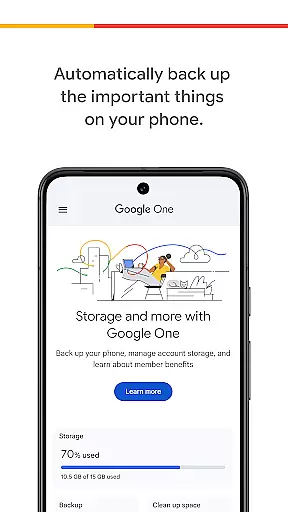
Google One is a productivity app designed to help users manage their digital life seamlessly. The app provides automatic backup solutions for essential phone data, including photos, contacts, and messages, utilizing the 15 GB of free storage that comes with every Google account. This ensures that users can restore all their valuable data to a new Android device in case of loss, damage, or upgrade.
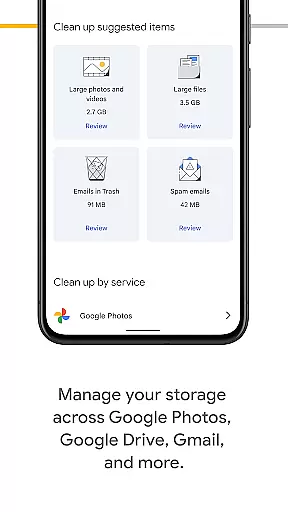
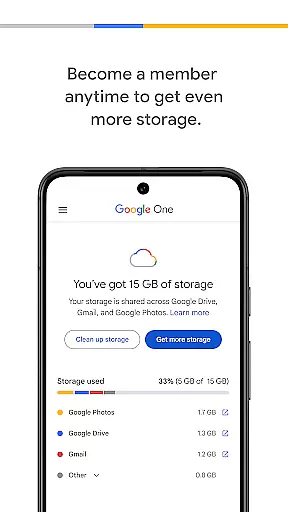
In addition to basic backup functionalities, Google One offers advanced features for managing existing Google account storage across Google Drive, Gmail, and Google Photos. Users can easily monitor and control their storage usage. For those needing more space, Google One memberships provide expanded storage options tailored to individual needs, ensuring that important memories and files are always securely stored.
Google One stands out with its comprehensive set of features designed to enhance productivity and data management. The app's automatic backup feature is a core component, allowing users to effortlessly back up crucial data such as photos, contacts, and messages. This feature leverages Google's robust cloud infrastructure to ensure data safety and accessibility.
Beyond basic backups, Google One enables users to manage their storage across Google Drive, Gmail, and Google Photos efficiently. The app provides intuitive tools for monitoring storage usage and making necessary adjustments. By upgrading to a Google One membership, users gain access to increased storage plans, offering flexibility and peace of mind for storing large volumes of data securely. These features collectively empower users to maintain an organized and secure digital environment.
Task management is a cornerstone of productivity applications, and Google One excels in this area by offering users the ability to manage their digital assets effectively. The app provides automatic backup solutions for critical data such as photos, contacts, and messages, ensuring that users never lose important information.
Google One's functionality extends beyond simple backups. It allows users to oversee their entire Google ecosystem storage, including Google Drive, Gmail, and Google Photos. This comprehensive management tool ensures that users can monitor and control their storage limits across all Google services from a single interface.
The benefits of using Google One for task management are numerous. Users can easily restore their data to a new device if they upgrade or replace their old one. This feature alone saves countless hours that would otherwise be spent manually transferring files and settings.
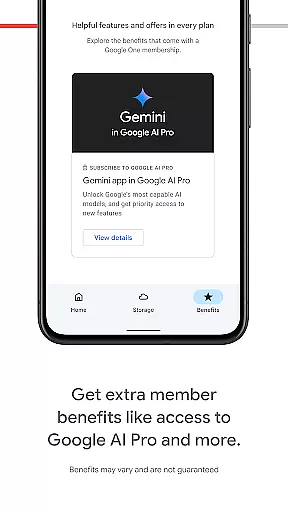
By upgrading to a Google One membership, users gain access to increased storage plans tailored to individual needs. This scalability makes it an ideal solution for both personal and professional use, allowing users to store everything from cherished memories to vital project files with confidence.
Cross-device synchronization is essential for maintaining workflow continuity in today's multi-device world. Google One addresses this need by providing reliable synchronization across various devices and platforms. Whether you're switching from an old Android phone to a new one or accessing your files from a computer, Google One ensures seamless transitions.
The application's synchronization capabilities are not limited to just file transfers. It maintains consistency across Google services like Gmail and Google Photos, ensuring that changes made on one device reflect immediately on others. This real-time update feature enhances collaboration and personal organization efforts.
Reliability is at the core of Google One's synchronization service. With enterprise-grade infrastructure backing its operations, users can trust that their data will be available when and where they need it. This level of dependability is crucial for professionals who rely on constant access to their digital resources.
Moreover, Google One offers flexible storage options that adapt to varying user needs. From basic 15 GB accounts to premium memberships with terabytes of space, the platform scales to accommodate growing data requirements while maintaining synchronization performance across all connected devices.
Automatic backup
Cloud storage management
Flexible storage plans
User-friendly interface
Secure data protection
Limited free storage
Paid membership required
Android-centric
Occasional sync issues
Feature overlap with other Google services

When you Focus, so will your Bean in this cozy focus timer
 4.30
4.30
Professional calendar app for Google Calendar, MS Outlook & Exchange
4.20
Android Wallet Password Manager
4.80
Absolutely the best CNC machinist speed and feed calculator around. fswizard.com
4.60
⏰ Finally a timer app which can run multiple timers simultaneously on your watch
3.90
Multilingual translator for text, voice, and image translation!
4.90
Functional QR scanner and barcode reader that requires little storage space.
4.60
Access your phone's notifications, calls, apps, photos & texts on your PC
3.90
Simple notepad & memo. Take notes, to-do list, shopping list with reminders.
4.80
8 custom complications. Custom Time Fonts. Beautiful color schemes. A++ Design.
5.00
Direct Chat without saving contacts & Dual WA Account on Single Device
4.70
All document reader, all in one file viewer read PDF, DOCX, XLS, PPT, TXT files.
4.60
A lightweight JSON & XML files creator, editor and viewer (Premium Version)
4.40
This small app MUST BE INSTALLED after purchase, else license won't work
4.40
Share files & memories safely. Keep your photos and videos secure.
4.40
Font maker keyboard with your own handwriting
4.10
Experience real multitasking on your Android!
4.00
* block pre-roll ads, pop-up and forced redirect ads * Samsung certification app
4.00
Simple and reliable communication between inmates, friends and family
3.20


User Reviews