
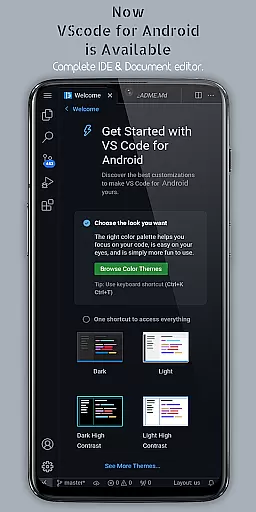
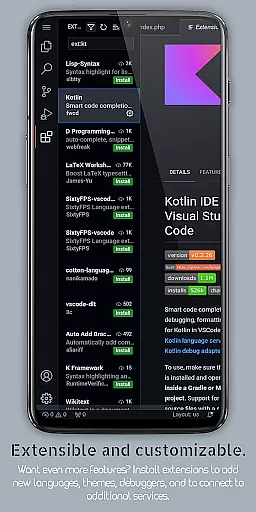
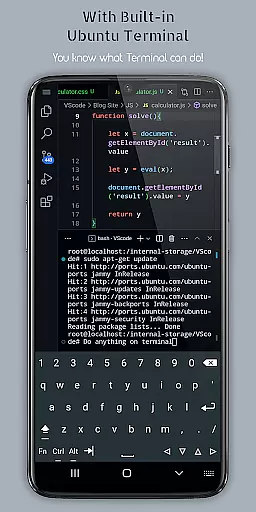
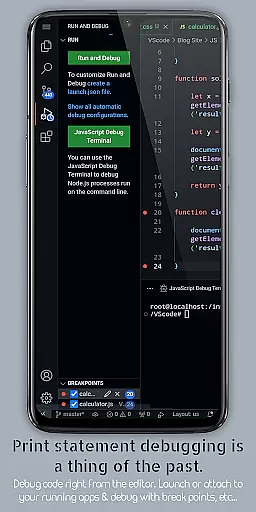
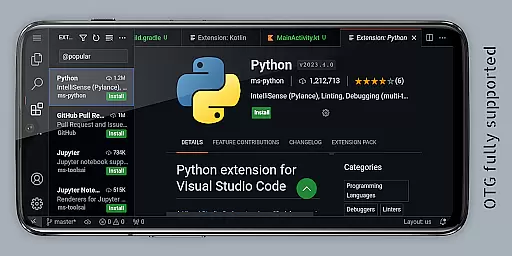
VScode for Android is a powerful code editor that brings the full functionality of desktop Visual Studio Code to mobile devices. With support for multiple programming languages, customizable themes, extensions, and debugging tools, it enables developers to write, edit, and debug code on-the-go.
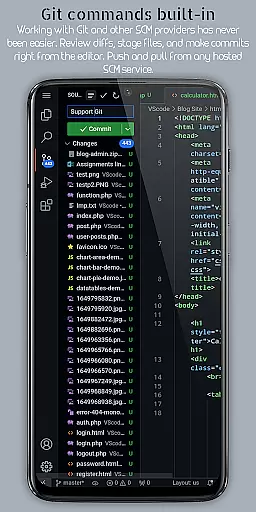
The app offers an immersive coding experience with fullscreen mode, built-in Git support, multi-cursor editing, and remote access capabilities. These features make it suitable for both professional developers and coding enthusiasts who need a flexible mobile coding environment.
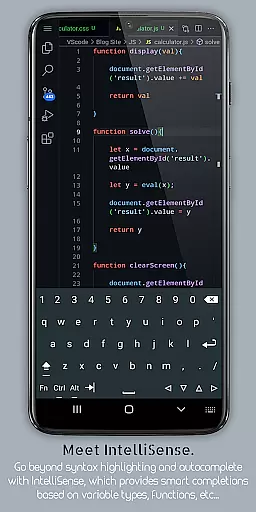
VScode for Android stands out with its comprehensive feature set tailored for developers. The app includes IntelliSense for smart code completion, syntax highlighting for various programming languages, and built-in debugging tools to streamline error detection and resolution.
Additional notable features include embedded Git support for version control, customizable keyboard shortcuts, split view editing for multitasking, and a built-in terminal for command-line access. These functionalities ensure a productive coding experience directly from an Android device.
Task management is a cornerstone of productivity applications, and VScode for Android excels in this area by providing users with an extensive suite of features designed to streamline coding workflows. The app supports multi-cursor editing, split view editing, and an integrated terminal, allowing developers to perform multiple operations simultaneously without switching contexts.
VScode for Android also includes an integrated task runner that automates repetitive tasks, freeing developers to focus on more complex coding challenges. With customizable keyboard shortcuts and language-specific settings, users can tailor their environment to fit their unique workflow needs, ensuring maximum efficiency and comfort while coding.
The app's support for Git and other version control systems further enhances its task management capabilities. Developers can execute common version control operations directly from the editor, making collaboration seamless and efficient. This comprehensive approach to task management ensures that users can maintain high productivity levels, even when working on complex projects with multiple collaborators.
Cross-device synchronization is vital for developers who work across multiple devices, and VScode for Android offers reliable and real-time synchronization capabilities. By accessing VScode running on a mobile device from anywhere using a web browser and the phone's IP address with port 8080, developers can seamlessly continue their work without missing a beat.
This feature ensures that all changes made on one device are immediately reflected on others, maintaining consistency across different development environments. Whether you're switching from your desktop to your mobile device or collaborating with team members around the globe, VScode for Android provides a dependable solution for keeping everyone on the same page.
In addition to its synchronization capabilities, VScode for Android supports a wide range of programming languages and file types, ensuring that developers can work on any project with ease. This versatility, combined with the app's robust synchronization features, makes it an invaluable tool for modern developers seeking to maximize their productivity regardless of their physical location.
Powerful code editor
Wide language support
Customizable interface
Built-in Git support
Remote access capability
Requires technical expertise
Complex setup process
Limited mobile optimization
High system requirements
No official Microsoft support

8 custom complications. Custom Time Fonts. Beautiful color schemes. A++ Design.
 5.00
5.00
Mind Map and brainstorm, note taking and idea collection
4.80
Device's storage information in a simple and clear graphical form (infographics)
4.10
We're working to become the best machining app on the market! www.cncdirt.com
4.80
IP Camera Viewer - Android TV : RTSP Surveillance camera viewer for Android TV
4.4
Activate Two Factor Authentication (2FA or Multi OTP), Password manager and more
4.10
Tally and goal counter for Wear OS & mobile
4.50
Understand anything with a personalized AI research assistant
4.80
Browse and view your photos and videos from the phone with photo & video hide.
4.10
Protect and view your important info on your phone and tablet with eWallet®
4.80
The long-awaited modern gallery app for your Nextcloud server
4.70
The Pro Version of Android's tiniest Notepad app. Just 0.3MB but feature-packed!
4.60
PDF scanner & converter for files, photos, lottery, QR codes. One swipe away!
4.50
A lightweight JSON & XML files creator, editor and viewer (Premium Version)
4.40 4.20
4.20
Professional calendar app for Google Calendar, MS Outlook & Exchange
4.20
Make your handwriting beautiful, even more than pen on paper.
3.60
Simple and reliable communication between inmates, friends and family
3.20
Easiest event planning, volunteer signups & parent teacher conference scheduling
2.20


User Reviews