
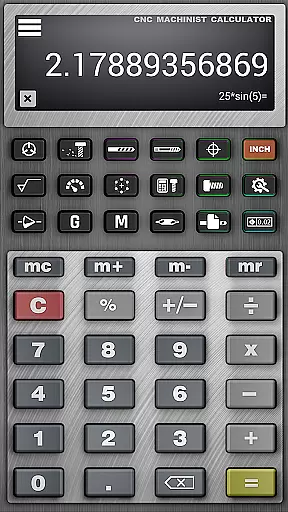
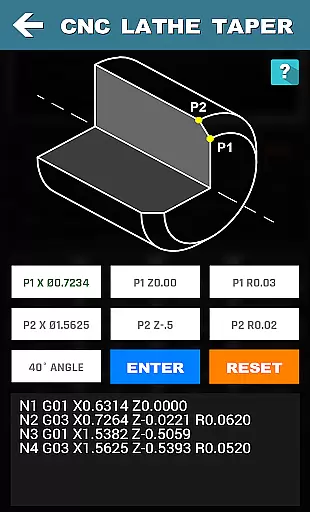




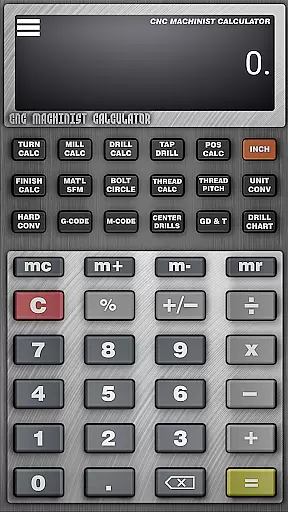





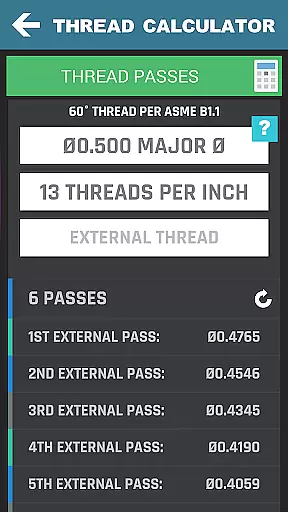
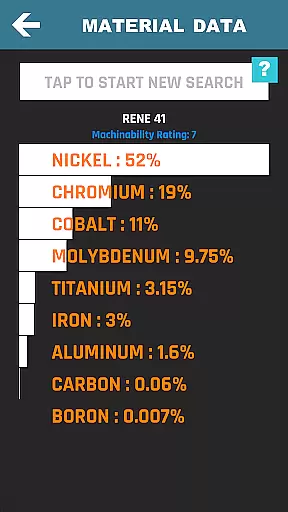
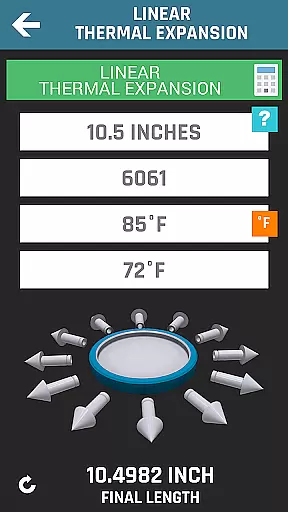
CNC Machinist Calculator Pro is a comprehensive productivity tool designed specifically for professionals in the manufacturing industry. This includes manufacturing engineers, machinists, CNC operators, and tool & die makers, as well as hobbyists who require quick calculations on the go. The app provides an extensive range of calculators and tools that cater to turning, milling, drilling, and other machining operations.
With over 35 specialized features, users can perform tasks such as cutting speed calculations, cycle time estimations, thread milling, and geometric tolerance descriptors. It also offers material property searches, hardness conversions, and even a scientific calculator. Whether you're calculating the true position of a part or determining the correct drill size for tapping, this app ensures accuracy and efficiency in your workflow.
The application's value lies in its ability to streamline complex calculations that are essential in CNC programming and machining. By having access to these tools on a mobile device, users can save time, reduce errors, and improve their machining operations significantly. Its intuitive interface and reliable data make it an indispensable companion for both experienced professionals and those new to the field.
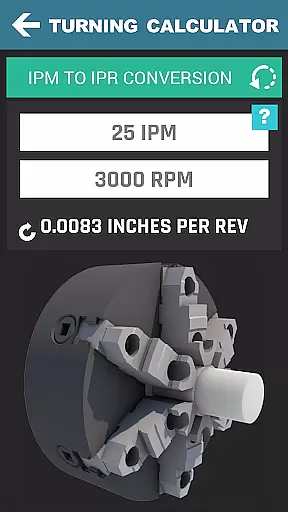
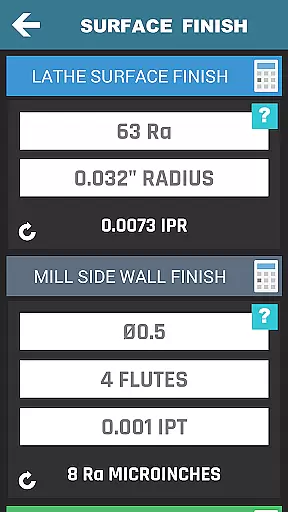
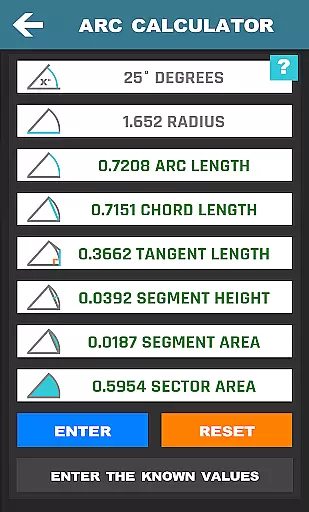
This productivity app stands out due to its vast array of machining calculators and tools tailored for lathe, mill, and drill operators. For turning operations, it offers cutting speed calculations by material, rough turn cycle time estimation, and feed rate conversions. Milling experts will benefit from radial chip thinning calculations, metal removal rate computations, and circle milling for both inner and outer dimensions.
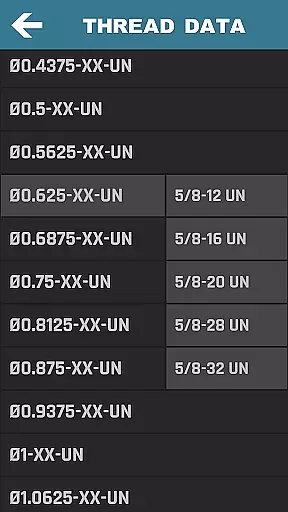
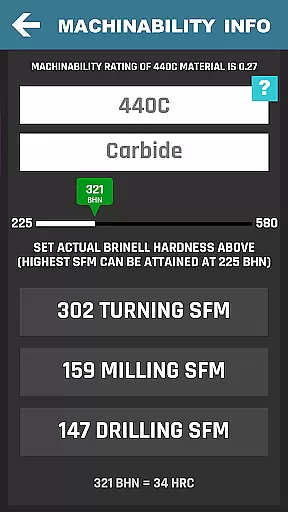
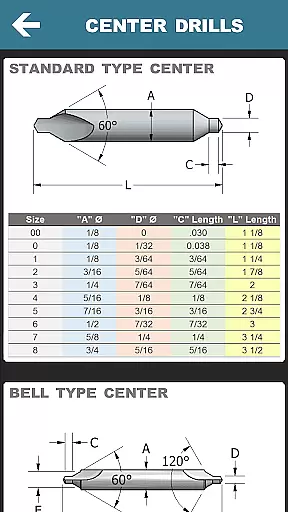
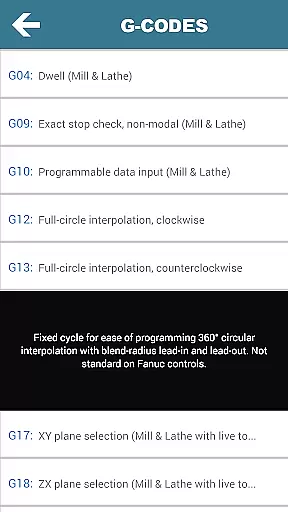
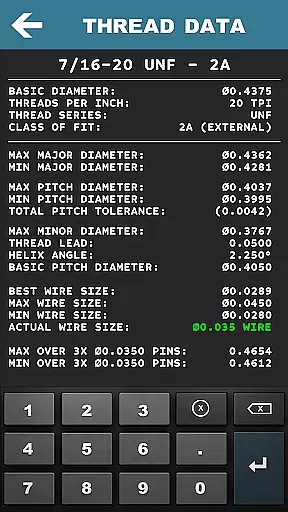
Drilling and gun drilling calculators provide precise cutting speeds and cycle times based on materials used. Additionally, the app contains thread data for various types, blueprints for geometric tolerances, SFM calculators for multiple materials, and much more. Each feature is crafted to enhance precision and productivity, ensuring that users have all necessary information at their fingertips.
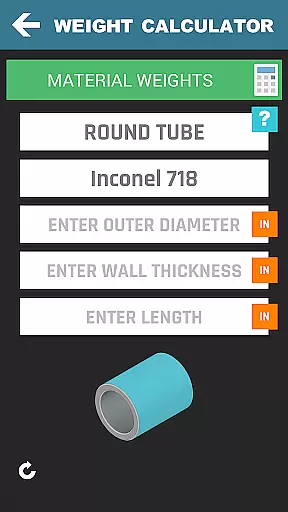
One notable advantage is the inclusion of a machinist forum, a hardness conversion tool, and a material weight calculator supporting over 170 materials. These innovations allow users to interact with peers, convert values quickly, and accurately estimate weights for different shapes. Such capabilities ensure that CNC Machinist Calculator Pro remains a top choice for anyone involved in machining operations.
In the realm of CNC machining, task management is pivotal for efficiency and precision. CNC Machinist Calculator Pro excels in organizing and streamlining complex calculations that machinists face daily. This app consolidates over 35 different calculation tools, each dedicated to specific machining operations like turning, milling, and drilling.
Each tool within the app is designed to ensure that users can swiftly transition from one calculation to another without losing track of their workflow. For instance, machinists can calculate cutting speeds, convert RPMs, and determine feed rates with minimal input, thus maintaining a fluid work process. The logical grouping of features allows users to tackle tasks methodically, enhancing productivity on the shop floor.
The true value of this app lies in its ability to save time and reduce errors in machining operations. By providing quick access to essential calculations, it empowers machinists to focus more on the machining process itself rather than getting bogged down by manual computations. This leads to increased throughput and accuracy in machining projects.
Cross-device synchronization is crucial for professionals who operate across multiple environments or devices. CNC Machinist Calculator Pro ensures reliable data access and functionality whether you're on your smartphone or tablet. This seamless experience means that all your critical machining calculations are available at your fingertips, regardless of the device in use.
The app's design emphasizes consistent performance and accessibility. Users can start a calculation on their tablet at the workstation and continue refining it on their phone while walking through the shop floor. There's no compromise on speed or functionality, ensuring that professionals maintain their workflow without interruption.
This synchronization feature provides peace of mind, knowing that every device will reflect the most current data and settings. It eliminates redundancy and potential discrepancies between devices, which is vital when precision and timeliness are paramount in machining operations. With CNC Machinist Calculator Pro, users enjoy a dependable cross-device experience that supports their dynamic work environment.
Comprehensive toolset
User-friendly interface
Reliable machining data
Extensive material coverage
Active community support
Premium price point
Steep learning curve
Occasional bugs reported
Limited offline functionality
Heavy on storage

Auto-shutoff Alarm with Sunrise, Sunset & Fixed Options.
 3.50
3.50
Ads Free App! Editor, Hide File, Copy, Move, Delete and Rename.. all facility av
1.70
Secure, fast, open-source, Remote Desktop Client for Windows and Linux with SSH
4.60
Translate text/voice/photos in 150+ languages. Offline & fast translator app.
4.50
Docker, Kubernetes management over Portainer Mobile
4.40
A comprehensive suite of tools designed specifically for Lactation Consultants
4.0
Simple notepad & memo. Take notes, to-do list, shopping list with reminders.
4.80
Set up, print, and get support—in one place
4.20
Note taking, handwriting, record audio, PDF annotation, planner & journal
4.20
8 custom complications. Custom Time Fonts. Beautiful color schemes. A++ Design.
5.00
Seamlessly integrate data and reports to build your presentation to impress
4.80
Use powerful, industry-leading AI tools to generate visual charts from any data
4.80
A simple Whisper AI keyboard for reliable speech transcription and rewording
4.60
To do list widget with a notebook organizer, checklist, simple shopping list
4.60
Subscribe to Webcal & .ics calendars and keep them up-to-date!
4.50
Experience Reading - Night Mode for Documents
4.40
Secure your apps with lock screens, use custom themes and different features.
4.40
Cloud storage, automatic phone backup, and more.
4.10
Remotely view listen control and record cameras.
3.70


User Reviews