
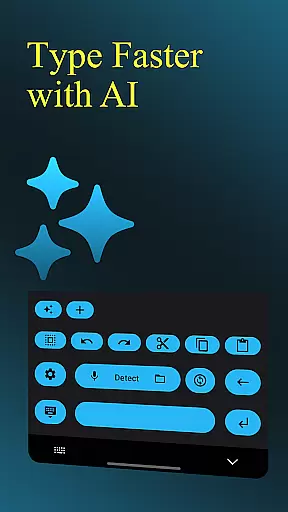
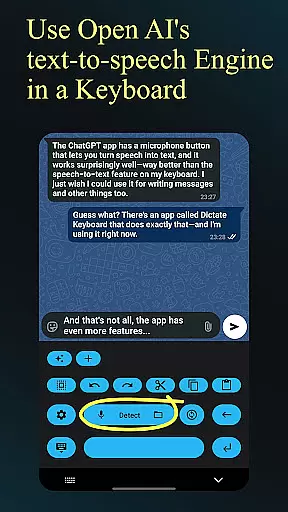
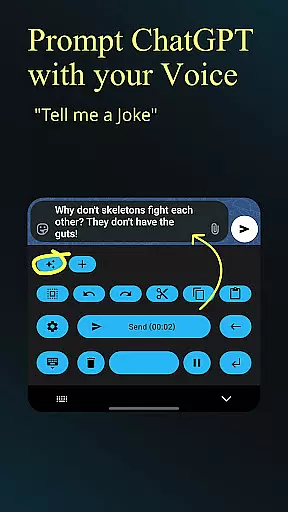
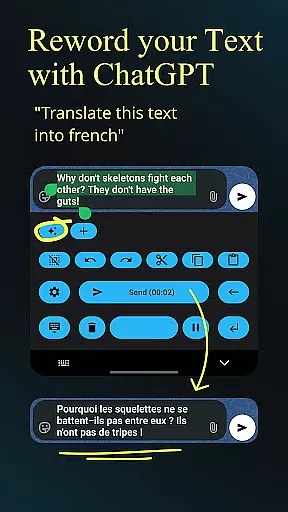
Dictate Keyboard is a revolutionary productivity tool that transforms spoken language into accurate text using advanced AI speech recognition. This powerful keyboard supports all common languages and even recognizes sung text with proper punctuation, eliminating the need for manual dictation of commas or periods.
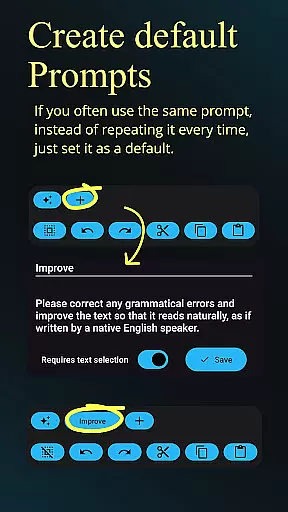
Beyond basic transcription, Dictate offers professional-grade features including custom rewording through GPT models, automatic formatting of spoken commands, and seamless integration with various transcription providers. Users can switch between different recognition models, transcribe audio/video files, and customize their experience through system prompts and theme settings.
The application proves especially valuable for content creators, business professionals, and students who need efficient text input on mobile devices. Its ability to handle complex transcription tasks while maintaining high accuracy makes it an indispensable tool for modern productivity workflows.
Dictate Keyboard distinguishes itself through its comprehensive feature set designed for maximum productivity. The application's core strength lies in its multi-model transcription capability, allowing users to choose between Whisper, GPT-4o-transcribe, and other advanced recognition engines while supporting both cloud-based and self-hosted providers.
Professional users benefit from sophisticated tools such as custom API server support, proxy configuration, and detailed prompt management. The keyboard's intelligent formatting system automatically handles paragraph breaks, numbering, and special character insertion through simple voice commands, streamlining document creation.
Additional productivity-enhancing features include haptic feedback, quick keyboard switching, direct input mode, and comprehensive theme customization options. The open-source nature of the application ensures transparency and allows for community-driven improvements, making it a reliable choice for both casual and power users seeking efficient voice-to-text solutions.
Dictate Keyboard revolutionizes core task management by integrating advanced speech recognition technology into a user-friendly keyboard interface. This innovative approach allows users to convert spoken language into text with remarkable accuracy, supporting all common national languages.
The application goes beyond basic transcription by offering features like auto-formatting of spoken commands and custom rewording instructions using powerful AI models. These capabilities ensure that users can efficiently manage tasks such as creating documents, emails, and notes through voice commands alone.
With its comprehensive feature set including system prompt settings and multiple transcription model options, Dictate enables users to maintain consistent formatting and style across all their productivity tasks. The ability to switch between different transcription models ensures optimal performance based on specific requirements or preferences.
Cross-device synchronization is where Dictate Keyboard truly shines, offering unparalleled reliability in maintaining consistency across multiple devices. Users can seamlessly transition between their smartphone, tablet, and computer while retaining access to all their custom settings and preferences.
The application's support for custom API servers and proxy configurations ensures that data synchronization remains stable even in challenging network environments. This feature is particularly valuable for professionals who need to maintain productivity while working remotely or traveling frequently.
Furthermore, Dictate's open-source nature and availability on GitHub demonstrate the developer's commitment to transparency and reliability. Users can review the source code and even contribute to improving the application's synchronization capabilities, ensuring long-term stability and performance across all supported platforms.
Advanced AI recognition
Multi-language support
Custom formatting tools
Open-source reliability
Professional features
Requires API setup
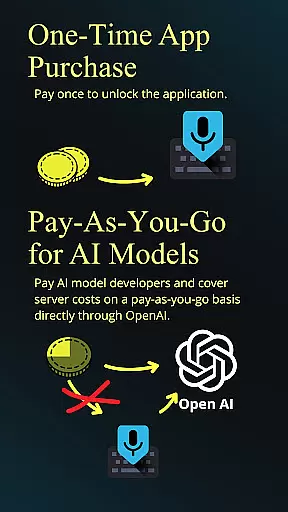
Incurs small costs
Complex for beginners
Cloud dependency
Limited offline use

Ads Free App! Editor, Hide File, Copy, Move, Delete and Rename.. all facility av
 1.70
1.70
Professional calendar app for Google Calendar, MS Outlook & Exchange
4.20
Wake up & get tasks done! Add alarms & reminders on the Clock Launcher.
4.00
Calendar 2023 widget for Android. Appointment scheduler, planner, and reminder
4.60
Access, manage and transfer files on Android, PC, Mac, NAS and cloud storages.
4.30
Use powerful, industry-leading AI tools to generate visual charts from any data
4.80
AT&T Internet customers can use this app to personalize their Wi-Fi network.
4.40
Set up, print, and get support—in one place
4.20
2026 USPS Alpha/Color coded calendar Sunday/Rotating day off schedules
4.5
Native client for Forgejo and Gitea
5.00
Client for Nextcloud Deck
4.60
The Pro Version of Android's tiniest Notepad app. Just 0.3MB but feature-packed!
4.60
Planet Free VPN - The best Fast Unlimited and Secure VPN Without Logs
4.50
Tally and goal counter for Wear OS & mobile
4.50
Send files, sync SMS, notifications & clipboard across devices via local network
4.40
A Pixel Art watchface inspired by other iconic 90s designs for Wear OS devices!
4.40
Pwnagotchi companion app
4.20
Unlock AutoNotification
4.00
Experience and share your SolidWorks designs on your Android® phone and tablet.
2.50


User Reviews