
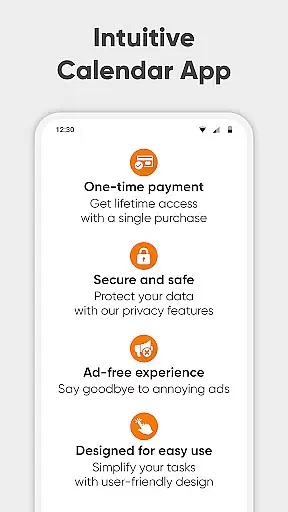
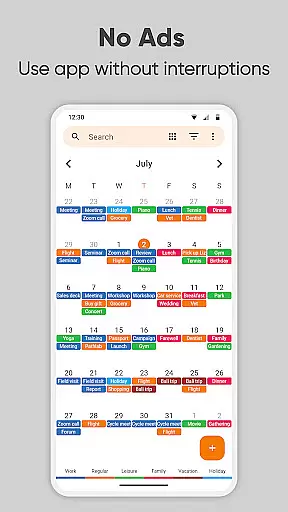
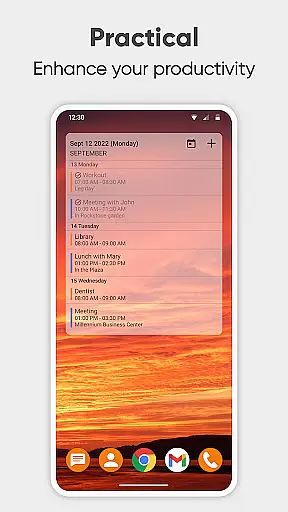
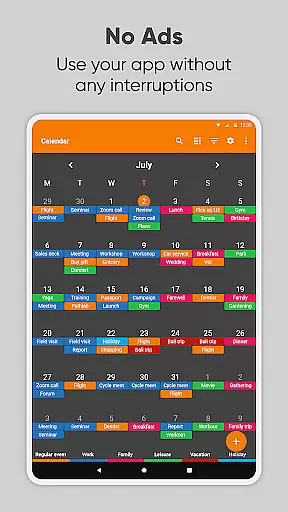
Simple Calendar Pro is a productivity-focused calendar application designed for Android users who value simplicity and customization. This offline calendar app offers essential scheduling features without unnecessary complexities, ads, or intrusive permissions. The app supports event syncing through Google Calendar or other CalDAV-compatible services, making it versatile for both personal and professional use.
With its intuitive interface, Simple Calendar Pro allows users to efficiently manage their schedules. Whether you need a work calendar, day planner, or appointment scheduler, this app provides the tools to stay organized. Its customizable widgets enable users to tailor reminders, notifications, and appearance to suit their preferences. Additionally, the app's open-source nature ensures transparency and flexibility.
The app's value lies in its ability to streamline time management while maintaining user privacy. By functioning offline, it ensures data security and reliability. Users can export and import events via .ics files, sync with various calendar services, and personalize their experience with themes and reminder settings. Simple Calendar Pro proves especially useful for those seeking an ad-free, stable, and highly adaptable scheduling solution.
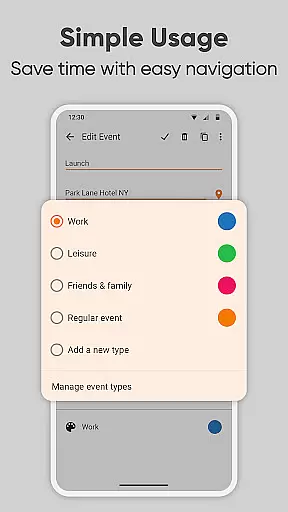
Simple Calendar Pro stands out with its comprehensive feature set tailored for productivity enthusiasts. The app offers flexible event creation, allowing users to set times, durations, reminders, and powerful repetition rules. Its CalDAV support enables seamless synchronization with popular calendar services like Google Calendar, Microsoft Outlook, and Nextcloud, ensuring that users can maintain consistency across devices.
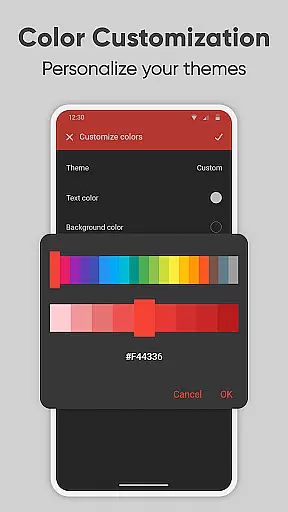
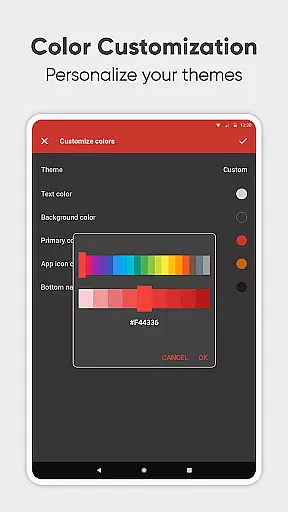
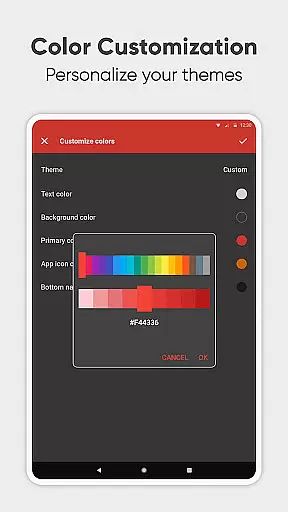
Customization is at the heart of Simple Calendar Pro's functionality. Users can personalize nearly every aspect of the app, from notification sounds and vibrations to widget colors and themes. The app supports over 45 languages and provides options for sharing events quickly via social media or email. These features make it an ideal choice for individuals and families looking to organize their schedules collaboratively.
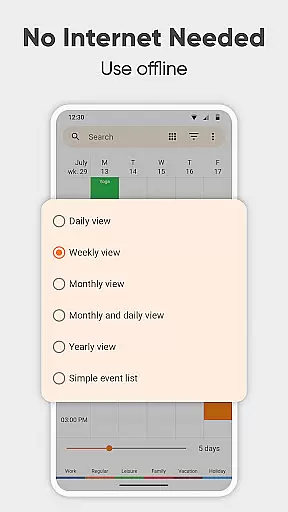
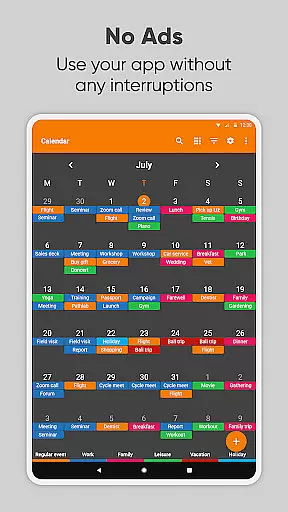
Moreover, Simple Calendar Pro excels in organization and time management. It offers multiple viewing modes, including daily, weekly, monthly, and yearly views, helping users plan effectively. The app also includes practical tools such as holiday imports, contact birthday tracking, and location-based event mapping. With its focus on user experience, privacy, and customization, Simple Calendar Pro delivers a robust solution for managing personal and professional agendas.
At the heart of Simple Calendar Pro lies its robust core task management system, designed to streamline your daily planning. This feature allows users to effortlessly create, organize, and track events with precision. Whether it's a single appointment or recurring meetings, the app provides powerful repetition rules that ensure no important event is missed.
The beauty of this productivity tool is its seamless integration with various calendar services through CalDAV support. Users can sync their schedules from Google Calendar, Microsoft Outlook, Nextcloud, and more, creating a unified view of their commitments. This synchronization capability ensures that all planned activities are up-to-date across devices, enhancing coordination and time management.
Moreover, Simple Calendar Pro offers flexible customization options for reminders and notifications. From setting specific alert times to choosing notification sounds and vibration patterns, users have complete control over how they receive information about upcoming events. This level of personalization empowers individuals to tailor the app according to their unique workflow requirements.
Ultimately, the core task management functionality in Simple Calendar Pro serves as an indispensable companion for anyone looking to optimize their schedule. By combining comprehensive event tracking with customizable alerts and cross-platform syncing, it delivers a superior planning experience that adapts to both personal and professional needs.
Cross-device synchronization reliability is a cornerstone of Simple Calendar Pro's appeal, ensuring users maintain consistent access to their schedules regardless of the device they use. This feature leverages advanced syncing technologies to keep all your devices updated in real-time, providing peace of mind that your agenda is always current and accurate.
The app supports multiple synchronization methods, including direct integration with popular calendar services like Google Calendar and Microsoft Outlook via CalDAV protocol. This versatility means that whether you're switching between your phone, tablet, or computer, your events, reminders, and custom settings follow you seamlessly. Such comprehensive coverage eliminates the risk of missing appointments due to outdated information on any single device.
Security and privacy are paramount during synchronization processes. Simple Calendar Pro operates offline by default, meaning sensitive data remains on your device unless you choose to sync it. When synchronization occurs, it's done securely without unnecessary permissions, safeguarding your personal information while maintaining high reliability standards.
This commitment to dependable cross-device operation makes Simple Calendar Pro an ideal choice for professionals and families alike. With its robust synchronization capabilities, users can confidently plan their days knowing that every device reflects the most recent changes, fostering better organization and time management across all aspects of life.
User-friendly interface
Offline functionality
Highly customizable
No ads or popups
Open-source software
Limited advanced features
No built-in email integration
Basic widget options
Occasional sync issues
Fewer visual themes

Create study competitions, track your hours, and stay consistent with friends
 4.0
4.0
Easily read and manage all your PDF files
4.10
8 custom complications. Custom Time Fonts. Beautiful color schemes. A++ Design.
5.00
Automates browsing any website and notifies you of important changes or events
4.30
The Pro Version of Android's tiniest Notepad app. Just 0.3MB but feature-packed!
4.60
PDF scanner & converter for files, photos, lottery, QR codes. One swipe away!
4.50
All document reader, all in one file viewer read PDF, DOCX, XLS, PPT, TXT files.
4.60
A comprehensive suite of tools designed specifically for Lactation Consultants
4.0
Put a lock on your cloud: Take the security of your data into your own hands
3.70
Secure, fast, open-source, VNC and SSH Remote Desktop for Windows, Linux and Mac
4.70
aCalendar+ makes your day, week and month
4.70
Lightweight PDF, Word, Excel reader.
4.60
Subscribe to Webcal & .ics calendars and keep them up-to-date!
4.50
Secure your apps with lock screens, use custom themes and different features.
4.40
Pwnagotchi companion app
4.20
Activate Two Factor Authentication (2FA or Multi OTP), Password manager and more
4.10
Experience real multitasking on your Android!
4.00
Find and delete junk files & block unwanted notifications & manage files
3.70
Auto-shutoff Alarm with Sunrise, Sunset & Fixed Options.
3.50


User Reviews