
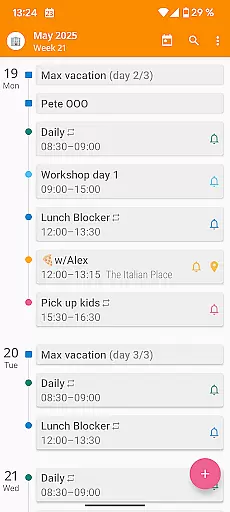

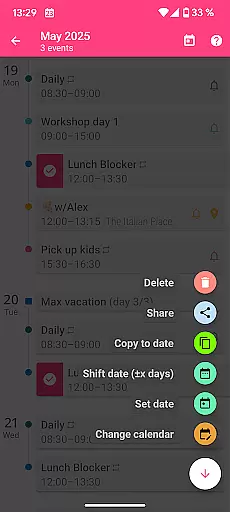
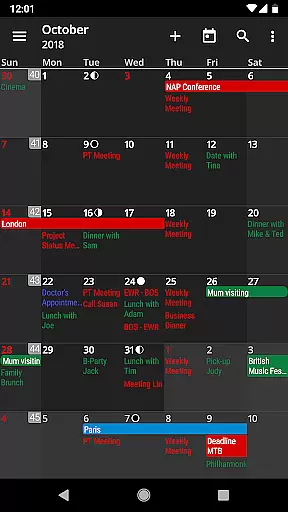
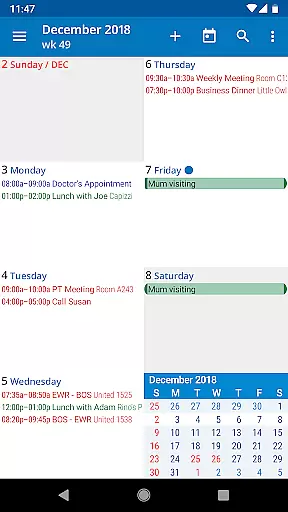
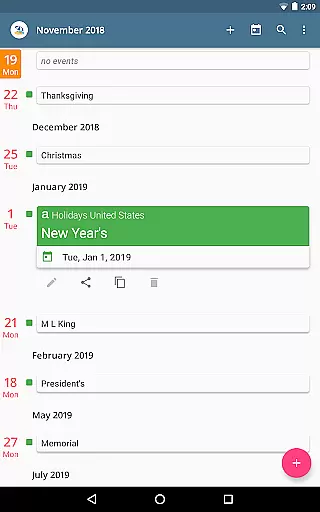
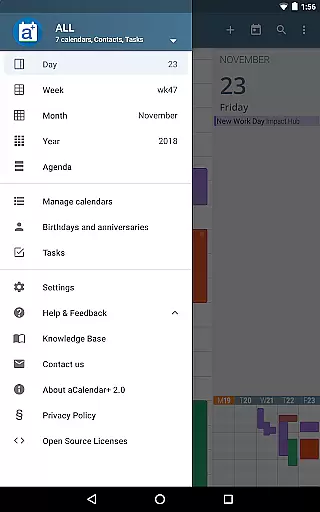
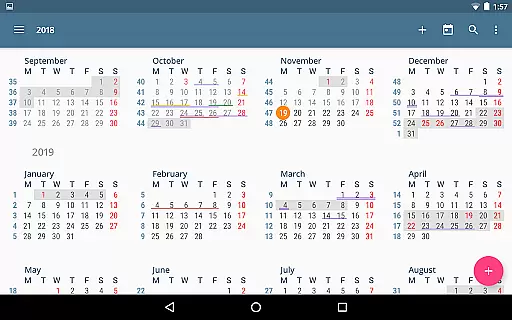
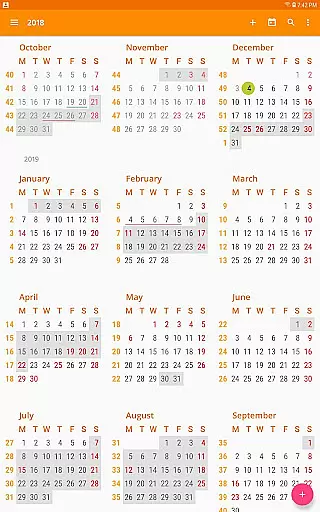
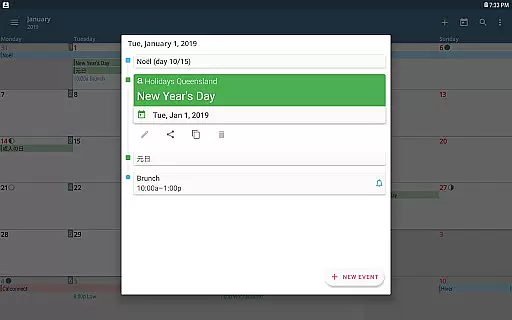
aCalendar+ is a premium productivity application designed to enhance your time management with its comprehensive calendar and task features. The app offers an intuitive navigation system with smooth transitions between day, week, month, and year views, ensuring you stay organized effortlessly.
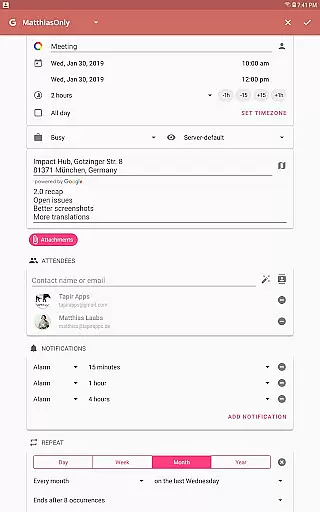
One of the standout functionalities of aCalendar+ is its ability to manage both Google Tasks and tasks from CalDAV/OpenTasks, making it versatile for various professional environments. Additionally, users can enjoy extra features such as public holidays configuration, more color options for themes and events, and business-oriented capabilities like inviting attendees and sharing calendars as ICS files.
Whether you need to track personal appointments or coordinate team schedules, aCalendar+ provides the tools necessary to streamline these processes while supporting environmental conservation through donations to rainforest protection initiatives.
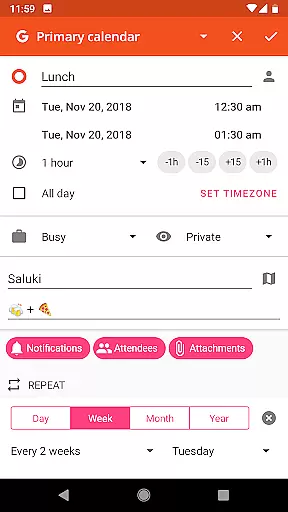
aCalendar+ stands out with its rich feature set tailored for productivity enthusiasts. The app includes fullscreen widgets and flexible recurrence options for events, allowing customization every 3 weeks, 17 days, or specific weekdays like Monday, Wednesday, and Friday.
With over 100 color choices for calendar themes and per-event colors, users can personalize their experience extensively. The app also supports custom event font sizes and integrates birthdays & anniversaries with photos from your address book, enhancing personalization further.
Functionally, aCalendar+ uses Android's native calendar backend and synchronization, ensuring seamless integration with existing systems. It respects user privacy by not sending private data unless configured by the user, providing peace of mind while managing sensitive information.
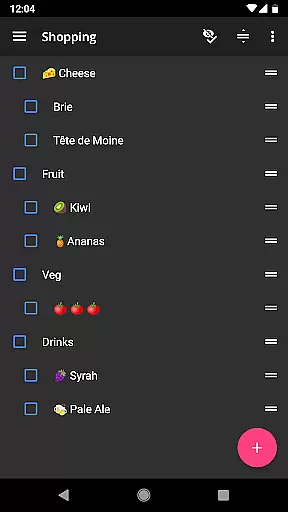
Task management is a cornerstone of productivity applications, and aCalendar+ excels in this area by offering comprehensive tools for organizing your daily activities. The app allows users to manage Google Tasks or tasks from CalDAV/OpenTasks, ensuring that all your to-dos are centralized and easily accessible.
The intuitive navigation system with smooth transitions makes moving through your tasks effortless. Whether you need to view your day, week, month, or even year at a glance, aCalendar+ provides the necessary views to keep you on track. This ensures that users can efficiently plan and execute their tasks without any hassle.
Additionally, aCalendar+ offers flexible recurrence options for repetitive tasks, such as every 3 weeks, every 17 days, or custom patterns like every Monday, Wednesday, and Friday. This level of customization helps users tailor their task management to fit their unique schedules and responsibilities.
By integrating seamlessly with Android's native calendar backend and synchronization, aCalendar+ ensures that all your tasks are up-to-date across all devices. This reliability and consistency make it an invaluable tool for anyone looking to enhance their productivity and stay organized.
Cross-device synchronization is vital for maintaining consistency and reliability in task and calendar management. aCalendar+ leverages Android's native calendar backend and synchronization capabilities to ensure that all your data is consistently updated across all your devices.
This synchronization process is seamless and automatic, meaning users do not have to worry about manually updating their calendars or tasks. Whether you add an event on your phone or modify a task on your tablet, aCalendar+ ensures that these changes are reflected everywhere, providing a unified and coherent view of your schedule.
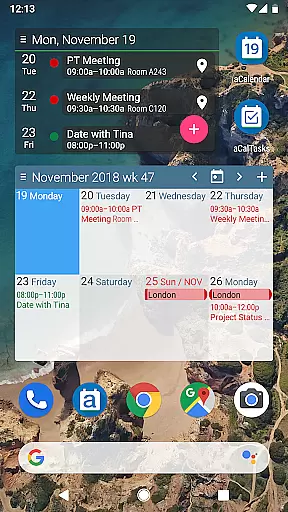
Furthermore, the app supports Fullscreen widgets, which allow users to view and interact with their calendar events directly from their home screen. This feature enhances accessibility and convenience, making it easier to stay on top of your schedule no matter which device you are using.
With its robust synchronization features, aCalendar+ ensures that users can rely on their calendar and task data being accurate and up-to-date, thus facilitating better planning and time management across multiple devices.
User-friendly interface
Extensive customization options
Robust task management
Privacy-focused design
Supports environmental causes
Premium version costly
Occasional sync issues
Limited free features
Complex settings for beginners
Ads in free version

AI Video AI Image Private LLM AI Browser Llama Gemma Ollama Connect LLM Studio
 4.4
4.4
QuickBooks Workforce lets teams view pay info and track time in one place.
4.70
Mega cloud explorer plugin for Solid Explorer
3.80
App Lock with fingerprint, password: Lock apps & hide photos with lock screens
4.60
Make apps & sites with natural language prompts
4.10
Find and delete junk files & block unwanted notifications & manage files
3.70
Cloud storage, automatic phone backup, and more.
4.10
This small app MUST BE INSTALLED after purchase, else license won't work
4.40
Put a lock on your cloud: Take the security of your data into your own hands
3.70
8 custom complications. Custom Time Fonts. Beautiful color schemes. A++ Design.
5.00
Protect and view your important info on your phone and tablet with eWallet®
4.80
Simple notepad & memo. Take notes, to-do list, shopping list with reminders.
4.80
App lock - lock apps with fingerprint, password, pin or pattern, protect privacy
4.70
Planet Free VPN - The best Fast Unlimited and Secure VPN Without Logs
4.50
PDF scanner & converter for files, photos, lottery, QR codes. One swipe away!
4.50 4.20
4.20
Wake up & get tasks done! Add alarms & reminders on the Clock Launcher.
4.00
Experience and share your SolidWorks designs on your Android® phone and tablet.
2.50
A comprehensive suite of tools designed specifically for Lactation Consultants
4.4


User Reviews