
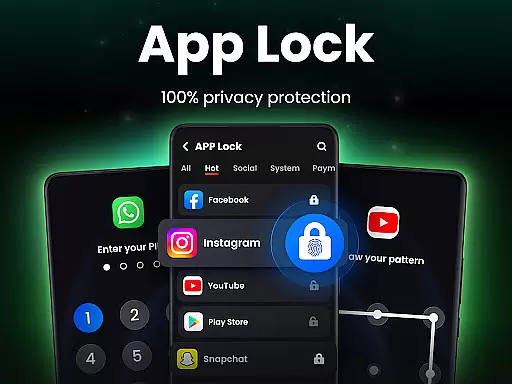
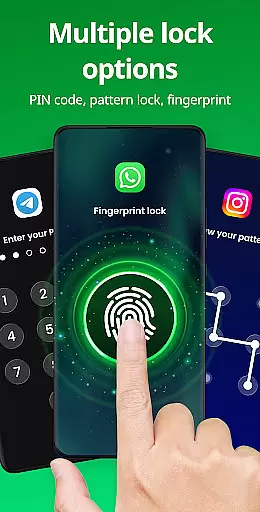
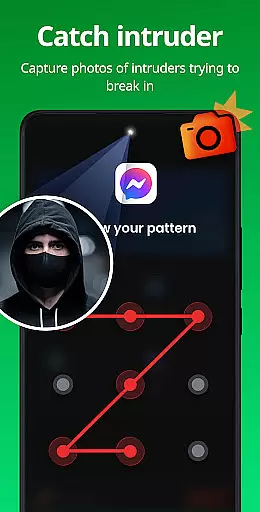
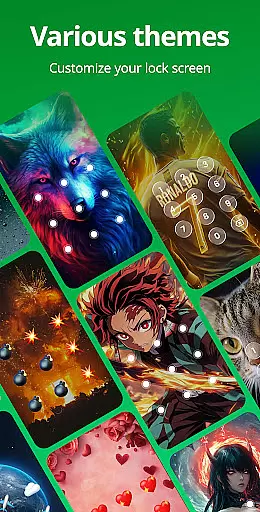
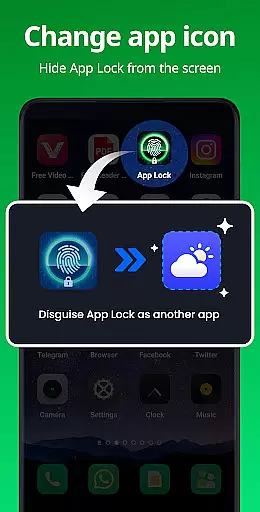
App Lock is a comprehensive productivity application designed to safeguard your personal data and privacy. This app allows users to lock specific applications using PIN, pattern, or fingerprint authentication, ensuring that sensitive information remains secure. With features like Safe Vault for hiding private photos and videos, Intruder Selfie to capture unauthorized access attempts, and Disguise App functionality to mask the app's presence, it offers multiple layers of protection. The app also supports locking financial apps to prevent accidental payments and provides customizable themes for user interface personalization.
The application extends its utility beyond basic locking mechanisms by offering additional functionalities such as Hide Pattern Draw Path, Random Keyboard, and Relock Settings. These features collectively contribute to a robust security framework, making it an essential tool for anyone looking to protect their digital privacy effectively. Whether you're concerned about nosy friends or family members, App Lock provides peace of mind by securing your private data with advanced yet user-friendly methods.
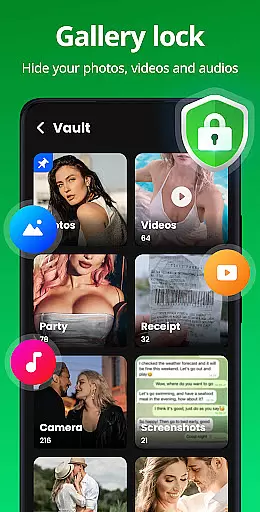
App Lock stands out with its diverse range of features tailored to enhance user privacy and security. One of the primary functions is the ability to lock apps using various authentication methods including PIN, pattern, or fingerprint. This versatility ensures that users can choose the most convenient and secure method for their needs. Additionally, the app offers a Safe Vault feature, allowing users to hide private photos and videos from the main gallery, accessible only through the app with a password.
Beyond locking capabilities, App Lock includes innovative features like Intruder Selfie, which captures a photo of anyone attempting unauthorized access, and Disguise App, enabling users to mask the app's icon to prevent discovery. Other notable features include Uninstall Protection to avoid accidental removal, Customize Themes for personalized aesthetics, and advanced settings like Hide Pattern Draw Path and Random Keyboard to further secure access. These comprehensive features make App Lock a powerful tool in maintaining personal data security and privacy.
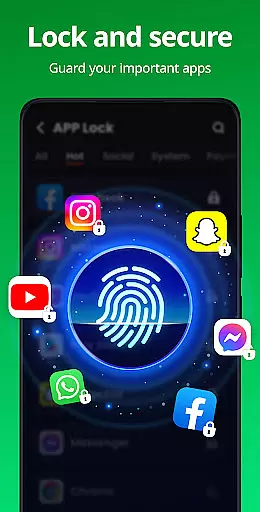
In the realm of productivity, managing tasks efficiently is paramount. App Lock excels in this area by providing users with a robust system to lock and protect their apps, ensuring that private data remains secure. This app allows you to lock social media platforms like WhatsApp and Instagram with just one click, using PIN, pattern, or fingerprint authentication.
App Lock goes beyond merely locking apps; it offers comprehensive protection for your Gallery, Contacts, and Messages. By doing so, it prevents unauthorized access to personal photos, videos, and messages without a password. The ability to lock financial apps such as Google Pay and PayPal adds another layer of security, preventing accidental payments or unauthorized purchases by children.
The application also features an Intruder Selfie function, capturing images of anyone attempting to break in using incorrect passwords. This feature not only deters potential intruders but also provides evidence if unauthorized access occurs. With these capabilities, App Lock ensures that your digital environment remains under control, enhancing both privacy and peace of mind.
For those who use multiple devices, reliable cross-device synchronization is crucial. App Lock addresses this need by offering consistent protection across all your devices. Whether you're switching between your phone, tablet, or other gadgets, the app ensures that your locked apps remain secure, regardless of where you access them from.
Beyond basic synchronization, App Lock includes advanced features like Disguise App, which allows you to mask the app's icon, making it less conspicuous to prying eyes. Additionally, Uninstall Protection safeguards against accidental removals, ensuring that hidden files aren't lost due to unintentional uninstallation.
Customization options further enhance user experience, allowing individuals to choose from various themes for their lock screen. Features such as hiding pattern draw paths and randomizing keyboards add layers of obscurity, making it difficult for others to guess your password. These thoughtful additions underscore App Locku2019s commitment to delivering a seamless and secure cross-device experience.
Easy-to-use interface
Multiple authentication methods
Comprehensive privacy protection
Innovative security features
Customizable user experience
Requires multiple permissions
May drain battery faster
Occasional bugs reported
Limited free features
Ads in the free version

AI Video AI Image Private LLM AI Browser Llama Gemma Ollama Connect LLM Studio
 4.1
4.1
A customizable calendar for your Wear OS watch
4.20
Ads Free App! Editor, Hide File, Copy, Move, Delete and Rename.. all facility av
1.70
Secure, fast, open-source, Remote Desktop Client for Windows and Linux with SSH
4.60
PDF scanner & converter for files, photos, lottery, QR codes. One swipe away!
4.50
Experience and share your SolidWorks designs on your Android® phone and tablet.
2.50
Ultimate Virtual AI Character for immersive Roleplay Chat. Perfect Companion
3.90
Understand anything with a personalized AI research assistant
4.80
Simple notepad & memo. Take notes, to-do list, shopping list with reminders.
4.80
8 custom complications. Custom Time Fonts. Beautiful color schemes. A++ Design.
5.00
Great calculator for Android named one of USA TODAY's "25 Essential Apps".
4.90
Seamlessly integrate data and reports to build your presentation to impress
4.80
We're working to become the best machining app on the market! www.cncdirt.com
4.80
aCalendar+ makes your day, week and month
4.70
A beautiful digital clock with autostart and many other functions
4.70
The Pro Version of Android's tiniest Notepad app. Just 0.3MB but feature-packed!
4.60
Experience Reading - Night Mode for Documents
4.40
Make apps & sites with natural language prompts
4.10
Wake up & get tasks done! Add alarms & reminders on the Clock Launcher.
4.00


User Reviews