

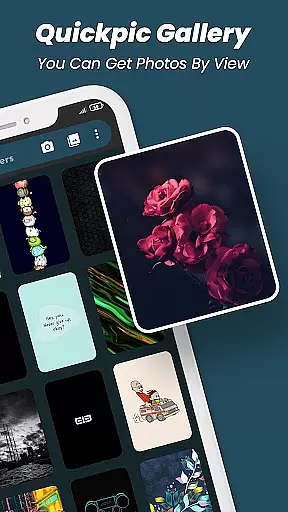
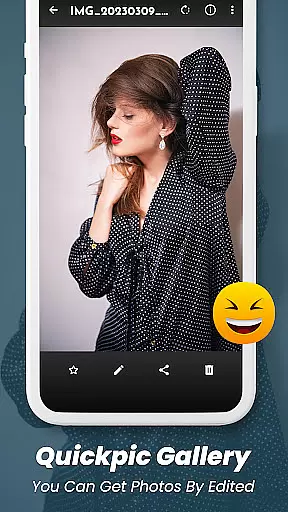
Quickpic Gallery Pro is a premium gallery application designed to help users efficiently manage their photos and videos. This app offers an intuitive interface that allows for seamless organization of multimedia files, including images and videos in various formats such as JPEG, PNG, MP4, and more. With its customizable design, users can tailor the app's appearance and functionality to suit their preferences.
The app stands out with advanced features like an integrated photo editor, enabling users to crop, rotate, and apply filters to their images effortlessly. Additionally, Quickpic Gallery Pro provides robust security options, allowing users to protect their private media with PINs, patterns, or fingerprint authentication. The ability to recover accidentally deleted files adds another layer of convenience, making it an indispensable tool for anyone looking to maintain a well-organized digital library.
Quickpic Gallery Pro boasts a comprehensive set of features that cater to both casual users and photography enthusiasts. One of its key strengths is the support for a wide array of file types, ensuring compatibility with virtually any media format you might encounter. The app's advanced photo editor lets users enhance their images with simple gestures, offering tools for cropping, flipping, rotating, and resizing pictures, as well as applying stylish filters.
Another standout feature is the app's emphasis on security and privacy. Users can safeguard their sensitive photos and videos using various locking mechanisms, including PINs, patterns, and biometric authentication. Furthermore, the built-in recycle bin function allows for easy recovery of deleted files, providing peace of mind against accidental loss. These capabilities, combined with a sleek dark mode and timeline view, make Quickpic Gallery Pro a versatile and powerful productivity tool for managing your digital assets.
Task management is a critical aspect of productivity applications, and Quickpic Gallery Pro excels in this area by offering users comprehensive tools to manage their multimedia files effectively. The app allows users to perform essential tasks such as copying, moving, renaming, and deleting images and videos with ease.
Quickpic Gallery Pro goes beyond basic file operations by enabling users to create new files and folders, which adds another layer of organization to personal media collections. This functionality ensures that users can structure their galleries in a way that best suits their needs, enhancing accessibility and workflow efficiency.
The ability to edit photos directly within the app further enriches the user experience. With features like cropping, flipping, rotating, and applying filters, users can refine their images without needing to switch to separate editing software. This seamless integration of photo editing into the gallery app streamlines the process of managing digital content.
By consolidating these core task management features, Quickpic Gallery Pro empowers users to maintain an organized and personalized gallery. Whether it's arranging files, editing images, or creating new organizational structures, the app provides the necessary tools to keep multimedia libraries well-managed and easily navigable.
Cross-device synchronization is vital for users who access their files from multiple devices. While Quickpic Gallery Pro focuses primarily on local management, its robust feature set indirectly supports reliable synchronization when paired with cloud services or manual transfer methods.
The app's support for a wide range of file types, including JPEG, PNG, MP4, MKV, RAW, SVG, GIF, panoramic photos, and videos, ensures that users can maintain consistency across devices. This compatibility means that whether you're viewing your media on a smartphone, tablet, or computer, the integrity of your files remains intact.
Although Quickpic Gallery Pro does not provide built-in cloud syncing, its efficient file handling capabilities allow users to manually back up and synchronize their data with minimal hassle. Users can quickly share files via email or social media platforms, facilitating the movement of data between devices.
For those seeking a dependable solution for managing digital media, Quickpic Gallery Pro offers the foundational tools needed to maintain a synchronized and secure library. Its emphasis on privacy and security features, such as app locking with PIN, password, and fingerprint options, ensures that your media remains protected during transfers and backups.
User-friendly interface
Advanced editing tools
Robust security features
File recovery option
Customizable design
No cloud backup
Limited sharing options
Occasional bugs
Ads in free version
Heavy on storage

Secure, fast, open-source, VNC and SSH Remote Desktop for Windows, Linux and Mac
 4.70
4.70
AI Video AI Image Private LLM AI Browser Llama Gemma Ollama Connect LLM Studio
4.4
Professional calendar app for Google Calendar, MS Outlook & Exchange
4.20
The upgraded version of Name Wheel with AI and the power to add your own wheels.
4.3
Device's storage information in a simple and clear graphical form (infographics)
4.10
Font maker keyboard with your own handwriting
4.10
Access your phone's notifications, calls, apps, photos & texts on your PC
3.90
Daily processing of PDF documents.
4.40
Set up, print, and get support—in one place
4.20
Okta MFA
4.70
App Lock with fingerprint, password: Lock apps & hide photos with lock screens
4.60
Subscribe to Webcal & .ics calendars and keep them up-to-date!
4.50
A Pixel Art watchface inspired by other iconic 90s designs for Wear OS devices!
4.40
Share files & memories safely. Keep your photos and videos secure.
4.40
Total remote control for your Android device, PC and cloud services (IFTTT)!
4.20
Easily read and manage all your PDF files
4.10
Activate Two Factor Authentication (2FA or Multi OTP), Password manager and more
4.10
The ultimate file manager for rooted devices. The original and still the best.
4.00
Auto-shutoff Alarm with Sunrise, Sunset & Fixed Options.
3.50


User Reviews